
13. HOMING
Set homing parameters and run optional homing tests. Perform the steps outlined below.
1.  On Main screen, click Home to open the Homing screen
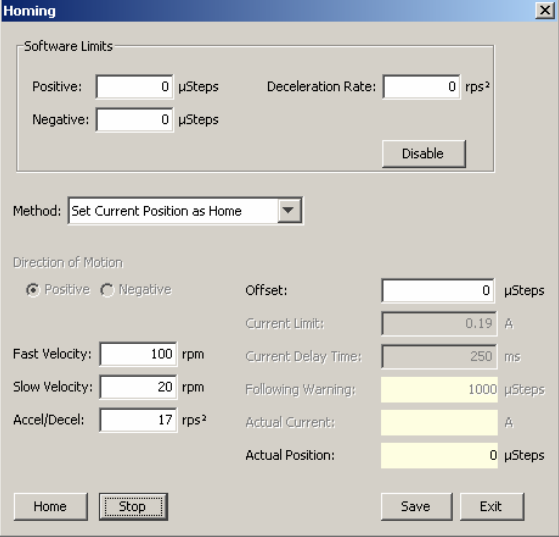
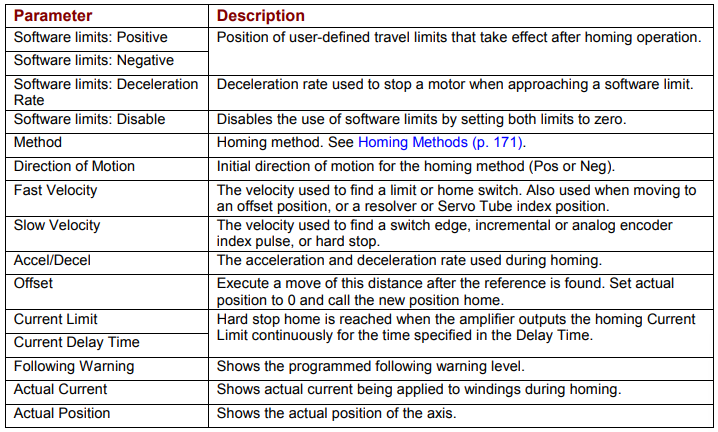
2 Select the following homing parameters:
3 Optionally click Home to begin a homing sequence. To stop immediately, click Stop.
4 Click Save to save the settings to flash memory. Click Exit to close the screen