4. Main Window Introduction
After installation, double-click the Software icon  on the desktop to run the Software. The main window of the Software will show once the software is launched.
Note
● If you have set a password for the Software before, the main window will show only after you enter the correct user name and password for login.
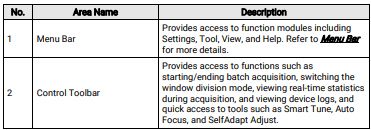
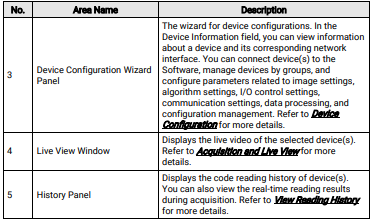
● The Software will be displayed in full screen by default. Refer to the image and table below for the description of each component of the main interface.
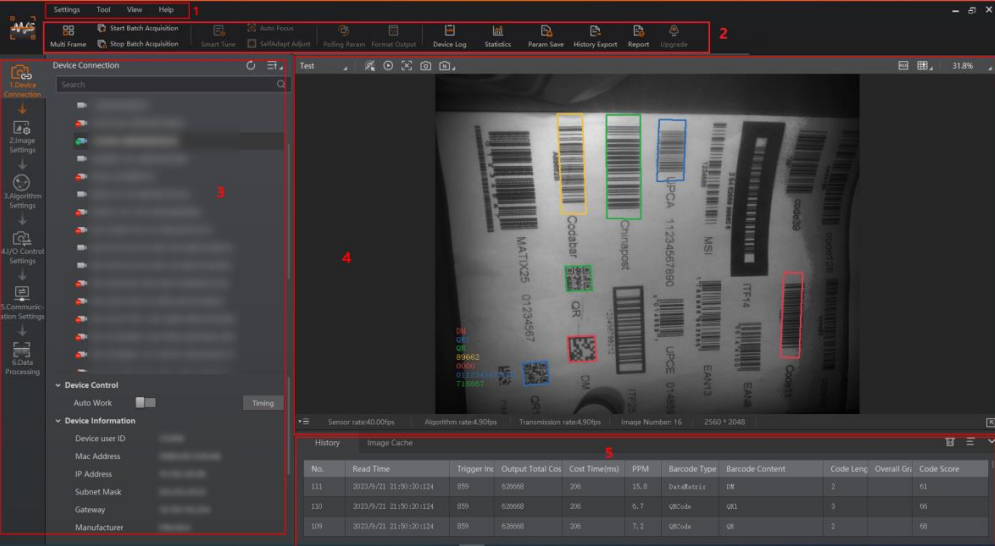
Figure 4-1 Main Interface