15. About ROI
While editing a project, drawing an ROI is often required for the base image and most tools. This chapter introduces the supported ROIs and how to draw an ROI.
15.1 ROI Types
The ROI types include template area, detection area, and shielded area drawn inside the template area and detection area.
For different ROI types, the supported number of ROIs and shapes vary.

Other Tools: only one
Code Recognition
Tool: up to 8


Note
● By default, the detection area is the whole image.
● When drawing multiple ROIs, digit icons indicating the number of ROIs will be displayed
in the down-right corner of the drawing area.
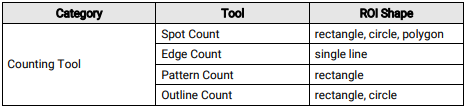
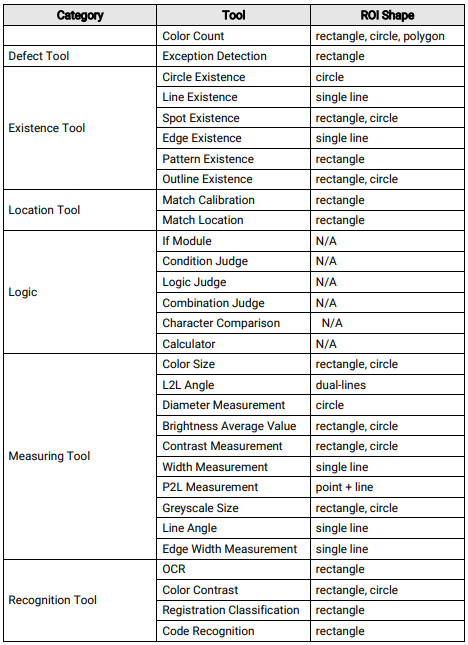
● Some tools do not support drawing an ROI. The supported shapes are as follows.

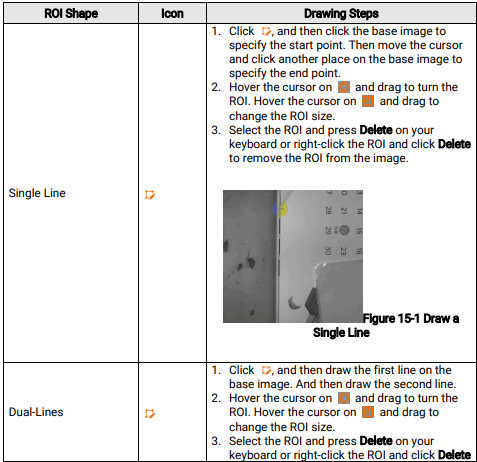
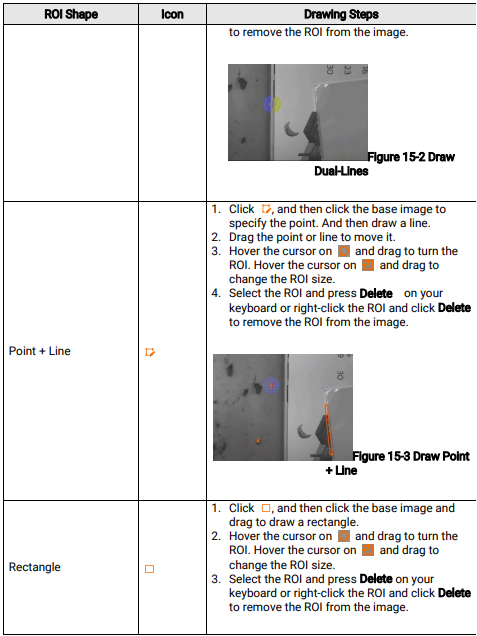
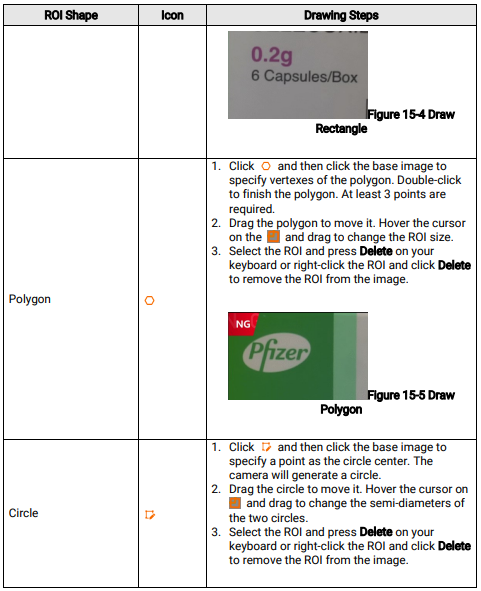
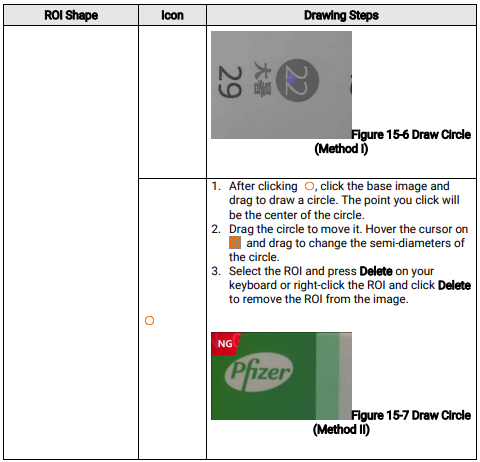
15.2 How to draw an ROI?
For different shapes, the drawing steps vary