
15. RL Commands
15.1 Variable Type
15.1.1 Int
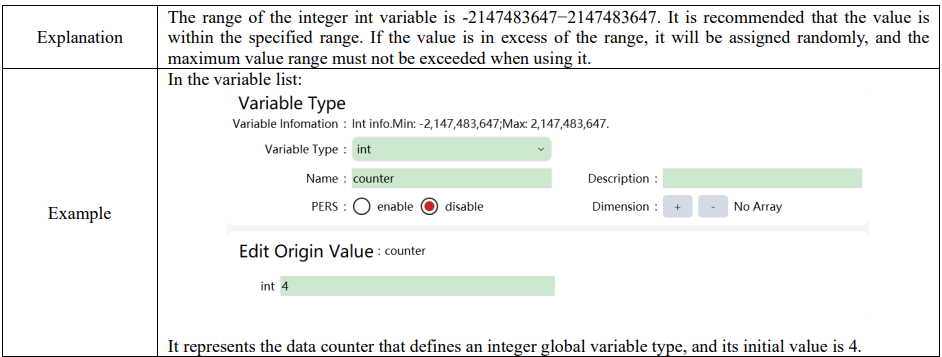
15.1.2 Double
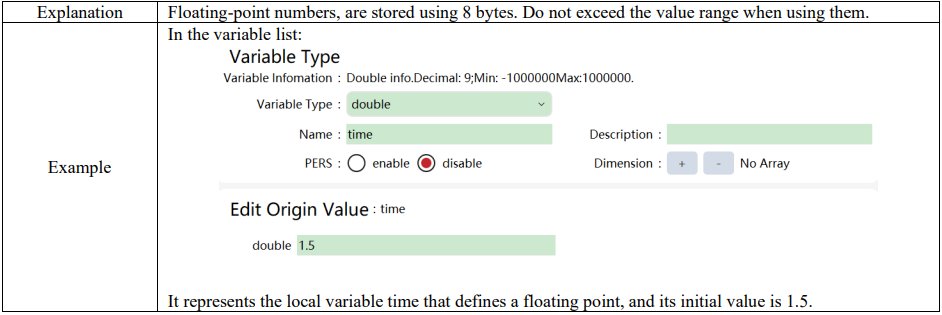
15.1.3 Bool
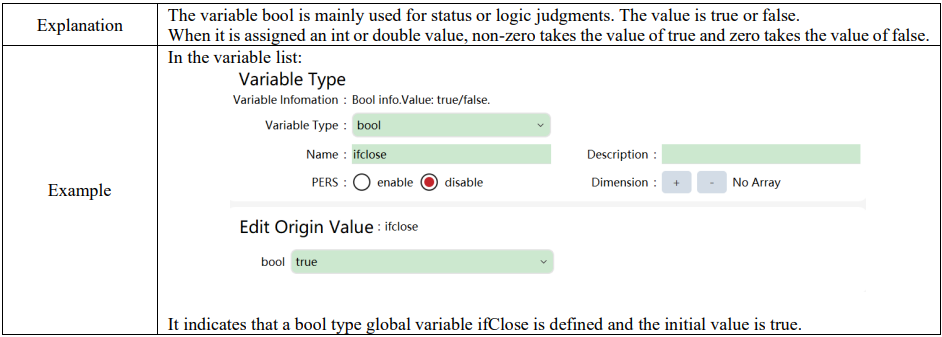
15.1.4 String

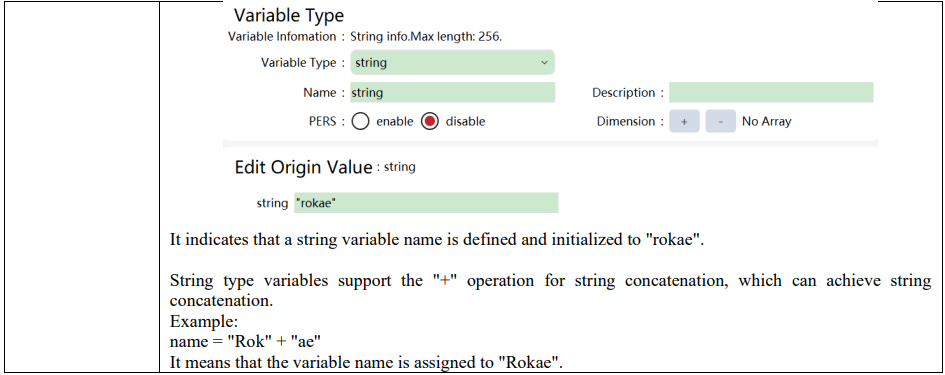
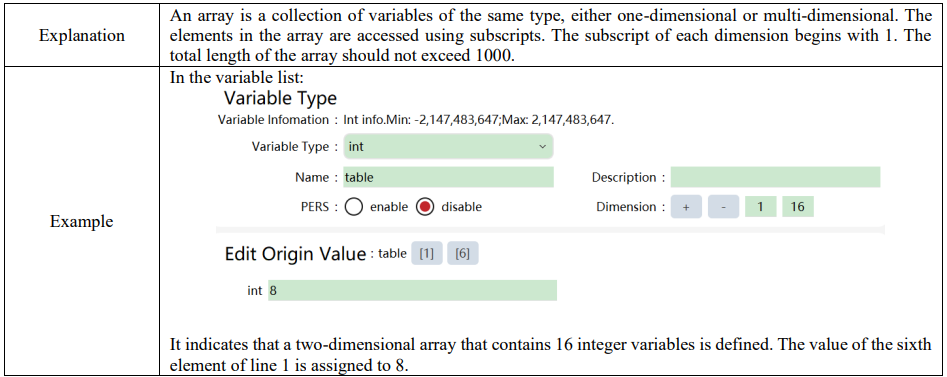
15.1.5 Array
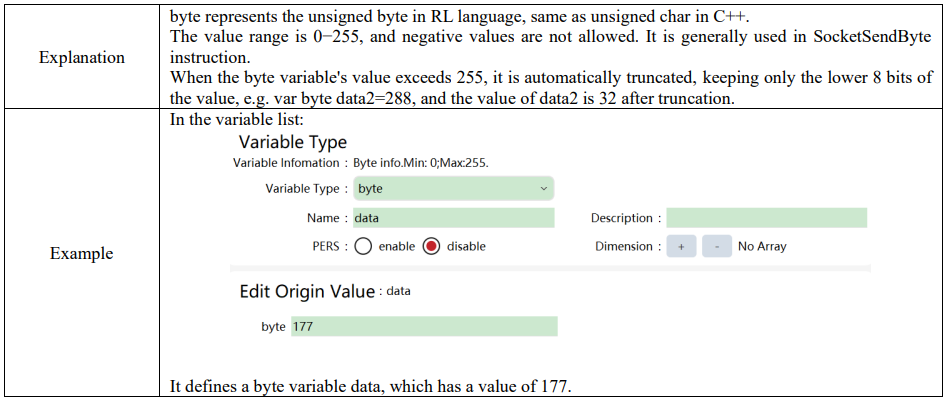
15.1.6 byte
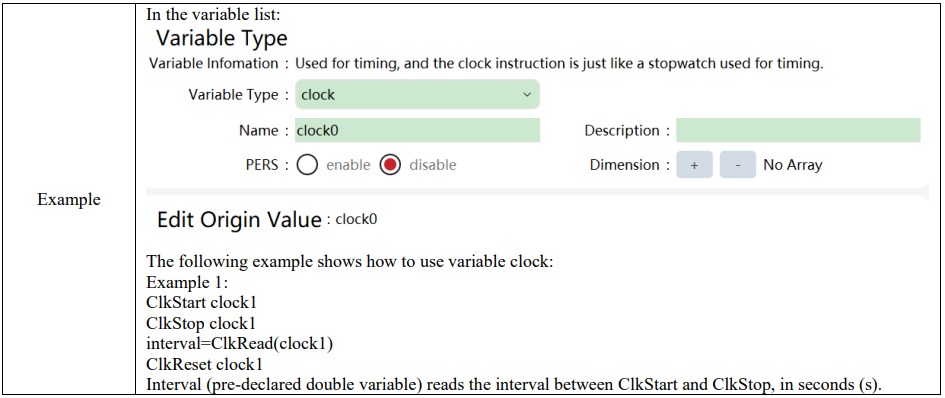
15.1.7 clock

15.1.8 Implicit type conversion

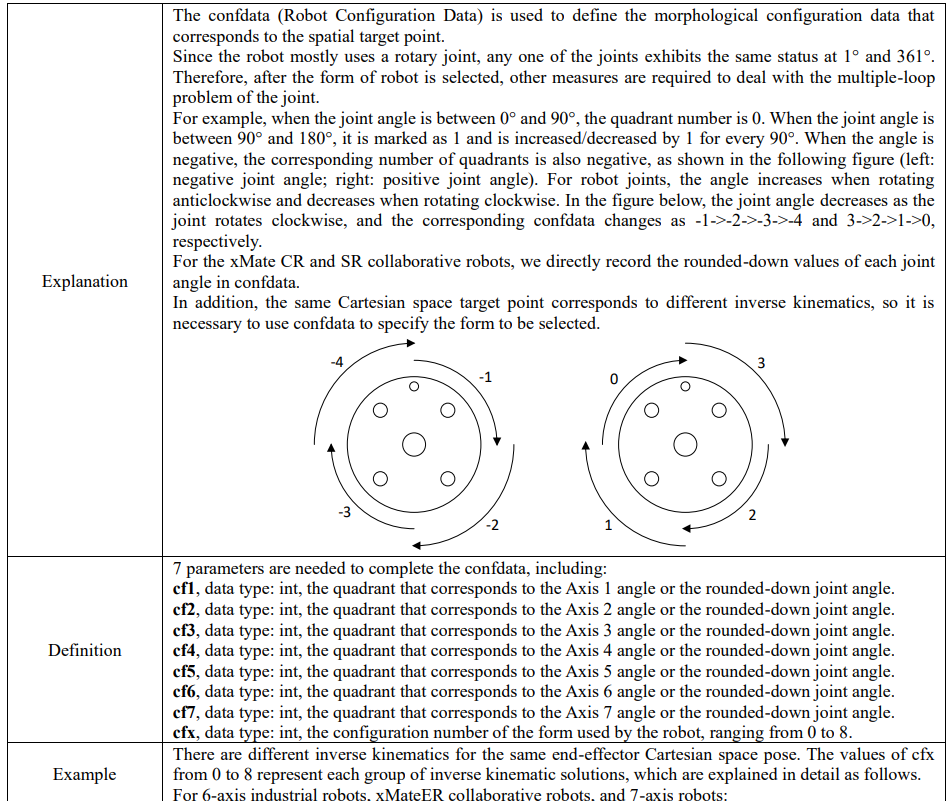
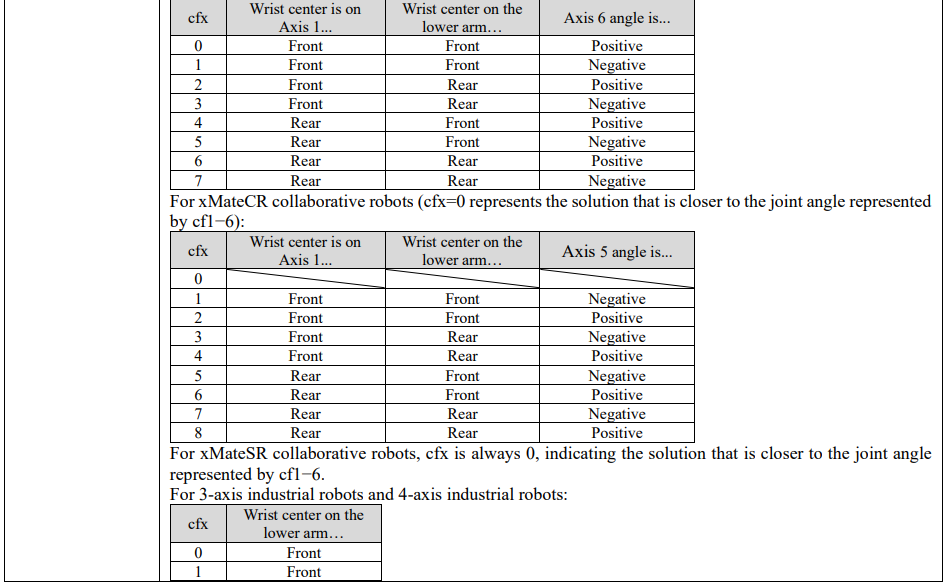
15.1.9 Confdata
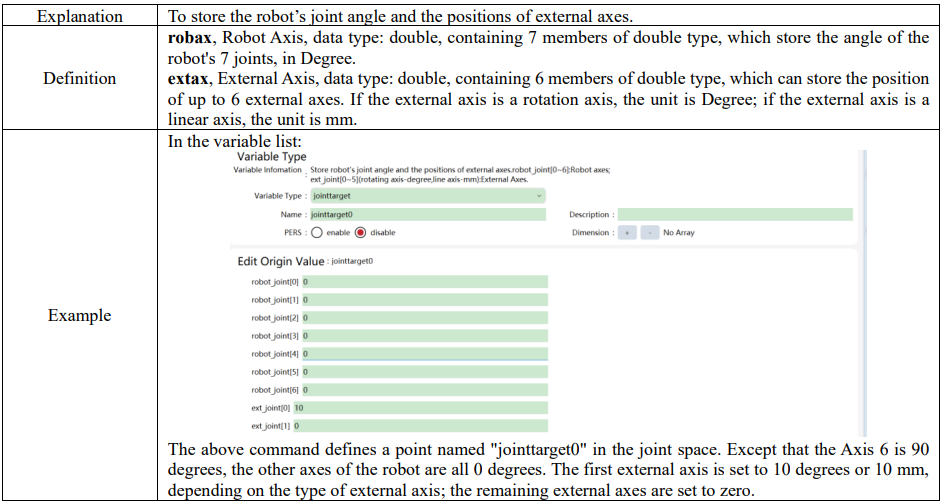
15.1.10 jointtarget
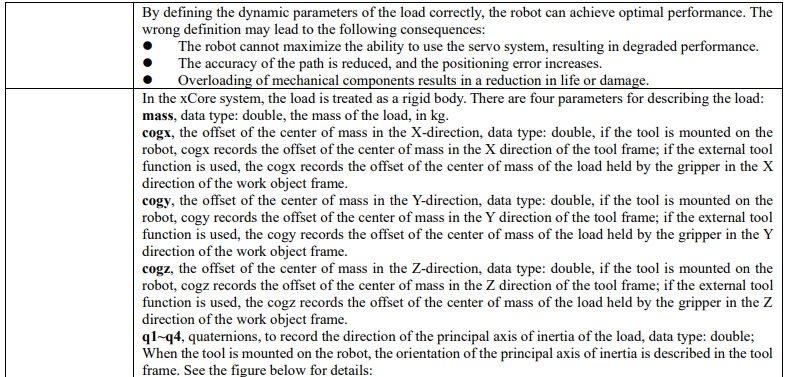
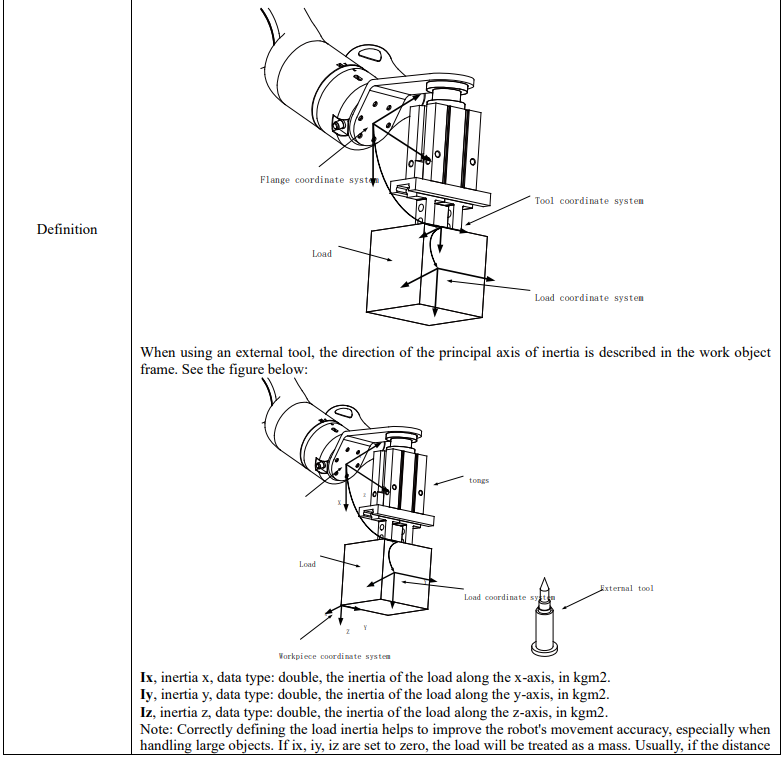
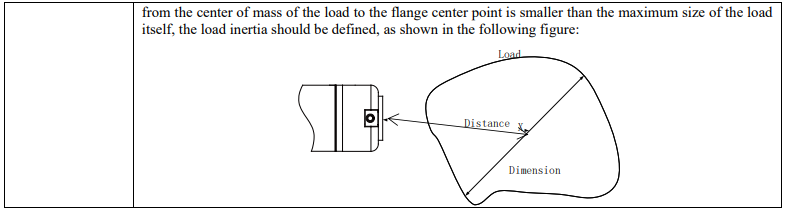
15.1.11 load

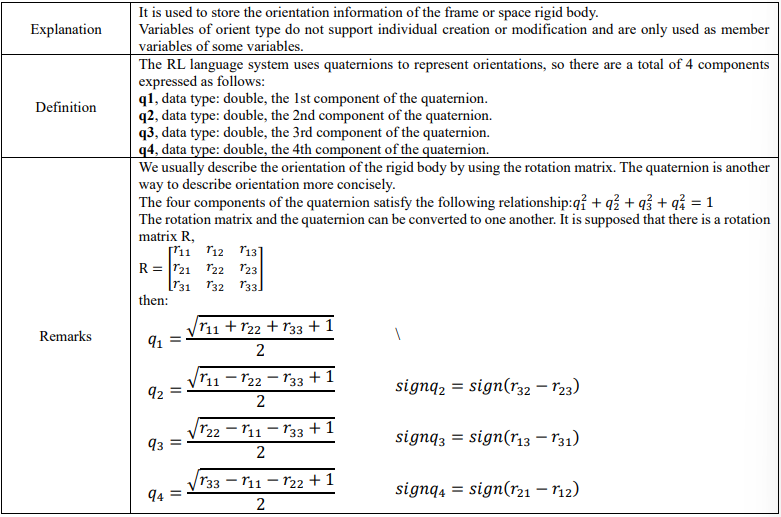
15.1.12 orient
15.1.13 pos

15.1.14 pose


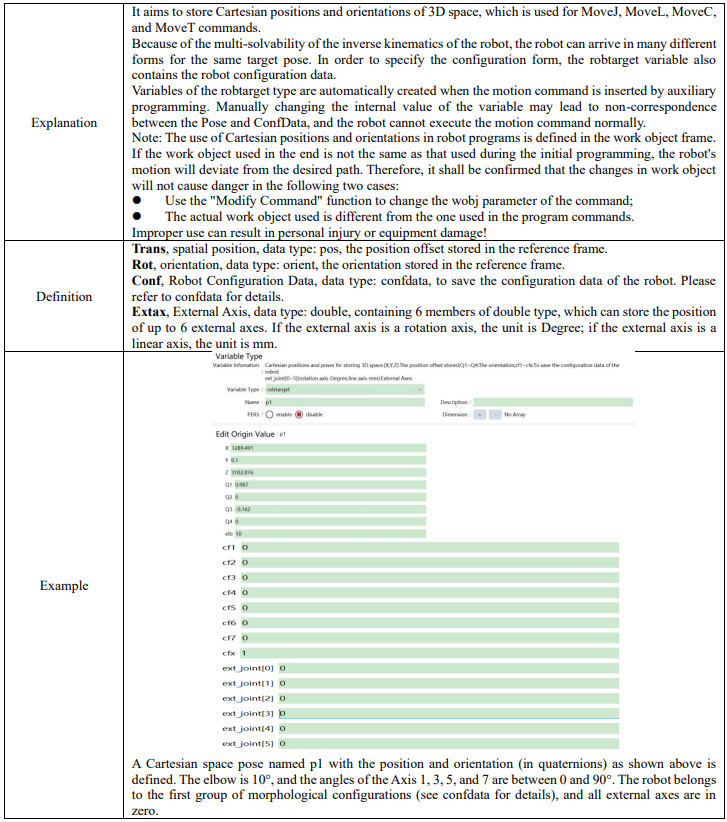
15.1.15 robtarget
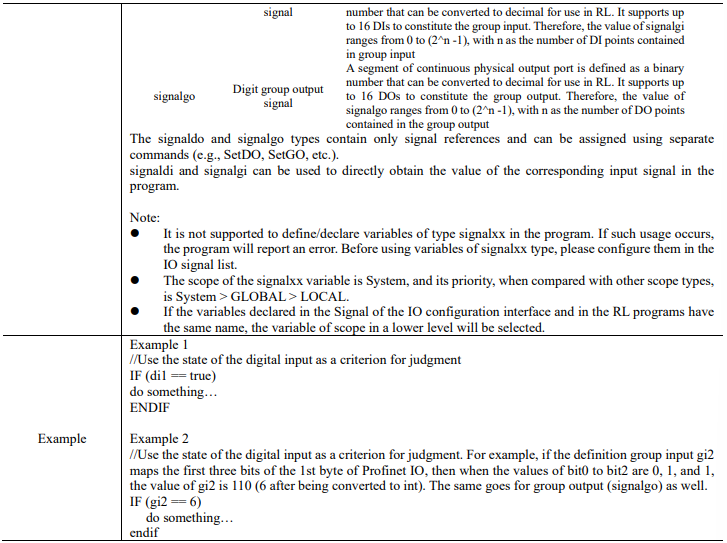
15.1.16 signalxx

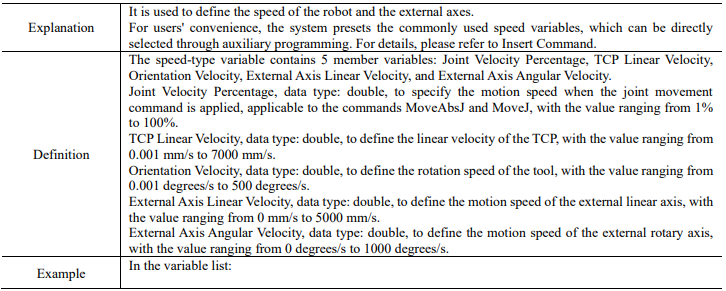
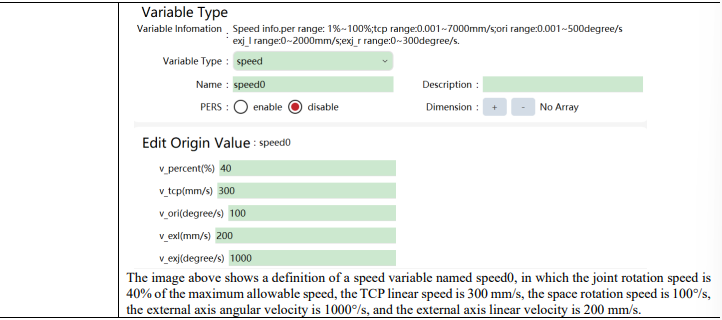
15.1.17 speed
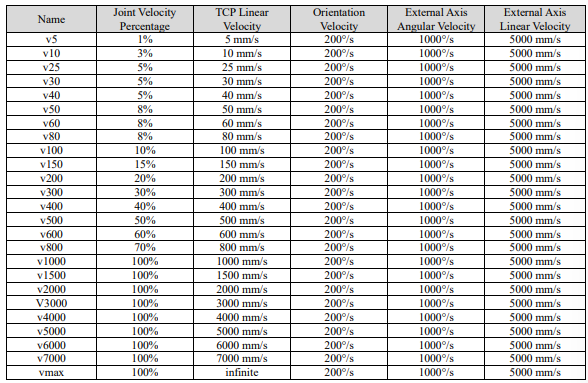
The system predefines some common speed variables, as shown in the following table.

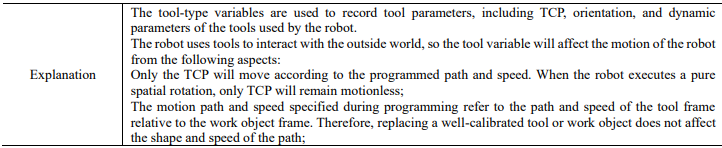
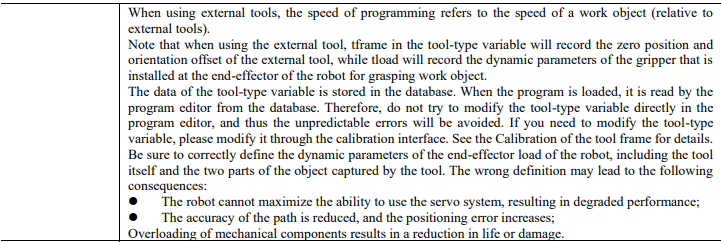
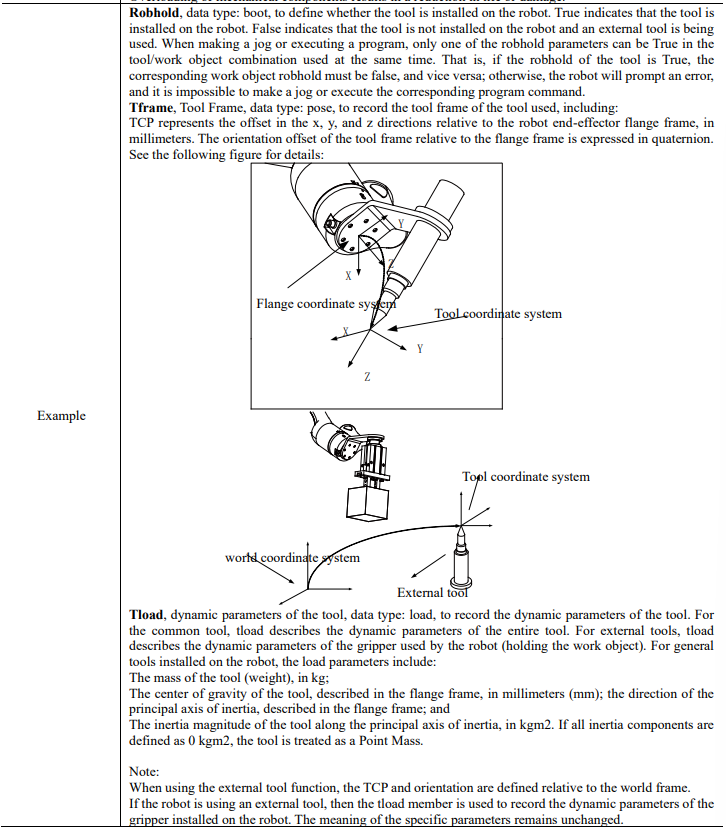
15.1.18 tool

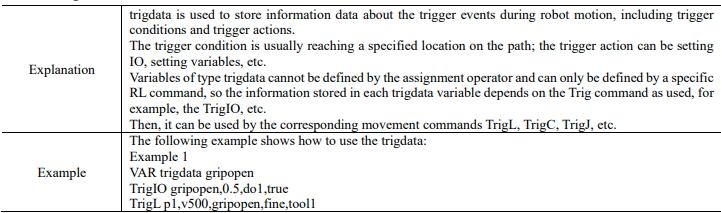
15.1.19 trigdata
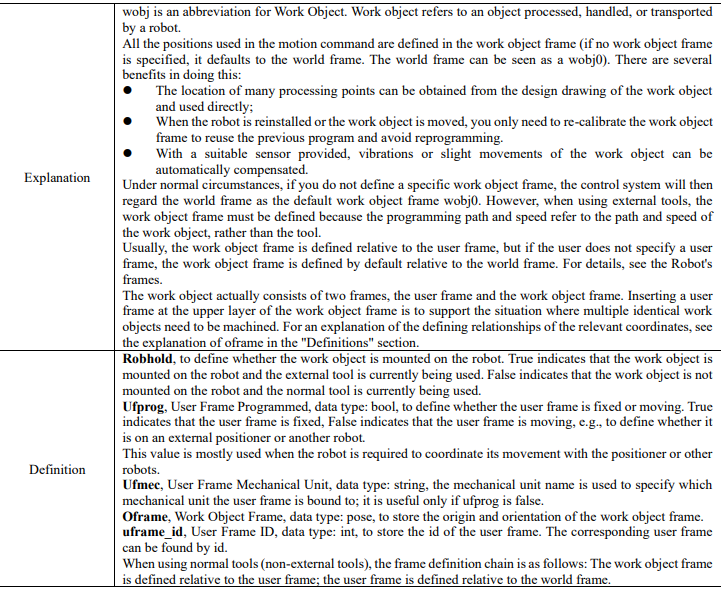
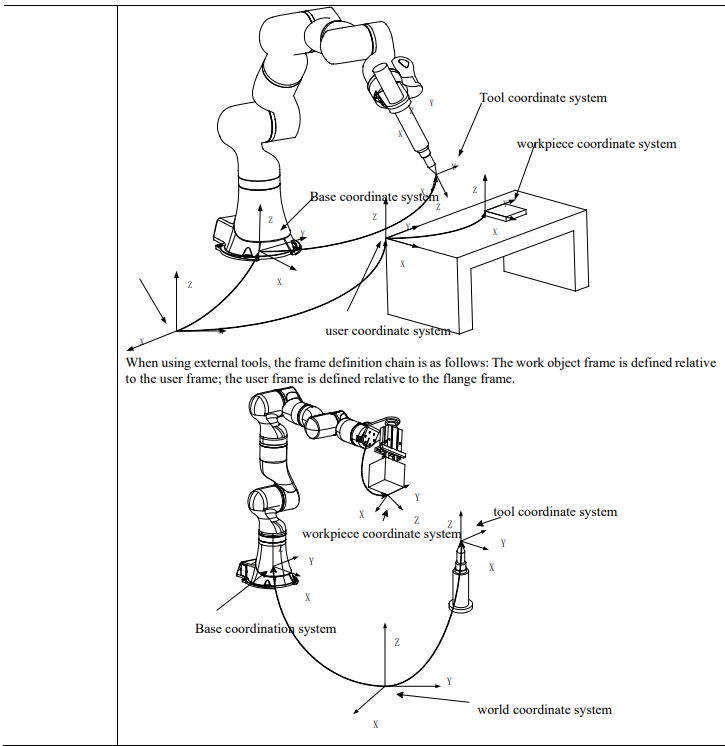
15.1.20 wobj
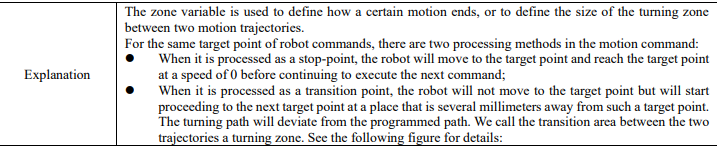
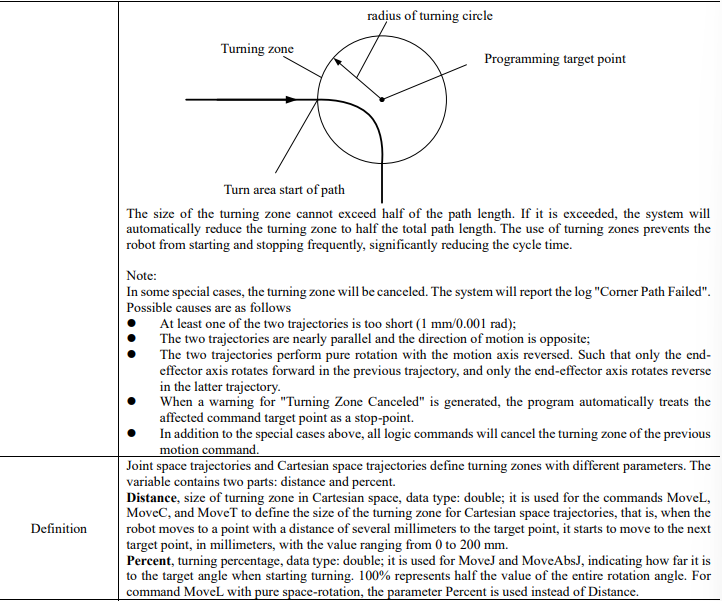
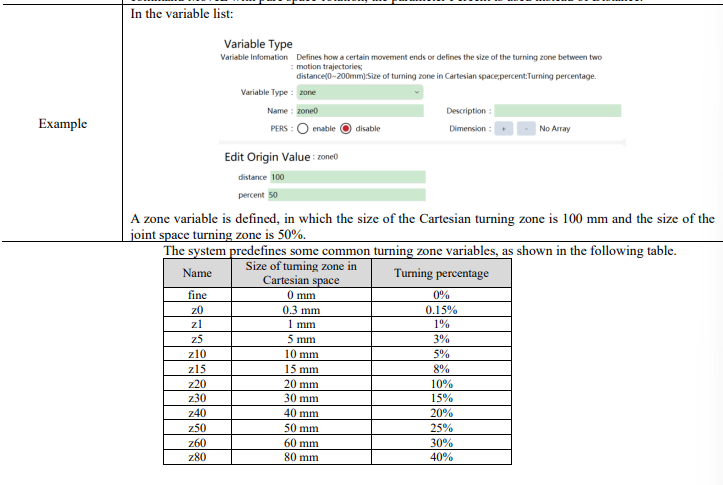
15.1.21 zone

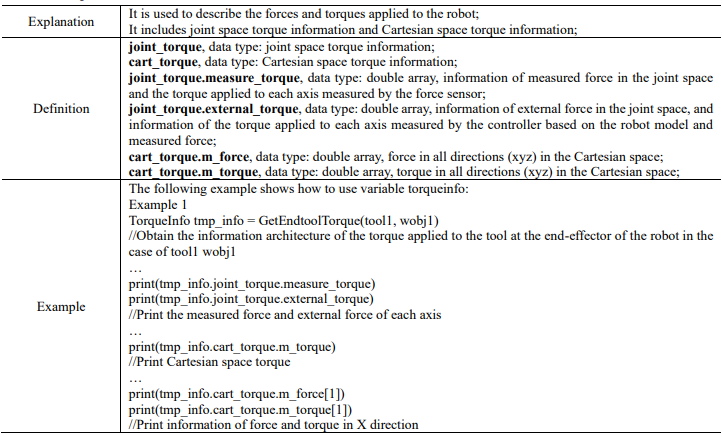
15.1.22 torqueinfo
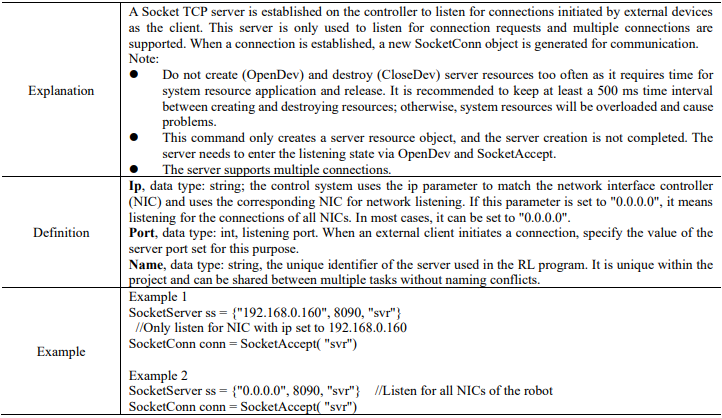
15.1.23 SocketServer
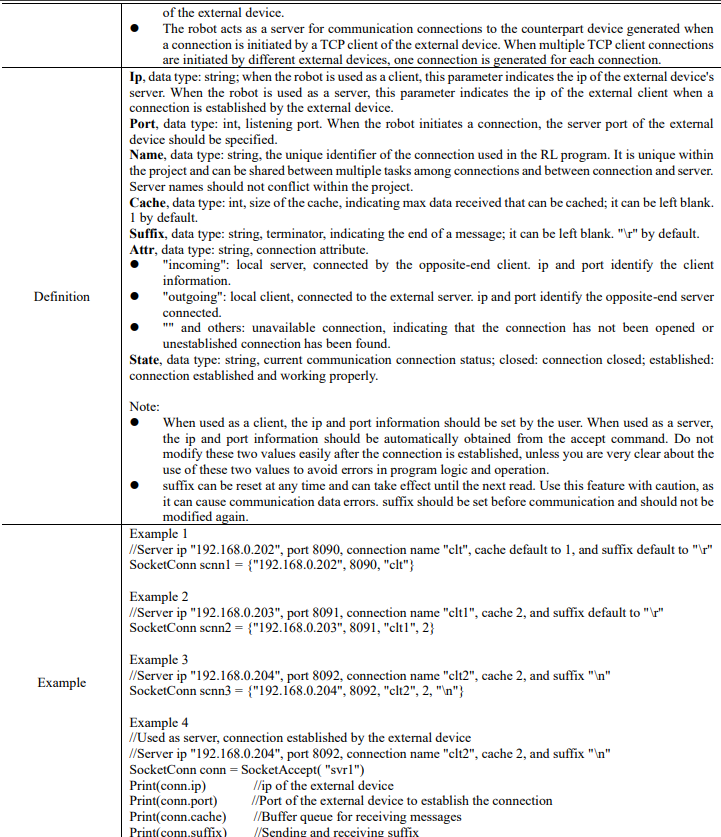
15.1.24 SocketConn

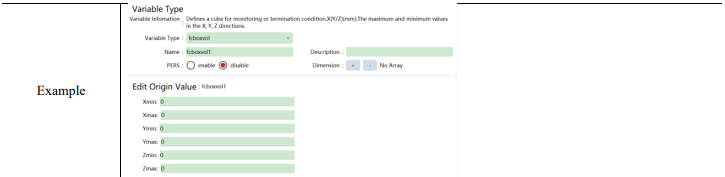
15.1.25 FCBoxVol

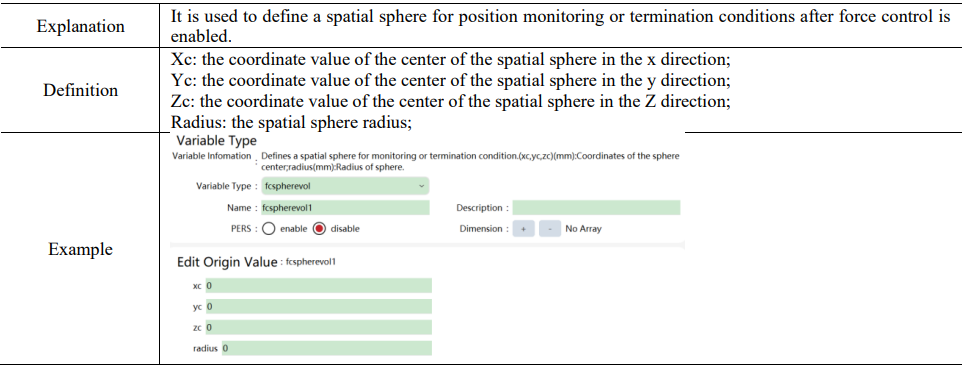
15.1.26 FCSphereVol
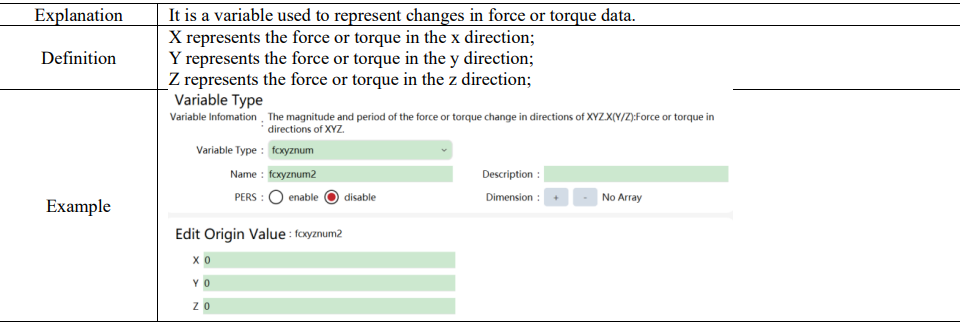
15.1.27 FCXYZNum
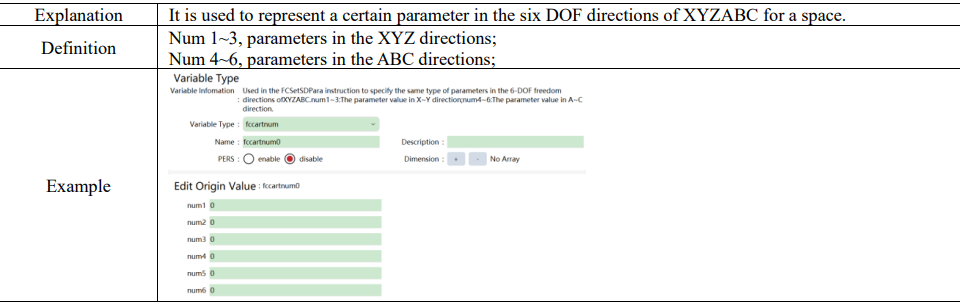
15.1.28 FCCartNum
15.2 Basic variable and structure
All variable types supported by the RL command. The indivisible types, including int, double, bool, and string are basic variables (also known as primary variables), which are the foundation of all variable types. Combined by certain rules, the variable types are called structures.
15.2.1 Composition of structure
The combination rules for structures generally combine data with physical significance abstractly.
Example:
⚫ The structure pos combines three doubles into a position (xyz) in three-dimensional space.
⚫ The structure orient combines four doubles into a quaternion that describes the orientation.
⚫ The structure pose combines position (pos) and orientation (orient) into a pose parameter that describes the robot position.
15.2.2 Use of structure
Structures, serving as parameters for commands, can be performed in finer ways based on the scenarios. Its data can be modified directly via the specified RL commands.
Example 1:
Robtarget structure consists of: space position (pos), orientation (orient), configuration data (confdata), and external axes (double array). Their names are trans (pos), rot (orient), conf (confdata), extax (double), and users can access the structure members directly in the RL function via their names.
robtarget rob1 = ... // variable list or user-customized Cartesian variable
rob1.trans.x + = 20 // add the x of point position to 20
// In the structure definition of trans (pos), it contains three variables of x, y, and z
// The x of the last visit to rob is therefore rob1.trans.x
print (rob1.trans) // print the position data only
Example 2:
The following is available for the wobj frame:
// Taking default wobj0 as an example
wobj0.robhold // work object handheld (bool).
wobj0.ufprog // user frame programmed (bool, rarely used).
wobj0.ufmec // user frame mechanical unit usually for plating lines and tracking (string).
wobj0.oframe // work object frame pose
wobj0.oframe.x // work object frame pose x
wobj0.oframe.y // work object frame pose y
wobj0.oframe.z // work object frame pose z
wobj0.q1 // work object frame pose quaternion
wobj0.uframe_id// work object-related user frame id
Other complex structures can also refer to this method for structure access.
15.3 Function
Use of functions can simplify the code structure, improve the readability and reuse rate of code. The user can define the program segment as a new function that needs to be executed frequently so that it can be conveniently called in the main program at any time.
15.3.1 Function definition
15.3.1.1 PROC
PROC represents a function with no return value, defined as:
SCOPE PROC RoutineName()
…
…
//do something
…
…
ENDPROC
Where:
1. SCOPE is the function scope, which supports both the GLOBAL and LOCAL;
2. PROC is the defining keyword for functions with no return value;
3. RoutineName is the function name. The naming rules are the same as the variable naming rules.
For details, see the Variable naming rules.
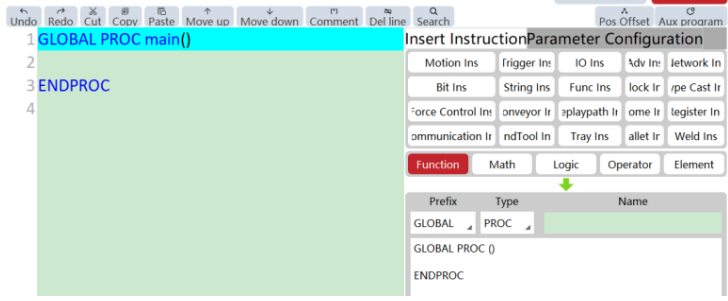
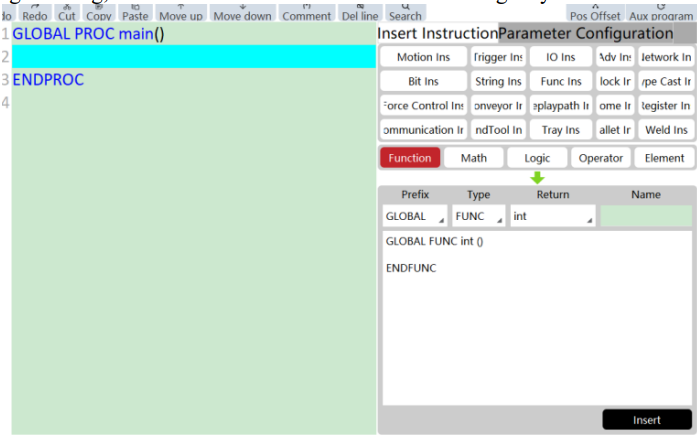
Auxiliary programming, and PROC can be inserted in the following ways:
15.3.1.2 FUNC
FUNC is a function with a return value, defined as:
SCOPE FUNC RET RoutineName()
…
…
//do something
…
…
ENDFUNC
Where:
1. SCOPE is the function scope, which supports both the GLOBAL and LOCAL;
2. FUNC is the defining keyword for functions with no return value;
3. RET is the return value type;
4. RoutineName is the function name. The naming rules are the same as the variable naming rules.
For details, see the Variable naming rules.
Auxiliary programming, and FUNC can be inserted in the following ways:
15.3.2 Function call
When calling a function, enter the function name directly in the program editor, for example:
RoutineName()
Note:
⚫ Only other GLOBAL-level functions in this project or LOCAL-level functions in this module file can be called. Recursive calls are not supported. Cross calls between two sub-functions is also not supported.
⚫ Calling a function is treated as a separate program command in the compiler.
⚫ It is not allowed to define a function in a function.
15.4 Commands
15.4.1 Variable type conversion
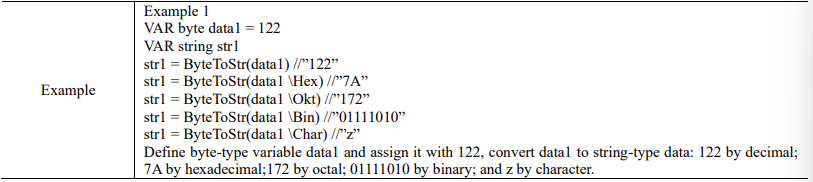
15.4.1.1 ByteToStr

15.4.1.2 DecToHex

15.4.1.3 DoubleToByte

15.4.1.4 DoubleToStr

15.4.1.5 HexToDec

15.4.1.6 IntToByte

15.4.1.7 IntToStr

15.4.1.8 EulerToQuaternion


15.4.1.9 QuaternionToEuler

15.4.2 Motion commands
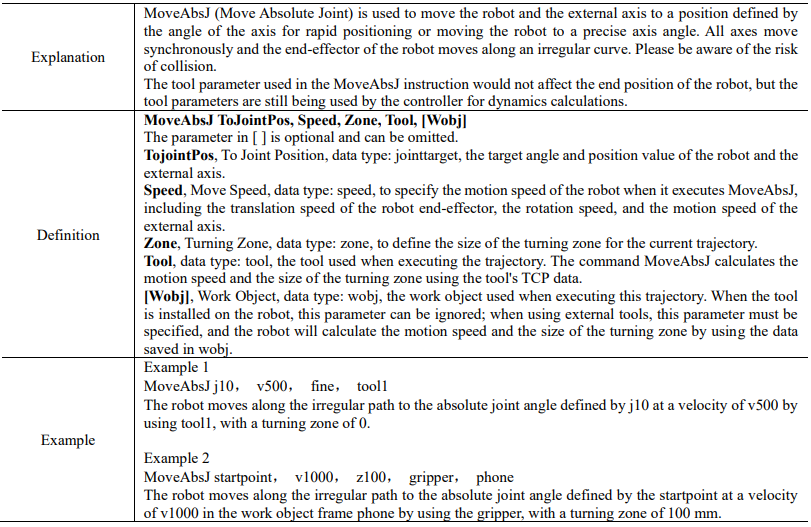
15.4.2.1 MoveAbsJ
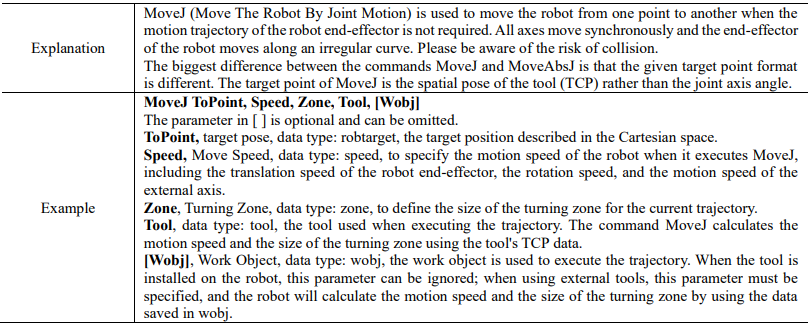
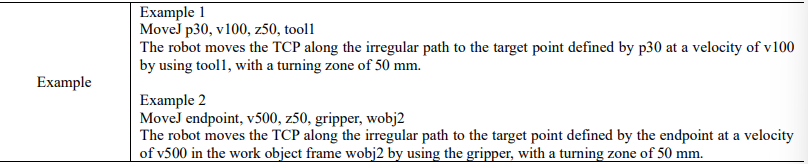
15.4.2.2 MoveJ
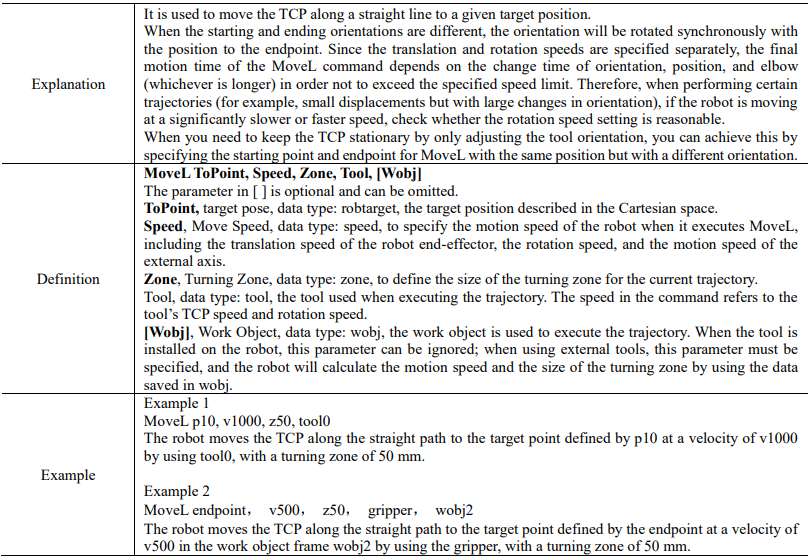
15.4.2.3 MoveL
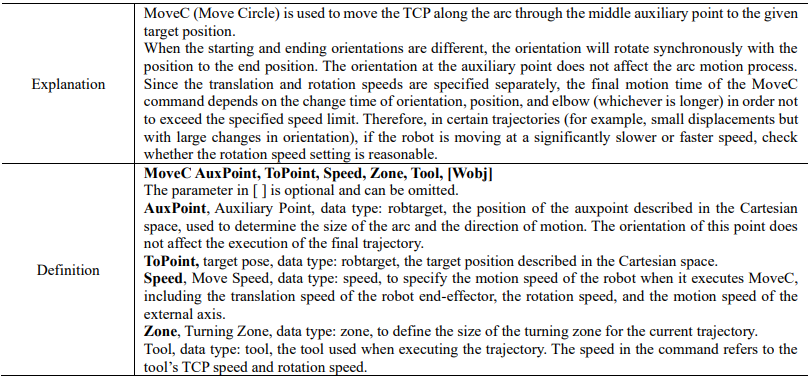
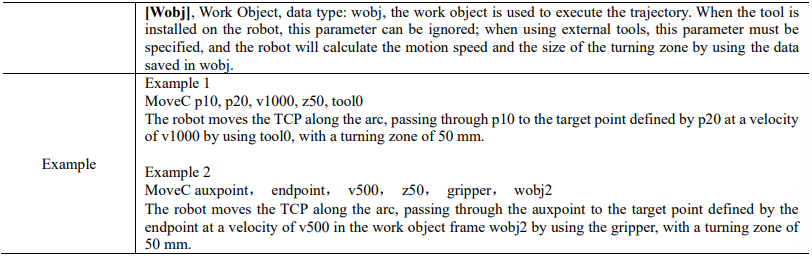
15.4.2.4 MoveC
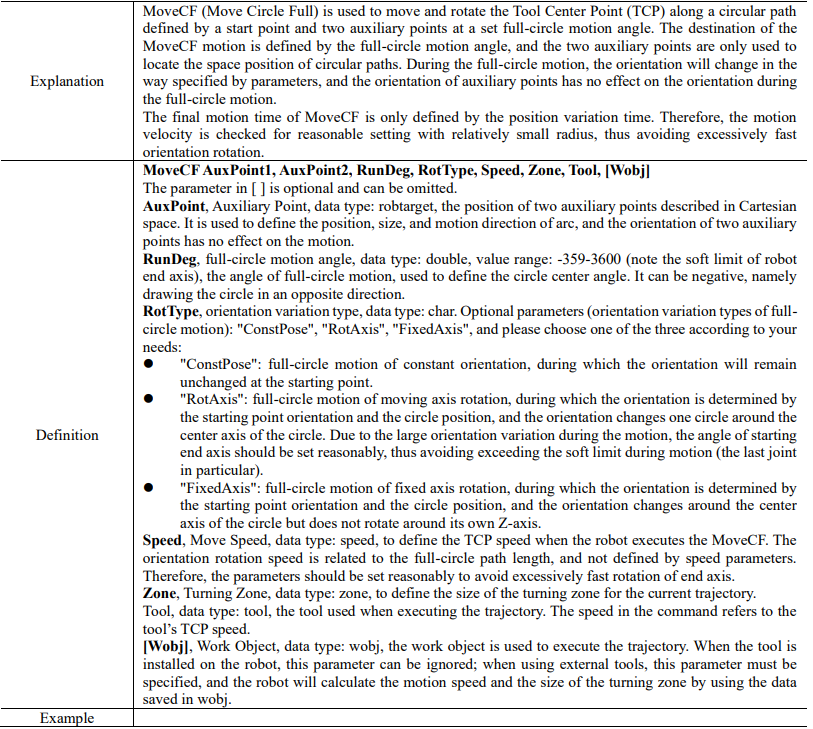
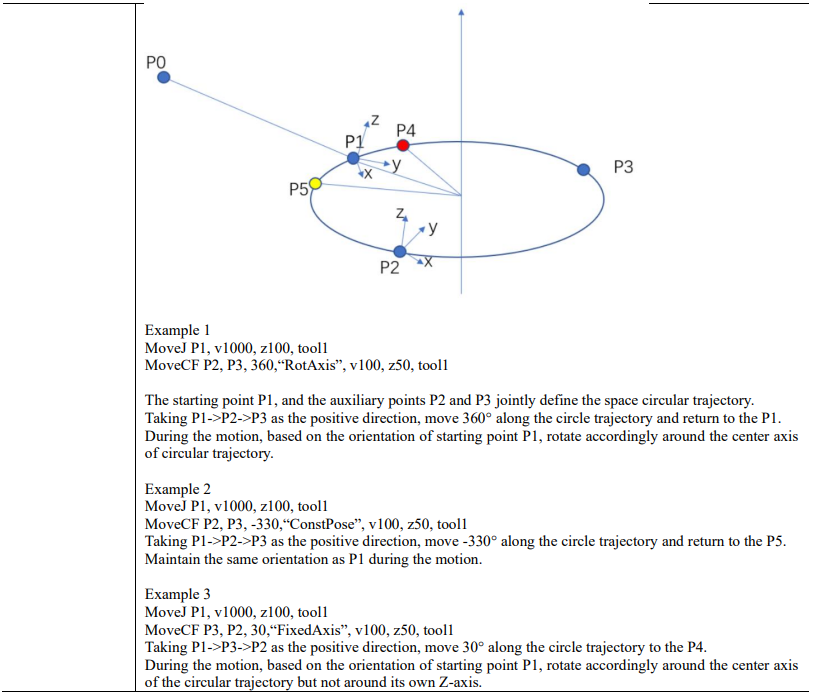
15.4.2.5 MoveCF
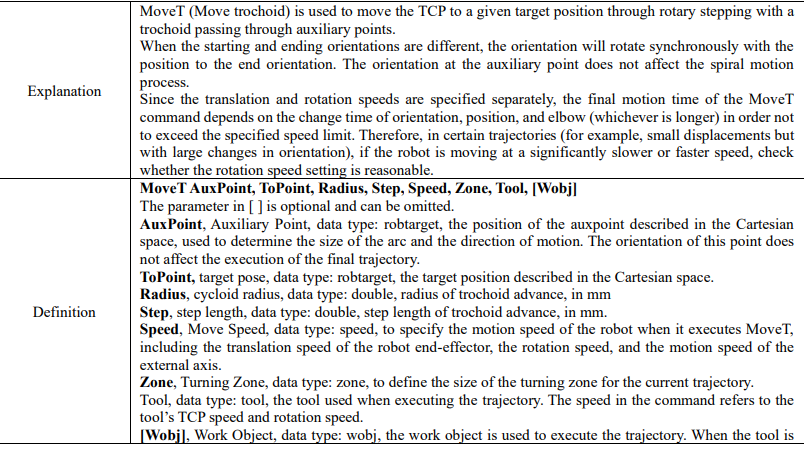
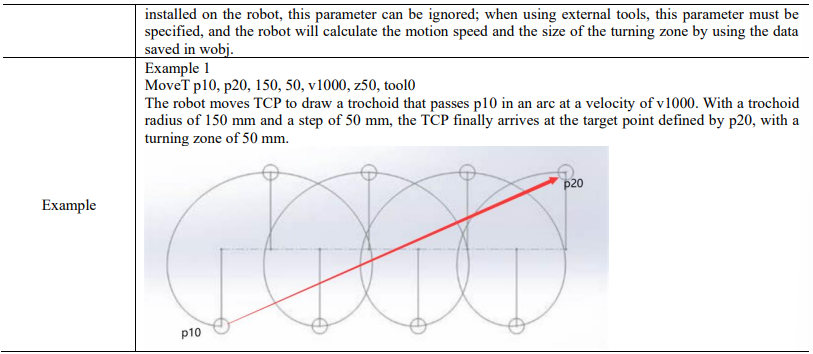
15.4.2.6 MoveT
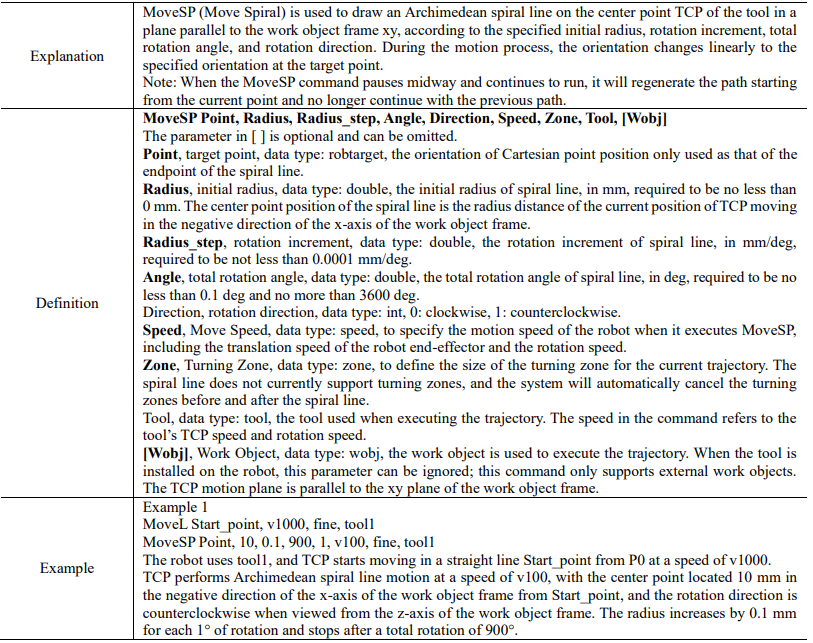
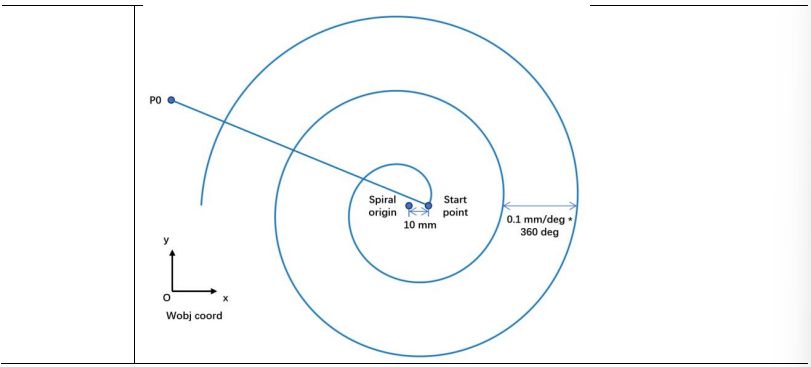
15.4.2.7 MoveSP
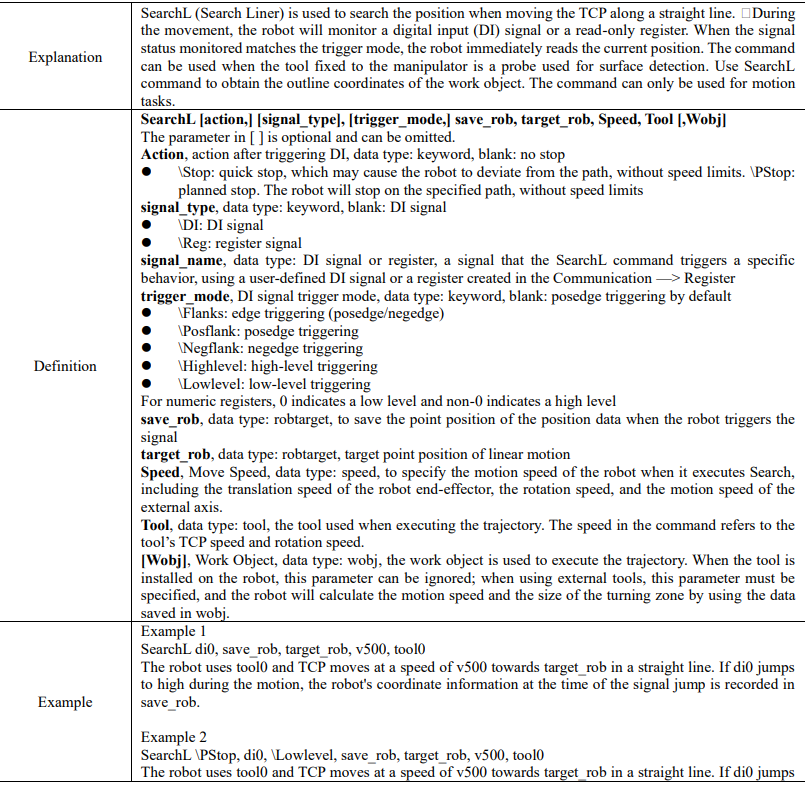
15.4.2.8 SearchL

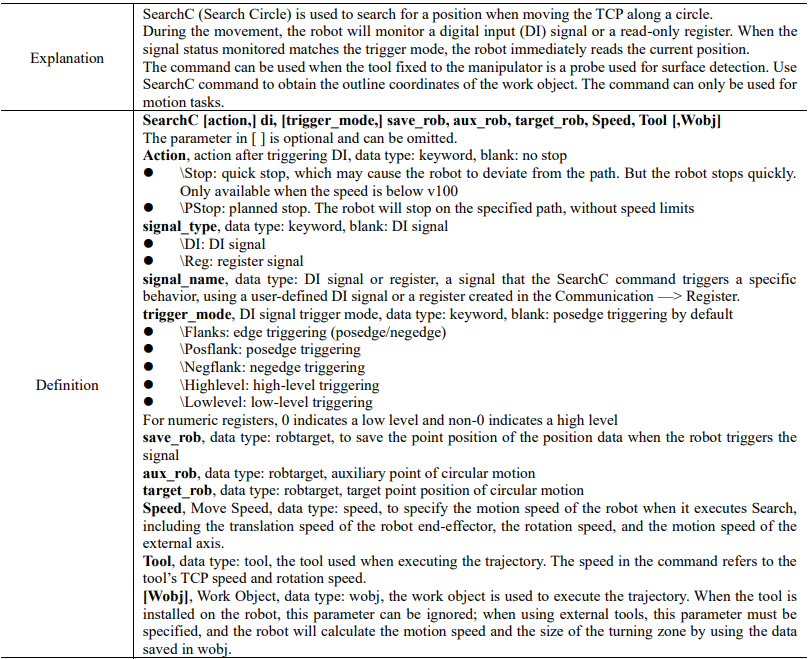
15.4.2.9 SearchC
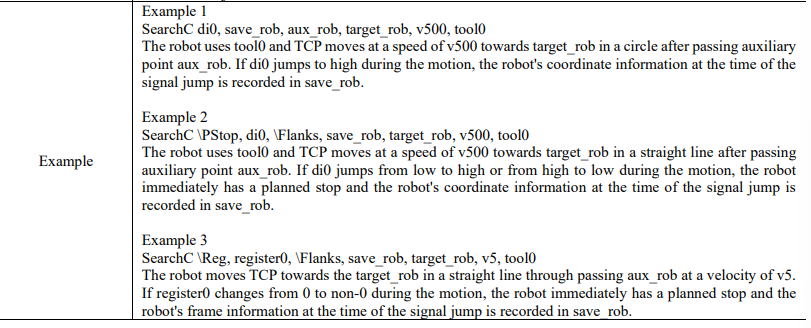
15.4.3 Trigger command
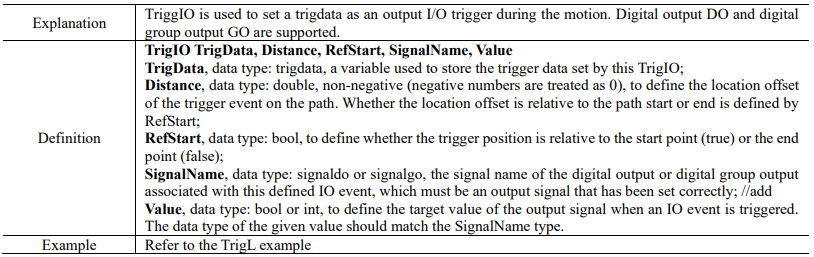
15.4.3.1 TrigIO
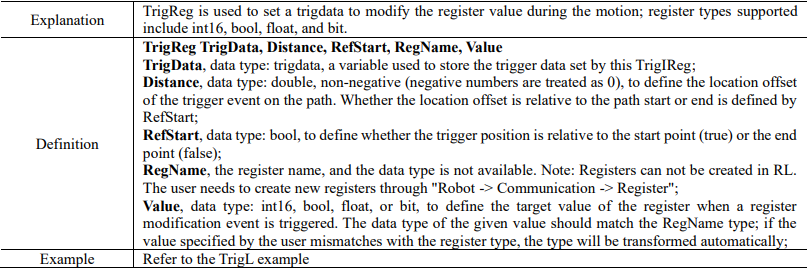
15.4.3.2 TrigReg
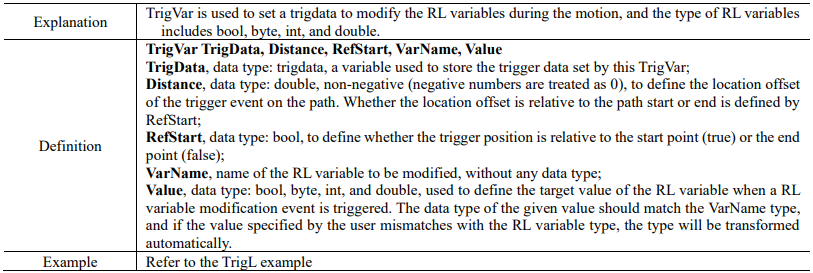
15.4.3.3 TrigVar
15.4.3.4 TrigL
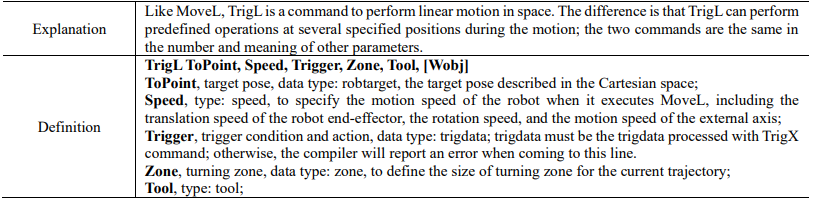
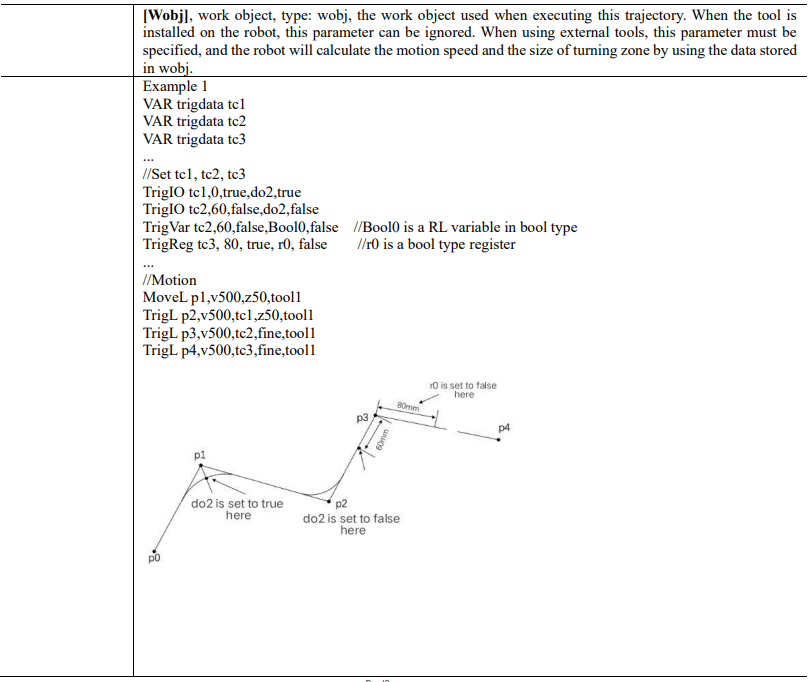
15.4.3.5 TrigC
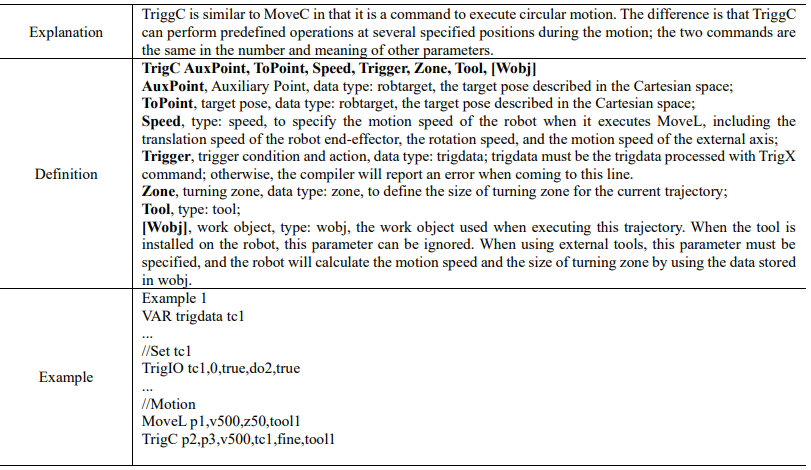
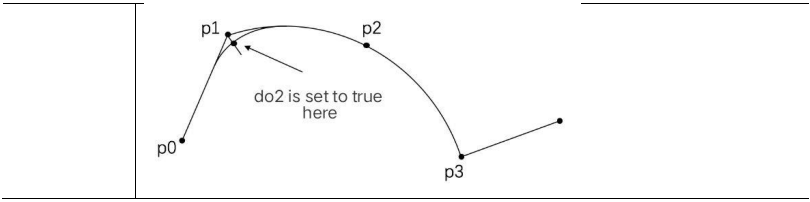
15.4.3.6 TrigJ
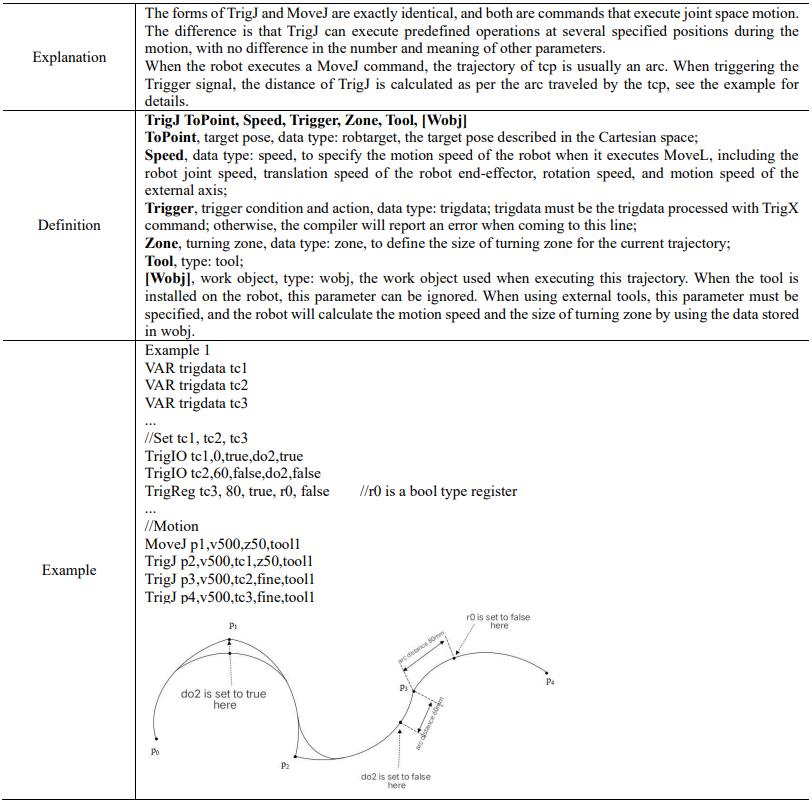
15.4.4 Force control commands
15.4.4.1 CalibSensorError


15.4.4.2 FcInit
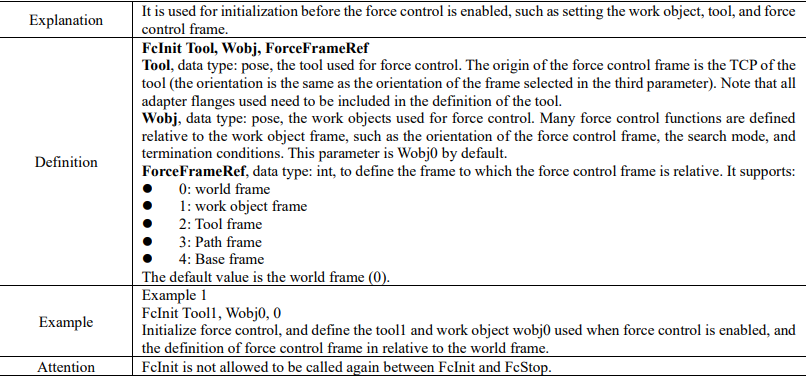
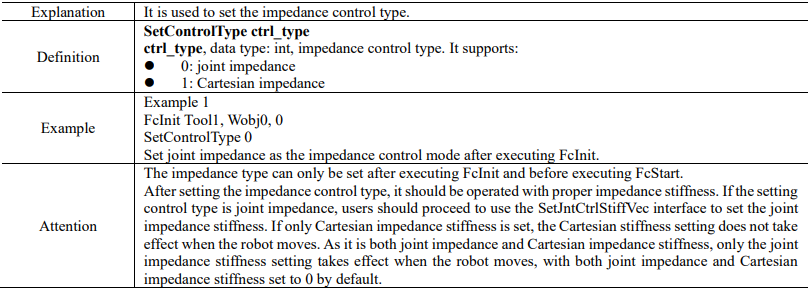
15.4.4.3 SetControlType
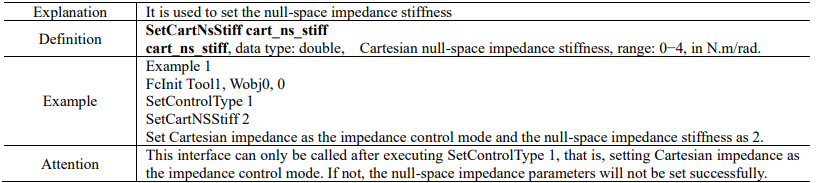
15.4.4.4 SetCartNsStiff
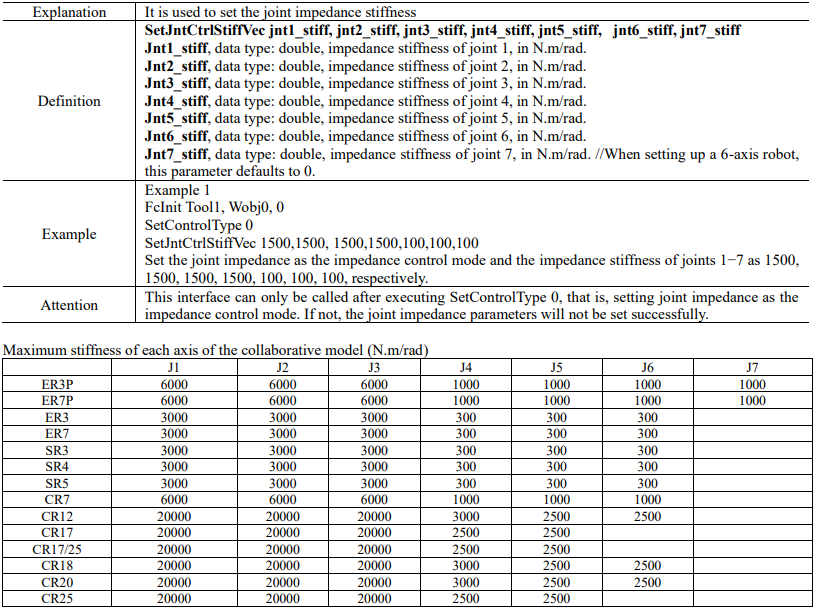
15.4.4.5 SetJntCtrlStiffVec
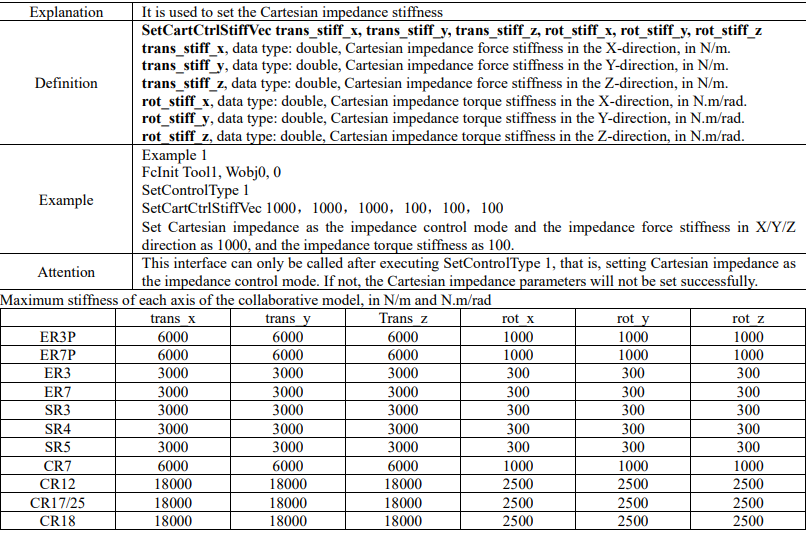
15.4.4.6 SetCartCtrlStiffVec

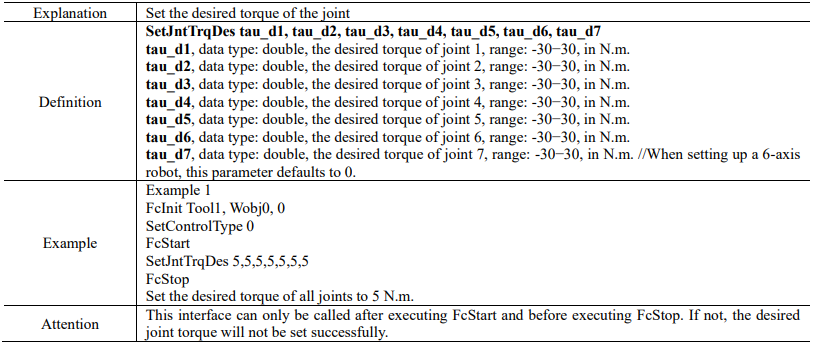
15.4.4.7 SetJntTrqDes
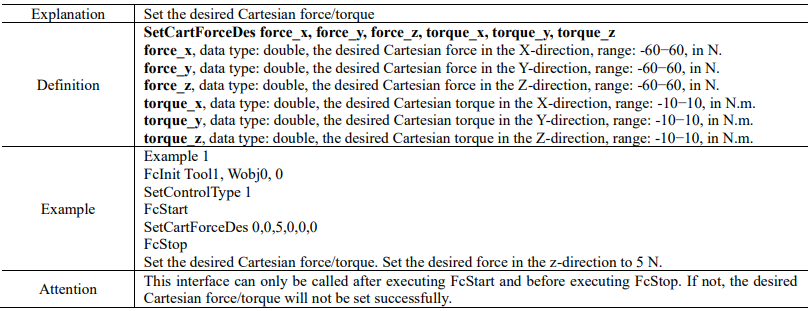
15.4.4.8 SetCartForceDes
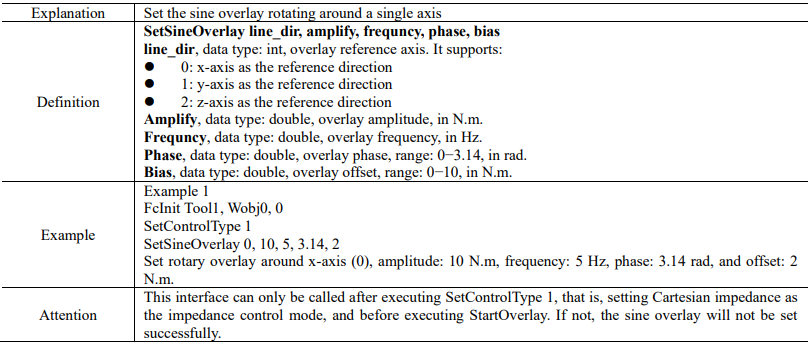
15.4.4.9 SetSineOverlay
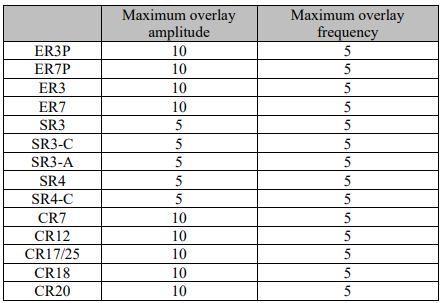
Upper limit of collaborative model parameters:
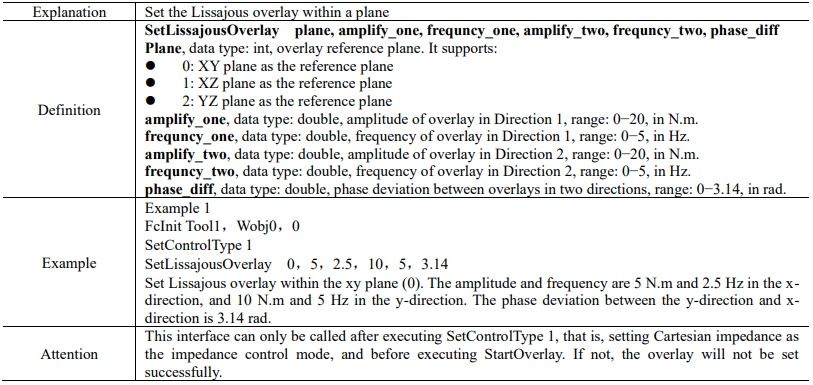
15.4.4.10 SetLissajousOverlay
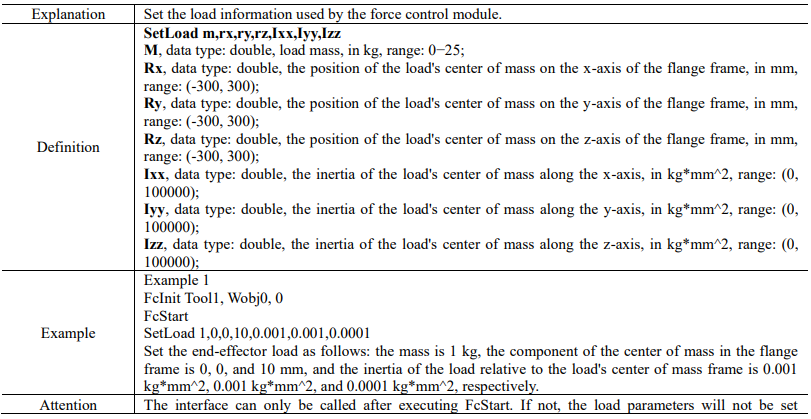
15.4.4.11 SetLoad

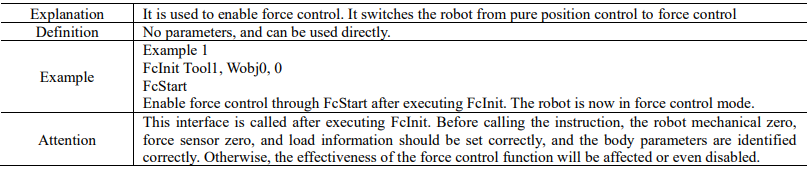
15.4.4.12 FcStart
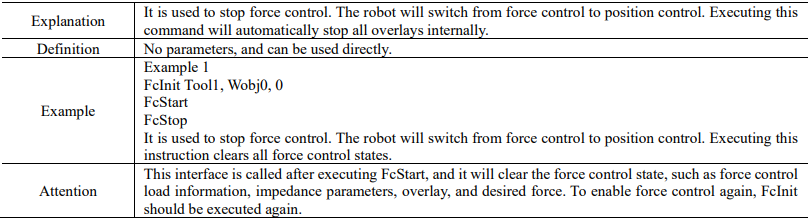
15.4.4.13 FcStop
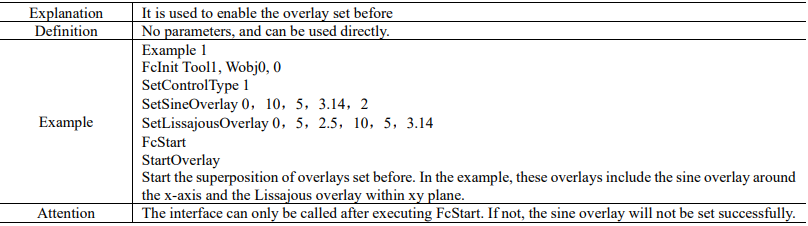
15.4.4.14 StartOverlay
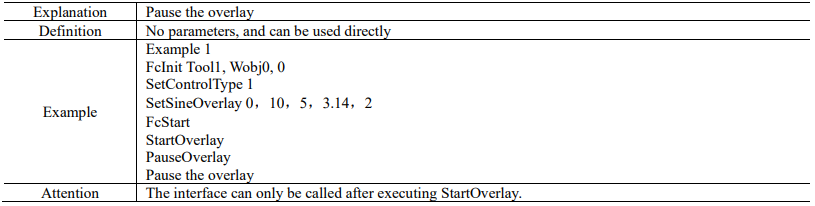
15.4.4.15 PauseOverlay
15.4.4.16 RestartOverlay


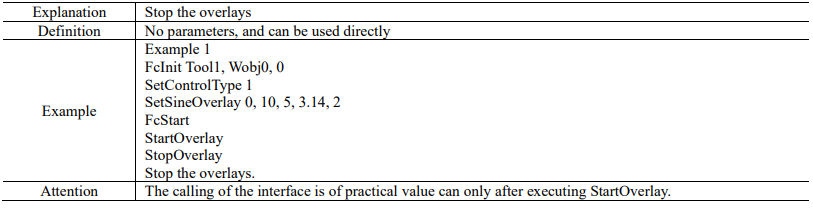
15.4.4.17 StopOverlay
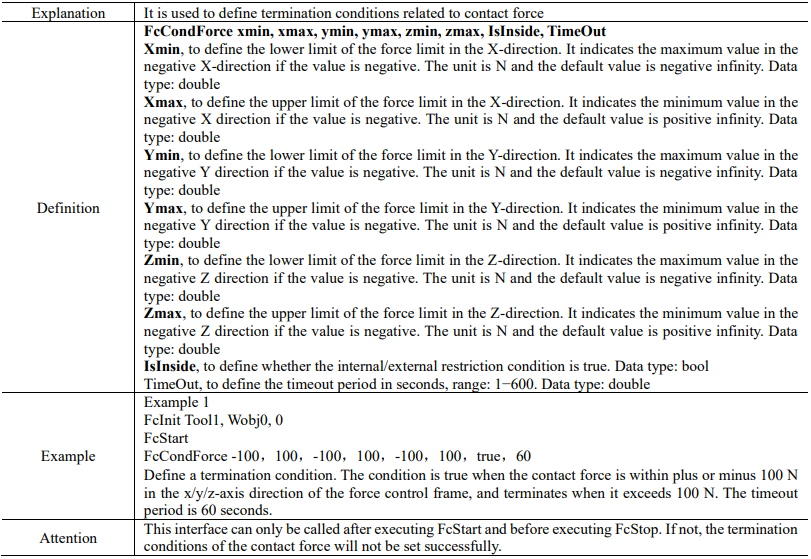
15.4.4.18 FcCondForce
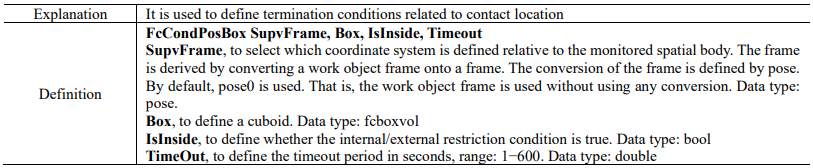
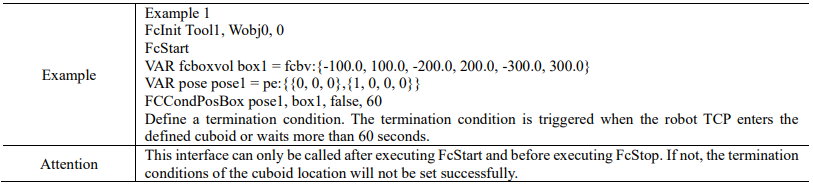
15.4.4.19 FcCondPosBox
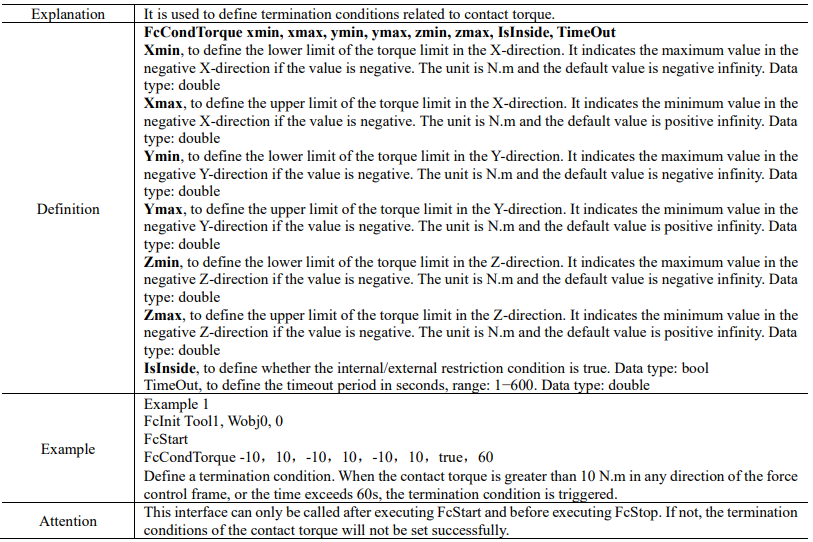
15.4.4.20 FcCondTorque
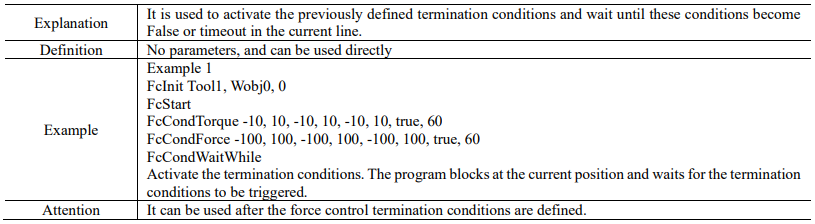
15.4.4.21 FcCondWaitWhile
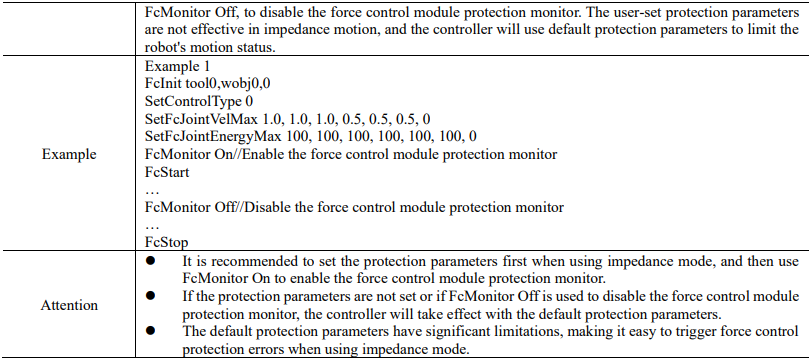
15.4.4.22 FcMonitor

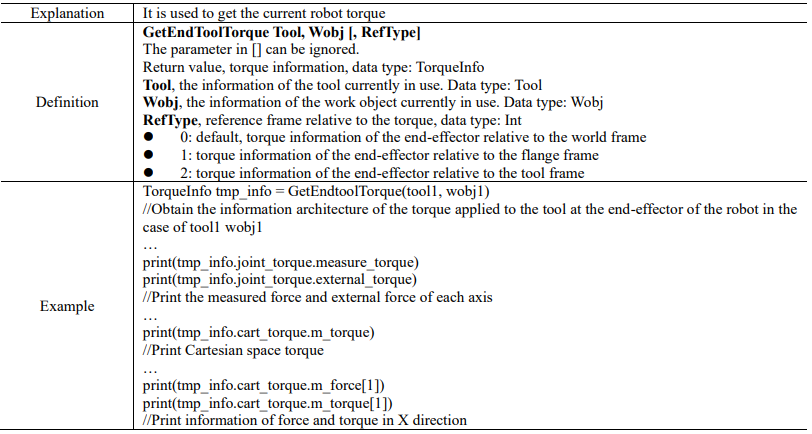
15.4.4.23 GetEndToolTorque
15.4.4.24 SetFcJointVelMax
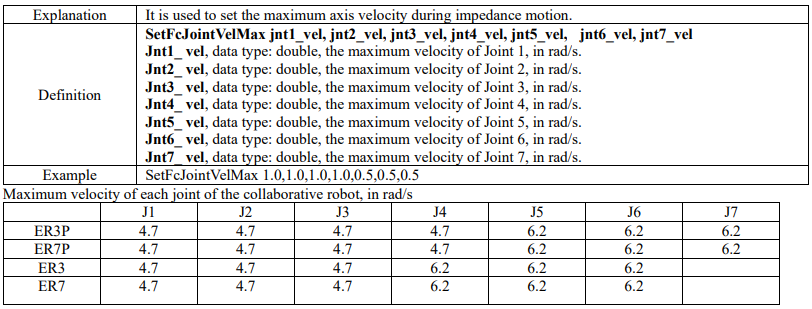
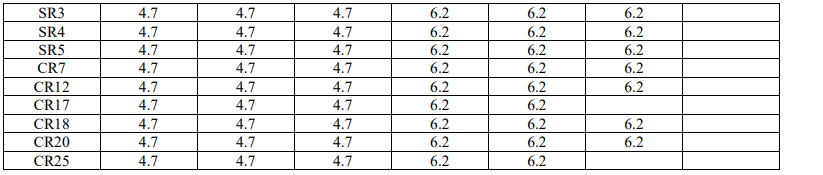
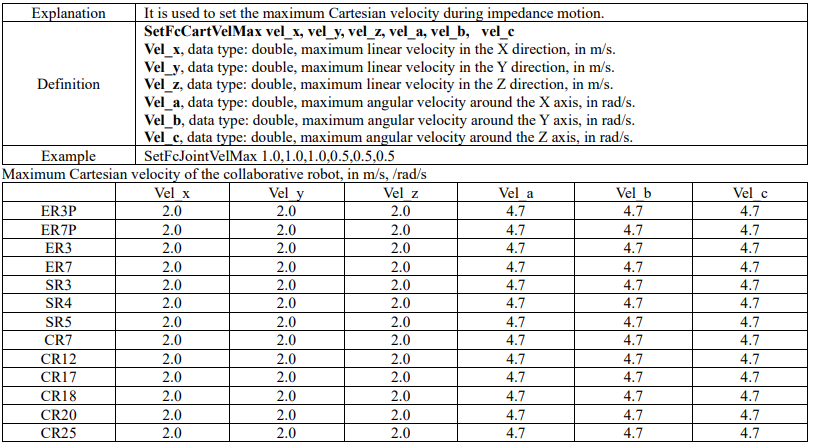
15.4.4.25 SetFcCartVelMax
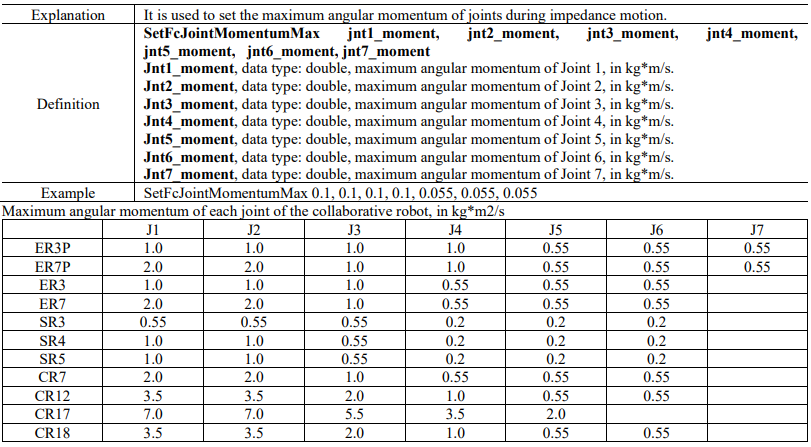
15.4.4.26 SetFcJointMomentumMax

15.4.4.27 SetFcJointEnergyMax
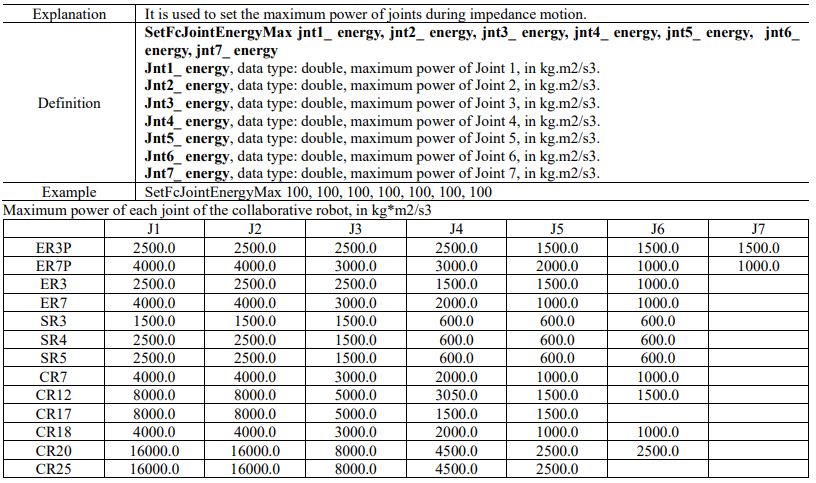
15.4.5 Drag and replay
15.4.5.1 ReplayPath
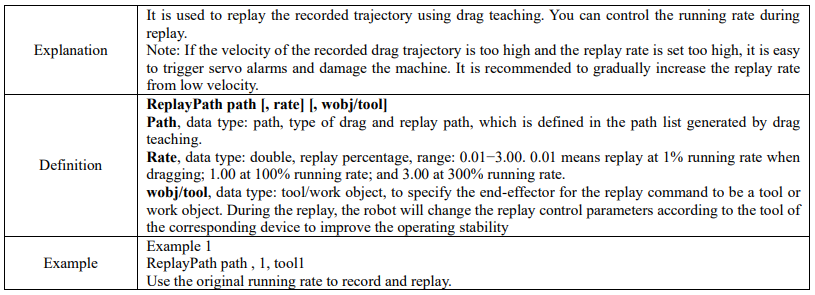
15.4.6 IO commands
15.4.6.1 SetDO
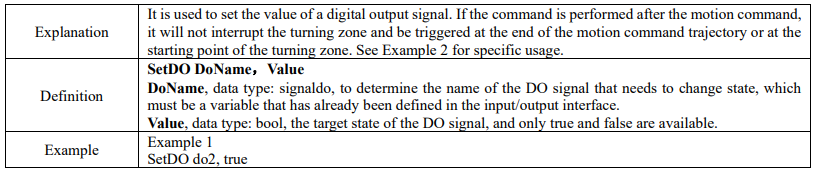
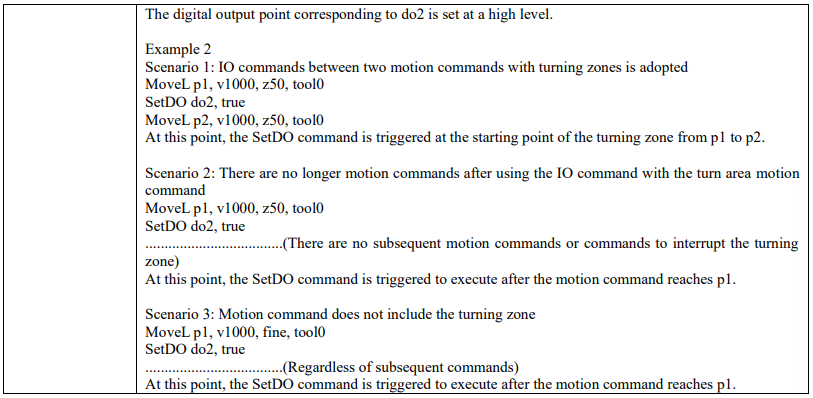
15.4.6.2 SetAllDO

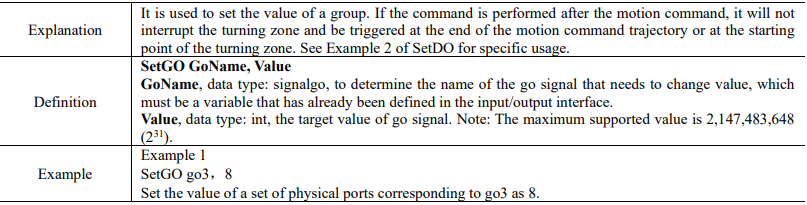
15.4.6.3 SetGO
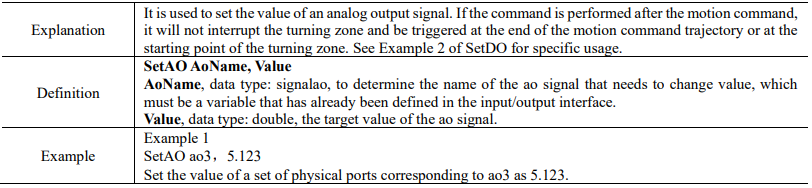
15.4.6.4 SetAO
15.4.6.5 PulseDO


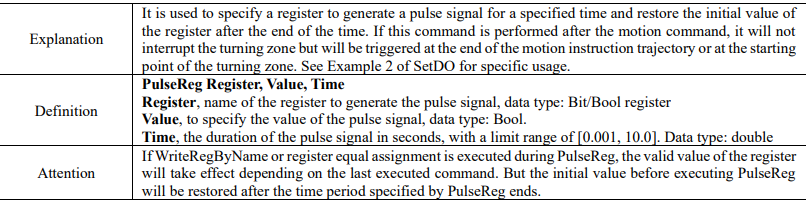
15.4.6.6 PulseReg
15.4.7 Communication commands
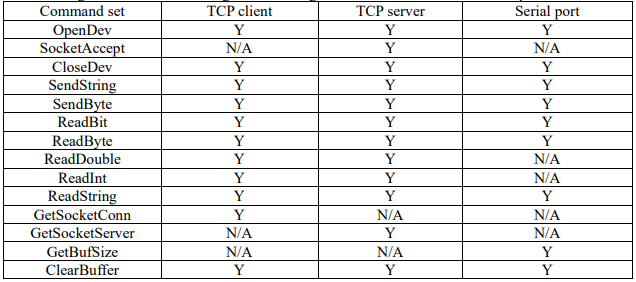
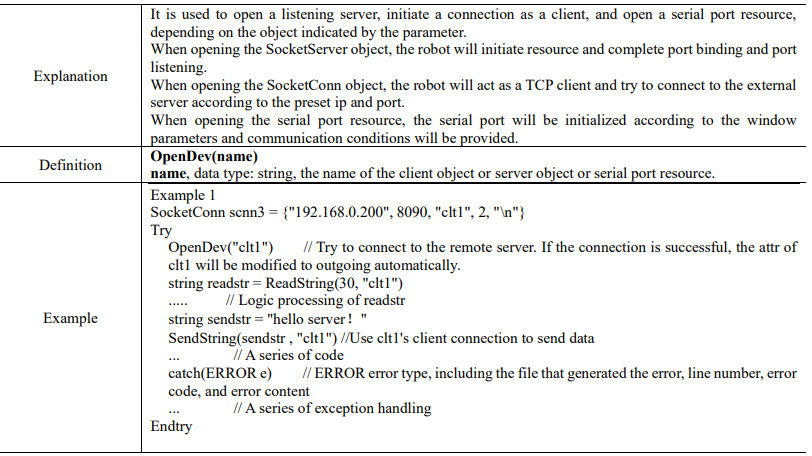
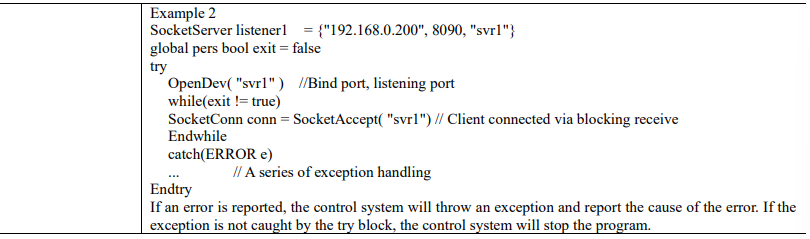
In the RL program, the robot can communicate with external devices through both Ethernet and serial ports. A unified set of commands is designed for resource management and data sending and receiving, which ensures consistent use experience.
15.4.7.1 OpenDev
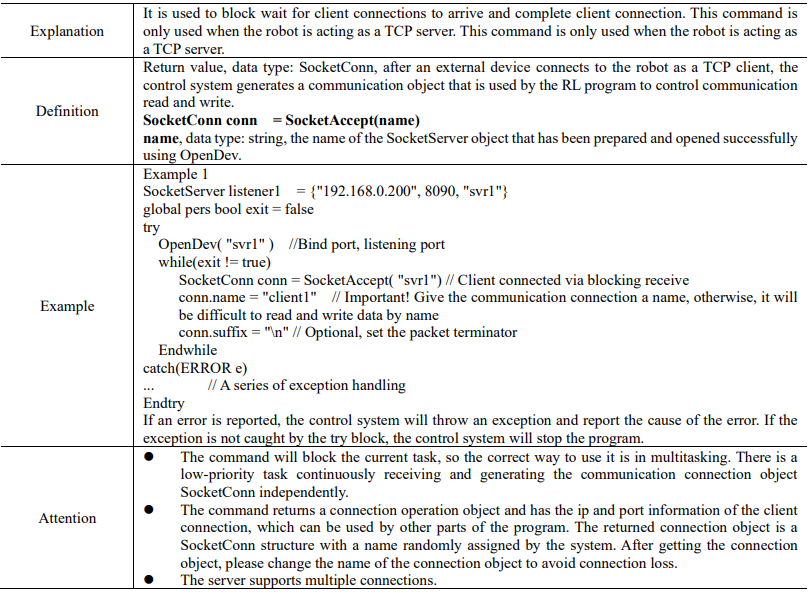
15.4.7.2 SocketAccept
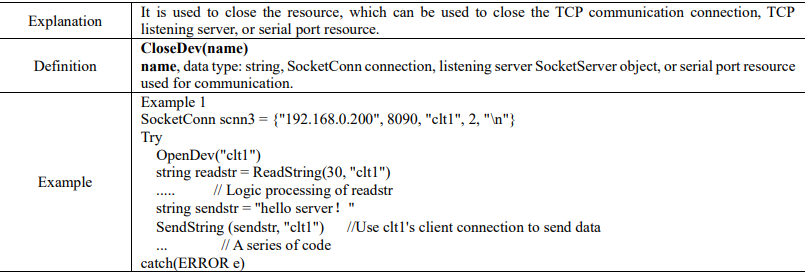
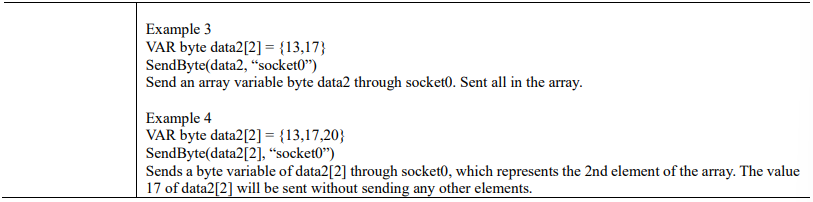
15.4.7.3 CloseDev
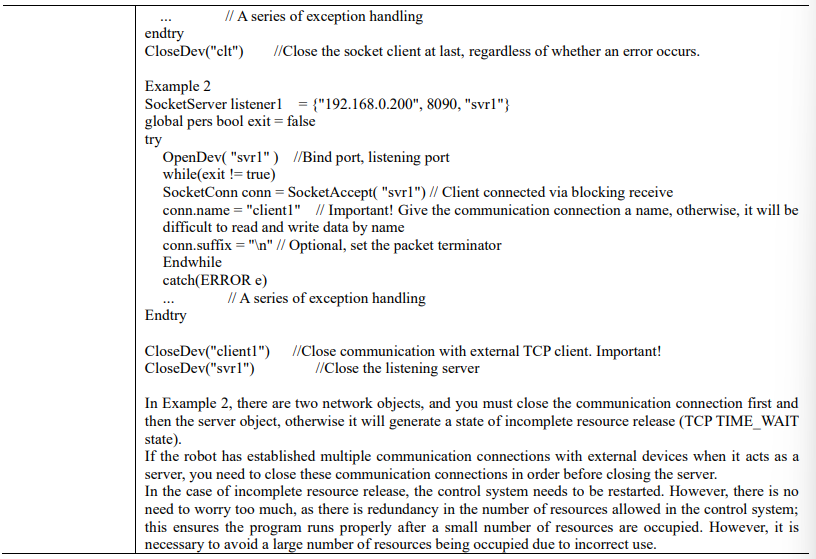
15.4.7.4 SendString
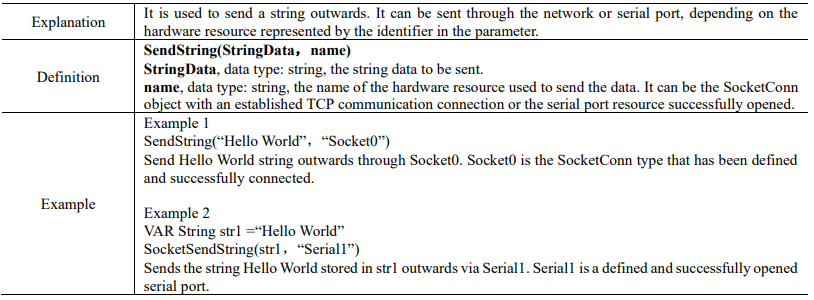
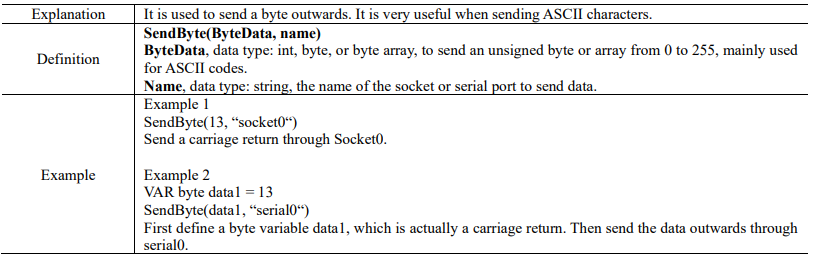
15.4.7.5 SendByte
15.4.7.6 ReadBit
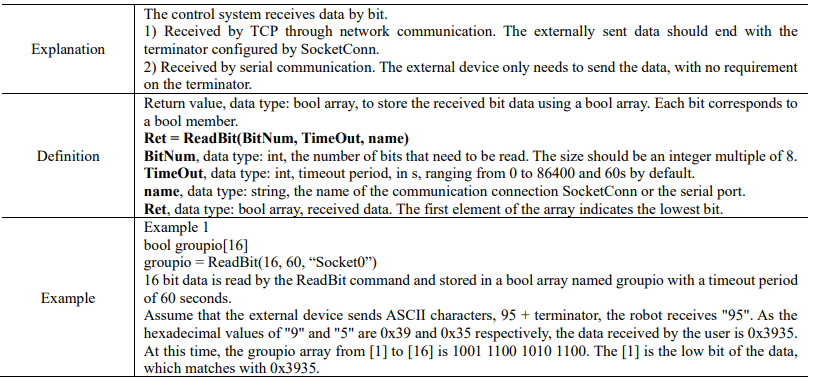
15.4.7.7 ReadByte
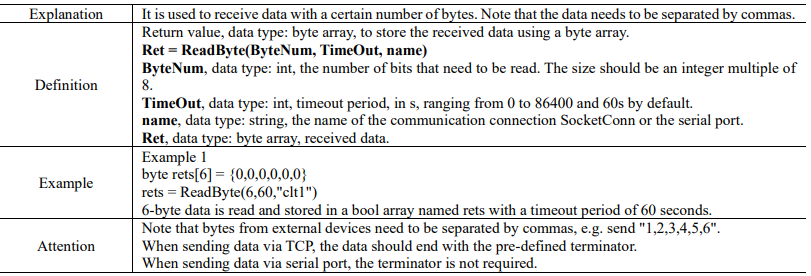
15.4.7.8 ReadDouble
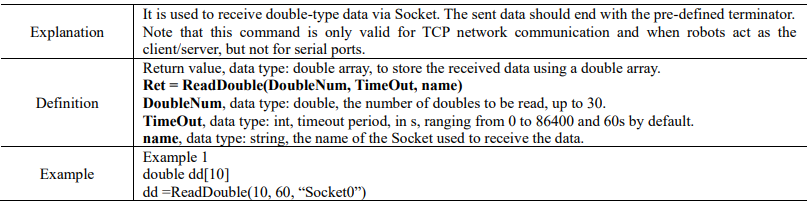

15.4.7.9 ReadInt
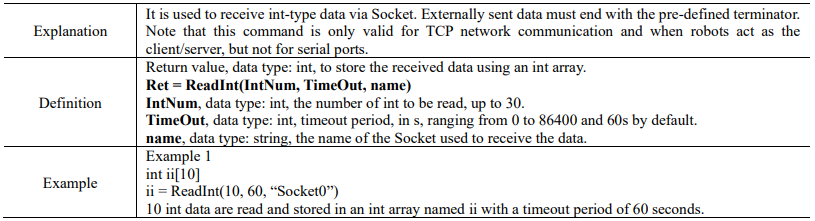
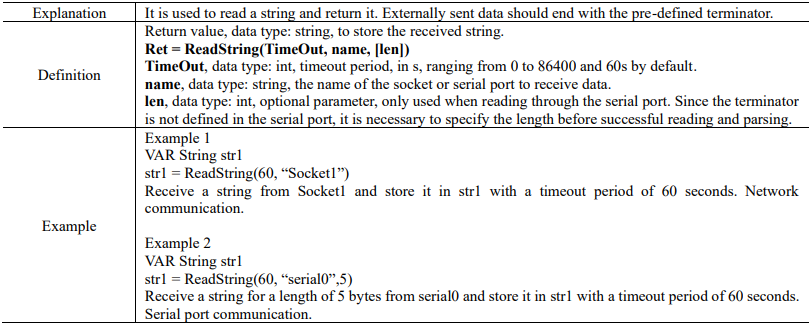
15.4.7.10 ReadString
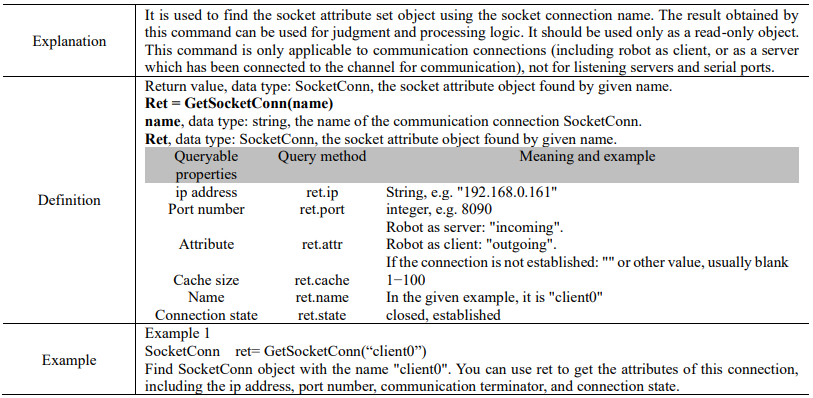
15.4.7.11 GetSocketConn
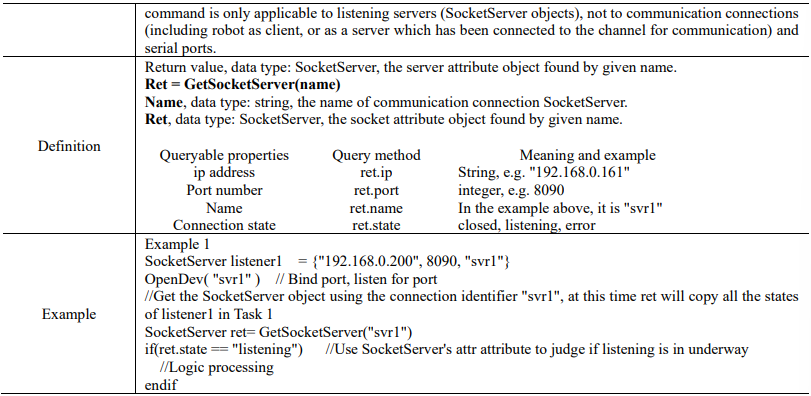
15.4.7.12 GetSocketServer

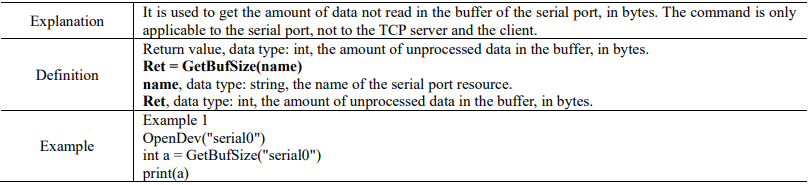
15.4.7.13 GetBufSize
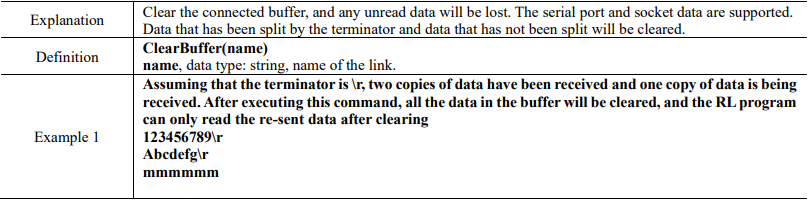
15.4.7.14 ClearBuffer
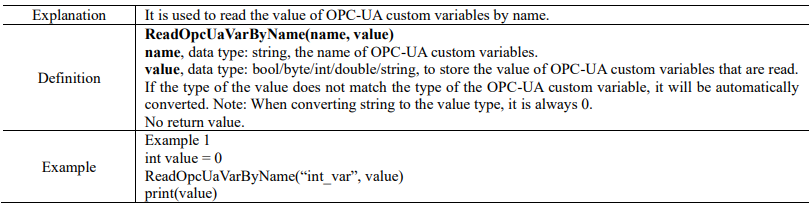
15.4.7.15 ReadOpcUaVarByName
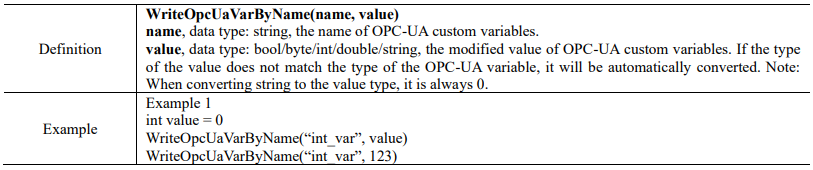
15.4.7.16 WriteOpcUaVarByName

15.4.8 Network command
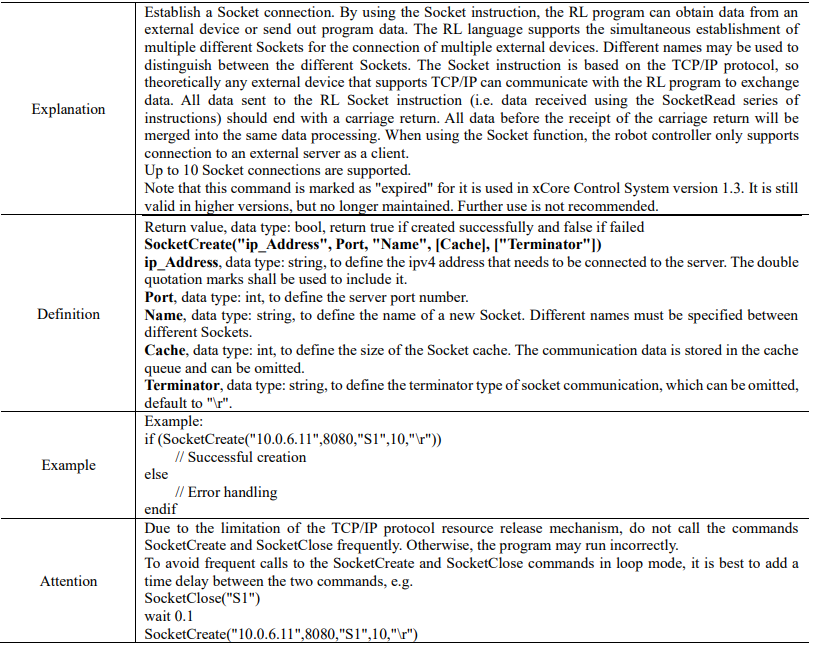
15.4.8.1 SocketCreate (expired)
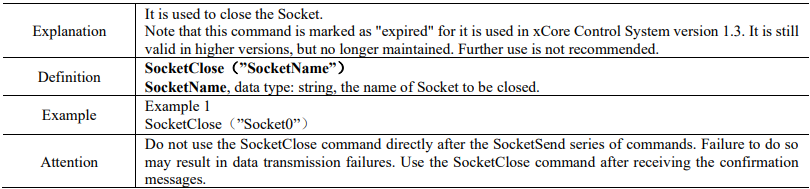
15.4.8.2 SocketClose (expired)
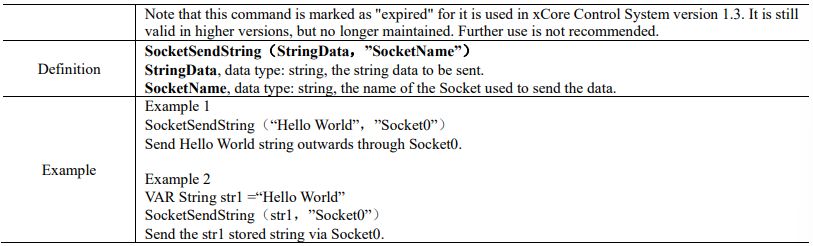
15.4.8.3 SocketSendString (expired)

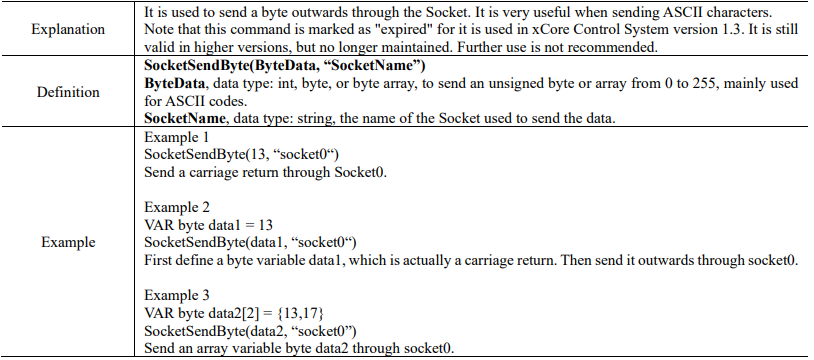
15.4.8.4 SocketSendByte (expired)
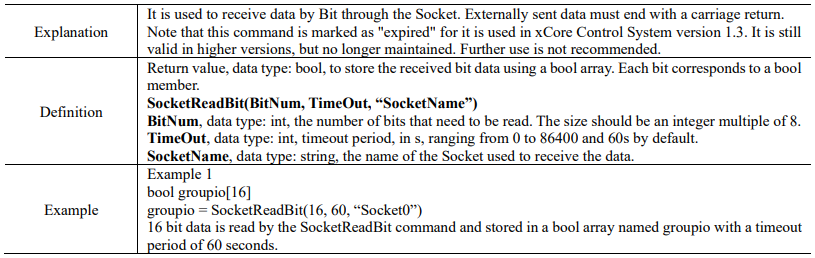
15.4.8.5 SocketReadBit(expired)
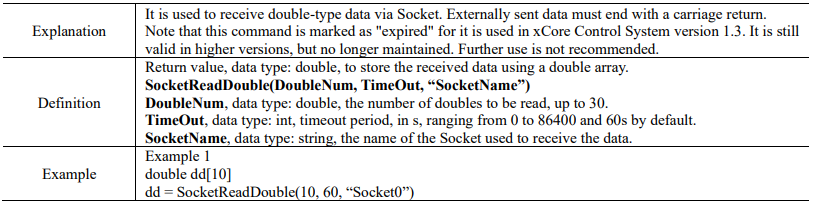
15.4.8.6 SocketReadDouble(expired)

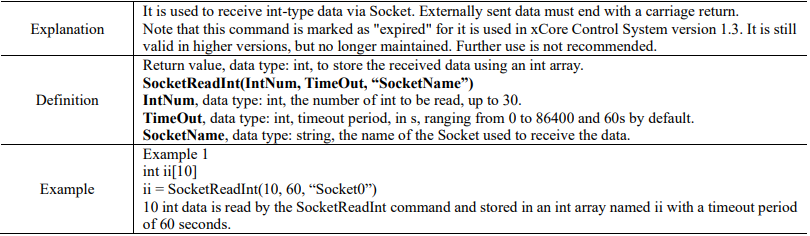
15.4.8.7 SocketReadInt(expired)
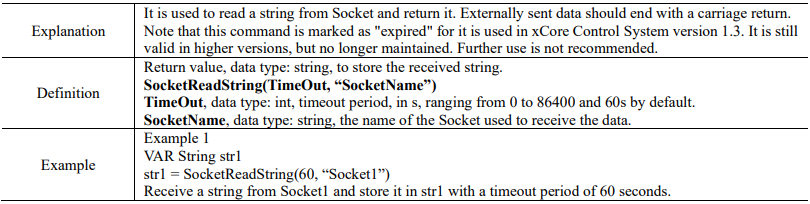
15.4.8.8 SocketReadString(expired)
15.4.9 Logic commands
15.4.9.1 Return

15.4.9.2 Wait

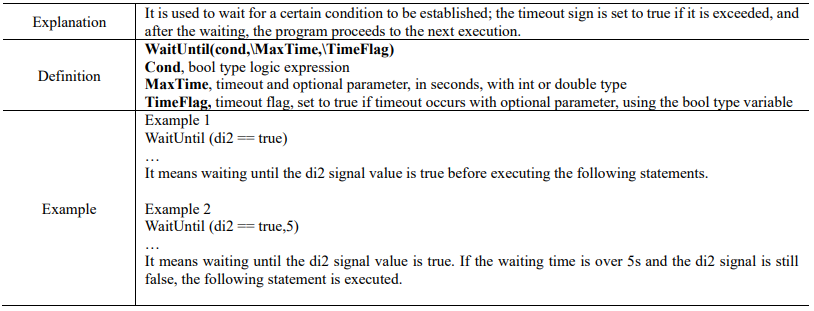
15.4.9.3 WaitUntil

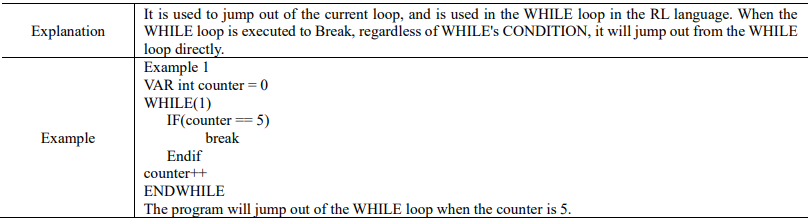
15.4.9.4 Break
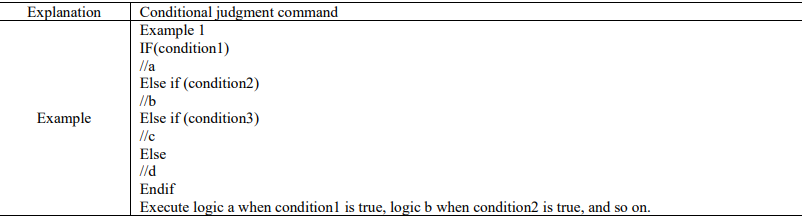
15.4.9.5 IF…Else if…Else
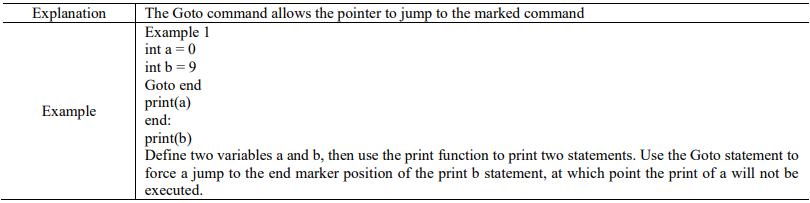
15.4.9.6 Goto
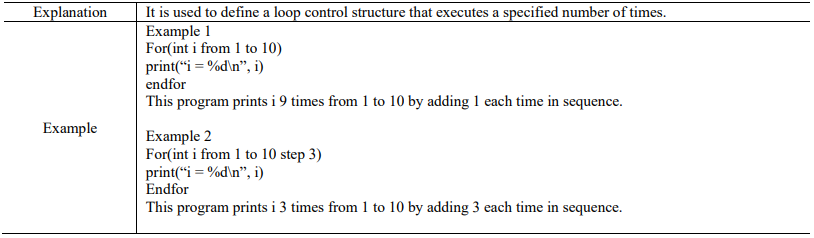
15.4.9.7 For

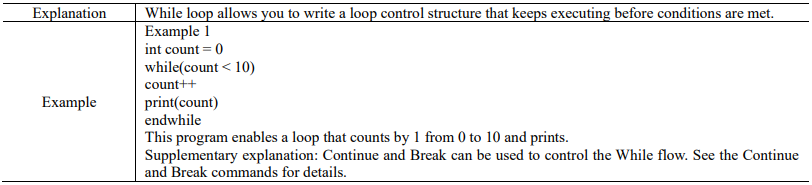
15.4.9.8 Continue
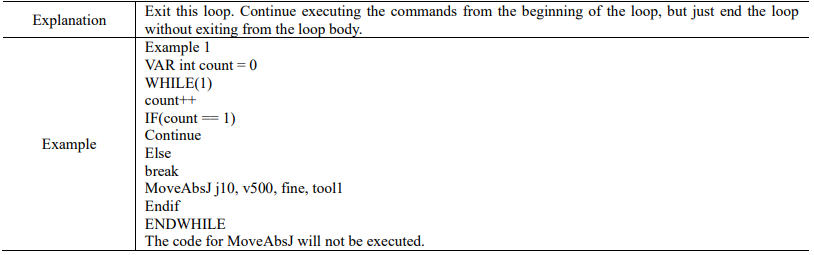
15.4.9.9 Inzone
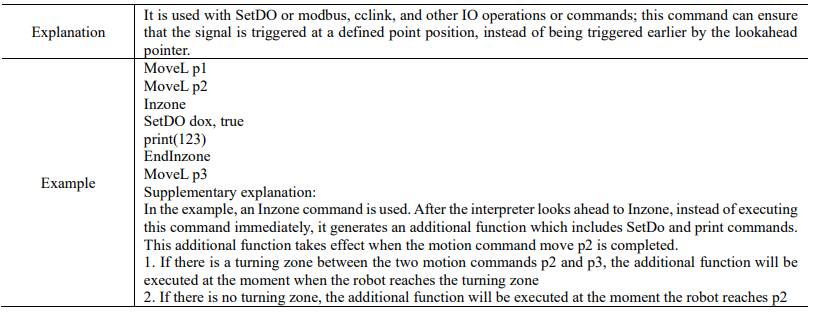
15.4.9.10 While
15.4.9.11 Pause

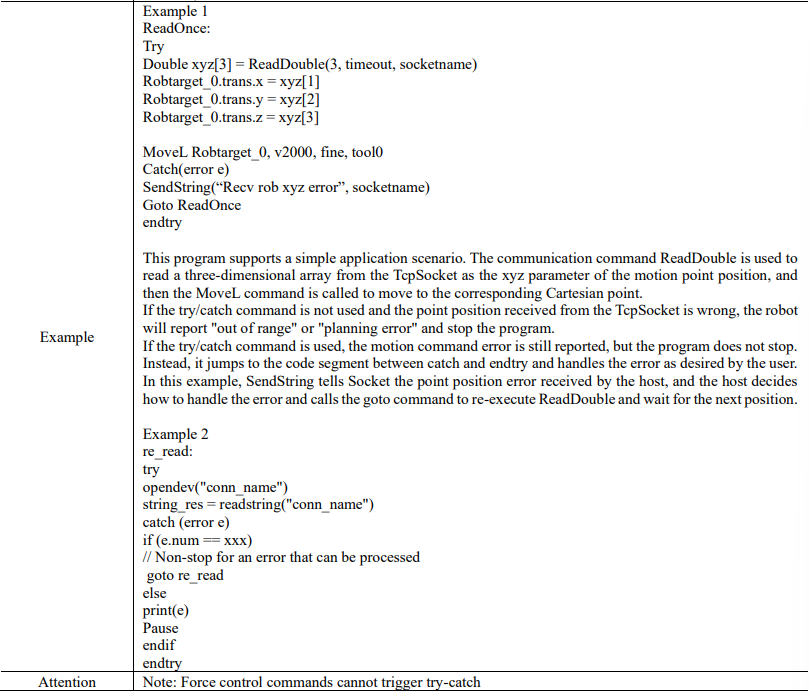
15.4.9.12 try/catch

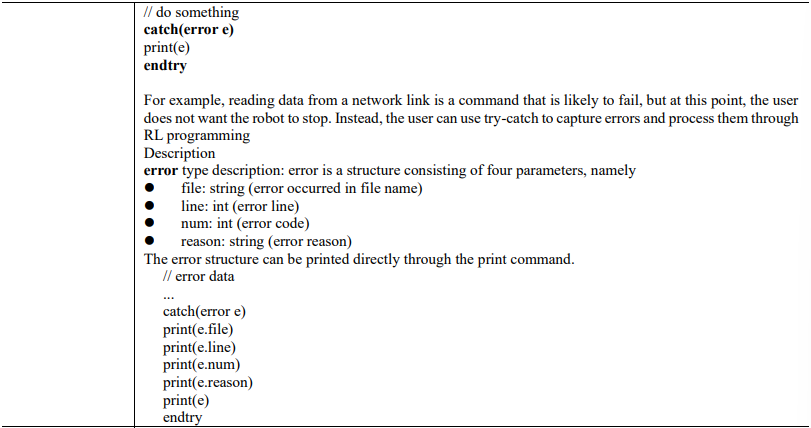
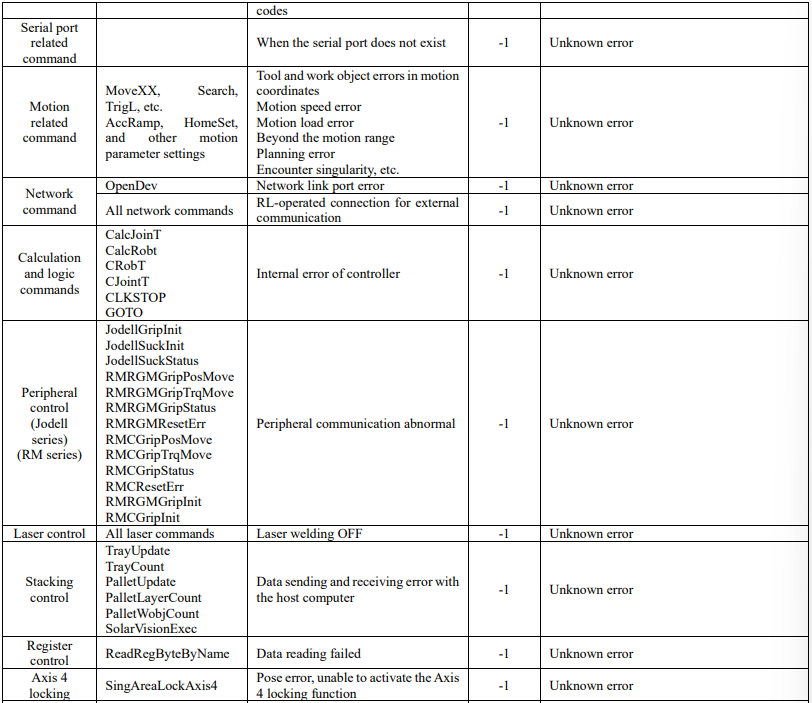
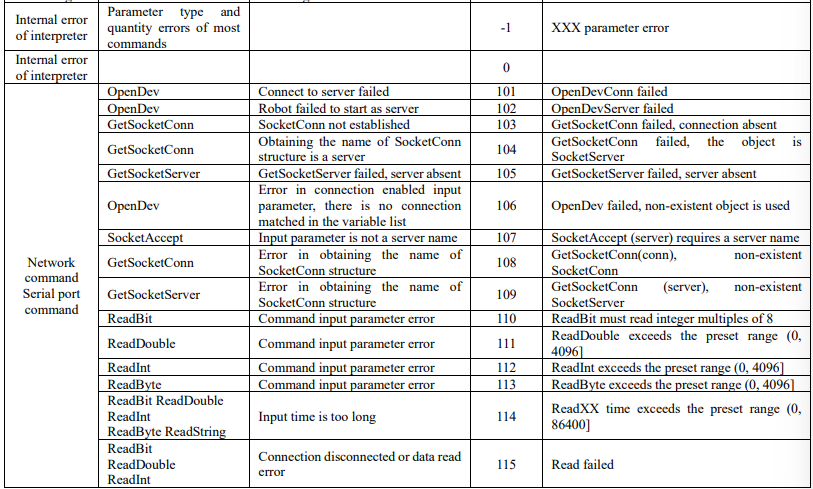
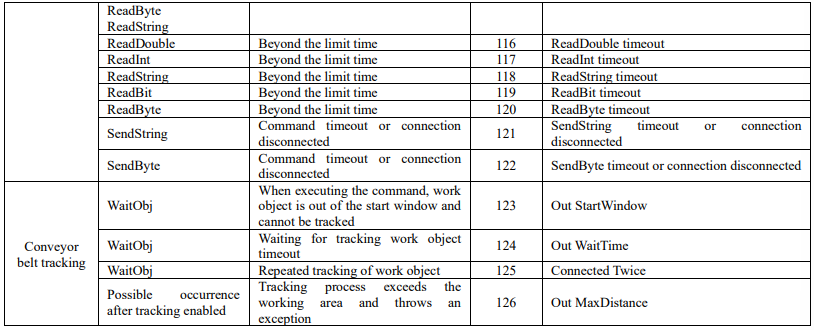
The error types and standard error codes that try/catch can process:

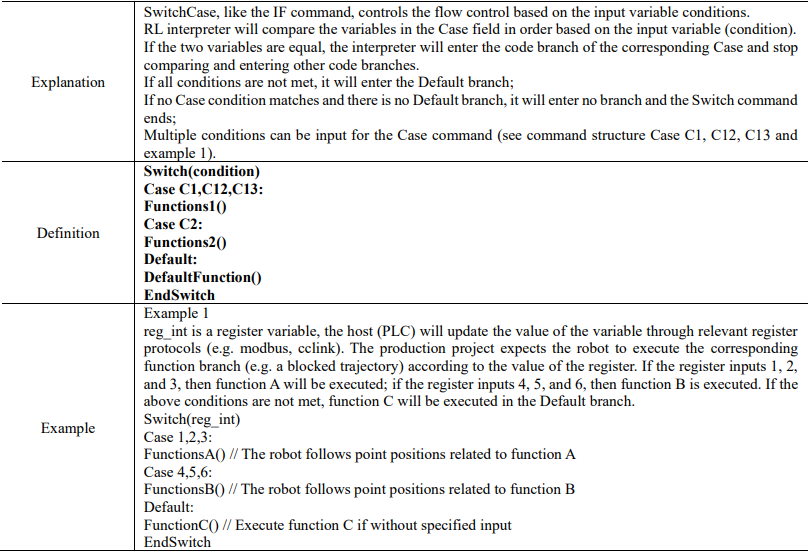
15.4.9.13 SwitchCase
15.4.10 Home command
15.4.10.1 Home
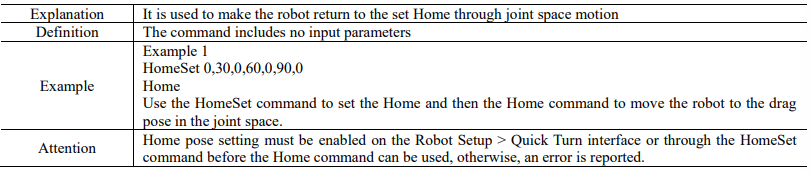
15.4.10.2 HomeSet

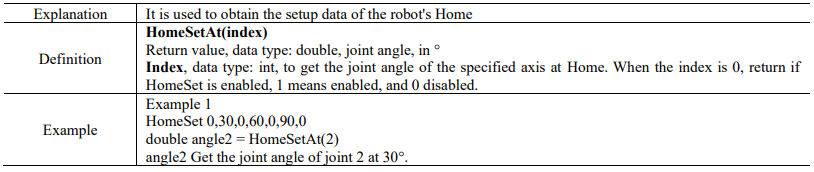
15.4.10.3 HomeSetAt
15.4.10.4 HomeDef

15.4.10.5 HomeSpeed

15.4.10.6 HomeClr

15.4.11 Math command
15.4.11.1 Sin

15.4.11.2 Cos

15.4.11.3 Tan

15.4.11.4 Cot

15.4.11.5 Asin

15.4.11.6 Acos

15.4.11.7 Atan

15.4.11.8 Sinh

15.4.11.9 Cosh

15.4.11.10 Tanh

15.4.11.11 Exp

15.4.11.12 Ln

15.4.11.13 log10

15.4.11.14 pow

15.4.11.15 sqrt

15.4.11.16 ceil

15.4.11.17 floor

15.4.11.18 abs

15.4.11.19 rand

15.4.12 Bit operation
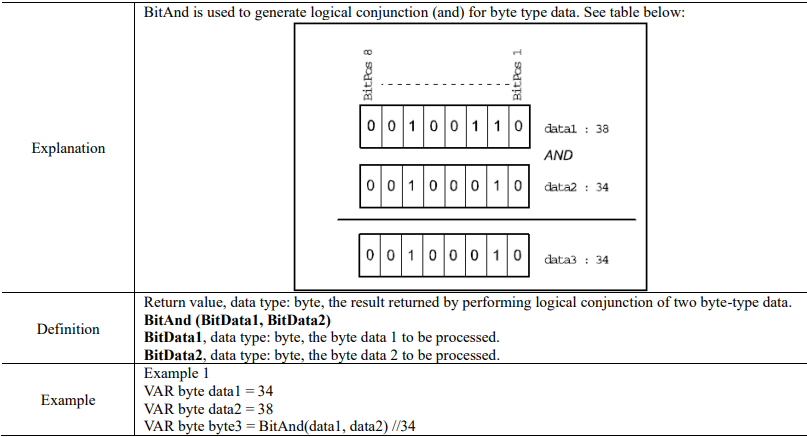
15.4.12.1 BitAnd

15.4.12.2 BitCheck
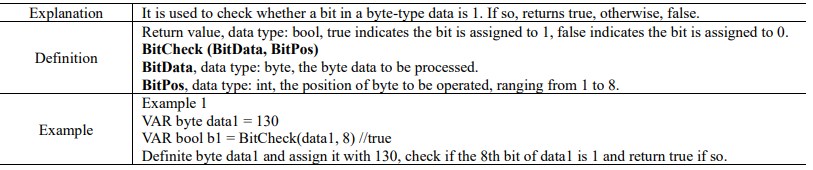
15.4.12.3 BitClear
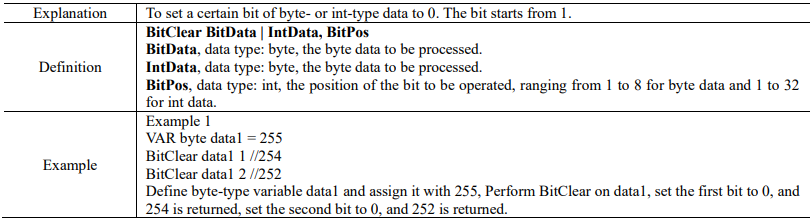
15.4.12.4 BitLSh
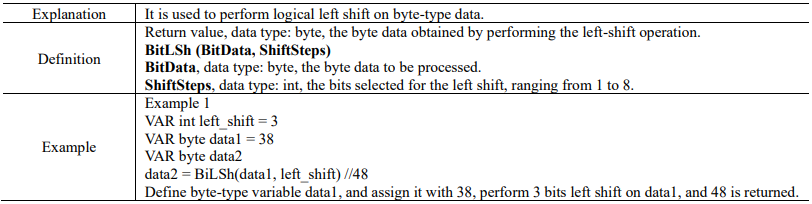
15.4.12.5 BitNeg
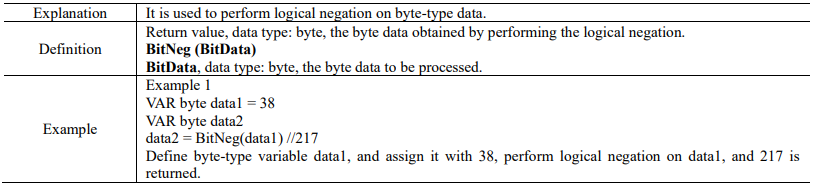
15.4.12.6 BitOr


15.4.12.7 BitRSh
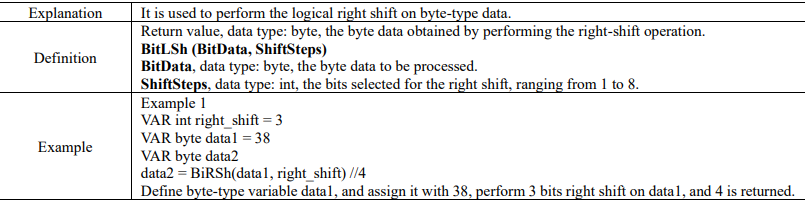
15.4.12.8 BitSet
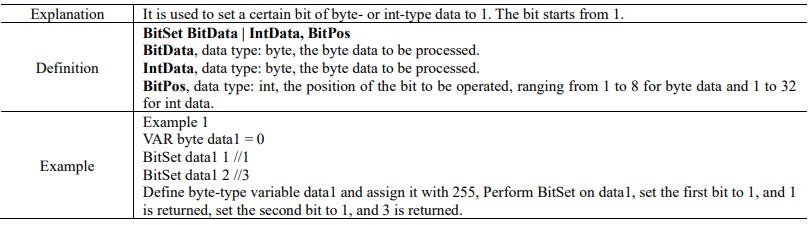
15.4.12.9 BitXOr
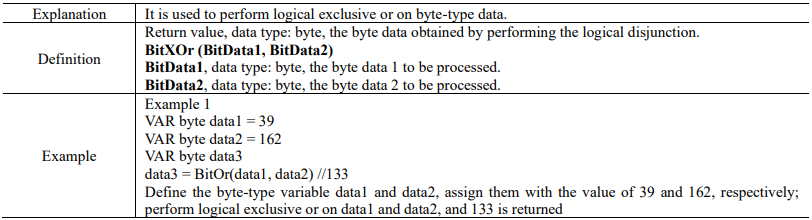
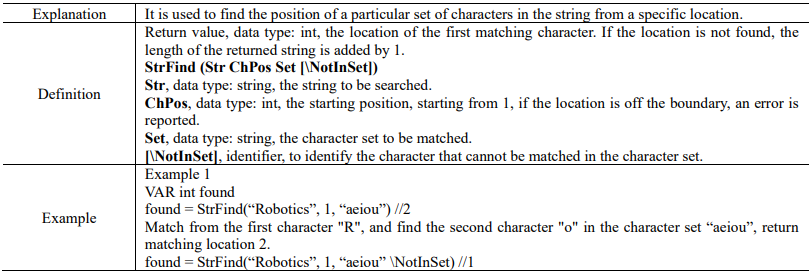
15.4.13 String operations
15.4.13.1 StrFind

15.4.13.2 StrLen

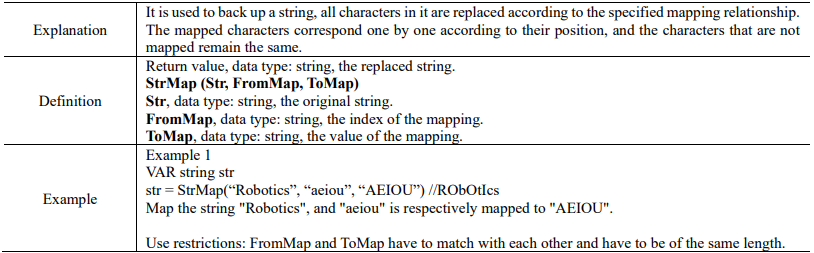
15.4.13.3 StrMap
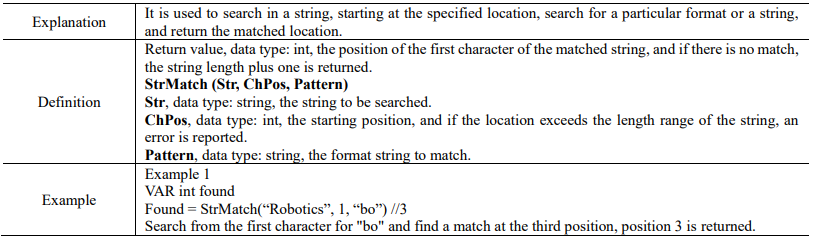
15.4.13.4 StrMatch
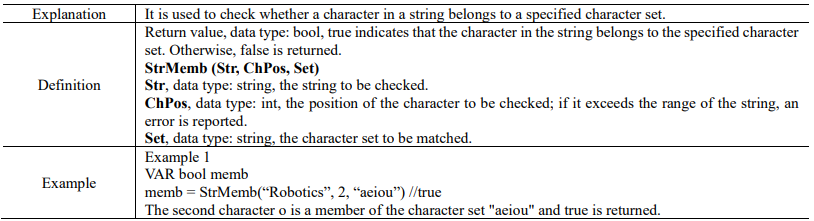
15.4.13.5 StrMemb
15.4.13.6 StrOrder


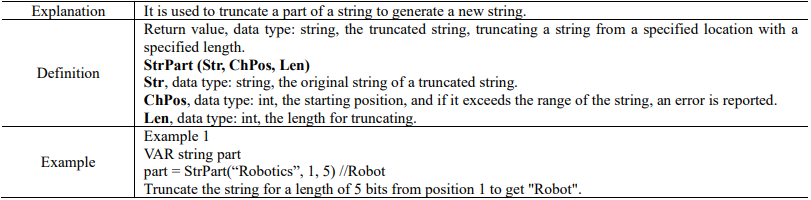
15.4.13.7 StrPart
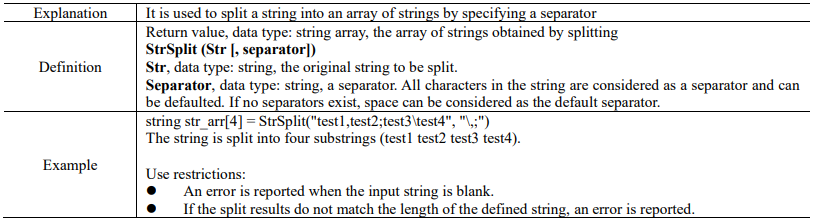
15.4.13.8 StrSplit
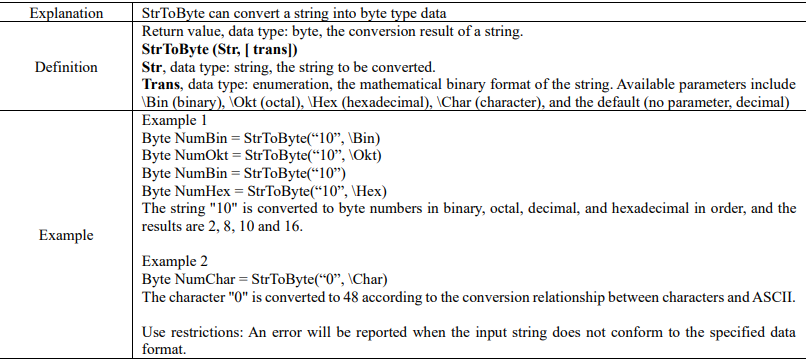
15.4.13.9 StrToByte
15.4.13.10 StrToDouble


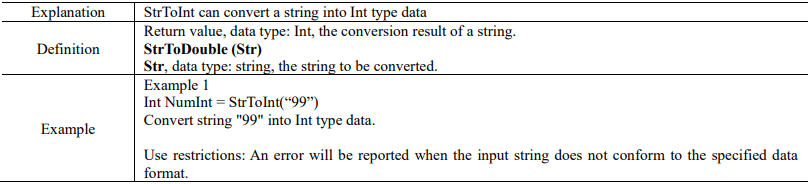
15.4.13.11 StrToInt
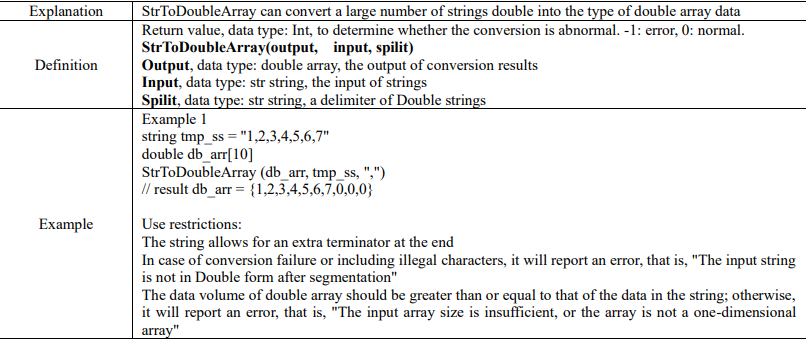
15.4.13.12 StrToDoubleArray
15.4.14 Operators
15.4.14.1 Basic operators
15.4.14.1.1 Arithmetic operators
Arithmetic operators include:
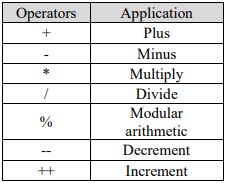
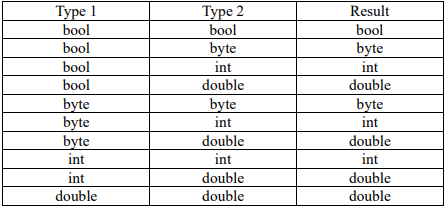
Arithmetic operators support data types of bool, byte, int, and double, and if different types of variables are added, subtracted, multiplied, and divided, they will trigger implicit conversion. The examples for arithmetic operators are as follows:
Example 1
VAR int a = 1
VAR int b = 2
VAR int c = -b //Negate
VAR int ac = a * c //Multiplication
Example 2
The two operators ++ and --, also known as unary operators, are operators that operate on an operand. RL does not distinguish between pre and post increment or decrement:
x = n++ //Means to add n by 1 and assign the n value to x
x = --n //Means to subtract n by 1 and assign the new value to x
Example 3
Implicit conversion results of addition, subtraction, multiplication, and division of different types of variables:
15.4.14.1.2 Logical operators
Logical operators support the operation of the basic data types, including
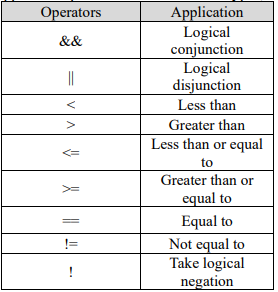
Logic and && expressions are true if the results on both sides are true, and the logic or || expression is true if one of the conditions of the two sides is true.
Example 1
The examples for other logical operators are as follows:
VAR int res = 1
while(res < 3) //Compare to determine whether res is less than 3
res++
endwhile
di5 = !di6 //Take logical negation
VAR int counter = 4
while(di7&&di8) //Calculate logical conjunction
if(counter == 5) //Whether it equals to
break
endif
endwhile
15.4.14.1.3 Assignment operators
Assignment operators include:
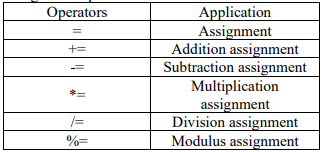
The examples for assignment operators are as follows
VAR int num1 = 3
VAR int num2 = 4
num1 += num2 //Equivalent to num1 = num1 + num2, then num1 = 7.
num1 -= num2 //Equivalent to num1 = num1 – num2, then num1 = -1.
num1 *= num2 //Equivalent to num1 = num1 * num2, then num1 = 12.
num1 /= num2 //Equivalent to num1 = num1 / num2, then num1 = 0.
num1 %= num2 //Equivalent to num1 = num1 % num2, then num1 = 3.
All assignment operations of variables support implicit conversion. When the data types on the left and right sides of the assignment operation are inconsistent, the interpreter will attempt to trigger an implicit conversion to enable the program to continue running. When the conversion fails, the
program will report an error and stop. Bool, Byte, Int, and Double can be converted to each other. IO and register variables are special forms of the above four variables, and if they are used for assignment operations, they can also trigger implicit conversions.
If the return value of the function belongs to the above four variables, it can also be used as the right value of the assignment operation for assignment calculation.
Example 1
int tmp_num = 10.5 // 10
bool tmp_bool = 1 // true
tmp_bool = 0 // false
double tmp_d = 999 // 999.0
Example 2
// Register variables can be directly used to modify ordinary variables
double tmp_num = register0
// Register variables can be directly used for conditional judgment
WaitUntil(register0 == 10)
Example 3
int mem_ret = StrMemb(“Robotics”, 2, “aeiou”)
// The return value of StrMember is of type bool. If it is necessary to use an int type to receive the return value,
// The controller will not report an error but will perform an implicit conversion
// true -> 1, false -> 0
15.4.14.1.4 Other operators
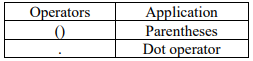
The examples for the operators are as follows:
Example 1
VAR int num = arr[1] //Assign the first element of the array to num
VAR int num2 = (1+2)*3 //Using parentheses can change the order of operations, the value of num2 here is 9
Example 2
Define a robtarget variable pt1
pt1.trans.x = 200 // Change the x coordinate of the pt1 point to 200 using the "." operator
Use restrictions:
The "." operator does not support modifications to the A, B, C members of robtarget variables.
15.4.14.2 Operation priority
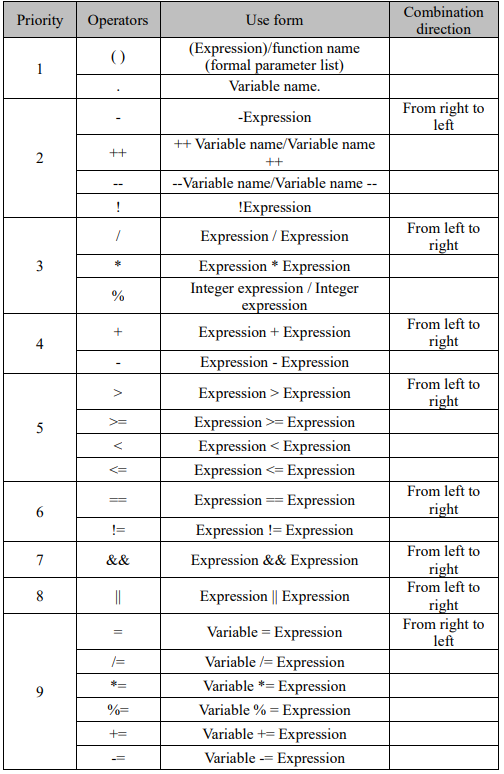
15.4.15 Clock commands
15.4.15.1 ClkRead
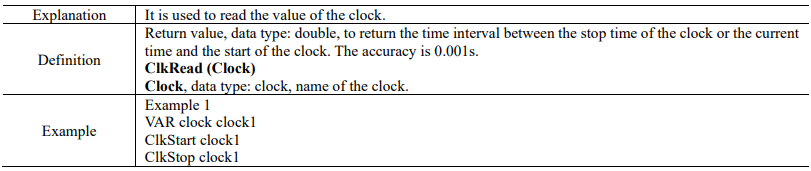

15.4.15.2 ClkReset

15.4.15.3 ClkStart
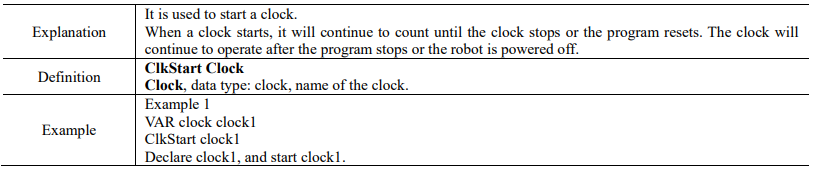
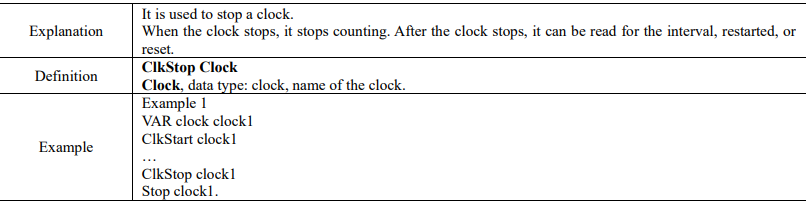
15.4.15.4 ClkStop
15.4.16 Advanced commands
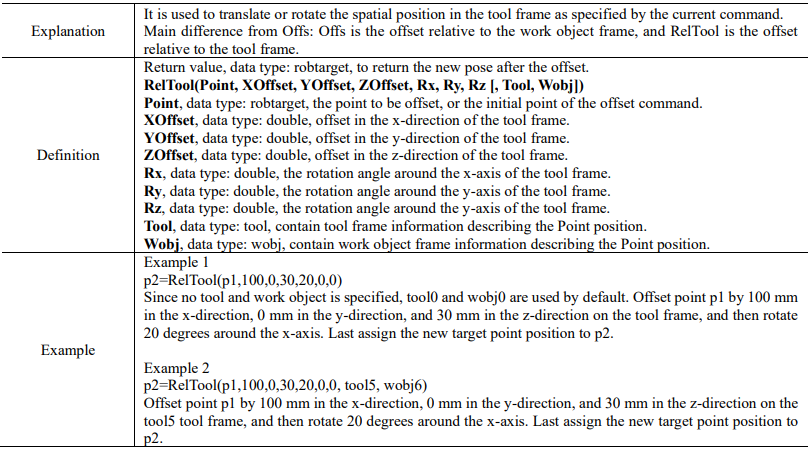
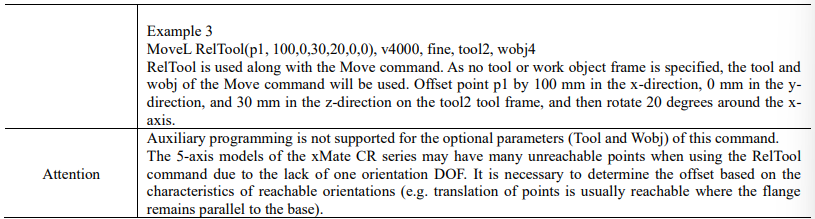
15.4.16.1 RelTool
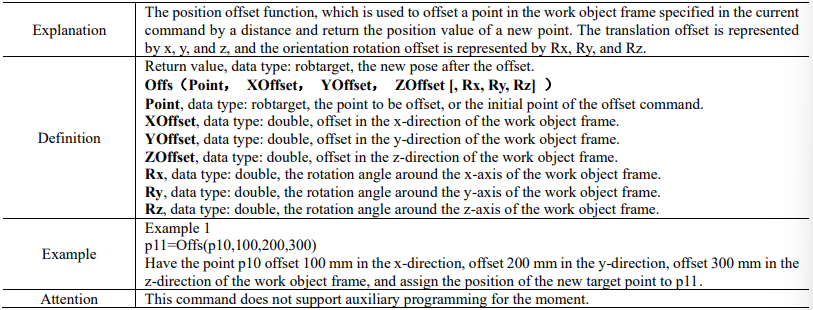
15.4.16.2 Offs
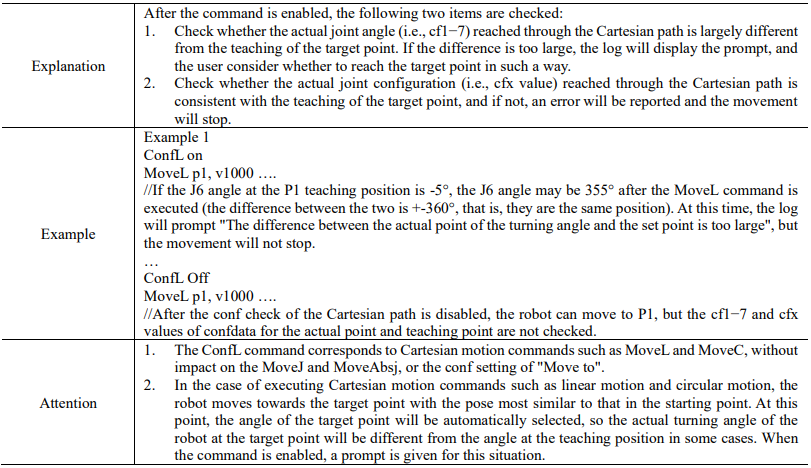
15.4.16.3 ConfL
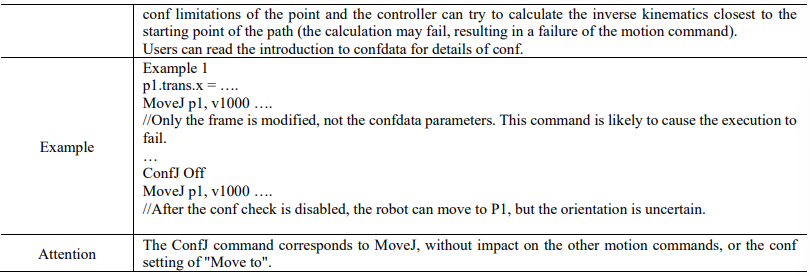
15.4.16.4 ConfJ

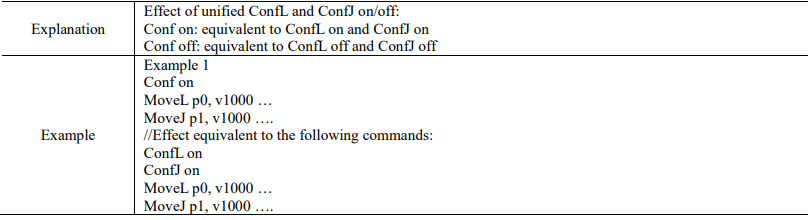
15.4.16.5 Conf
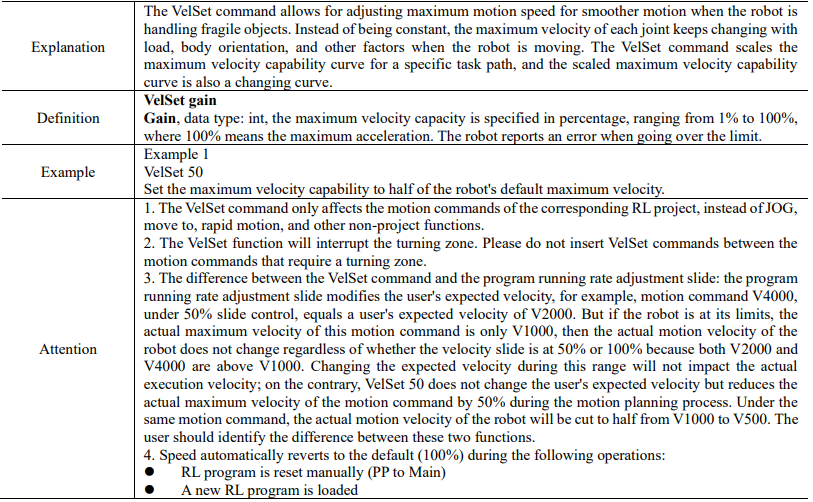
15.4.16.6 VelSet
15.4.16.7 AccSet

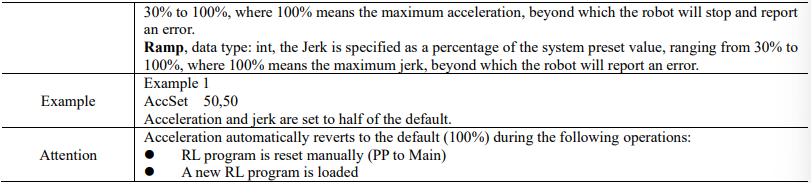
15.4.16.8 MotionSup
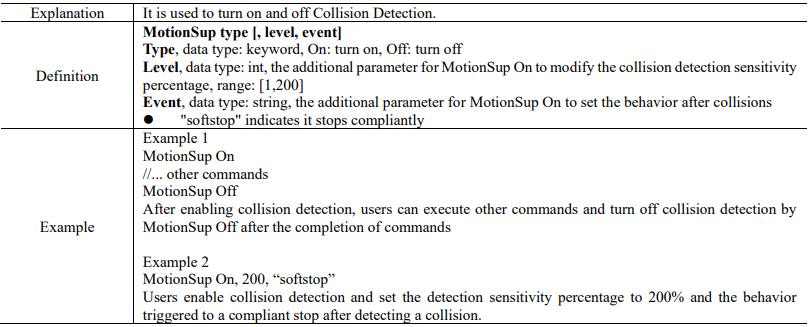
15.4.16.9 MotionSupPlus
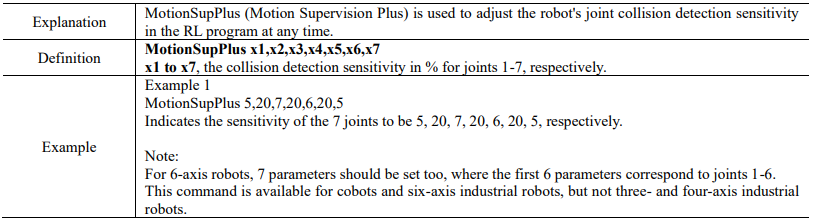
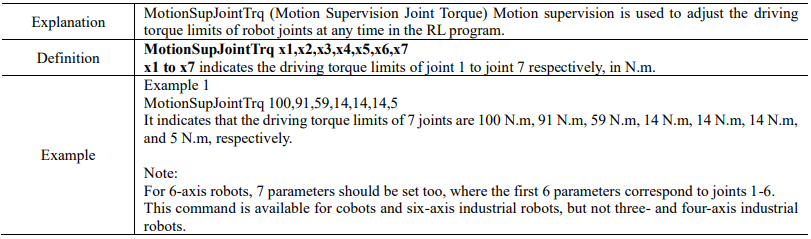
15.4.16.10 MotionSupJointTrq
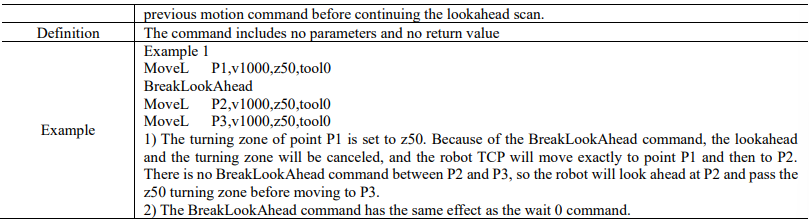
15.4.16.11 BreakLookAhead

15.4.16.12 GetRobotMaxLoad

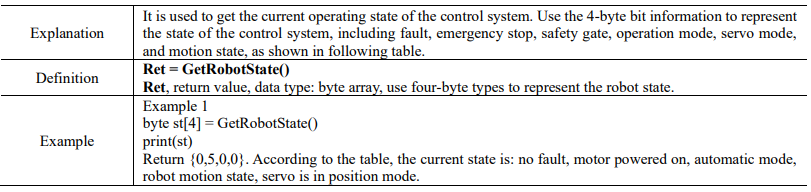
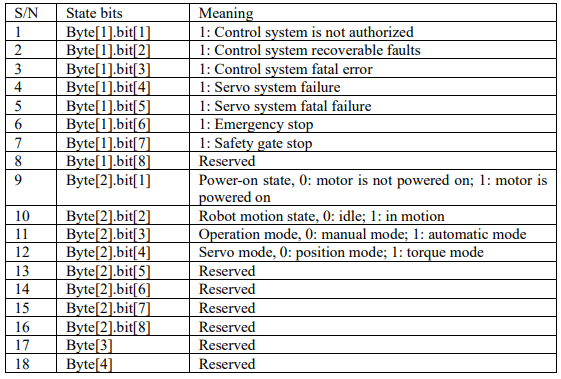
15.4.16.13 GetRobotState
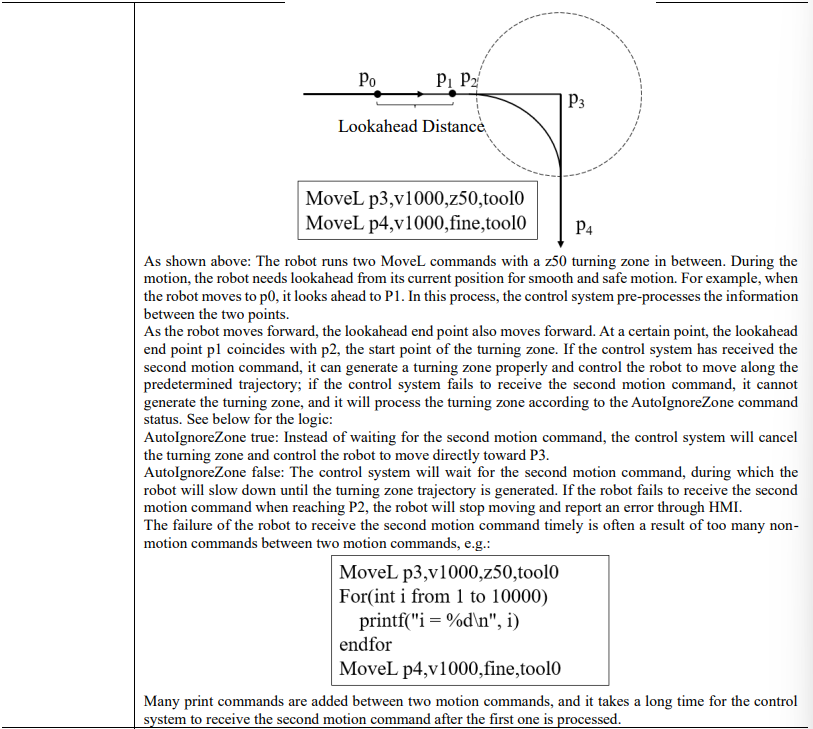
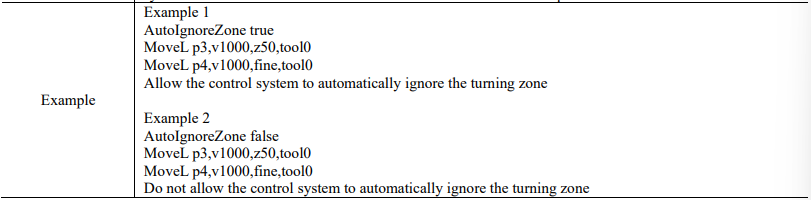
15.4.16.14 AutoIgnoreZone

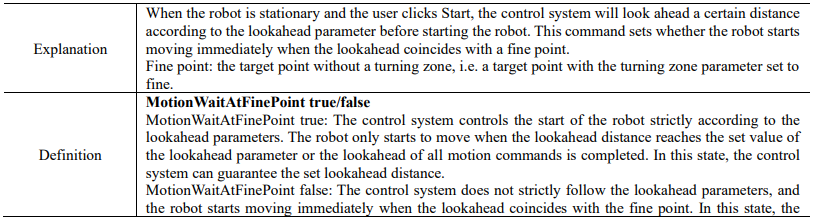
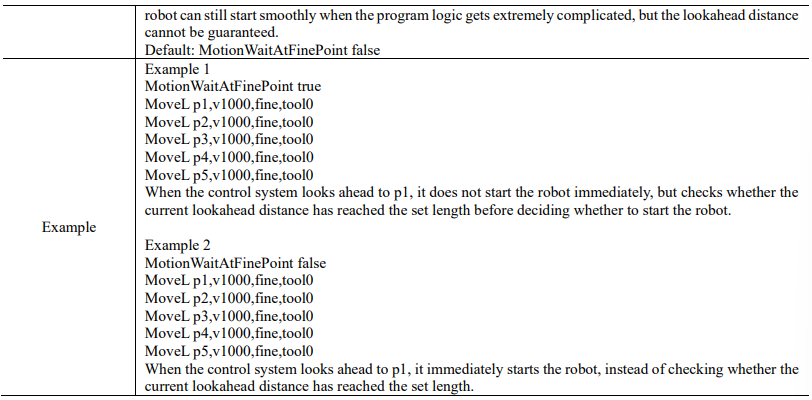
15.4.16.15 MotionWaitAtFinePoint true/false
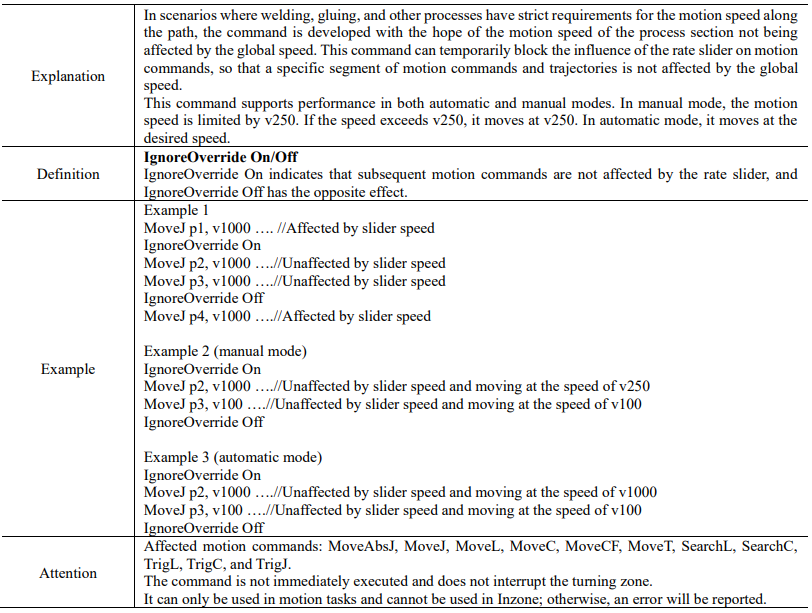
15.4.16.16 IgnoreOverride
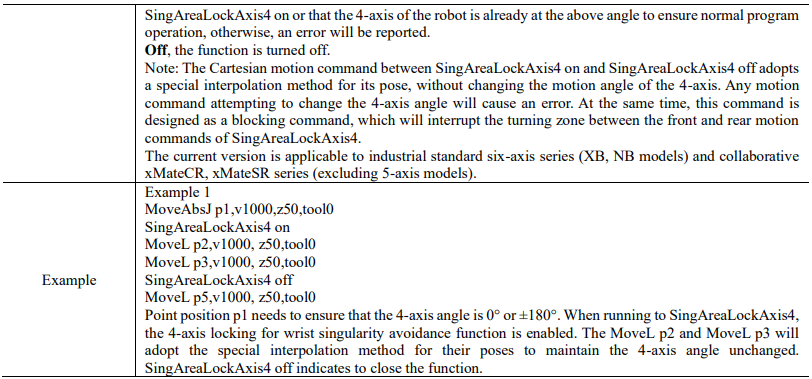
15.4.16.17 SingAreaLockAxis4

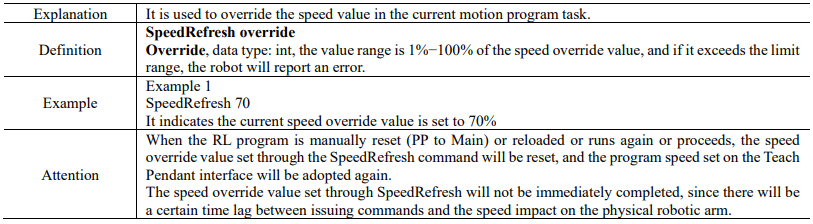
15.4.16.18 SpeedRefresh
15.4.16.19 CSpeedOverride

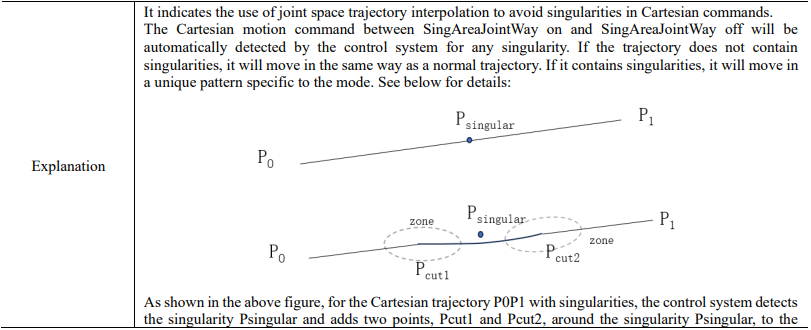
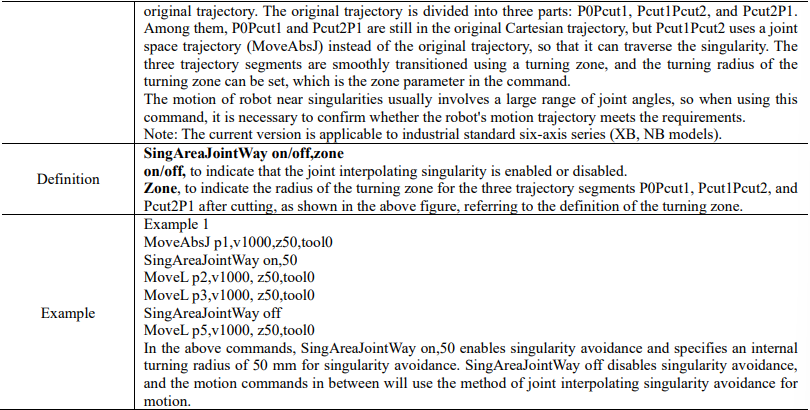
15.4.16.20 SingAreaJointWay
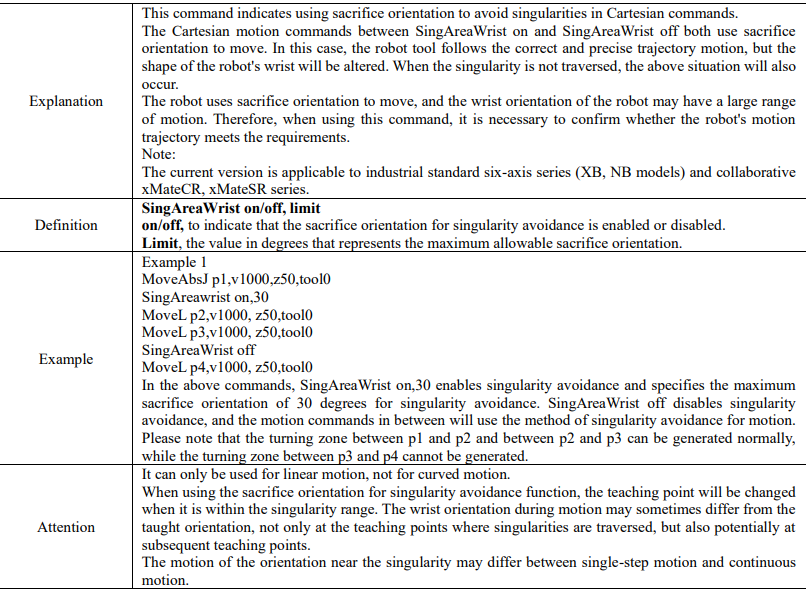
15.4.16.21 SingAreaWrist
15.4.16.22 SetRobotJointsMaxAcc


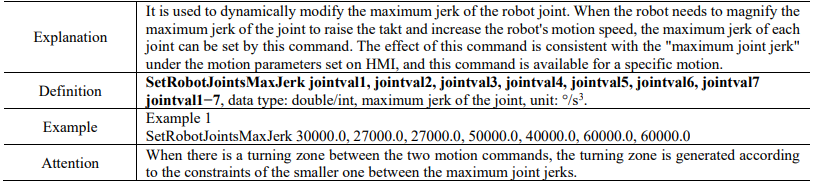
15.4.16.23 SetRobotJointsMaxJerk
15.4.16.24 ResetJointKineLimit

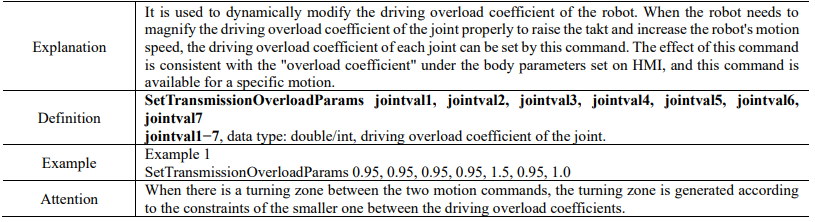
15.4.16.25 SetTransmissionOverloadParams
15.4.16.26 SetAccRampTime

15.4.16.27 ResetAccRampTime

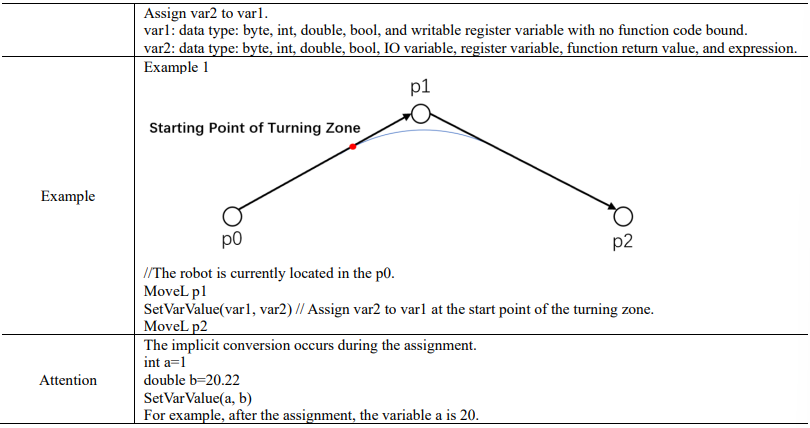
15.4.16.28 SetVarValue

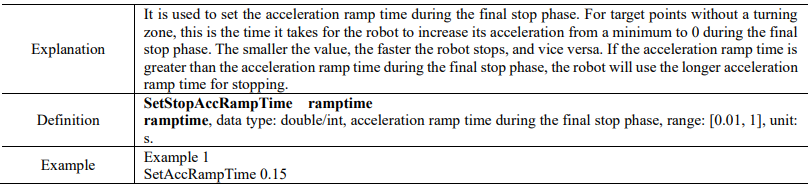
15.4.16.29 SetStopAccRampTime
15.4.16.30 ResetStopAccRampTime

15.4.16.31 MotionSupJointTrq

15.4.17 Function commands
15.4.17.1 CRobT


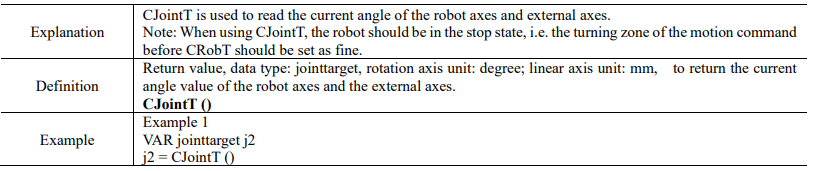
15.4.17.2 CJointT
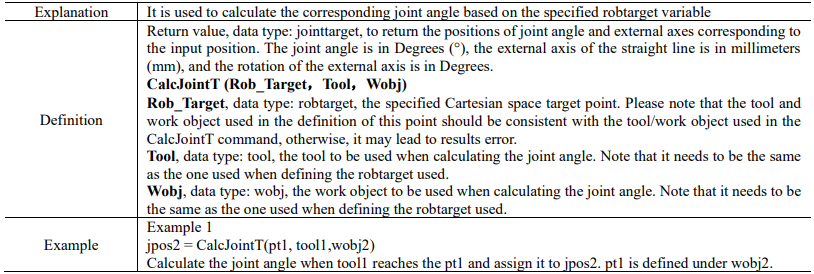
15.4.17.3 CalcJointT
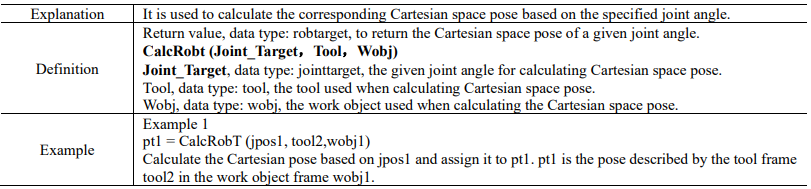
15.4.17.4 CalcRobt
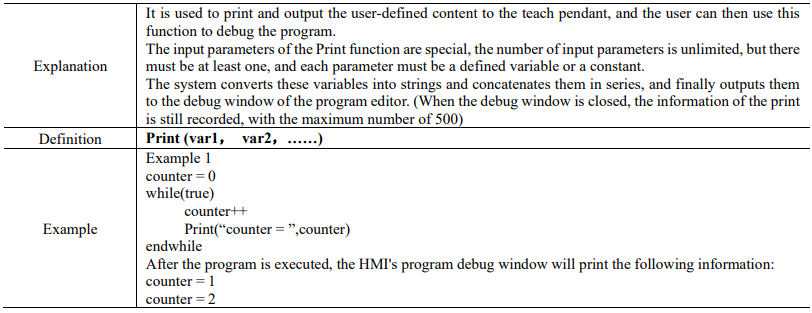
15.4.17.5 Print

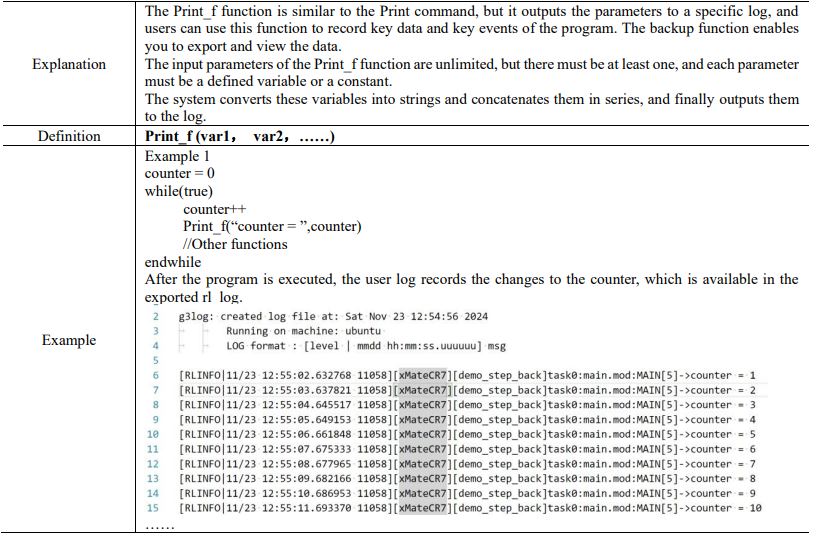
15.4.17.6 Print_f
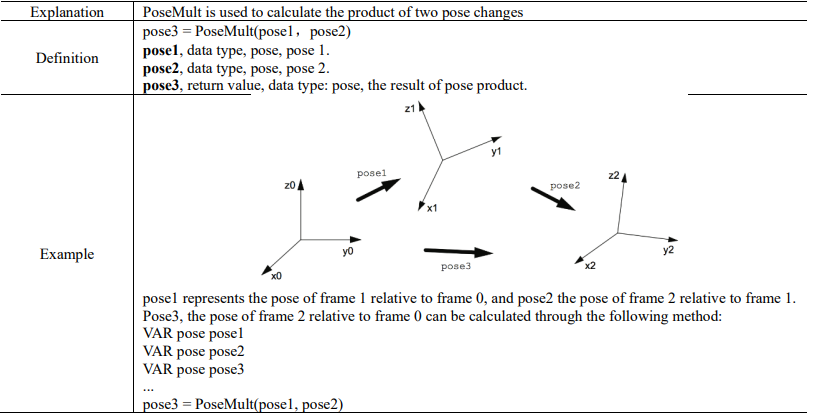
15.4.17.7 PoseMult
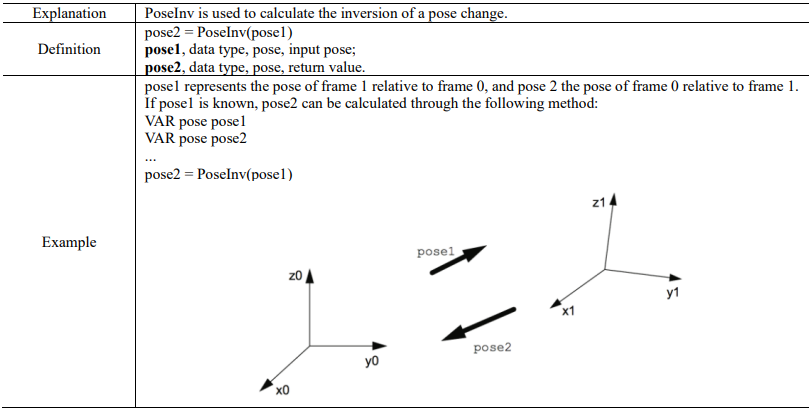
15.4.17.8 PoseInv
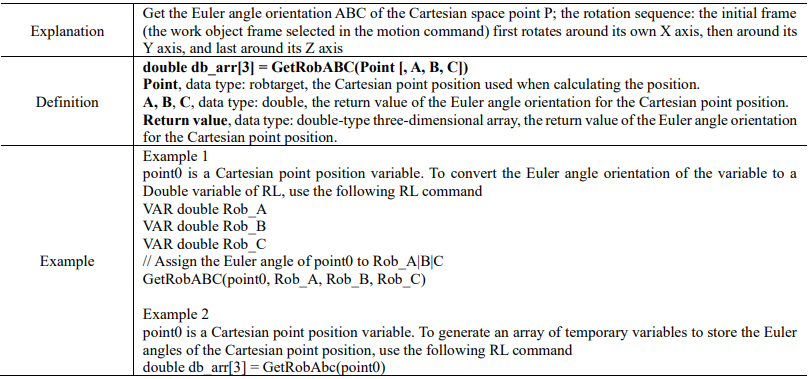
15.4.17.9 GetRobABC
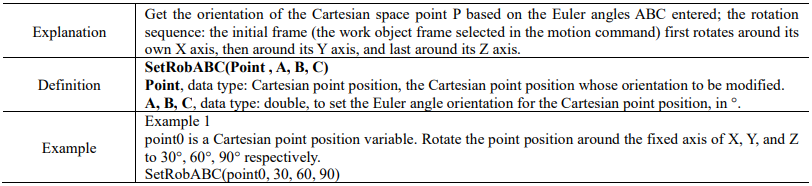
15.4.17.10 SetRobABC
15.4.17.11 RotRobABC


15.4.17.12 OpMode

15.4.18 Register commands
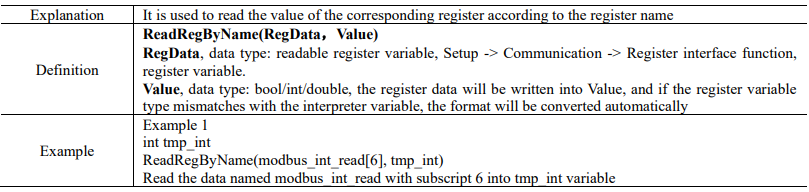
15.4.18.1 ReadRegByName
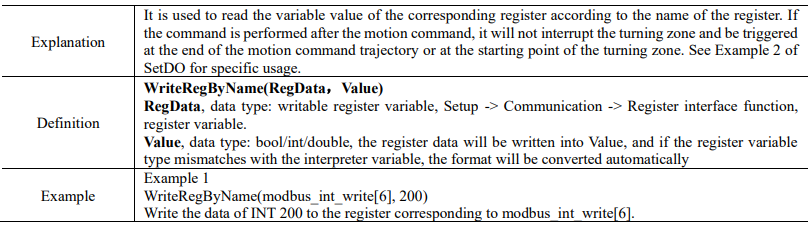
15.4.18.2 WriteRegByName
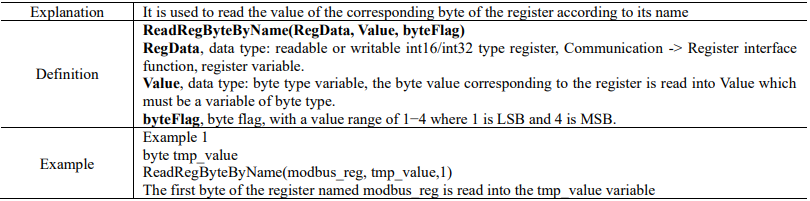
15.4.18.3 ReadRegByteByName
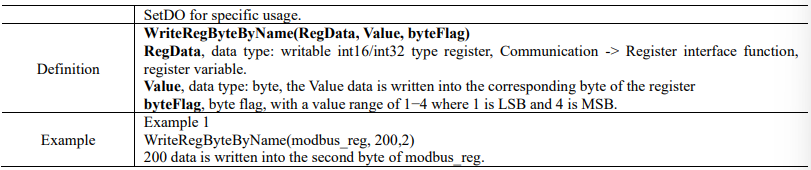
15.4.18.4 WriteRegByteByName

15.4.19 End-effector commands
15.4.19.1 JodellGripInit

15.4.19.2 JodellGripMove

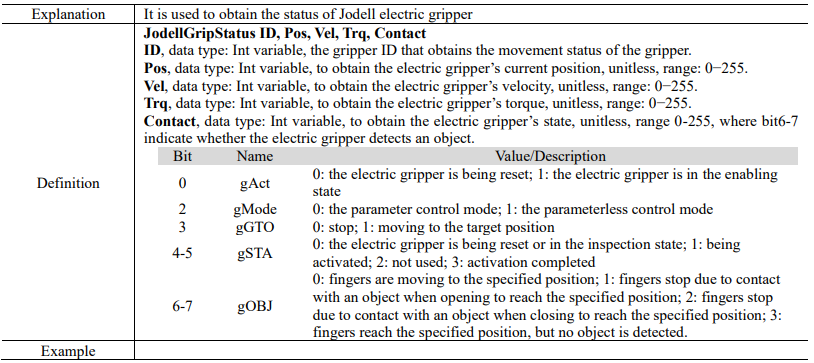
15.4.19.3 JodellGripStatus
15.4.19.4 JodellSuckInit

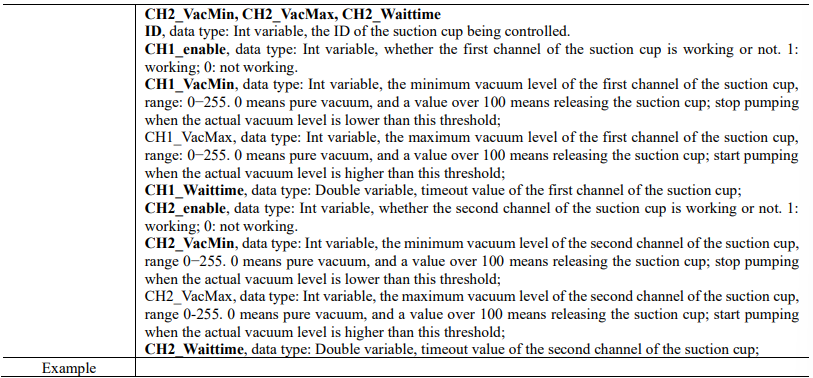
15.4.19.5 JodellSuckSet

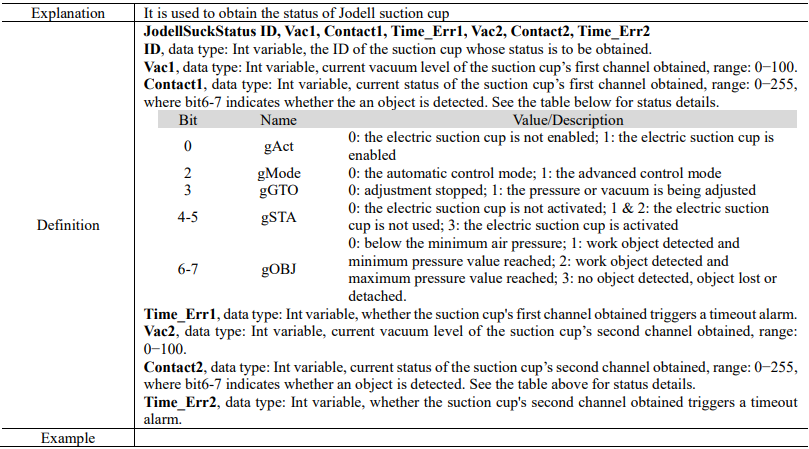
15.4.19.6 JodellSuckStatus
15.4.19.7 RMRGMGripInit

15.4.19.8 RMCGripInit

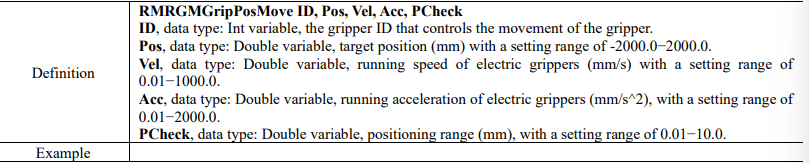
15.4.19.9 RMRGMGripPosMove

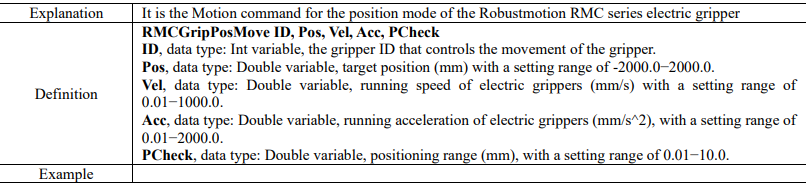
15.4.19.10 RMCGripPosMove
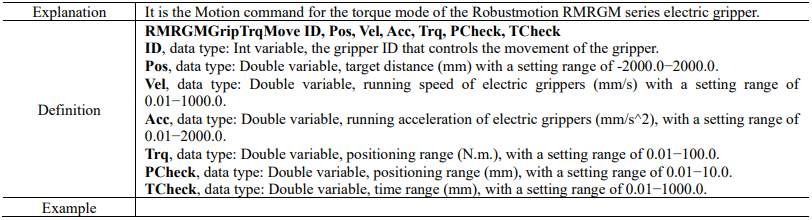
15.4.19.11 RMRGMGripTrqMove
15.4.19.12 RMCGripTrqMove
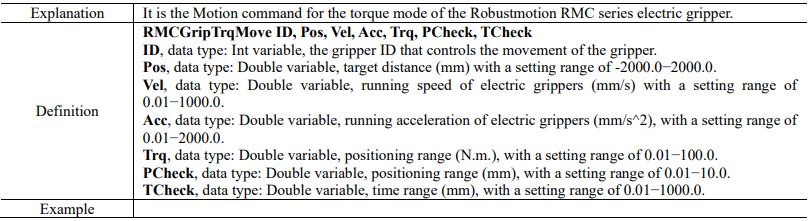
15.4.19.13 RMRGMGripStatus
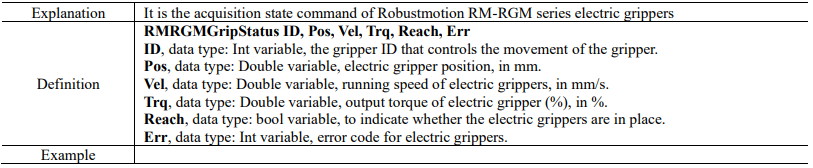
15.4.19.14 RMCGripStatus
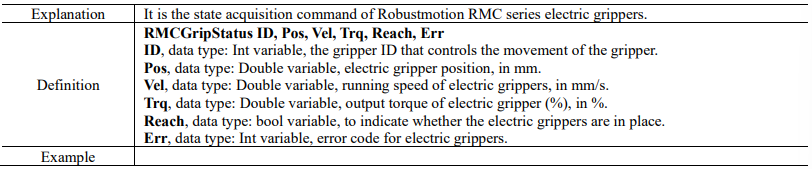
15.4.19.15 RMRGMResetErr

15.4.19.16 RMCResetErr

15.4.19.17 RobotiqGripInit

15.4.19.18 RobotiqGripGetStatus
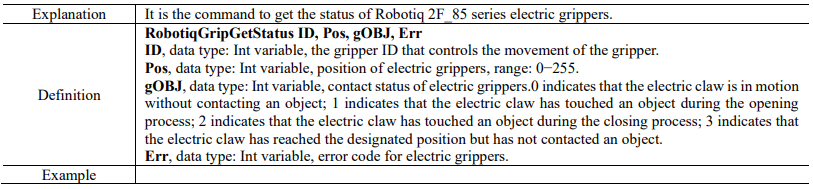
15.4.19.19 RobotiqGripMove

15.4.19.20 DhGripInit

15.4.19.21 DhGripGetStatus


15.4.19.22 DhGripMove
