9. Setting
9.1 Introduction to this chapter
This chapter provides a detailed introduction to various settings of the xCore control system.
9.2 Controller settings
9.2.1 Basic settings
9.2.1.1 System information
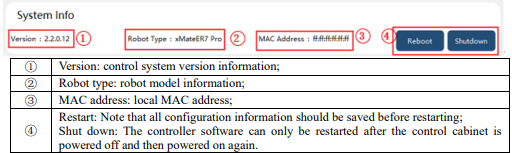
9.2.1.2 System configuration
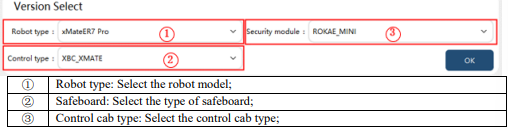
Note: Please do not modify the system configuration. In special circumstances, adjustments should be made under the guidance of the manufacturer.
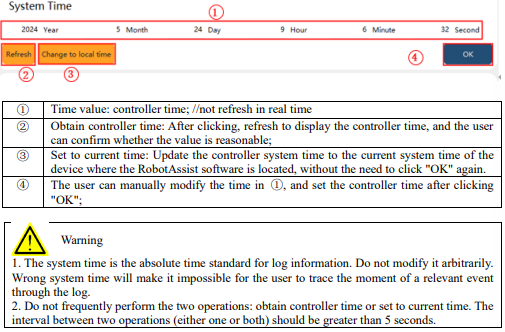
9.2.1.3 System time
The system time provides a time reference for functions such as log.
9.2.1.4 System IP properties
Configure the connection mode, IP, and subnet mask of the robot's external network port on this page.
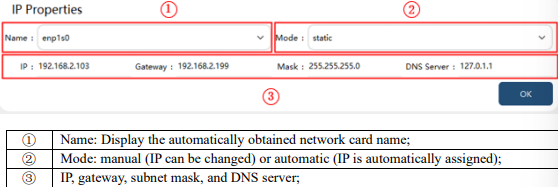
Note: The IP address of the debugging network port can only be modified to 192.168.0.160 or
169.254.160.160. When the IP of the debugging network port is 192.168.0.160, the IP of other network
ports cannot be modified to the 192.168.0 network segment; when the IP of the debugging network port is 169.254.160.160, the IP of other network ports can be modified to the 192.168.0 network segment but not to 192.168.0.160.
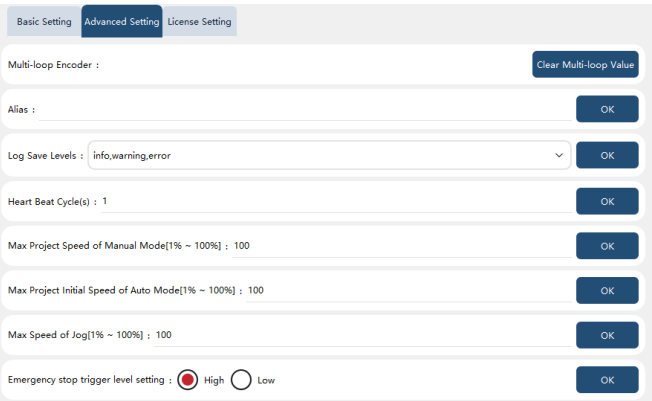
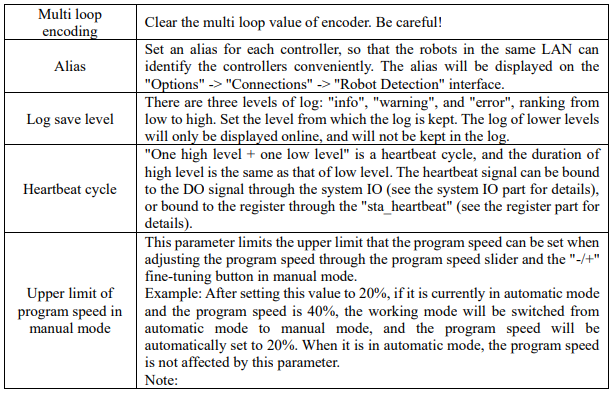
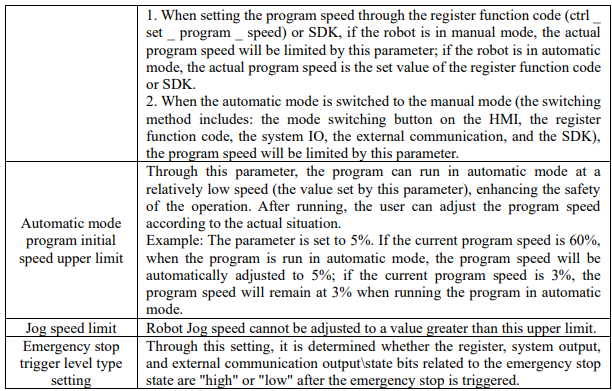
9.2.2 Advanced settings
9.2.3.2 Function authorization
The xCore system supports some optional software functions, which are divided into two types:
1. Languages: Japanese, Korean, Russian, and English;
2. Process packages: PV inserting process package, PV typesetting process package, laser welding process package, and SDK secondary development interface;
To enable optional functions, you can purchase an authorization code file based on the list of function to be enabled.
Note: The authorization information is bound to the controller of the robot, one robot, one file.
Activation method: In "Settings"−"Controller settings"−"Authorization settings"−"Function authorization", click "Select file", and select authorization file for authorization. If the authorization is successful, restart RobotAssist according to the prompts to enable the optional functions. Authorization validity: At present, the function authorization is permanently valid, and the controller version upgrade, configuration deletion, factory reset, etc. do not affect the authorization state. Authorized functions: The functions that the current robot has authorized are displayed.

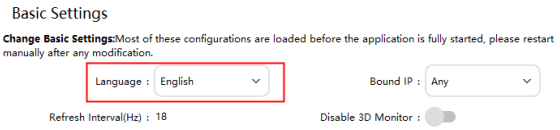
Associated content: In "HMI Settings"−"Basic Settings"−"Language", only authorized languages are displayed.