
100. What are the differences between Recipe and Recipe Database?
This FAQ explains the differences on data format and function, comparing Recipe (RW, RW_A, EM) and Recipe Database.
Recipe Recipe Database Filename Extensions *.rcp, *.rcp_a, *.emi *.db
Tools Recipe Editor Recipe Database Editor SQLite third party tools Advantages Cooperates with Index Registers Recipe View object can generate a database table for easier reference.
Import/Export object can update/backup Recipe Database into a CSV file on a USB drive or a SD card.
The edited recipe data can be downloaded to HMI in an exob file.
Recipe records in the database can be updated, added, and deleted dynamically on HMI by entering specific values in the recipe related registers. The registers can show execution results as well.
Macro functions allow reading, writing, and querying recipes
Examples on Recipe and Recipe Database usages:
1. Build the project using RW
Step 1. Open Recipe Editor, enter the recipe data, and save the data in a file (*.rcp, *emi).
Step 2. Launch EasyBuilder Pro to build a project by adding the objects with corresponding RW addresses (figure 1).
To test the project file, launch Utility Manager and select [Download] to
download the project file to HMI and see if all values are correct (figure 2)
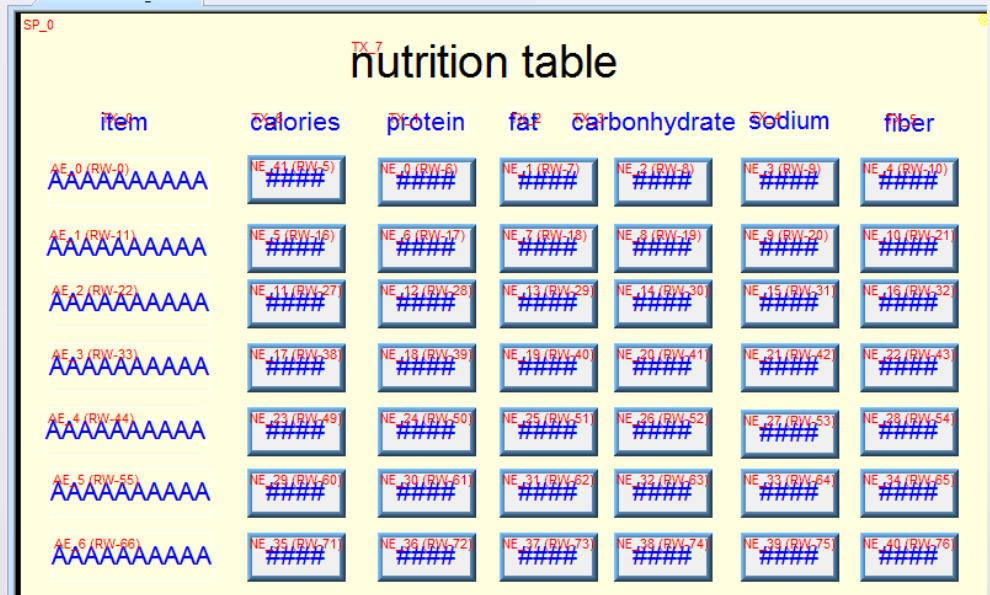
Figure 1: Create objects using RW addresses in EasyBuilder Pro
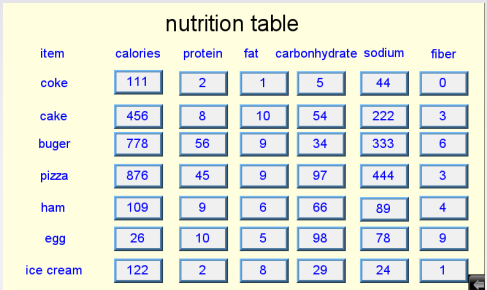
Figure 2: View recipe on HMI
Index Registers enable an address offset feature in Recipe. In the following example, index register LW-9200 is used to specify address offset. By entering value 11 in LW-9200, data in address RW-11 (=RW-0+Index_01) will be read.
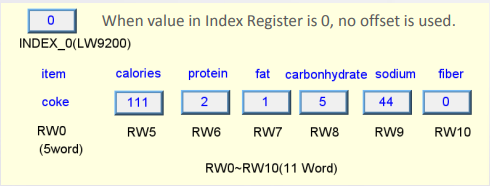
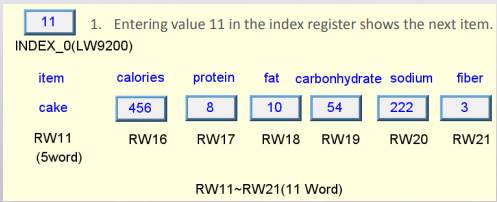
2. The interval between two RW addresses is 11 words.
2. Build the project using Recipe Database
In EasyBuilder Pro project, by creating a Recipe View object, Recipe Database can be shown in a table form for easier reference. The user can simply run project simulation to see the value in each address. There are some objects in EasyBuilder Pro that can be used to change or view data in Recipe Database. Please note that before using a Recipe View object, the Recipe Database should be built in EasyBuilder Pro through these steps:
Step 1. Open System Parameter Settings » Recipes tab and finish the settings.
Step 2. Open Library » Recipe Records to build the Recipe Database.
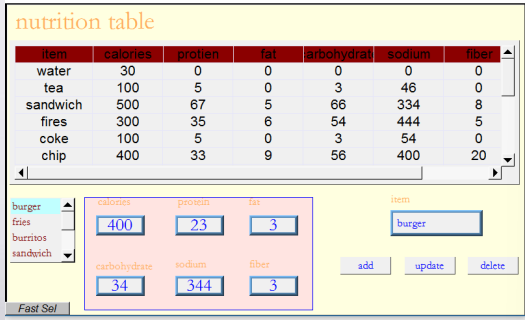 Figure 3: View Recipes in simulation mode