
24. How to use security function?
The following is an example to illustrate the steps of security feature:
Step 1
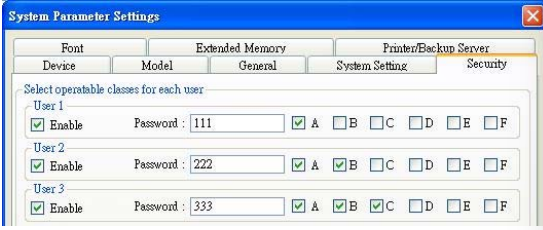
First of all, create a new project. Go to System parameter settings / Security, add three users and set different passwords and classes.
Step 2
Set objects in Window_10 as below:
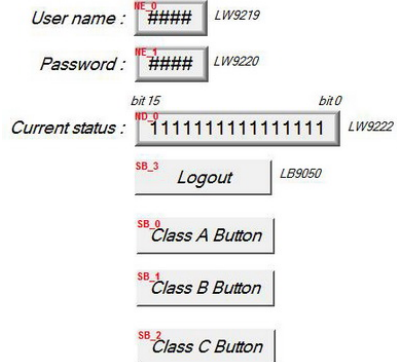
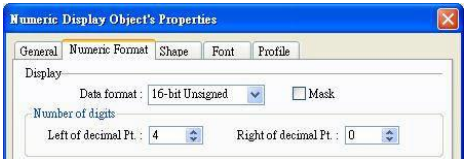
[NE_0] and [NE_1] are Numeric input objects where address are [LW9219] and [LW9220] for inputting user ID and password. [LW9219] is for inputting user ID (1~12), with the length of 1 word, in the form of 16-bit Unsigned as below.
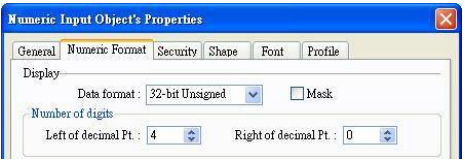
[LW9220] is for inputting user password with the length of 2 words, in the form of 32-bit Unsigned as below.
[ND_0] is Numeric display object with address [LW9222] to indicate user’s
state. The data is in the form of 16-bit Binary.

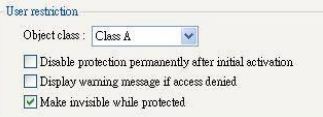
[SB_0] ~ [SB_2] are Set Bit objects which are set with different classes but selected “Make invisible while protected“. i.e. [SB_0] is class A, [SB_1] is class B, [SB_2] is class C. The setting of [SB_0] object:
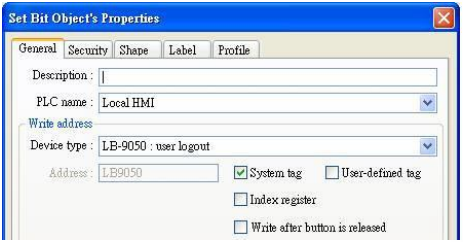
 [SB_3] is Set Bit object with address [LB9050] for user logout:
Step 3
After completing the settings of the objects, execute off-line simulation for the project.
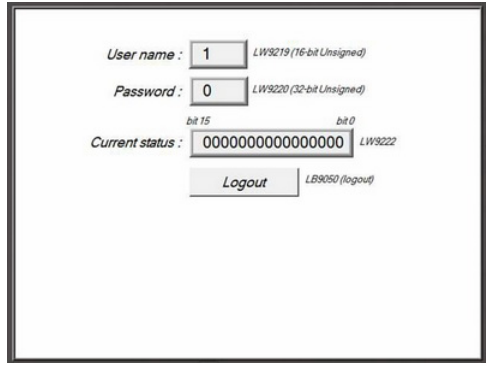
The illustration as below is initial screen of off-line simulation. At this time, no user is entered.
[LW9222] shown “0000000000000000” means current user only can use object with “None” class. Moreover, [SB_0] ~ [SB_2] are the objects with the security levels of class A ~ class C and at the same time “Make invisible while protected“ is selected, therefore, [SB_0] ~ [SB_2] objects are hidden by the system.
Step 4
When the user inputs the password “111”, the screen will become:
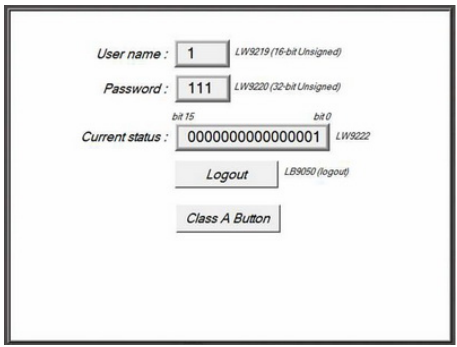
The user 1 is permitted to use object with class A. Consequently, [SB_0] appears and allows user to operate. Now, bit 0 in [LW9222] becomes 1.
Step 5
Next, when the user inputs the user 3’s password (333), the screen will become:
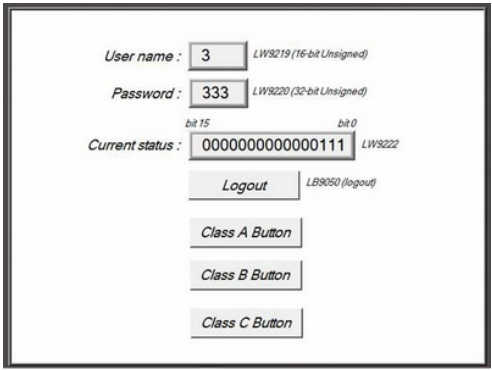
The user 3 is permitted to use object with class A, B, C. Now, bit 0 ~ bit 3 in [LW9222] become 1 to confirm the current user is allowed to use objects with class A, B, C.
Step 6
At this time, if [LB9050] is pressed and force current user to logout, the system will return to initial state. In other words, current user only can use object with “None” class.