
3. Customize Startup Screen
The startup screen on HMI can be customized, for example, putting the trademark logo. The following steps show how to do that. Please note that this feature is not available for cMT Series.
For i Series HMI, this feature is only available for firmware version 20090415 and later versions.
Step 1. Run Utility Manager or Project Manager, and then click [Download] button.
Step 2. Select [Startup screen] check box in Download dialog box, and then browse for the image that will be used as the startup screen on HMI.
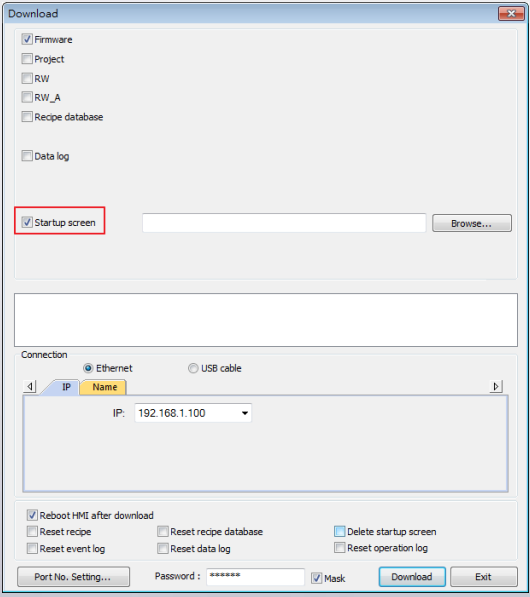
Step 3. Click [Download] button. After download, restart HMI. The selected
image should be displayed during startup.