39. How to clear history event log files?
The HMI memory of MT8000/6000 series is able to store event log data. There are three ways to clear historic data files in HMI memory.
1. Project manager >> Download tick [Reset event log] and click Download.
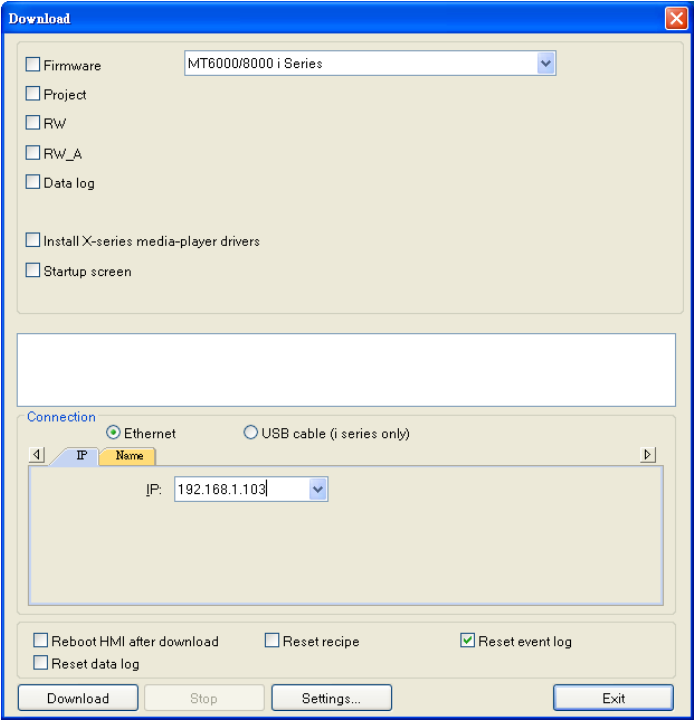
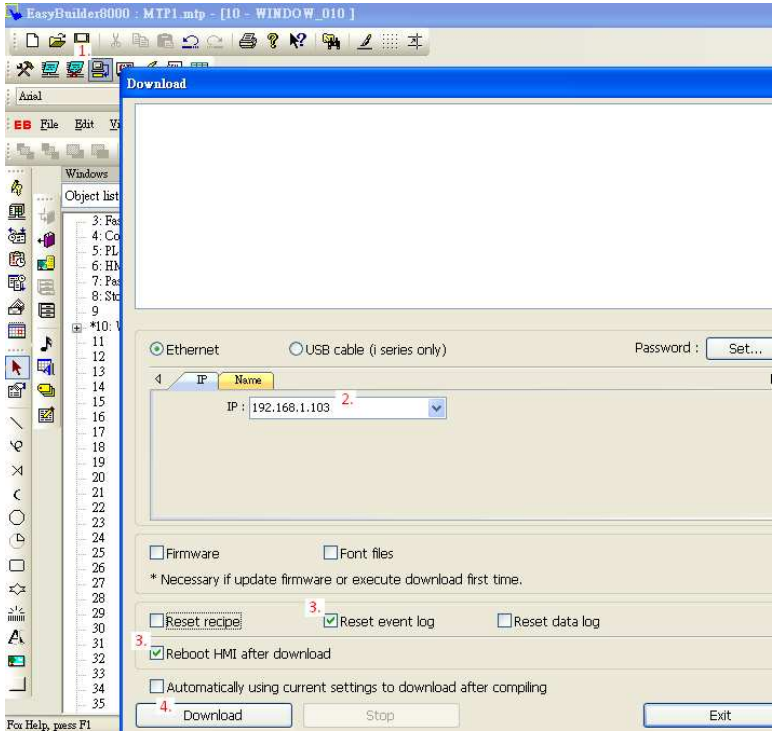
Or click Download button >> write in HMI IP >> tick [Reset event log] and [reboot HMI after download] >> Download
2. Use LB-9022 to delete the earliest event log file (set ON) Use LB-9023 to delete all event log files (set ON)
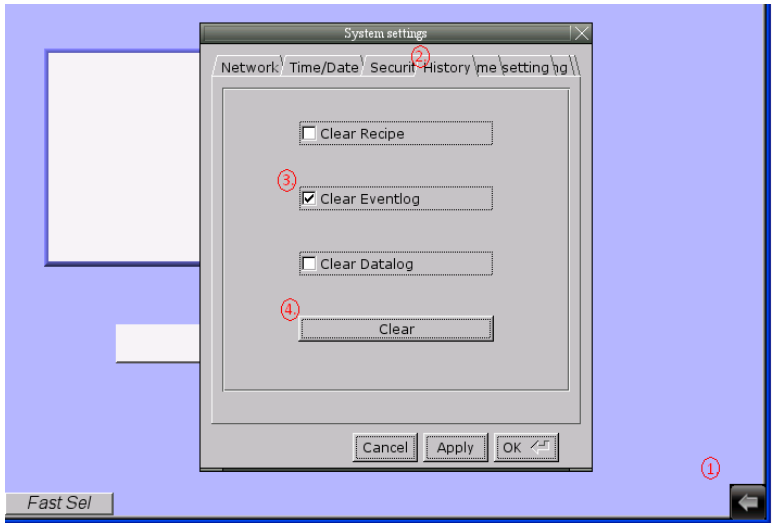
3. In the HMI, click system task bar >> go to History tab >> tick Clear Eventlog >> Clear After clearing the Event log, click OK to exit.