
5. Speed Up the Display Rate on MT8000
When a large image is displayed, for example, using a 65536 color image as background
image may cause the HMI process speed to slow down. Users can follow the instructions
below to speed up the display rate of image.
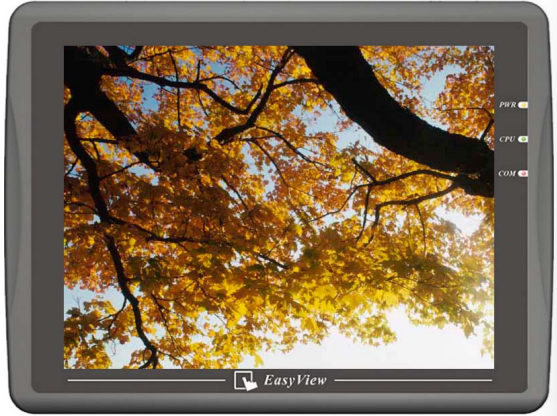
Step 1
While using an image file as background in full screen, the image size shouldn’t exceed the
display window size. A BMP format image file is recommended. The following picture shows
that if the display window size is 640*480, the size of imported image will be limited to
640*480. (The image size will be shown in the “Get Picture” preview window).
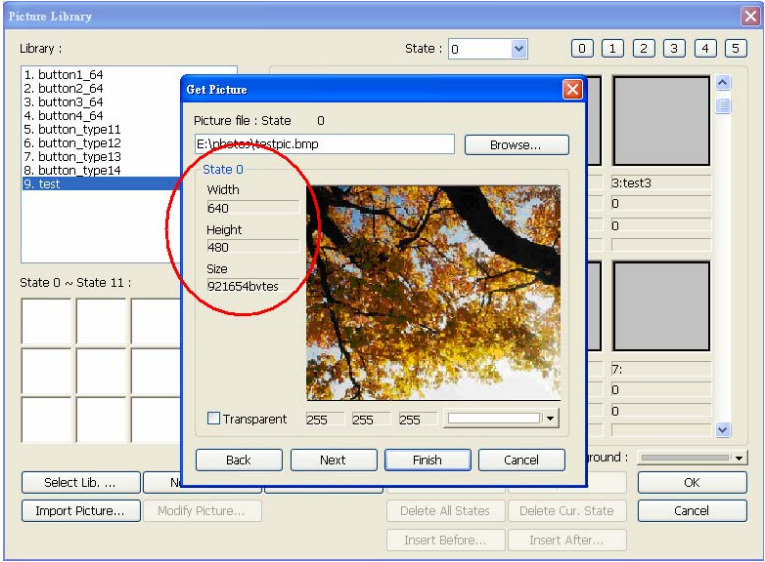
If the image size exceeds display window size, you can export the image and resize it by
using WINDOWS image processing tool.
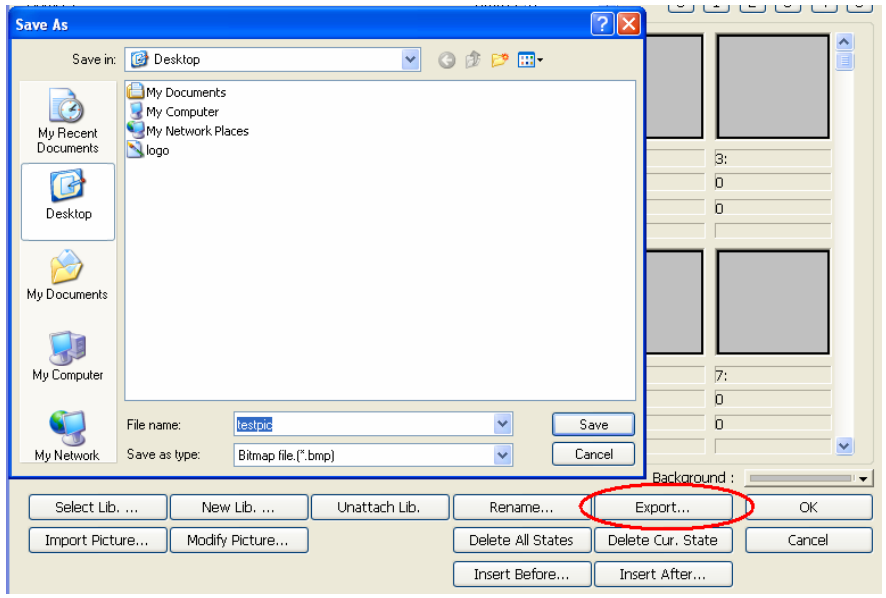
Step 2
The picture object needs to use original dimensions. Check the “Set to original dimensions”
check box in the “New Picture Object” dialog box.
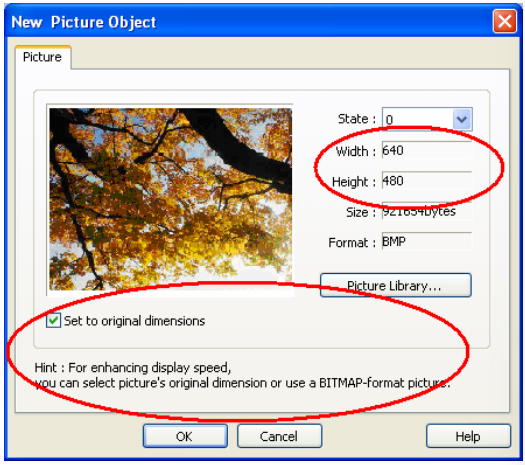
Sometimes, the image size already exceeds the display window size. Even though the “Set
to original dimensions” option is checked, the image still cannot be displayed in original size.
You should go back to step 1 and follow the instructions to resize the image and import it
again.