
7. Change Model of Project
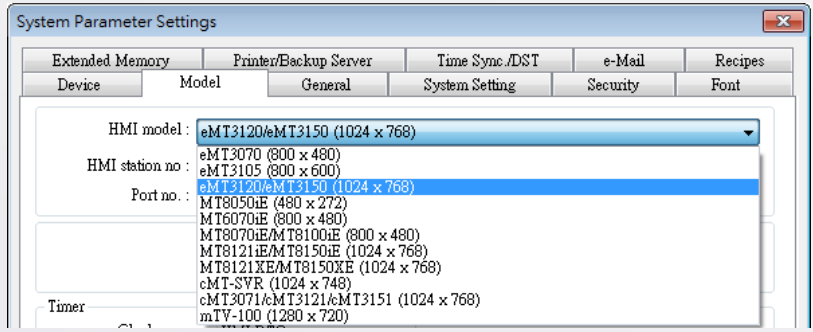
The following example shows how to change a MT8070iE (800 x 480) project to an eMT3120 (1024 x 768) project.
Step 1. Open the MT8070iE project.
Step 2. Click [Edit] button » select [System Parameters] » [Model] tab » select [eMT3120/eMT3150 (1024 x 768)]
Step 3. After click [OK], the “Resize pop-up windows/objects” dialog box will be displayed, please selected the needed settings. For example, if [Resize objects] check box is selected, the objects will be resized according to the screen size of the new model.
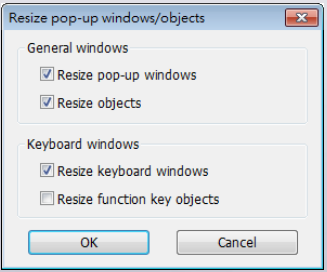
Step 4. Click [OK] to complete the process. Now you will see the eMT3120 (1024 x 768) project.