84. Find user defined tag
How to find a user-defined tag in an object settings dialog box?
After importing a large number of user-defined tags, finding one particular tag when setting an object can take a very long time. You can easily find a tag by the following method.
Take Rockwell EtherNet/IP (CompactLogix) – Free Tag Names driver as an example:
Step 1. In [System Parameter Settings] » [Device List], add the driver and import the CSV file of the tags.
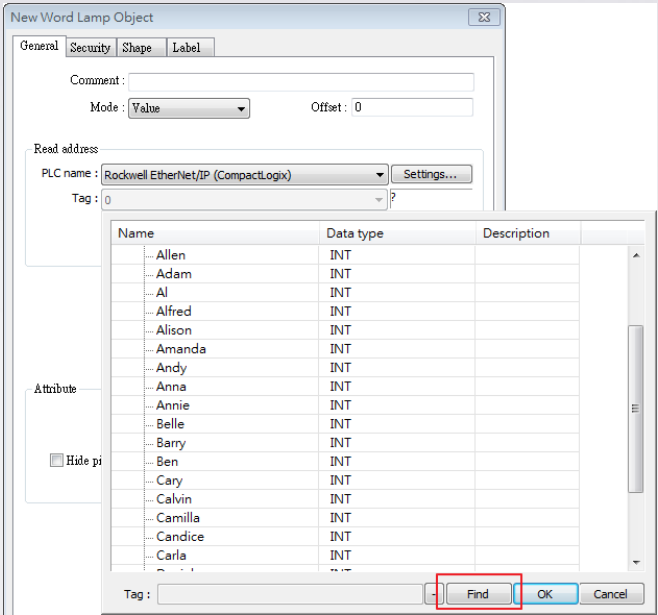
Step 2. In the object settings dialog box, click [Find] button in the tag list window.
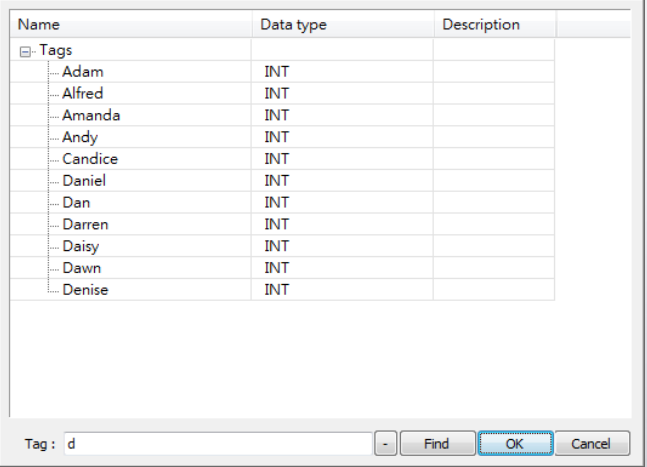
Step 3. Enter a key word and all the tags that contain the key word will be displayed.