
Baza MySQL przez ODBC niewidoczna w Excelu (32/64 bit)
Streszczenie: Baza MySQL podłączona przez ODBC nie jest widoczna w Excelu, gdy wersja sterownika ODBC (32/64 bit) nie odpowiada wersji pakietu MS Office – należy sprawdzić bitowość Office i zainstalować pasujący sterownik ODBC.
EN: MySQL database via ODBC not visible in Excel: install the ODBC driver matching the 32/64-bit version of MS Office.
Dotyczy: MS Office (Excel), MySQL ODBC; panele HMI Weintek z bazą SQL
Źródło: Weintek FAQ (materiały producenta), oryginalny tytuł: „Why the MySQL database of ODBC cannot be found in Excel (32/64-bit)?”
After connecting to ODBC, the next step is finding the corresponding database.
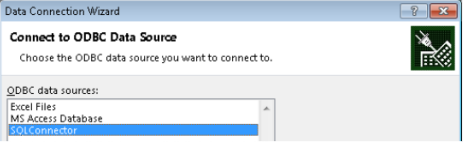
If the ODBC setting and version is correct, the next window should be like this,
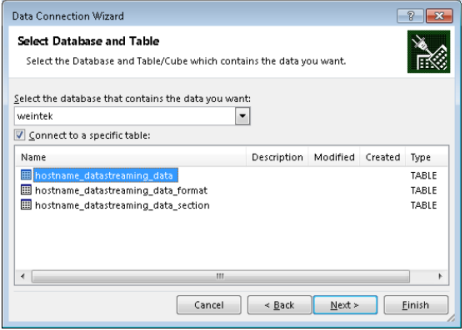
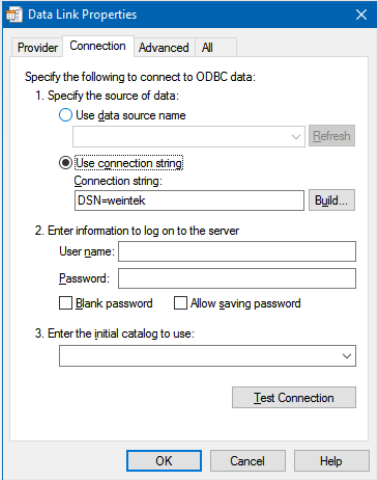
But if the next window is like the picture below, it’s because the ODBC version isn’t compatible with the Microsoft Office. So before installing the ODBC, the user must check the MS Office version first and install the correct version of ODBC.
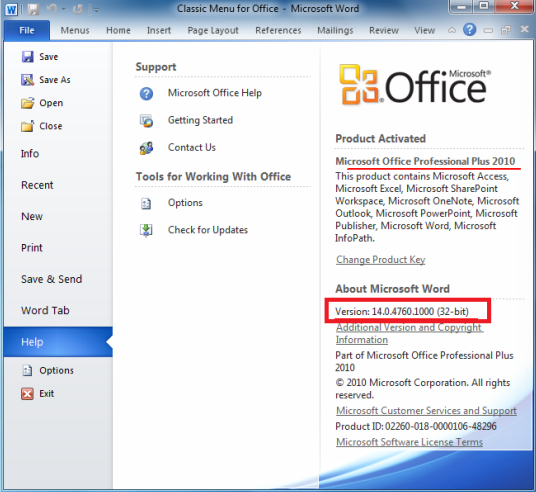
Step 1. Check the version of MS Office. In Office 2010, the version can be found here,
 In Office 2013, the version can be found here,
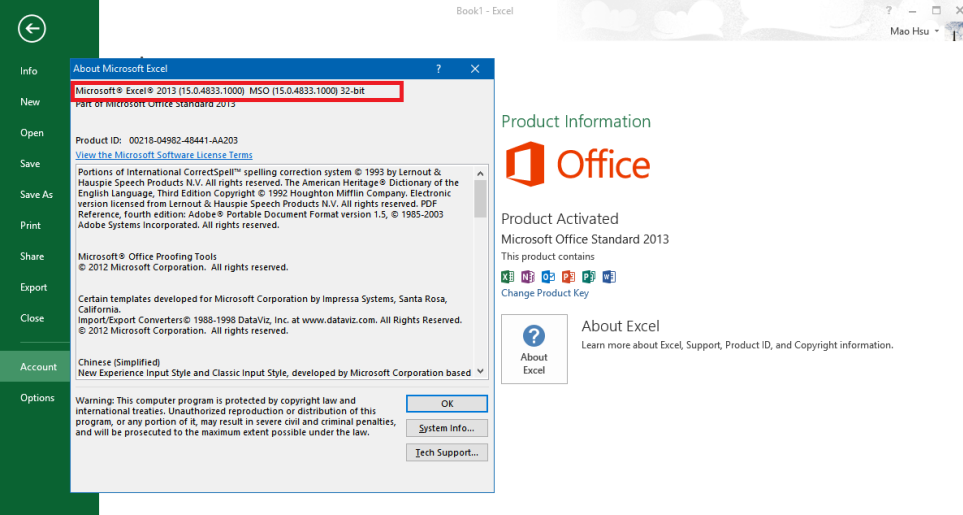
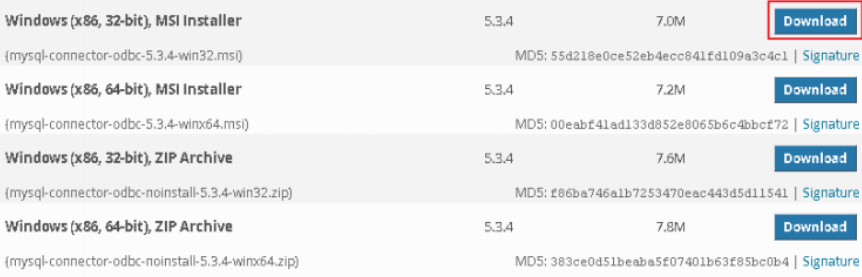
Step 2. If the version in the picture as above is 32-bit. The user also need to download 32-bit ODBC version and install it.
Słowa kluczowe
MySQL, ODBC, Excel, 32-bit, 64-bit, MS Office, sterownik ODBC, baza danych SQL, database, brak bazy, Why the MySQL database of ODBC cannot be found in Excel (32/64-bit)?