
Konwersja projektu EB8000 do EasyBuilder Pro
Streszczenie: Konwersja projektu z EasyBuilder8000 do EasyBuilder Pro: spakowanie projektu do .cmp, rozpakowanie w EBPro, wybór modelu eMT3000 i zapis jako .emtp. Przed konwersją warto zrobić kopię, bo przekonwertowanego pliku nie otworzy już EB8000.
EN: How to translate an EasyBuilder8000 project to EasyBuilder Pro (.cmp → uncompress → select eMT3000 model → save as .emtp).
Dotyczy: projekty EasyBuilder8000 → EasyBuilder Pro (eMT3000)
Źródło: Weintek FAQ (materiały producenta), oryginalny tytuł: „How to translate EB8000 project to EBPro?”
The way to translate EB8000 project:
Step 1. Compress EB8000 project into cmp file
Step 2. Launch EBPro and select Tool/Uncompress.
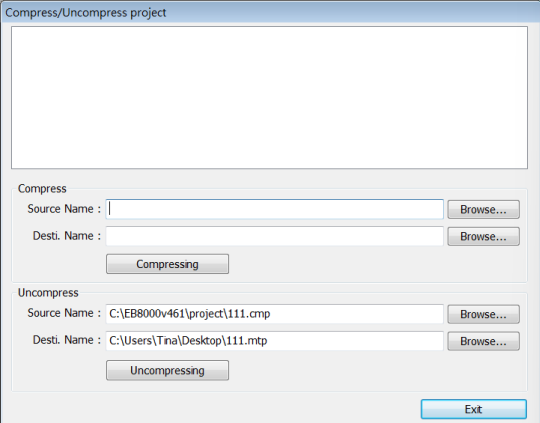
Step 3. EBPro will show the window below, for Uncompress select the directory of EB8000 cmp file and click [Uncompressing].
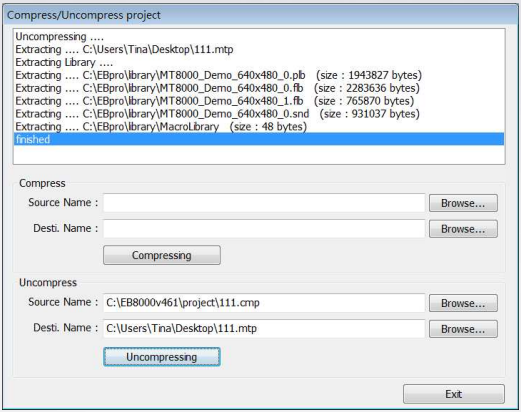
Step 4. After Uncompressing, click [Exit].
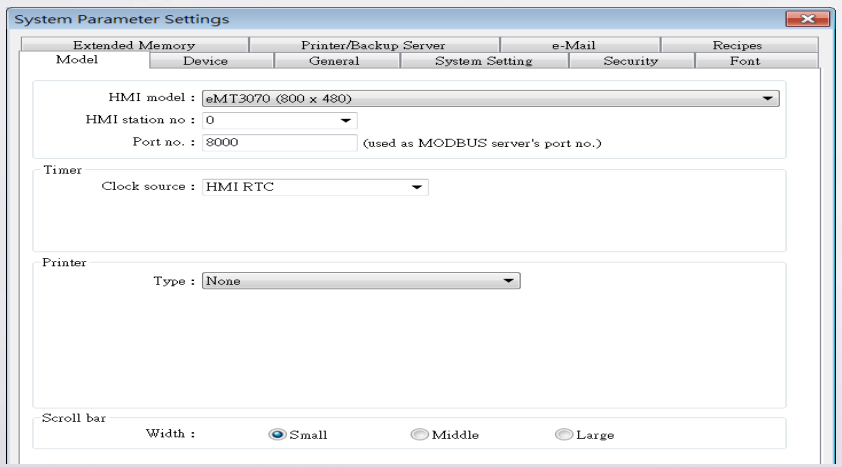
Step 5. Open the mtp file gained from uncompressing, EBPro will show System Parameter Settings window, in HMI model selection, select the eMT3000 type to be translated into, click OK.
Step 6. After saving file, the versions later than EBPro V1.11 will show a warning dialog, prompting that the extension name will be changed from mtp to emtp.
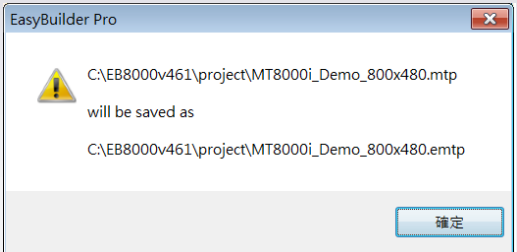
Step 7. EBPro V1.11 will save mtp file as emtp file, which is different from EB8000 mtp file for distinguishing.
Note:
It is recommended to backup EB8000 project before converting. The EB8000 files opened by EBPro will not be able to be opened by EB8000 anymore.
Słowa kluczowe
konwersja projektu, EB8000, EasyBuilder8000, EBPro, EasyBuilder Pro, plik .cmp, plik .mtp, plik .emtp, Uncompress, eMT3000, migracja projektu, How to translate EB8000 project to EBPro?