
Podłączenie drukarek SP-M/D/E/F i SPRT
Streszczenie: Podłączenie drukarek szeregowych do MT8000/MT6000: drukarki SP-M/D/E/F (protokół EPSON ESC, RS-232) i SPRT (SP-DIII, DIV, D5, D6, A, DN, T); wybór drukarki w System Parameter Settings, prędkość 4800/9600/19200 b/s ustawiana przełącznikami DIP i schemat połączenia RS-232.
EN: How to connect SP-M/D/E/F (EPSON ESC) and SPRT serial printers to MT8000/MT6000 HMIs, baud rate settings and RS-232 wiring.
Dotyczy: panele HMI Weintek MT8000/MT6000; drukarki SP i SPRT
Źródło: Weintek FAQ (materiały producenta), oryginalny tytuł: „How to use SPRT printer”
MT8000/6000 series support SP-M, D, E, F and SPRT series printer. Please refer to instructions below to connect printer to HMI correctly.
1. SP-M, D, E, F
EPSON ESC protocol 9-pin printer.
RS232 port
SIUPO
http://www.siupo.com
SP-M, D, E, F series
SP-E1610SK (paper width: 45mm)
SP-E400-4S (paper width: 57.5mm)
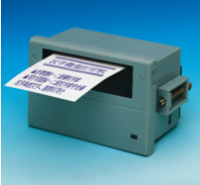
SP-MDEF
Recommended SP printer type for customers outside China
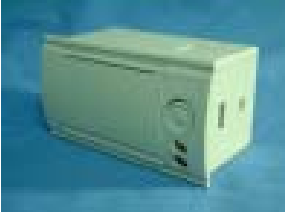
2. SPRT (SP-DIII, DIV, D5, D6, A, DN, T)
Step 1.
Click Edit menu /System parameter settings / Model tab to select SPRT printer.
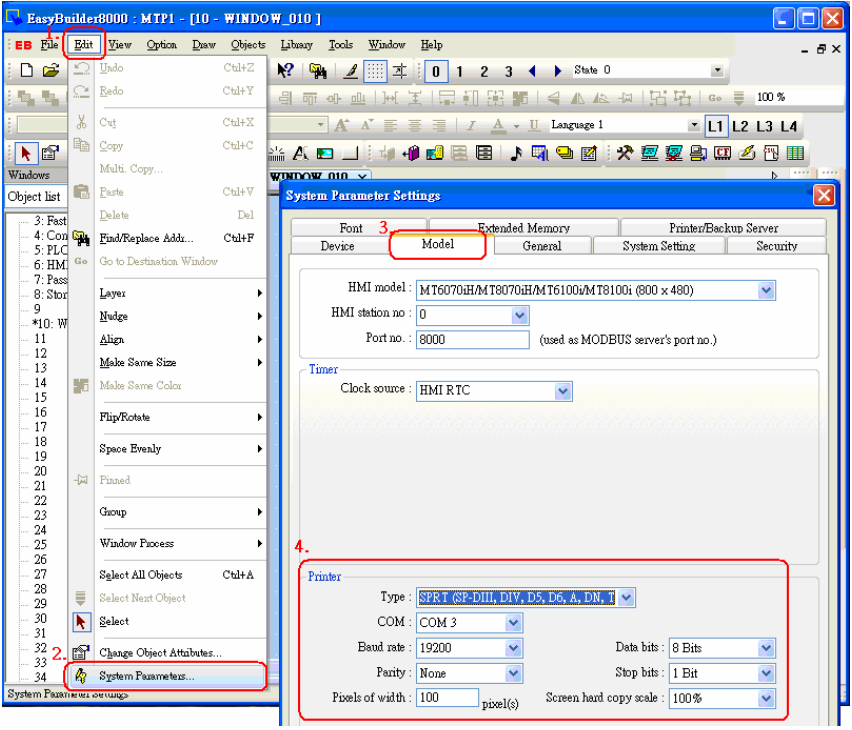
Step 2.
The baud rate in serial interface mode is with options of 4800, 9600, and 19200bps. It is set by DIP switch on the control panel. Users can do some adjustments that meet their demands. Users can also select suitable baud rate according to figures below.
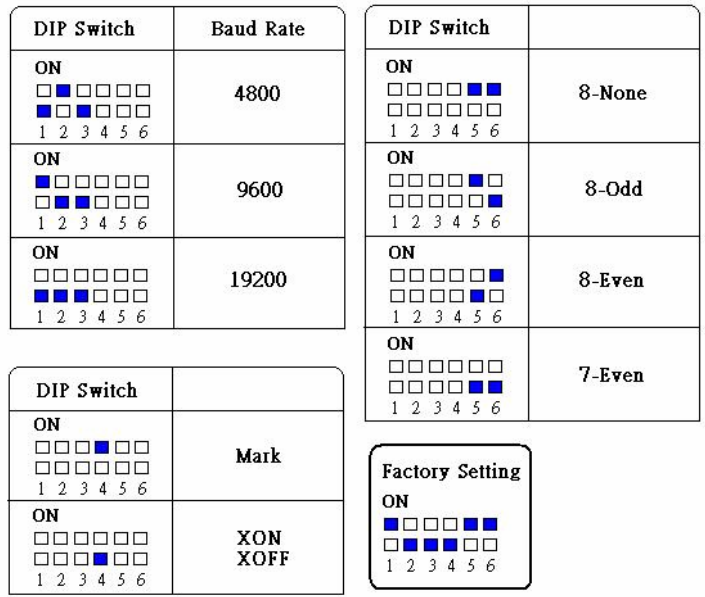
Step 3.
Create a Function key object or PLC control object / screen hardcopy to trigger printer.
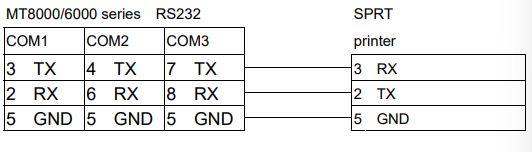
Wiring diagram:
The serial interface of SPRT printers are compatible with RS-232C standard, the interface socket is rectangle 10-pin female socket, which matches rectangle 10-pin male socket. The pin order of serial port is as below:
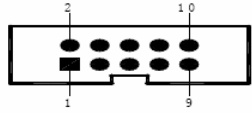
1. RS232:
Słowa kluczowe
drukarka, SPRT, SP-M, SP-D, SP-E, SP-F, EPSON ESC, drukarka termiczna, RS-232, prędkość transmisji, baud rate, 9600, przełącznik DIP, schemat połączeń, MT8000, MT6000, How to use SPRT printer