Wgrywanie ekranu startowego do HMI
After the BMP picture file used as startup screen is downloaded to HMI, the HMI will reboot. The picture will show on HMI during boot-up before entering the project. Startup screen isn’t compatible with BMP 32bit color.
There are two ways to download startup screen to HMI:
Way 1 Download using Utility Manager
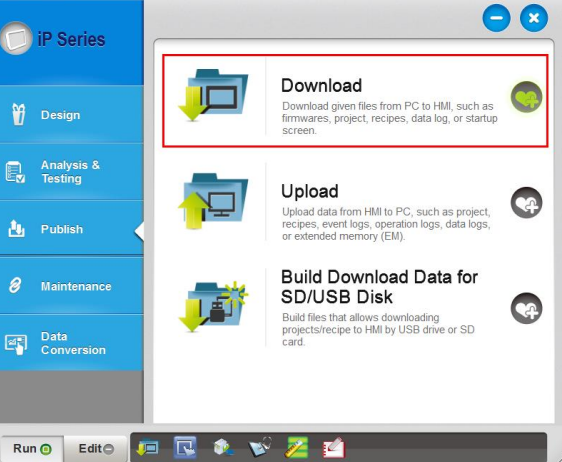
Step 1. Launch Utility Manager.
Step 2. Select [Download].
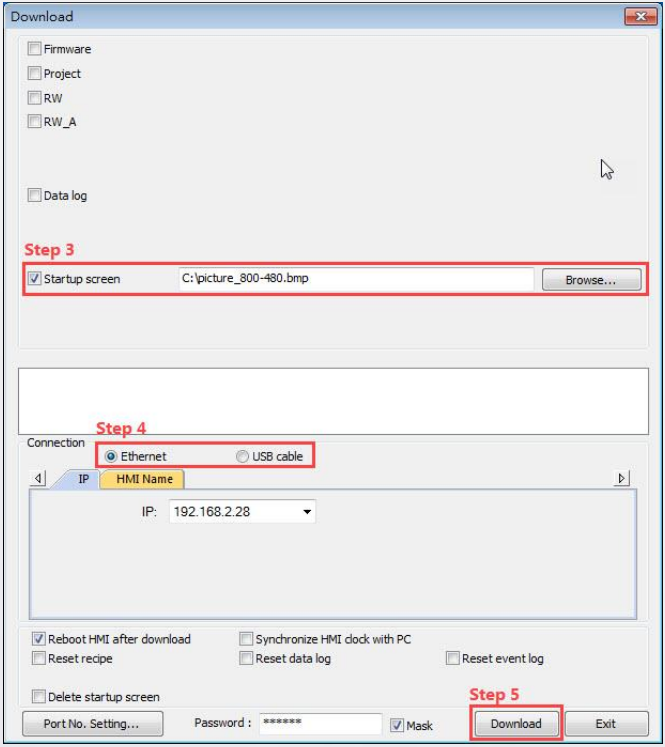
Step 3. Select a BMP file that matches the HMI screen size. Ex: Use an 800 x 480 file or smaller one for eMT3070.
Step 4. Download the picture file by using Ethernet or by connecting a USB cable. Designate an IP address when Ethernet is used.
Step 5. Click [Download]. The picture should show during HMI reboot when it is successfully downloaded.
Way 2 Download using EasyBuilder Pro
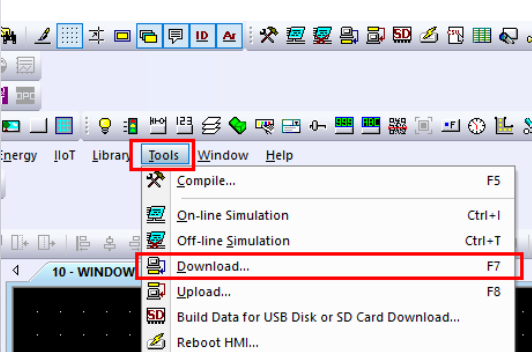
Step 1. Launch EasyBuilder Pro and click [Tools] > [Download].
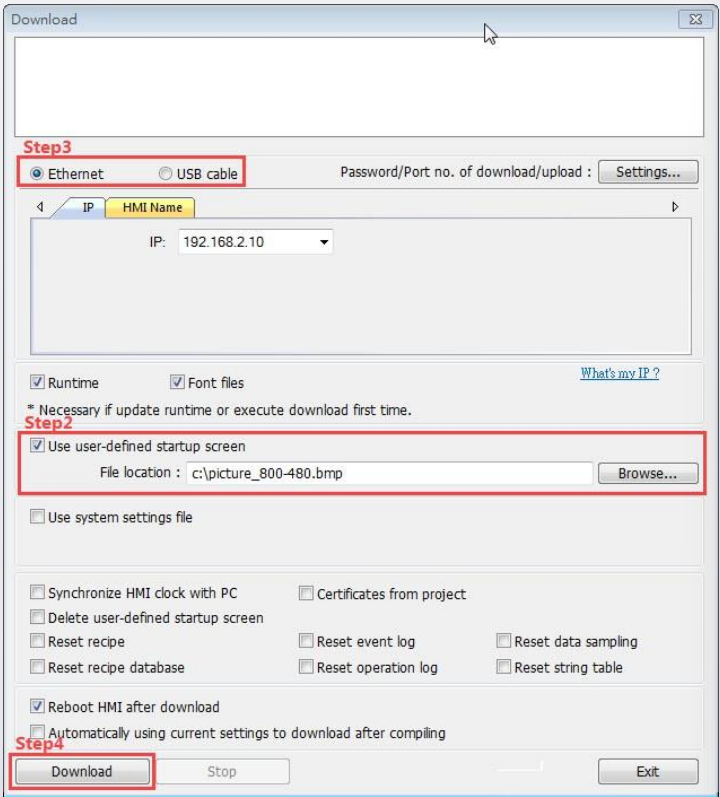
Step 2. Select a BMP file that matches the HMI screen size. Ex: Use an 800 x 480 file or smaller one for eMT3070.
Step 3. Download the picture file by using Ethernet or by connecting a USB cable. Designate an IP address when Ethernet is selected.
Step 4. Click [Download]. The picture should show during HMI reboot when it is successfully downloaded.