
4. Installation
4.1 Installation Preparation
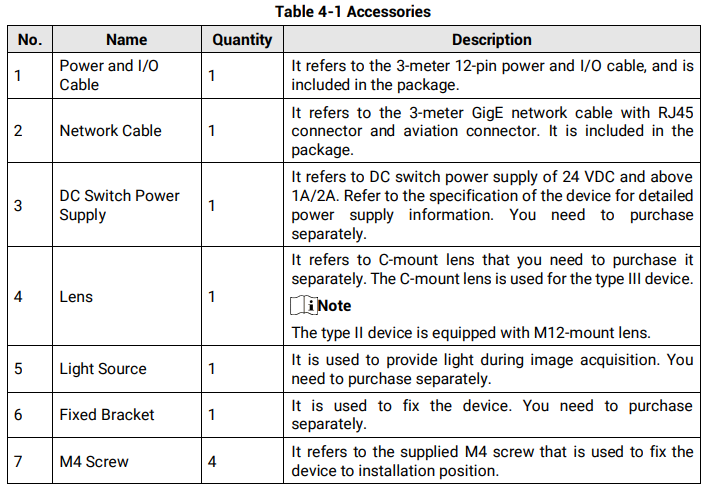
You need to prepare following accessories before installation.
4.2 Install Device
Before You Start
● Make sure the device in the package is in good condition and all the assembly parts are included.
● Make sure that all the related devices are powered off during the installation.

Steps
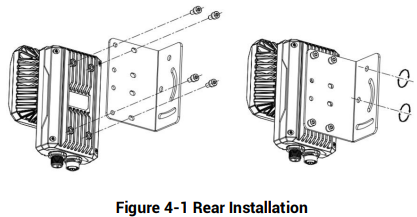
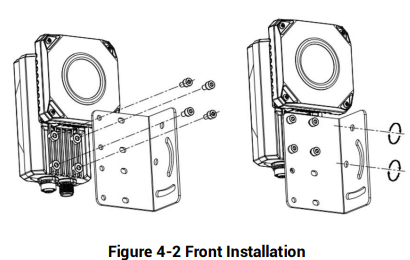
1. Use M4 screw to fix the device to fixed bracket.
2. Select one of installation methods, and install the device to the installation position.
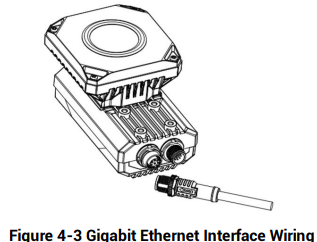
3. Use GigE network cable with RJ45 aviation connector to connect the device to a switch or a network interface card.
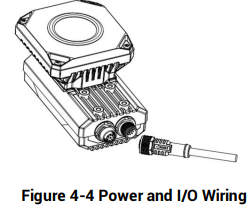
4. Use power and I/O cable to connect the device to a DC switch power supply
No comments to display
No comments to display