
2. Portrait Display on HMI
If the project file is edited in portrait mode, the following settings help to
display project correctly on HMI.
A.
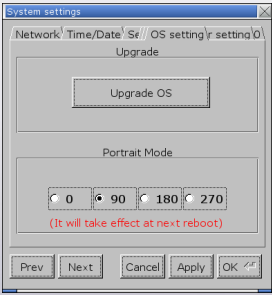
Step 1. On HMI, open [System settings] » [OS setting], and select [90] or [270] in Portrait Mode group box.
Applicable models: eMT, iE, XE, mTV, i Series
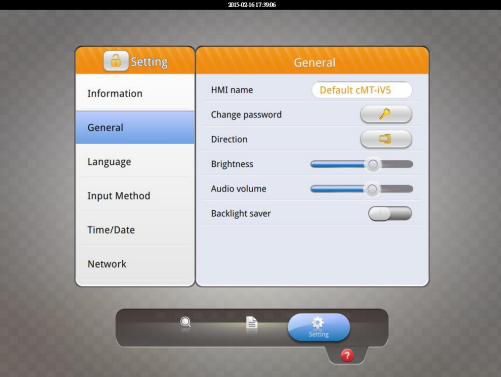
 For cMT-iV5 model, open [Setting] » [General] » [Direction] to set
portrait mode.
Step 2. Launch EasyBuilder, click [File] » [New] and select [Portrait] as display
mode.
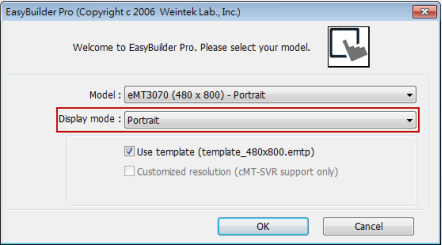
Please note that setting project in Portrait mode before editing the project is necessary. During project editing, the display mode cannot be changed.