
2. Portrait Display on HMI
If the project file is edited in portrait mode, the following settings help to
display project correctly on HMI.
A.
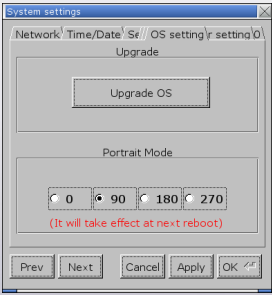
Step 1. On HMI, open [System settings] » [OS setting], and select [90] or [270] in Portrait Mode group box.
Applicable models: eMT, iE, XE, mTV, i Series
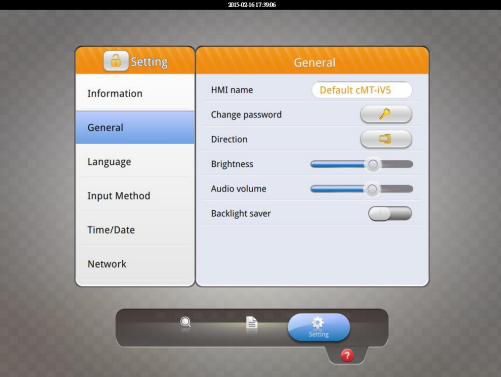
 For cMT-iV5 model, open [Setting] » [General] » [Direction] to set
portrait mode.
Step 2. Launch EasyBuilder, click [File] » [New] and select [Portrait] as display
mode.
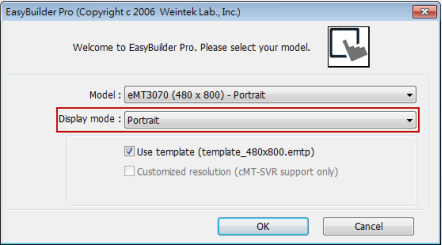
Please note that setting project in Portrait mode before editing the project is necessary. During project editing, the display mode cannot be changed.
No comments to display
No comments to display