
85. How to set HMI IP on HMI?
This FAQ explains how to view or set HMI IP address on HMI by using System Setting Toolbar.
Applicable Models: eMT, iE, XE, mTV, i Series
Non-applicable Models: cMT Series
Step 1. Hit the leftward arrow icon  in the lower-right corner of HMI screen.
Step 2. The following four icons open, hit the gear wheel icon.

Step 3. Enter password (Default: 111111) to open System Settings dialog box.
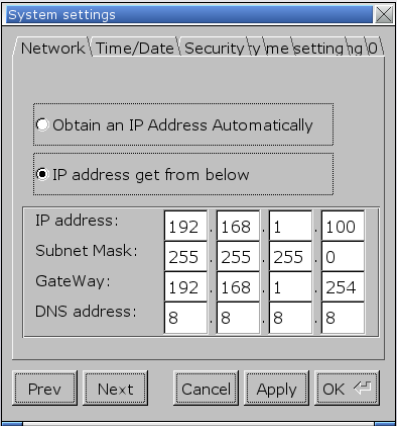
Step 4. In Network tab, two options exist:
[Obtain an IP Address Automatically]: Get IP automatically.
[IP address get from below]: Set IP manually.
Select one of the options and click [Apply] and then click [OK] to save the settings.
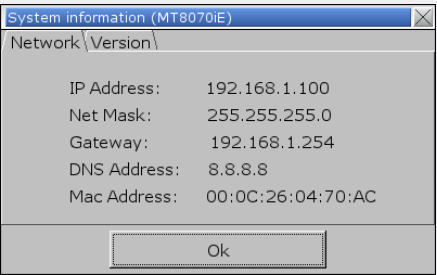
Step 5. Leave System Settings dialog box, hit the leftward arrow icon again, and then hit the notepad icon to view Network information.

No comments to display
No comments to display