
36. Auto. Replace PLC Address by Tag Name after Convert EB500 Project to EasyBuilder Pro
After using convert function to convert EB500 project to EasyBuilder Pro, the tag will lose. The below step is able to replace PLC address with tag name when importing EB500 tag library to EasyBuilder Pro.
Step 1.
Open Tag Library in EB500 project and select “Export” to save the tag as tgl file.
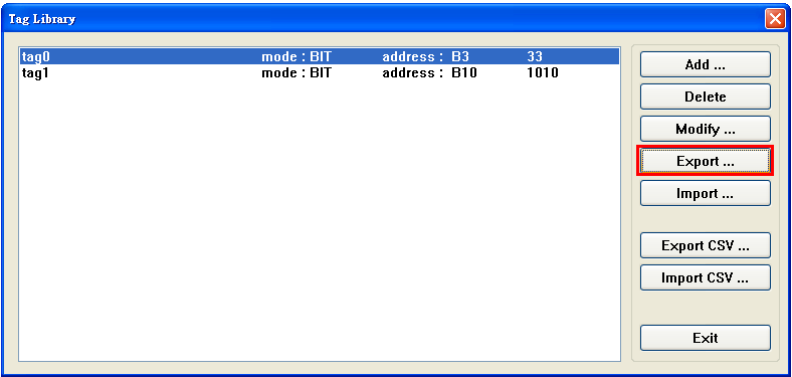
Note: Please do not use “Export CSV”, this one is not able to auto. replace PLC tag name in
EasyBuilder Pro.
Step 2.
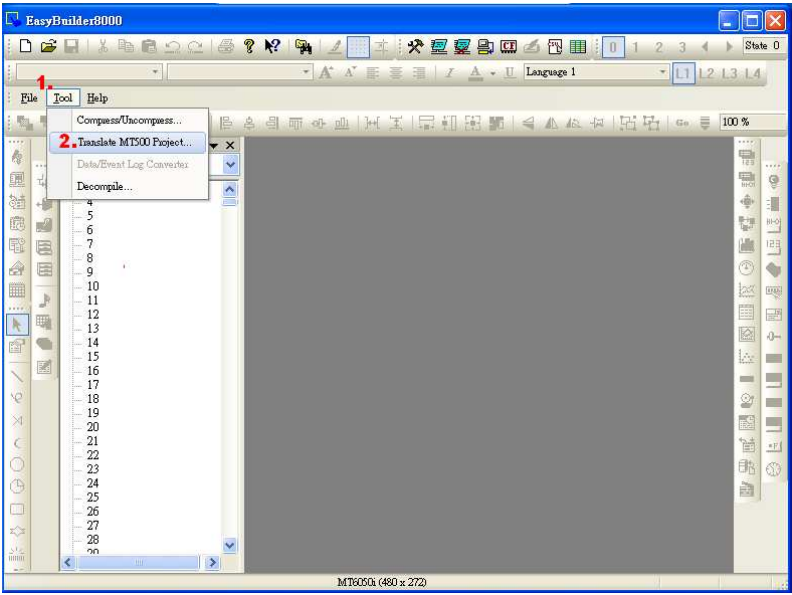
Open EasyBuilder Pro. Go to [Tool] and select [Translate MT500 Project…]
Step 3.
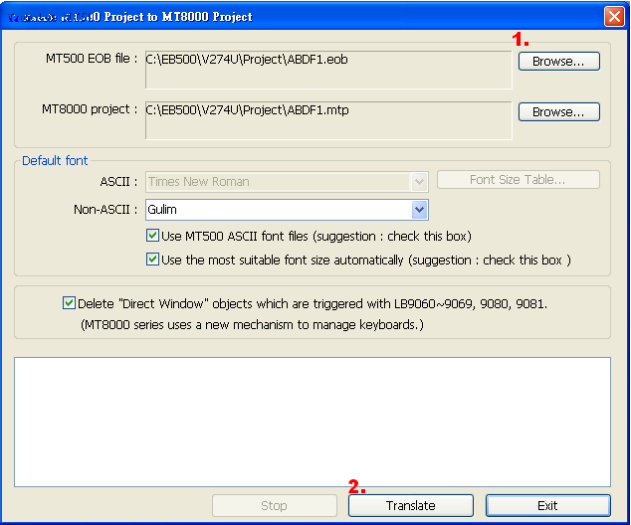
Select MT500 EOB file and click “Translate”.
Step 4.
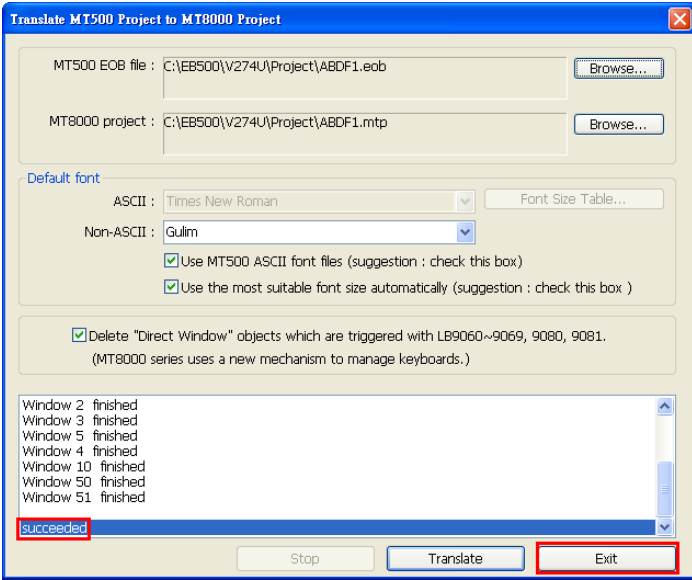
Select “Exit” after converting project succeeded
Step 5.
Open converted project in EasyBuilder Pro.
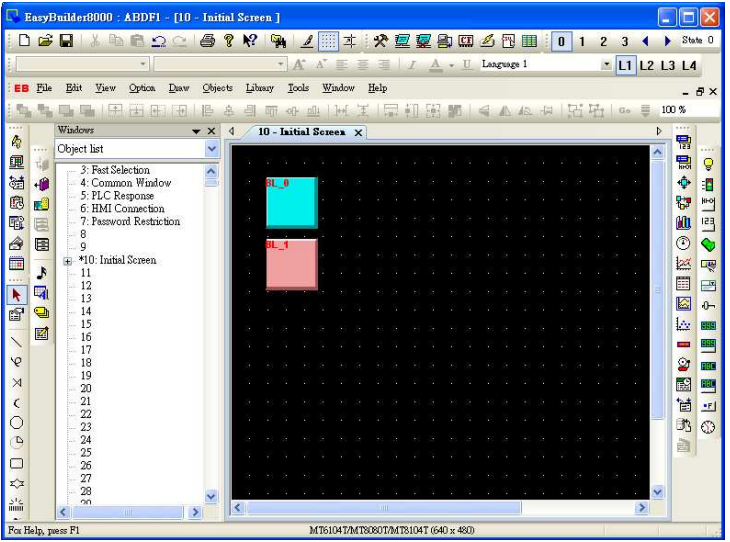
Step 6.
Open Address Tag Library and select “Load Tag File”.
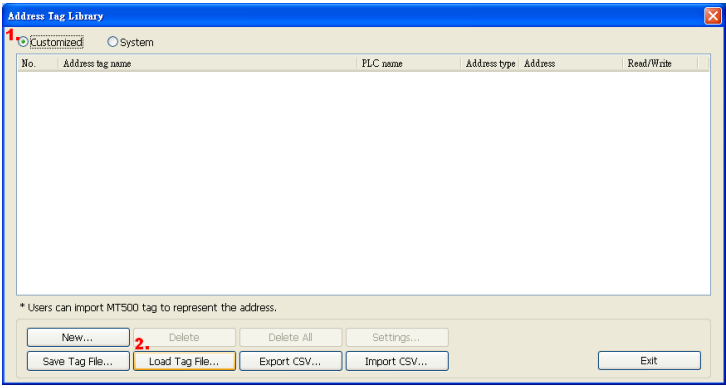
Step 7.
Choose the EB500 tgl file
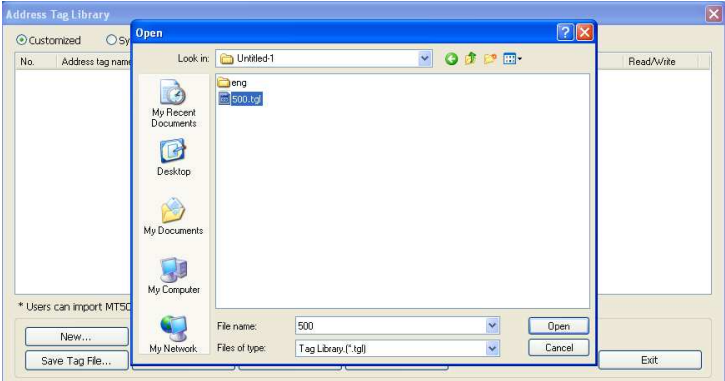
Step 8.
A message “Use tag to represent the address” appeared and click Yes.
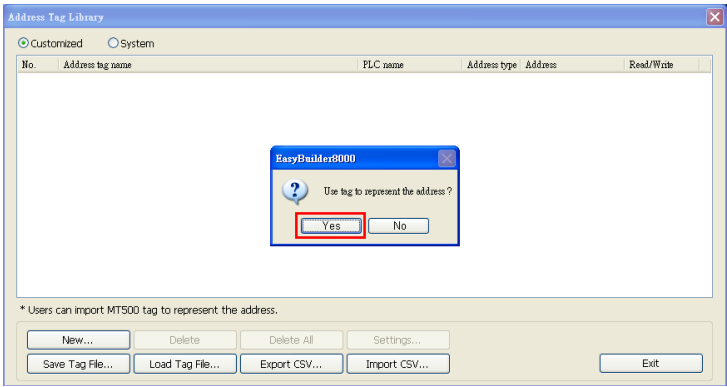
Step 9.
The object will be automatically replaced as PLC address by tag name.
No comments to display
No comments to display