
46. Battery Replacement for X Series
The MT-600X / MT8000X Series takes one coin type of CR2032 lithium battery to keep the RTC running. Battery specification: CR2032 3V lithium battery.
Steps for battery replacement:
1. Turn off the screen and open its rear cover.
2. Use a screwdriver to take off the battery from the socket.
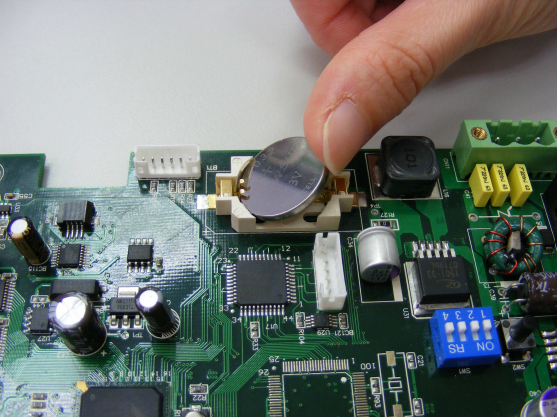
3. Insert a new battery into the socket.
4. Put on the rear cover.
5. connect a USB Keyboard on HMI.
6. After reboot HMI, enter [Delete] for go to setup window.
7. Go to setup window and select [CMOS Feature] for setting the date and time.
8. Go to [Load optimized default] ==> click yes ==> click Enter ==> Click F10 for saving the settings.
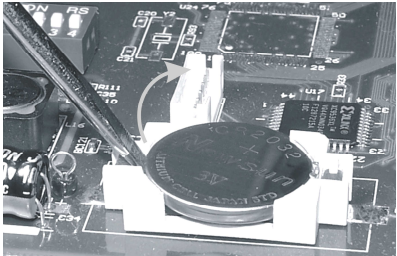
Note: Correct way to insert the new battery
No comments to display
No comments to display