
83. Font Management
How to change the font in the project?
Font Management is a convenient feature that allows user to make a global change to all the fonts in the project file at one time. This FAQ explains how to use Font Management.
In EasyBuilder Pro main menu click [Edit] and then click [Font Management] to open the management dialog box. EB Pro v5.01.03 or later support only.
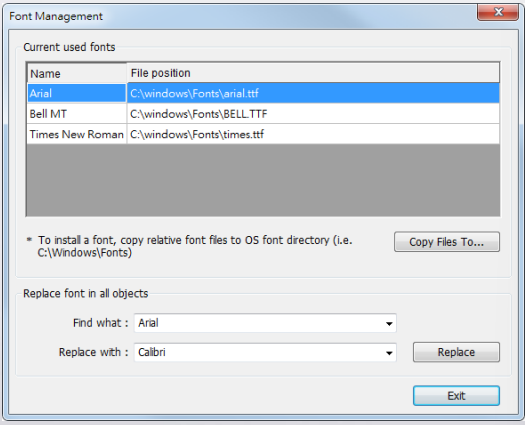
The “Current used fonts” field lists all the fonts used in the project and the directory of their font files. If user would like to replace Arial font with Calibri font, select Arial in [Find what] field and Calibri in [Replace with] field. In addition, to copy the font files to the designated directory, click [Copy Files To…] and then designate the directory.
No comments to display
No comments to display