
30. How to Enable/Disable System Setting Bar?
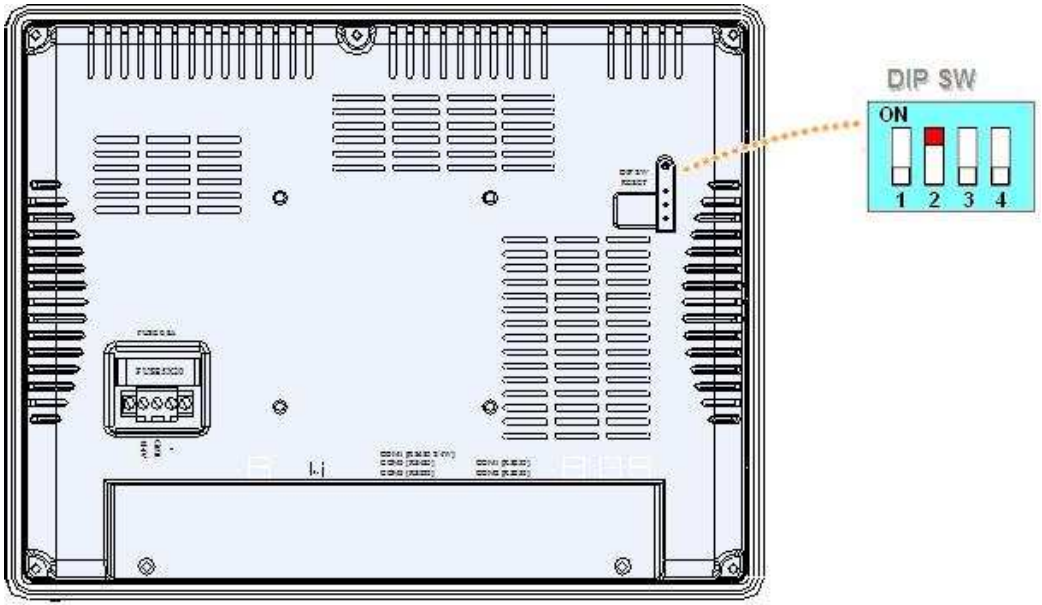
EasyBuilder Pro supports the function of using system tag [LB9020] to enable/disable system setting bar, or set the [DIP Switch 2] to ON/OFF for activating this function.
If using [LB9020] to control the system setting bar, when LB9020 set ON, the bar is displayed, and set OFF to hide the system setting bar.
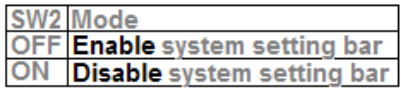
When [DIP Switch 2] set ON, the system setting bar is disabled, and when [DIP Switch 2] set OFF, the system setting bar is able to control. Users have to restart HMI to enable/disable this function.
Note:
[LB9020] is available for MT6000/8000 T, X, i series.
[DIP Switch 2] is available for MT6000/8000 i series.
No comments to display
No comments to display