
78. How to quickly activate and configure EasyAccess 2.0?
This FAQ will quickly guide you through some easy steps to activate and configure EasyAccess 2.0.
Step 1. On HMI, go to System settings\EasyAcess 2.0 tab, record the HWKey, and then provide the HWKey to your distributor for assistance regarding activation.
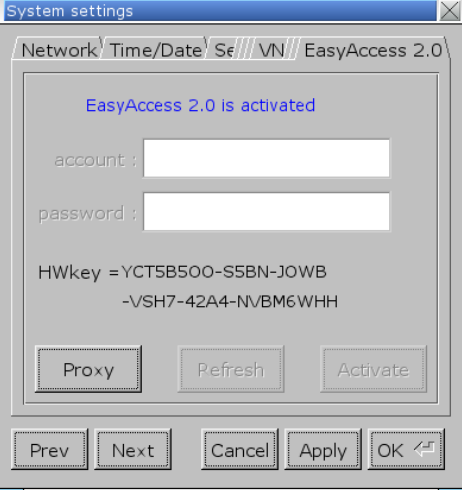
(“EasyAccess 2.0 is activated” message will be shown after activation.)
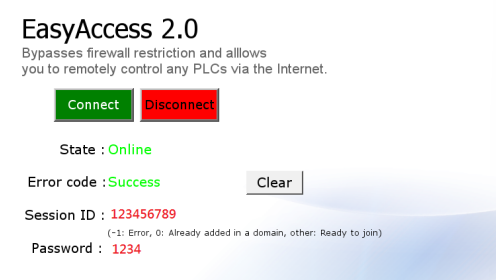
Step 2. Download EasyAccess 2.0 Demo Project to HMI, click [Connect] button, after the HMI goes on line, the Session ID and Password will be generated as shown in the following figure:
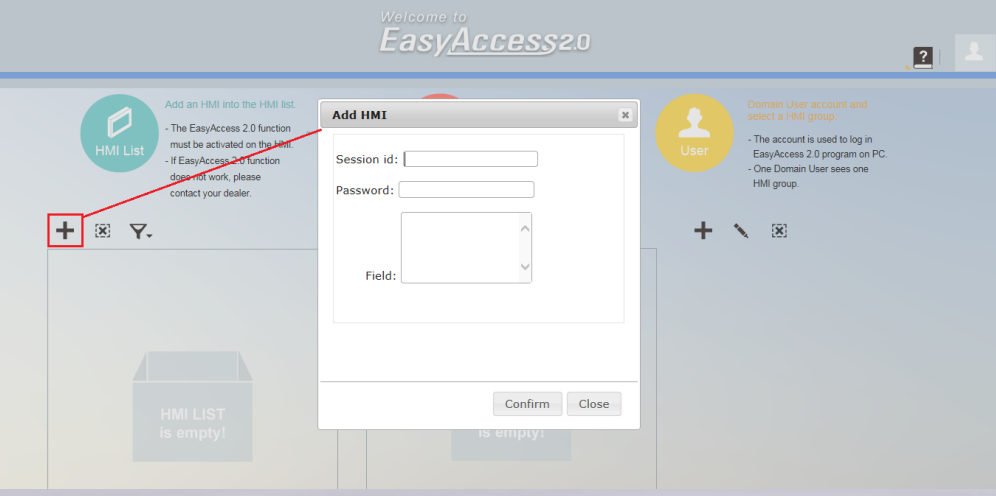
Step 3. Visit https://account.ihmi.net/domain/Default.php to register a Domain account, this is the account used to manage Domain Users and HMI Groups. The account holder is the Domain Admin. Log in using the Domain account and enter the Session ID and Password generated in Step 2 when adding an HMI into the HMI List.
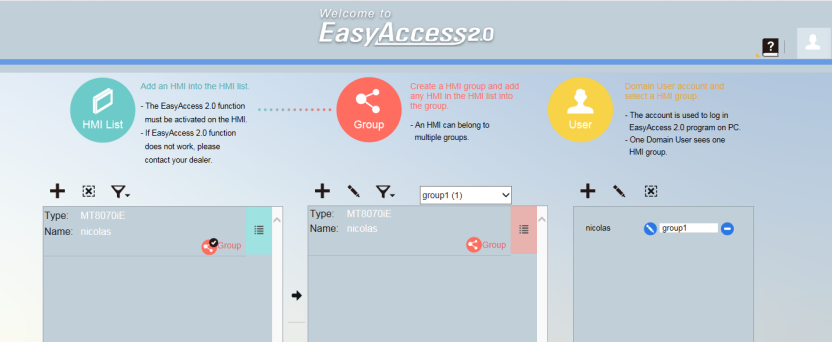
Step 4. Add an HMI in the HMI List to a Group, and create a Domain User. The Domain Users can access the HMI in the assigned group
Step 5. Install EasyAccess 2.0 software on PC. Log in using the username and password that identify the Domain User. Please note that the Domain User Account is created by the Domain Admin, thus belongs to that Domain.
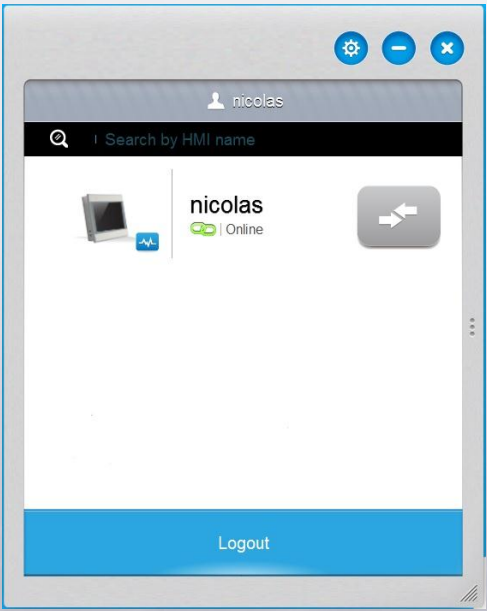
Step 6. After login, the user can access the newly added HMI
No comments to display
No comments to display