
50. Export Recipe Database (*.db) to CSV File
The eMT3000 Series save the data in Recipe Database to (*.db) file. The *.db file created by HMI is a standard format of database, and can be converted by certain softwares. This session explains how to use the free conversion tool “SQLite Database Browser” to translate *.db into CSV file.
SQLite Database Browser Download Link: http://sourceforge.net/projects/sqlitebrowser/
Preparations
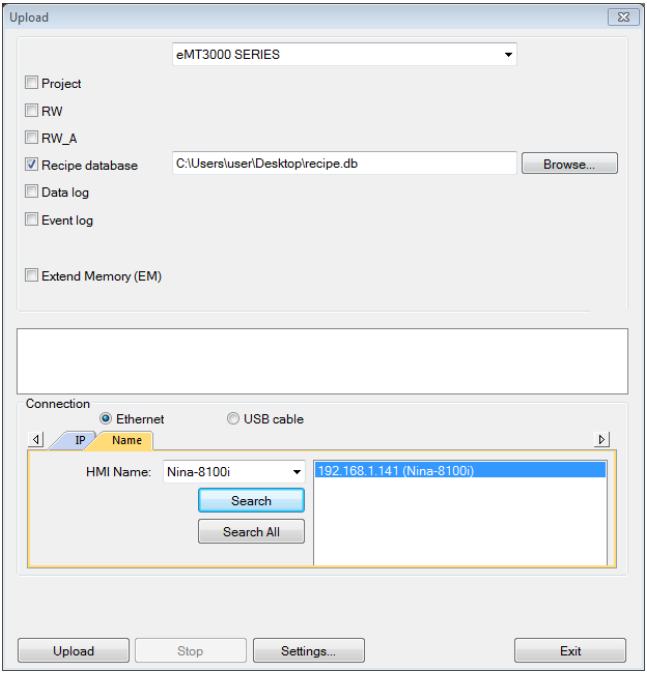
Use Utility Managerto upload Recipe Database file (*.db). Click [Utility Manger] » [Upload] » [Recipe
database]. The uploaded data has an extention name *.db.
Setting Steps
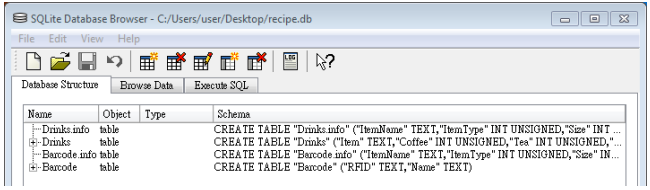
1. Click [File] » [Open Database] to open *.db file, the content of the file is shown as below
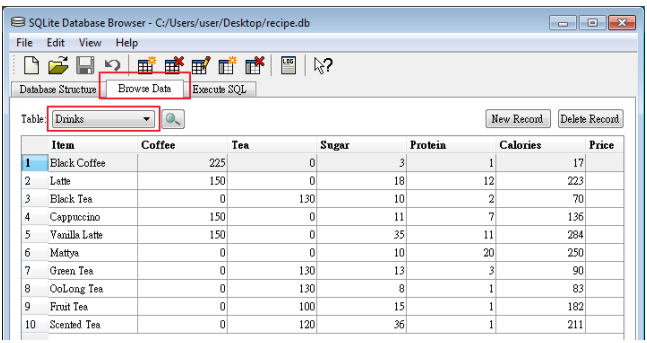
2. Click [Browse Data], select a data table to check, ex: Drinks.
3. Click [File] » [Export] » [Table as CSV file]
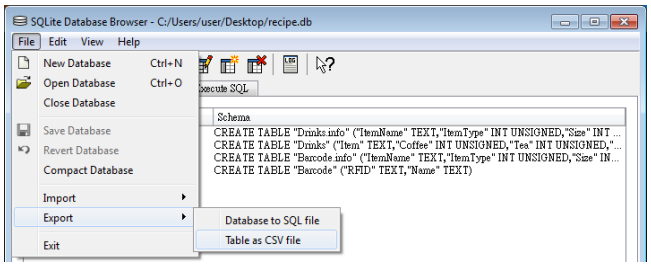
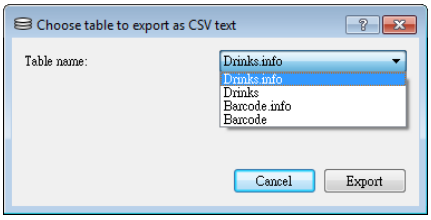
4. From the drop-down list, select the file to be exported.
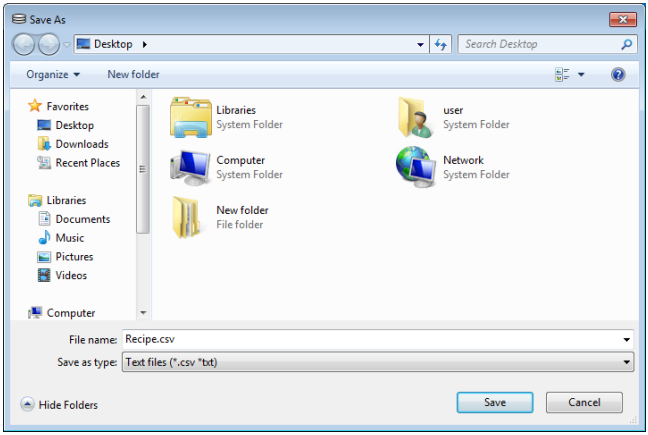
5. Please save the file with extension name *.csv or *.txt.
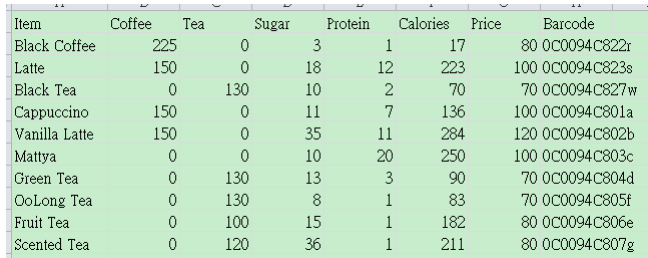
6. The exported CSV file can be opened and viewed.
No comments to display
No comments to display