
82. How to update cMT-iV5 Firmware and OS?
This FAQ explains how to update cMT-iV5 Firmware and OS when some new features or bug fixes are added.
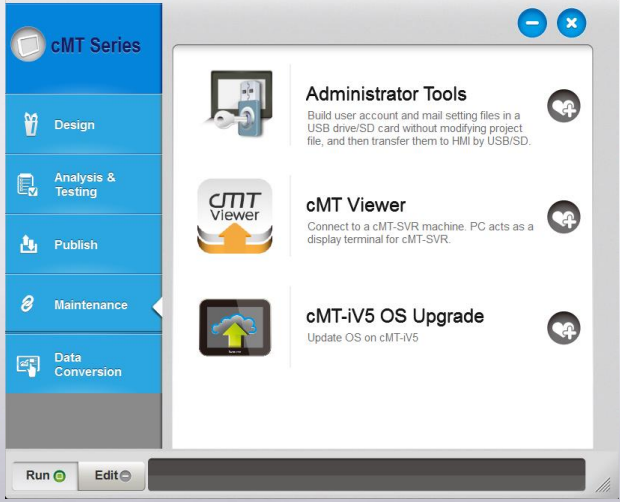
Run “UtilityManagerEx.exe” file in the EB Pro installation folder. Click [cMT Series] » [Maintenance] » [cMT-iV5 OS Upgrade].
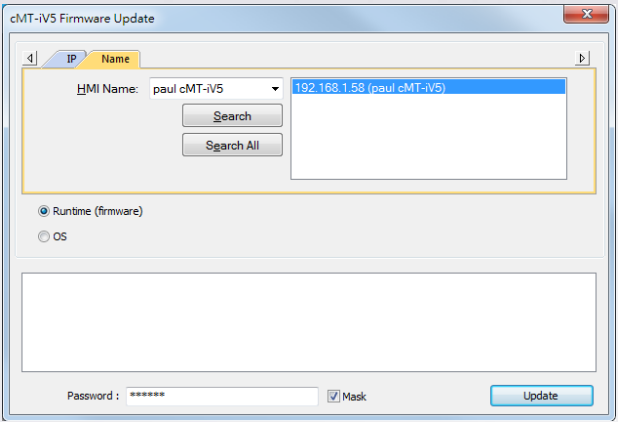
Two options for update can be found:
1. [Runtime (firmware)]: The file can be found in EB Pro installation folder \ firmware folder. The latest firmware can be gained after downloading the latest EasyBuilder Pro. After download, select the HMI directly and click [Update].
2. [OS]: The file is not included in EB Pro installation folder. Please contact Weintek or your local distributor for assistance.
No comments to display
No comments to display