
54. How to convert T Series project and download it to new models?
Since T Series HMI only support EasyBuilder8000 V4.43 and the previous versions, to convert the project and download it to new models, please upload the project using EasyBuilder8000 V4.43 or later versions first.
Please follow the steps below:
Step 1.
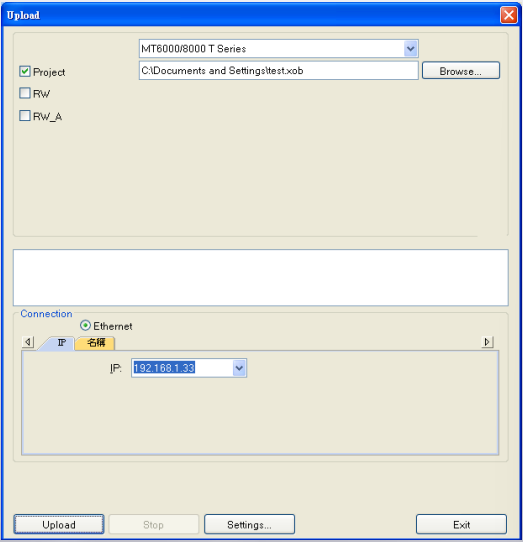
Open Project Manager > Upload, select the directory to store the uploaded project, and then click [Upload].
Step 2.
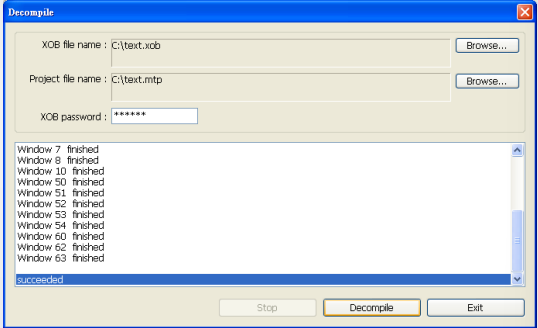
The uploaded xob file can be decompiled into mtp file, please open the mtp file after decompilation.
Step 3.
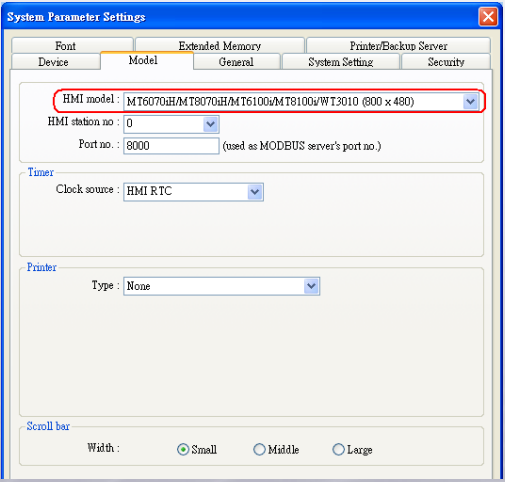
Go to [System Parameter Settings > Model tab], select the new HMI model, and then compile and download the file to the new model
No comments to display
No comments to display