
61. How to connect one Yaskawa Ethernet device with multiple HMIs?
The communication speed was slower in the past when connecting a Yaskawa device with multiple HMIs since all HMIs share one communication port, and the number of packages can be sent with one port is limited.
This FAQ explains how to program PLC and HMI in order to improve the communication speed when connecting Yaskawa Memobus device with multiple HMIs via Ethernet.
The following steps show the settings of Yaskawa software and EasyBuilder.
Yaskawa software settings
Step 1. Open Yaskawa MPE720, click [Module Configuration] to open configuration dialog box.
Step 2. Under [Controller] select [218IF-02], and under [Module Details] double-click slot number 2 to configure.
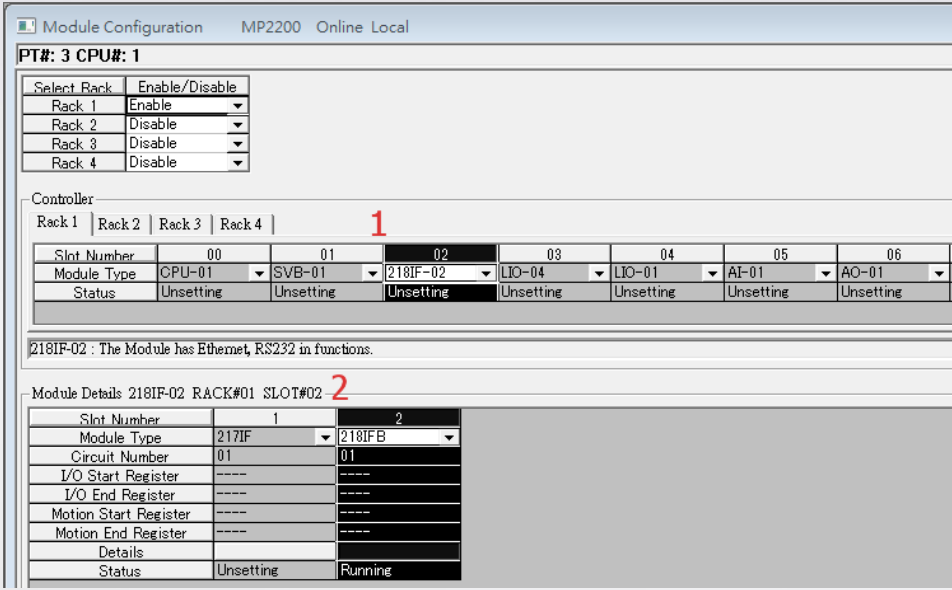
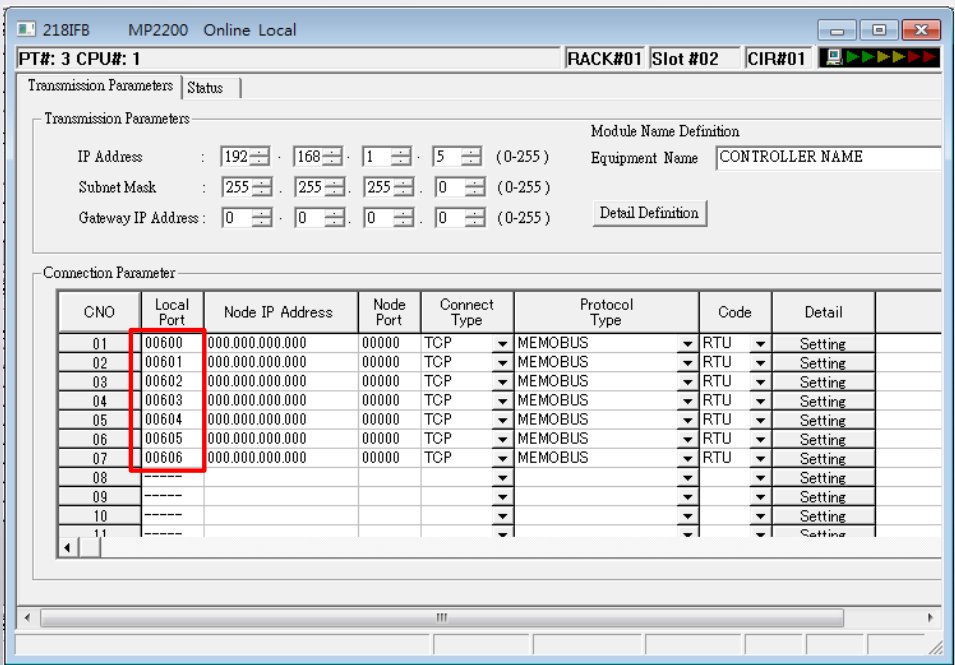
Step 3. The number of Local Port depends on the number of HMIs to connect. Each Local Port is assigned to one HMI to prevent slowing the communication speed by sharing one port with multiple HMIs.
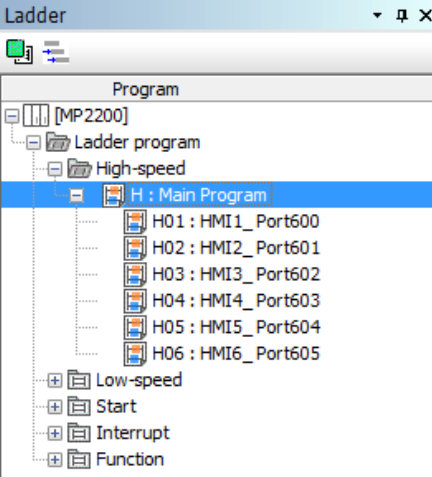
Step 4. Under [Program] click [Ladder Program] » [High-speed] » [Main Program] » [New] to configure. A ladder program should be built each time when adding a HMI.
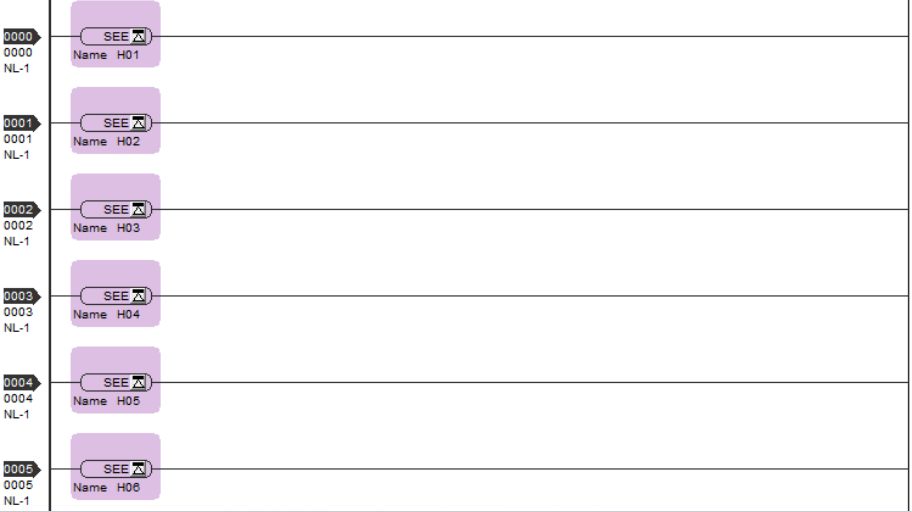
Step 5. Open [Main Program] and create SEE commands to assign the Sub Program for each port, as in the following figure.
Step 6. Open Sub Program (the following uses HMI 3 as an example) to build the following commands. The channel number of the assigned HMI is displayed as shown in the following figure.
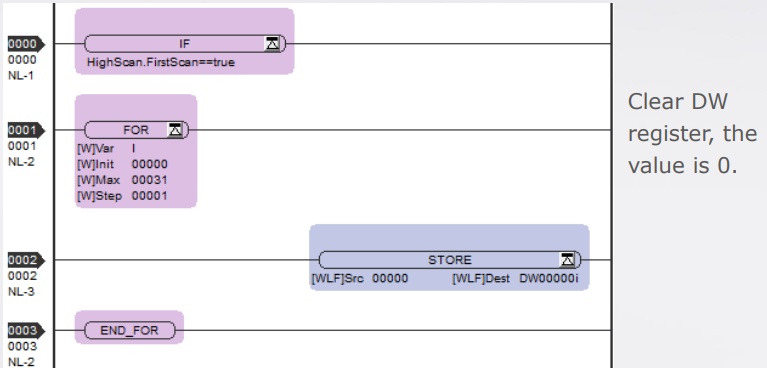
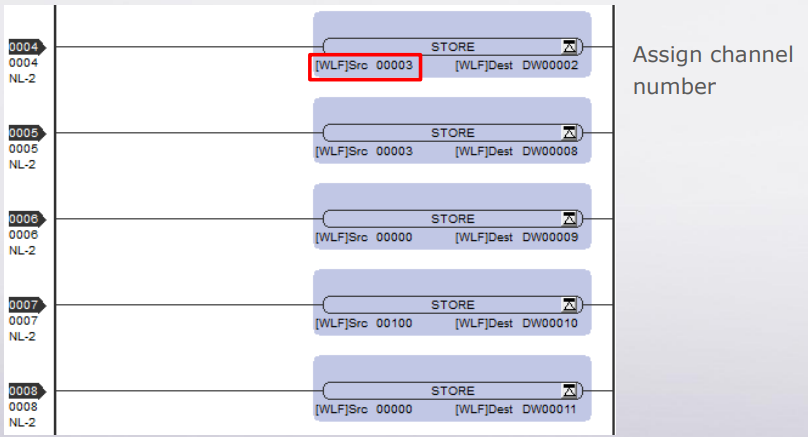
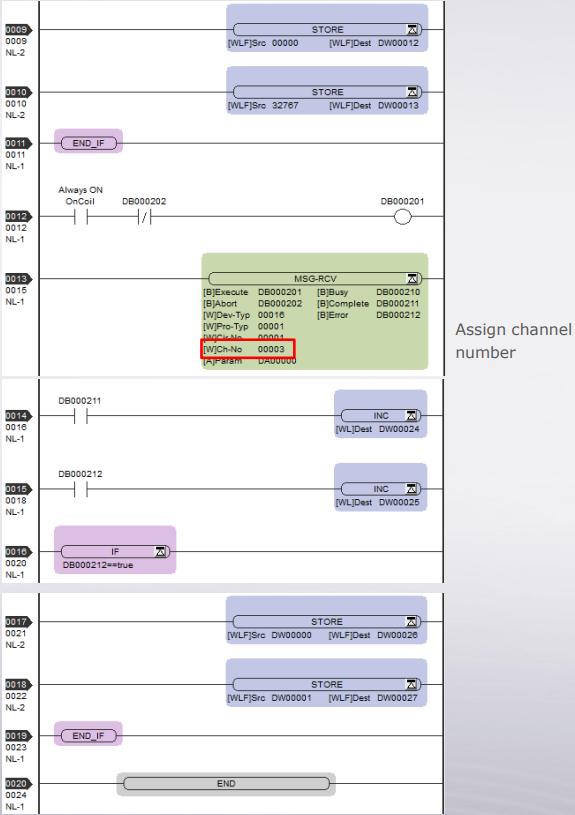
EasyBuilder communication settings
Step 1. Open EasyBuilder, select [YASKAWA MP Series Memobus (Ethernet)] in PLC type.
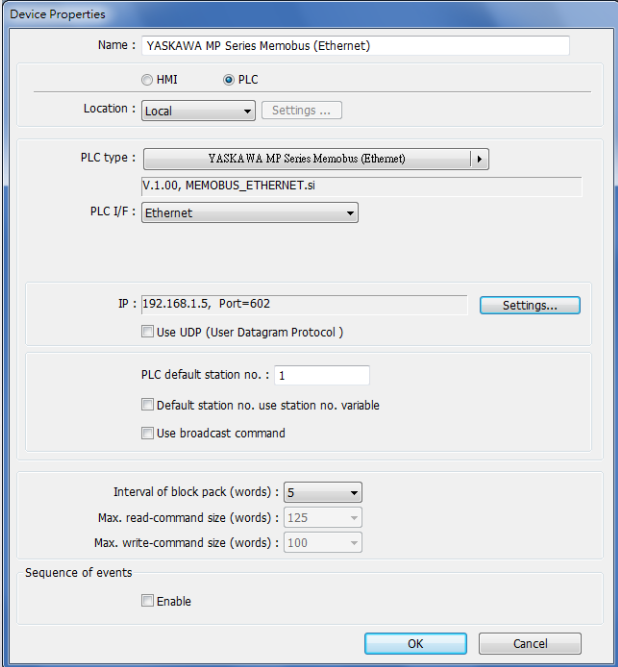
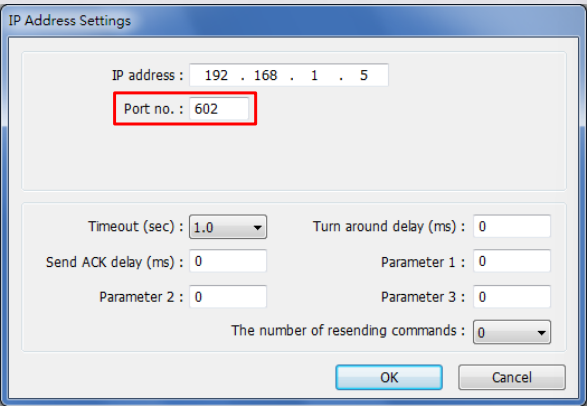
Step 2. Connect each HMI with Yaskawa PLC by using different ports.
For the details of PLC commands please visit Yaskawa official website: http://www.yaskawa.com/global_home.html
No comments to display
No comments to display