
89. How to check HMI’s Hardware Key (HWkey)?
Applied Models: cMT Series
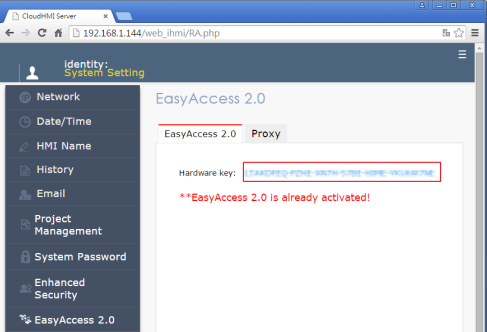
Step 1. Enter HMI’s IP address in internet browser, and then enter the password to open System Setting window.

Step 2. In EasyAccess 2.0 tab you can find the Hardware Key.
Applied Models: eMT, iE, XE, mTV Series
Step 1. Tap on the Arrow icon  in the lower-right corner of the screen.
Step 2. Tap on the Gear icon.

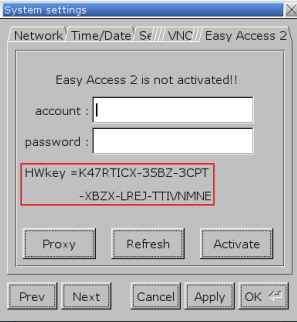
Step 3. Enter password (default: 111111). If the password is correct, the System Settings window will be displayed.
Step 4. Go to Easy Access 2 tab and you will find the Hardware Key
No comments to display
No comments to display