
55. eMT3000 Series Hardware Protection
How to Enhance eMT3000 Interference Resistance?
The aluminum enclosure of eMT3000 Series has already provided good electric interference resistance, however, the interference may enter the unit through other path, and cause the pointer to jiggle during operation. The problem can be solved by adding some protection.
The following steps demonstrate how to enhance interference resistance.
Step 1. Update OS Image version.
| eMT3070A | |
| OS image | fw_emt37_20121128.zip |
| Reference | eMT3070A_series_Firmware_Upgrade.pdf |
| eMT31xx | |
| Update OS Ver.20120629 and previous versions to | fw_imx51_2012630.zip |
| Update OS Ver.20120713 and later versions to | fw_imx51_20121127.zip |
| Reference | eMT3000_series_Firmware_Upgrade.pdf |
Step 2. Connect the FG on the power connector of the unit to the ground.
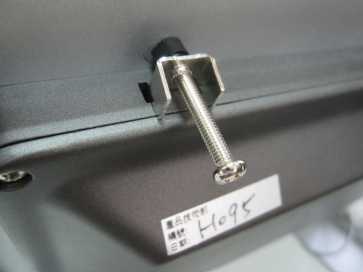
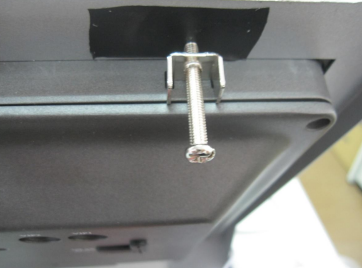
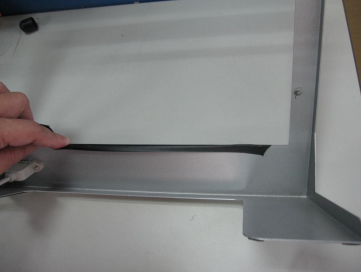
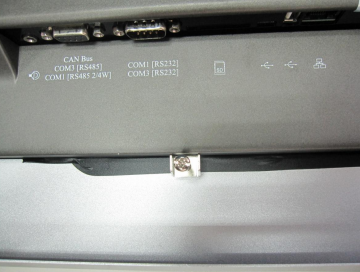
Step 3. Separate the brackets, the unit, and the control box by attaching black insulation tube or insulation tape over the holes.
A: Isolating the brackets
Before
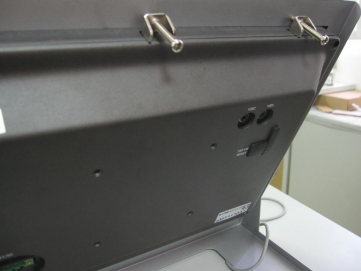
After (Use black insulation tube.)
(Use insulation tape.)
B: Attach insulation tape around the edge of the panel cutout.
No comments to display
No comments to display