
92. Port Number 8000 Occupied
How to change communication port and run simulation, when port no. 8000 is occupied?
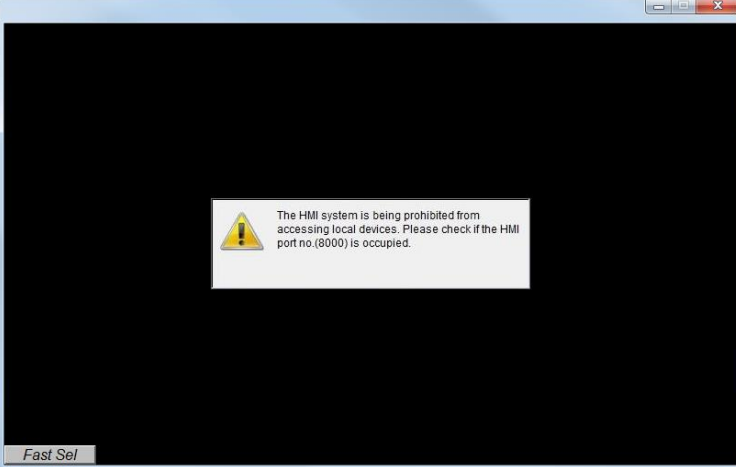
When running project simulation on PC, if the following message is displayed, the possible reason is that the communication port number 8000 is occupied by other application, or after the last simulation, the COM port is not closed. The simulation cannot be carried out in this situation. This FAQ explains how to check and change port number to solve this problem.
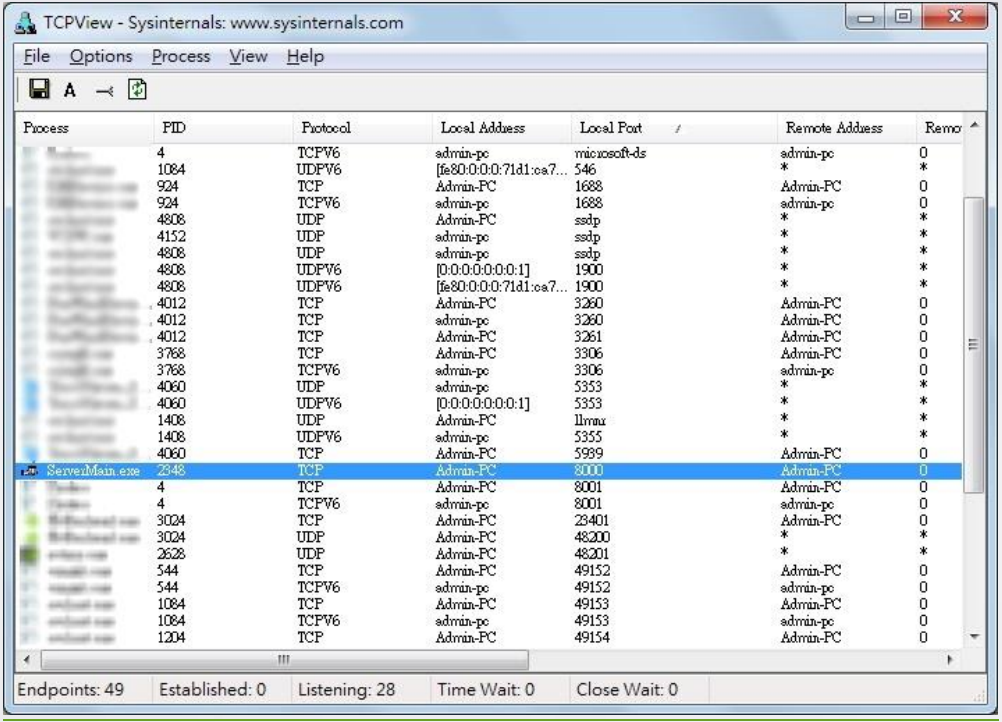
Step 1. Please use TCPView to check if port no. 8000 is occupied. You can download TCPView using the following link: https://technet.microsoft.com/en-us/sysinternals/tcpview.aspx
Scene 1: Port number 8000 is occupied by other applications.
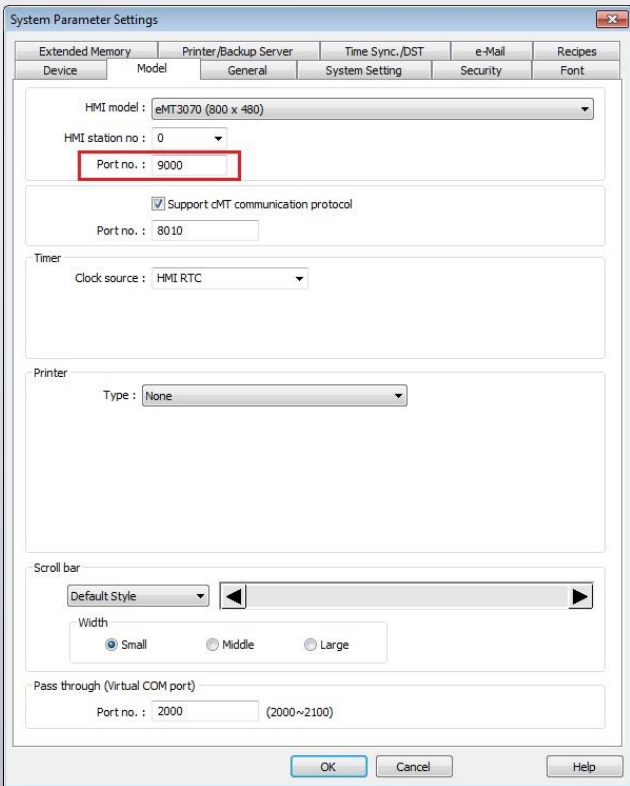
Change the port number in EasyBuilder System Parameter Settings » Model tab, for example, change to 9000.
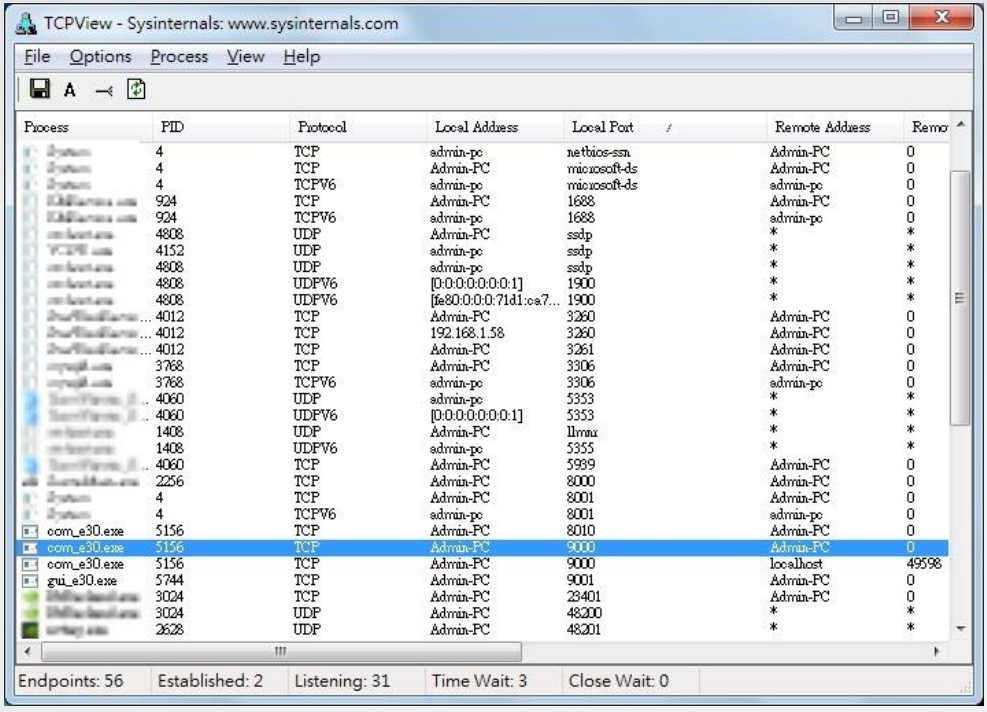
Scene 2: This message is displayed when port number 8000 is not occupied:
“The HMI system is being prohibited from accessing local device. Please check if the HMI port no. (8000) is occupied”.
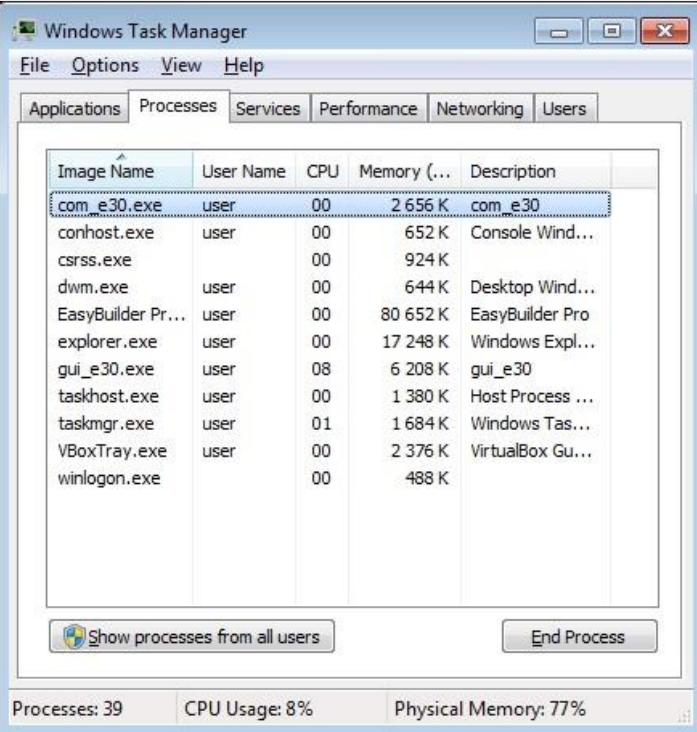
On PC open Windows Task Manager » Processes tab. Check if com_e30.exe exists. If it does, end it and then run simulation again.
No comments to display
No comments to display