
41. How to Set Barcode Scanner ?
[RS-232]
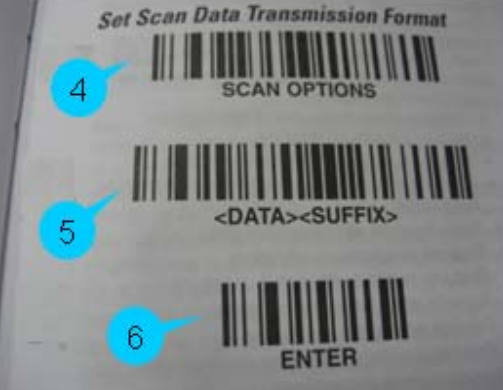
Take symbol type LS1203 as an example, Barcode Scanner should be setbefore using, and scan from Step1 to Step6 in sequence.
Step1. [Keyboard Wedge Interface]
IBM PC/AT and IBM PC COMPATIBLES
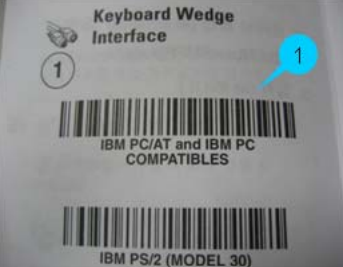
Step2. [Country Keyboard Types (Country Codes)]
NORTH AMERICAN (Default)
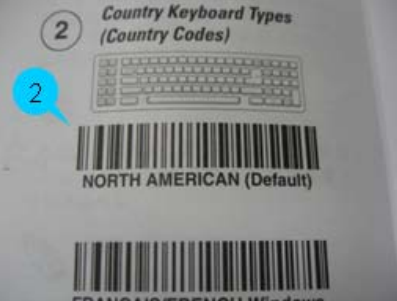
Step3. [RS-232 Interface]
STANDARD RS-232
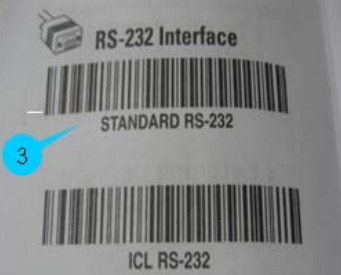
Step4 ~ 6. [Set Scan Data Transmission Format] SCAN OPTIONS ENTER
[USB]
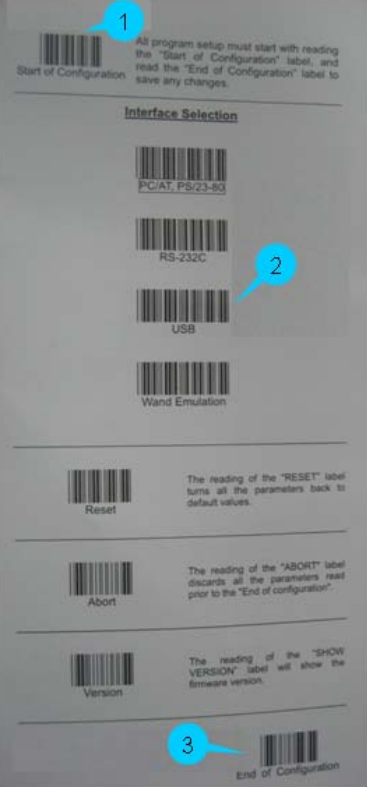
Take ZEBEX USB Barcode Scanner as an example, settings should be done before using. Set the Interface first, scan from Step1~Step3.
Step1. Start of Configuration
Step2. [Interface Selection] ->USB
Step3. End of Configuration
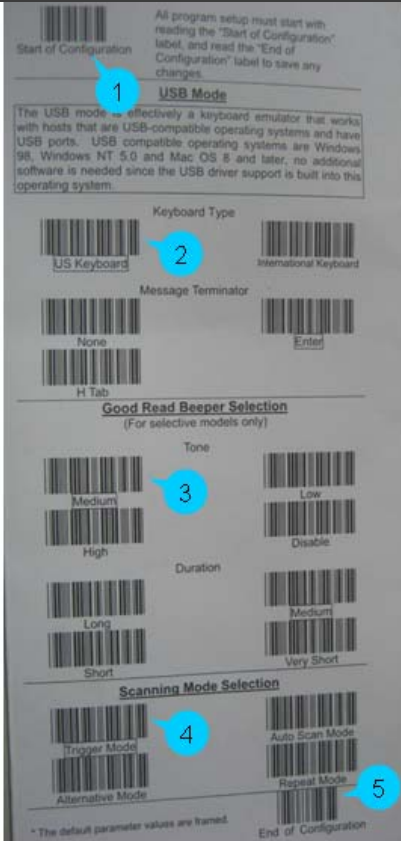
Now go on to USB Mode basic settings, scan from Step1 ~ Step5.
Step1. Start of Configuration
Step2. [Keyboard Type] -> US Keyboard
Step3. [Good Read Beeper Selection] -> Medium
Step4. [Scanning Mode Selection] -> Trigger Mode
Step5. End of Configuration
No comments to display
No comments to display