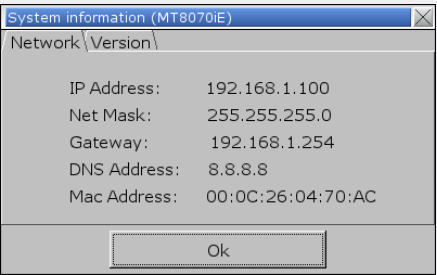
85. How to set HMI IP on HMI?
This FAQ explains how to view or set HMI IP address on HMI by using System Setting Toolbar.
Applicable Models: eMT, iE, XE, mTV, i Series
Non-applicable Models: cMT Series
Step 1. Hit the leftward arrow icon  in the lower-right corner of HMI screen.
Step 2. The following four icons open, hit the gear wheel icon.

Step 3. Enter password (Default: 111111) to open System Settings dialog box.
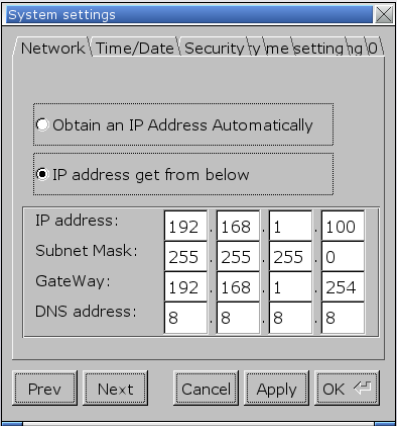
Step 4. In Network tab, two options exist:
[Obtain an IP Address Automatically]: Get IP automatically.
[IP address get from below]: Set IP manually.
Select one of the options and click [Apply] and then click [OK] to save the settings.
Step 5. Leave System Settings dialog box, hit the leftward arrow icon again, and then hit the notepad icon to view Network information.