
6. Device Debugging
Before debugging the device, you need to set the PC’s network, install the client software and log in to the device.
6.1 Set PC Network
To ensure stable image transmission and normal communication between the PC and the device via client software, you need to set the PC network before using the client software.
Steps
1. Go to PC network settings page: Start → Control Panel → Network and Internet → Network and Sharing Center → Change adapter settings.
2. Select NIC and set the IP obtainment mode.
● Select Obtain an IP address automatically to get an IP address of the PC automatically.
● Or select Use the following IP address to set an IP address for the PC manually.
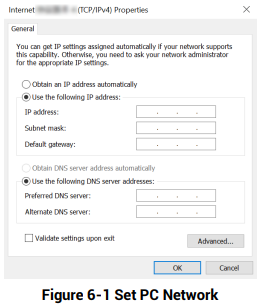

3. Set NIC property.
1) Go to NIC settings page: Control Panel → Hardware and Sound → Device Manager → Network Adapter.
2) Select corresponding network interface card, and click Advanced.
3) Set Speed and Duplex as Auto-Negotiation or 100 Mbps.
6.2 Install Client Software
SCMVS is a client software for device configuration and remote operations.

Steps
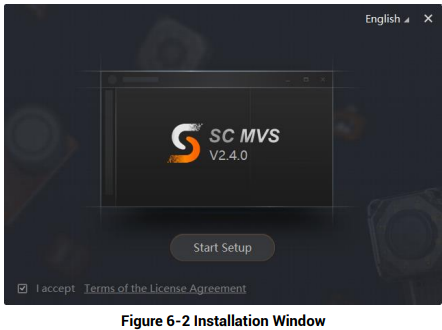
1. Double click the installation package to install the client software.
2. Select the language.
3. Read and check Terms of the License Agreement.
4. Click Start Setup.
5. Select installation directory and click Next.
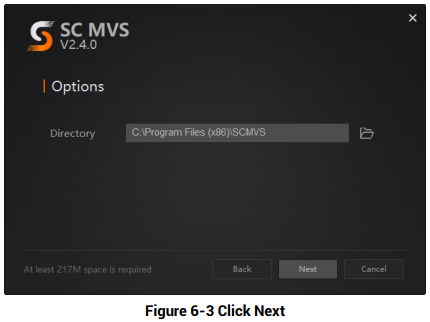
6. Finish the installation according to the interface prompts.
6.3 Set Device Network
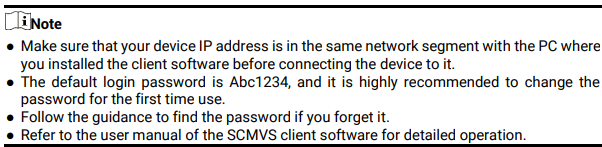
You can set and operate the device in the client software only when the device is in the same network segment with the PC where the client software is installed.
Steps
1. Double click the client software to run it.
2. Click  in the device list to find the device, or click
 to add the device remotely.
3. Right click the device to be connected.
4. Click Edit IP Address.
5. Set the IP address of the device in the same network segment with the PC.
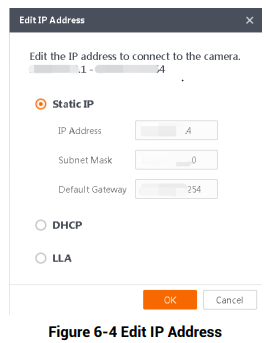
6. Click OK.
6.4 Login
Steps
1. Click the device in the device list.
2. Enter password.
3. Click  to log in.
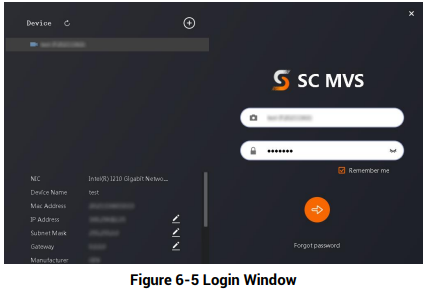 4. (Optional) Check Remember me to remember the password if necessary.

No comments to display
No comments to display