
6. EtherCAT communication example
In this example, we use Beckhoff TwinCAT software as the real time master. Please prepare as below before the test:
Identify the network interface model number and install the network interface correctly.
2) Install Beckhoff TwinCAT software.
3) Copy the device description document (.XML document) to the directory C:\TwinCAT\IO\EtherCAT. (You could contact Estun to have this XML document)
Set drive’s parameter Pn006.0=4, select EtherCAT communication mode.
Pn704 can set the address(Station Alias).
After finishing copying, reactivate TwinCAT software. Then TwinCAT will list an ESTUN ProNet servo drive EtherCAT bus option.
And then please follow steps as below:
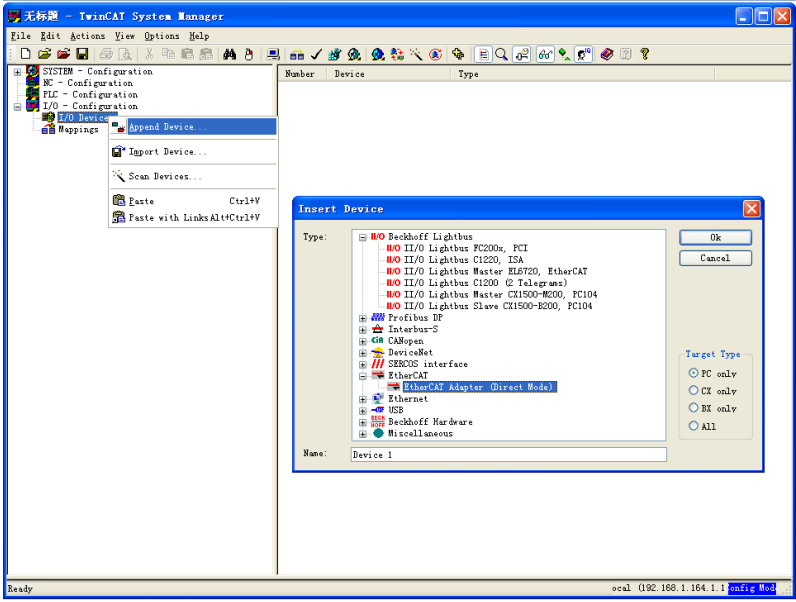
1 Use the right button of the mouse to single click I/O Device and choose EtherCAT network adapter. Name it as Device 1.
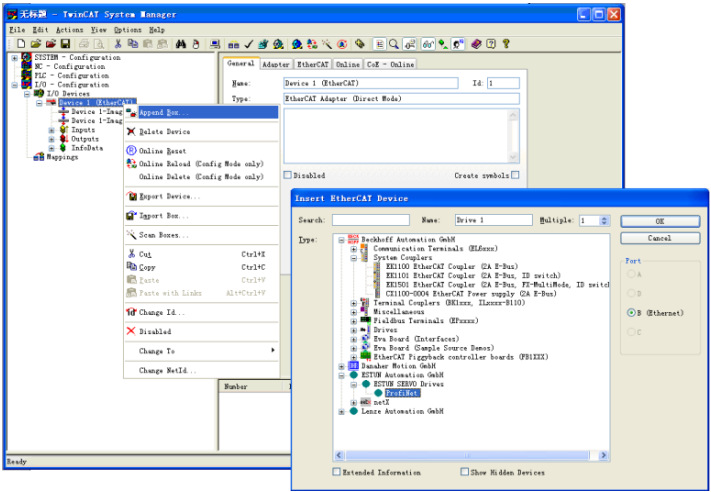
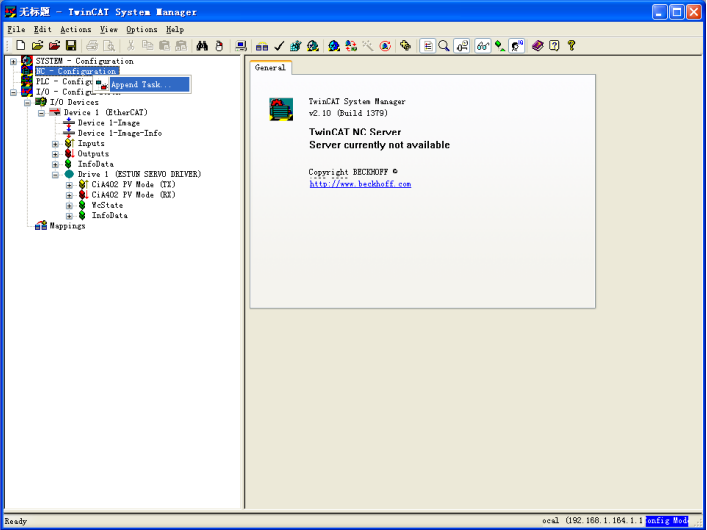
3. Add one NC task and name it as Task 1.
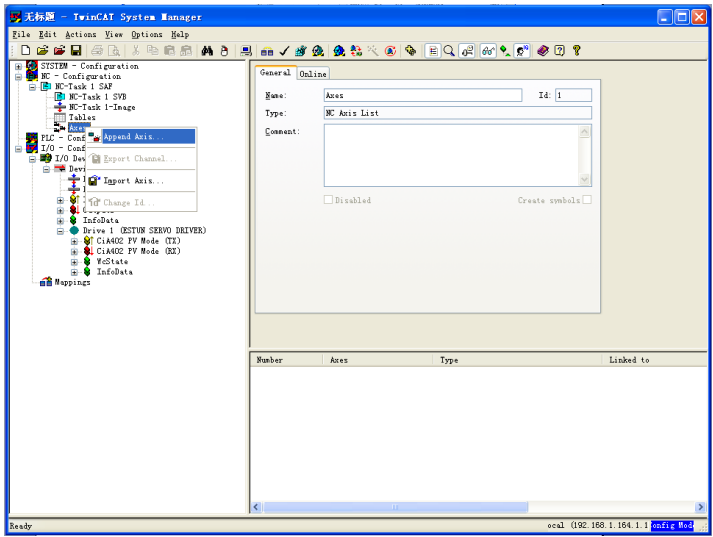
Add Axis 1 under NC task.
Choose application layer protocol CoE.
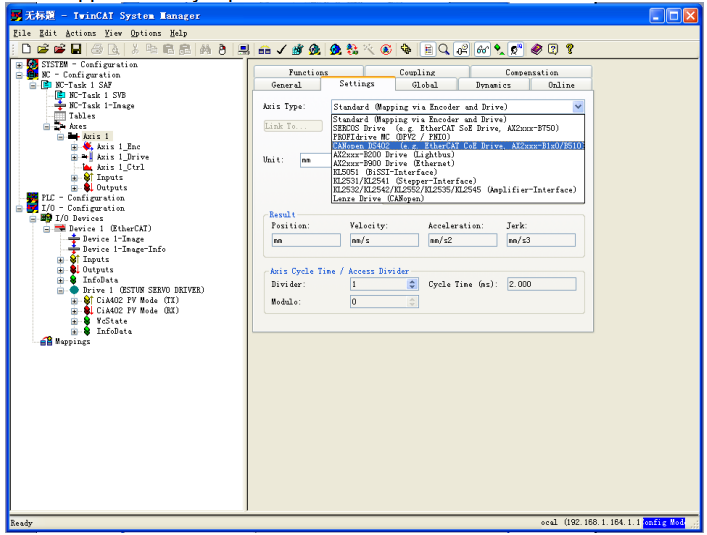
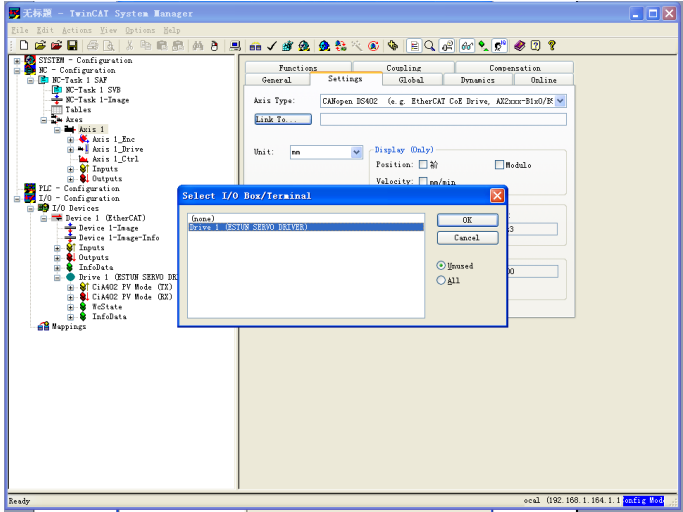
Click activate configuration button on the toolbar and activate configuration.
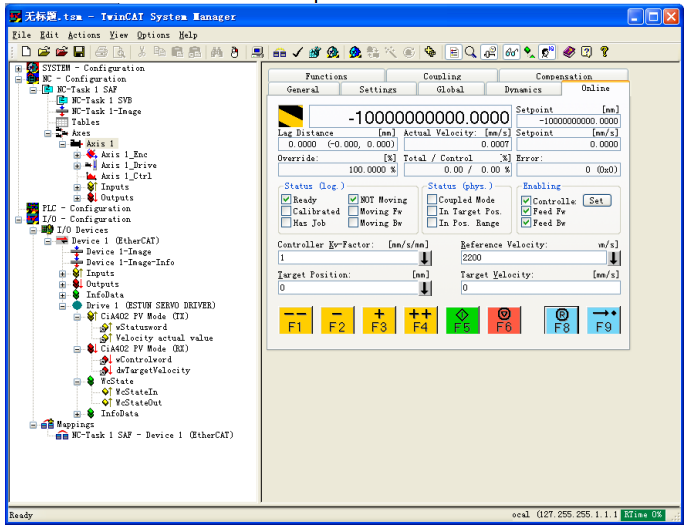
Click online label and start to operate on servo axis.
No comments to display
No comments to display