
Safety
Installation and transportation of robots and robotic equipment shall be performed by qualified personnel and should conform to all national and local standards. Please read this manual and other related manuals before installing the robot system or before connecting cables. Always keep this manual handy for easy access.
Conventions
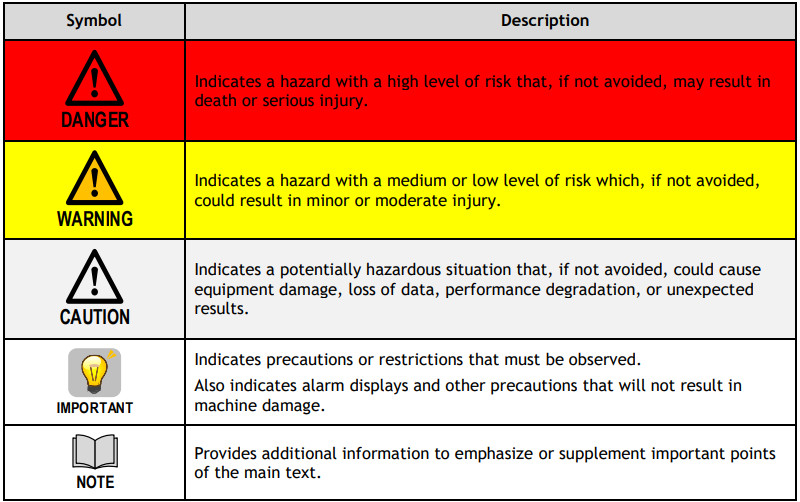
Important safety considerations are indicated throughout the manual by the following symbols. Be sure to read the descriptions shown with each symbol.
Design and Installation Safety
Only trained personnel should design and install the robot system. Trained personnel are defined as those who have taken robot system training and maintenance training classes held by the manufacturer, dealer, or local representative company, or those who understand the manuals thoroughly and have the same knowledge and skill level as those who have completed the training courses.
To ensure safety, a safeguard must be installed for the robot system.
Operation Safety
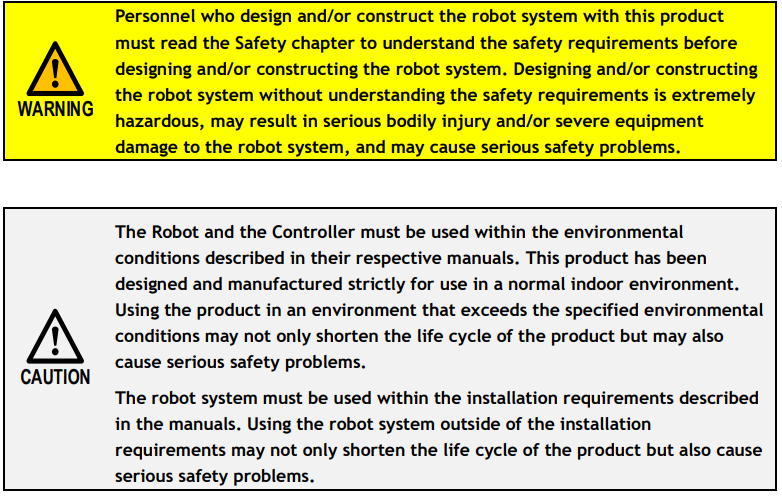
(1) Please carefully read the safety-related requirements in the Safety chapter before operating the robot system. Operating the robot system without understanding the safety requirements is extremely hazardous and may result in serious bodily injury and/or severe equipment damage to the robot system.
(2) Do not enter the operating area of the Robot while the power to the robot system is turned ON. Entering the operating area with the power ON is extremely hazardous and may cause serious safety problems as the Robot may move even if it seems to be stopped.
(3) Before operating the robot system, make sure that no one is inside the safeguarded area. The robot system can be operated in the mode for teaching even when someone is inside the safeguarded area. The motion of the Robot is always in restricted (low speeds and low power) status to secure the safety of an operator. However, operating the robot system while someone is inside the safeguarded area is extremely hazardous and may result in serious safety problems in case that the Robot moves unexpectedly.
(4) Immediately press Emergency Stop switch (if available) whenever the Robot moves abnormally while the robot system is operated. Continuing the operation while the Robot moves abnormally is extremely hazardous and may result in serious bodily injury and/or severe equipment damage to the robot system.
(5) To shut off power to the robot system, pull out the power plug from the power source. Be sure to connect the AC power cable to a power receptacle. DO NOT connect it directly to a factory power source.
(6) Before performing any replacement procedure, turn OFF the robot control system and then pull out the power plug from the power source. Performing any replacement procedure with the power ON is extremely hazardous and may result in electric shock and/or malfunction of the robot system.
(7) Do not insert or pull out the motor connectors while the power to the robot system is turned ON. Inserting or pulling out the motor connectors with the power ON is extremely hazardous and may result in serious bodily injury as the Robot may move abnormally and may result in electric shock and/or malfunction of the robot system.
(8) Whenever possible, only one person should operate the robot system. If it is necessary to operate the robot system with more than one person, ensure that all people involved communicate with each other as to what they are doing and take all necessary safety precautions.
(9) Joint #1, #2 and #4: repeatedly operating the joint in a motion angle less than 5 degrees may result in shortage bearing oil film and shorten the service life of joint. To avoid shortening the service life of joint, please move the joint over 50 degrees for about 5 to 10 times per day.
(10) Joint #3: if arm’s vertical move distance is shorter than 10mm, please move the joint over half of the maximum motion range for about 50 times per day.
(11) When the robot is operating at a low speed (about 5~20% of rated speed), continuous vibration (or sympathetic vibration) may occur as the direction of arm and end effector load. The following measures may reduce vibration caused by natural vibration frequency of arm.
• Change operating speed
• Change teaching point
• Change the load of end effector
(12) Vibration of the front end of the arm may increase when J3-axis upper side or lower side is moving, according to the weight and inertia of the grippers. This is due to an increased distance between the end and head of the shaft, which leads to a change in inertia. Adjust speed etc. according to item 11 when this vibration causes a negative effect on robot operation.
(13) Do not touch Joint #3 and Joint #4 directly by hand during greasing and teaching. Touching Joint #3 and Joint #4 frequently may cause rust.
(14) Please remove any tape of seal on oil paint surface with care, as this might incur damage to the paint.
(15) Please be advised that robot joints and parts may become hot after operation with high payload or speed that can cause minor skin burn. Only perform maintenance once these parts have cooled down.
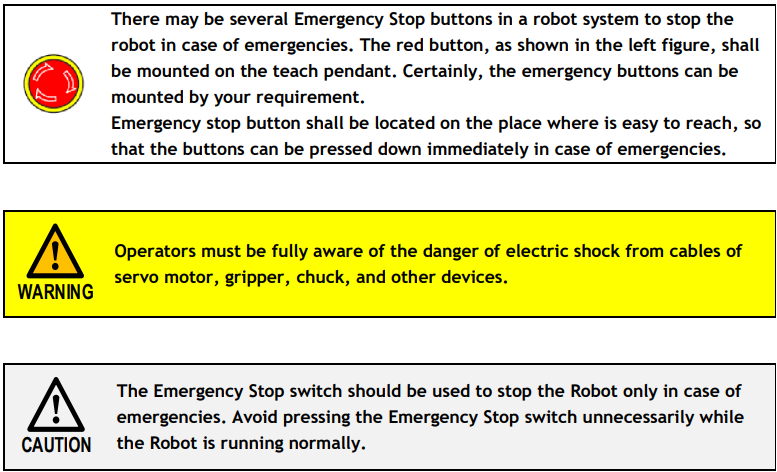
Emergency Stop (if available)
Emergency Movement without Drive Power
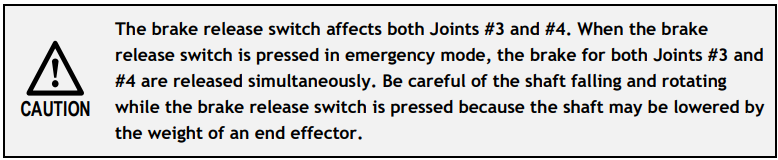
When the system is placed in emergency mode, push the arm or joint of the Robot by hand as shown below:
Joint #1 Push the arm by hand.
Joint #2 Push the arm by hand.
Joint #3 The joint cannot be moved up/down by hand until the solenoid brake applied to the joint has been released. Move the joint up/down while pressing the brake release switch.
Joint #4 RX3: move the shaft by hand.
RX6: The shaft cannot be rotated by hand until the solenoid brake applied to the shaft has been released. Move the shaft while pressing the brake release switch.
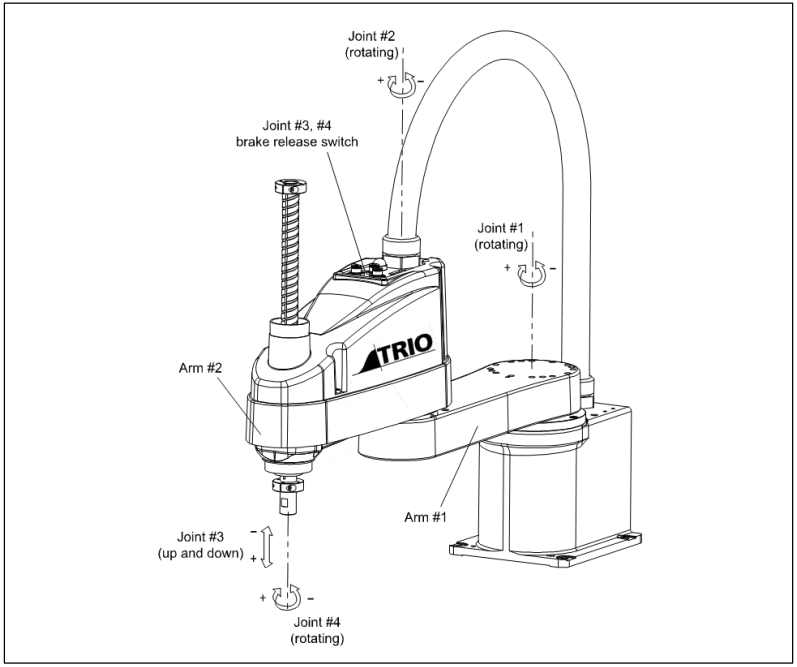
Robot Labels
(1)Electric Shock Warning
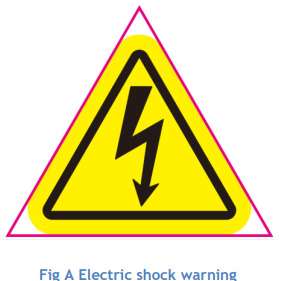
This label indicates hazardous voltage or electric shock. Do not touch any electronic parts inside.
(2)Personal Injury Warning
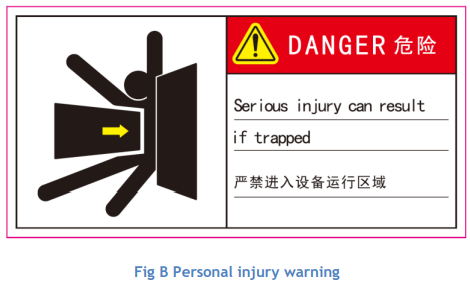
Never enter the operation area while the Robot is moving. This is extremely hazardous and may result in serious safety problems.
(3)Hand Pinch Warning
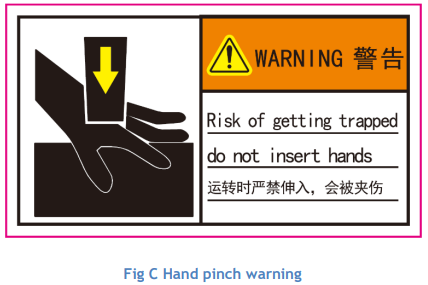
Never touch the robot when it is moving. This is extremely hazardous and may injury your hand.
(4)Manual Reading Warning
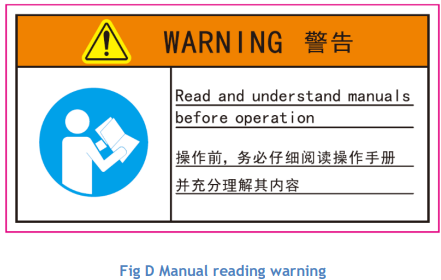
Be sure to read and understand the content of the manual and the labels before installation and operation. Read the content again when operate the robot the next time. Information not included in this manual is not allowed.
No comments to display
No comments to display