
10. Logs
You view both logs about progresses and operations on the Software, and the SDK (Software Development Kit) logs.
10.1 Device Logs
You can view the device logs and export the logs to the local PC.
Note
The functionality should be supported by the device.
Click  to open the Device Log window. You can view different types of device logs,
including device errors, warning, and informational log, etc.
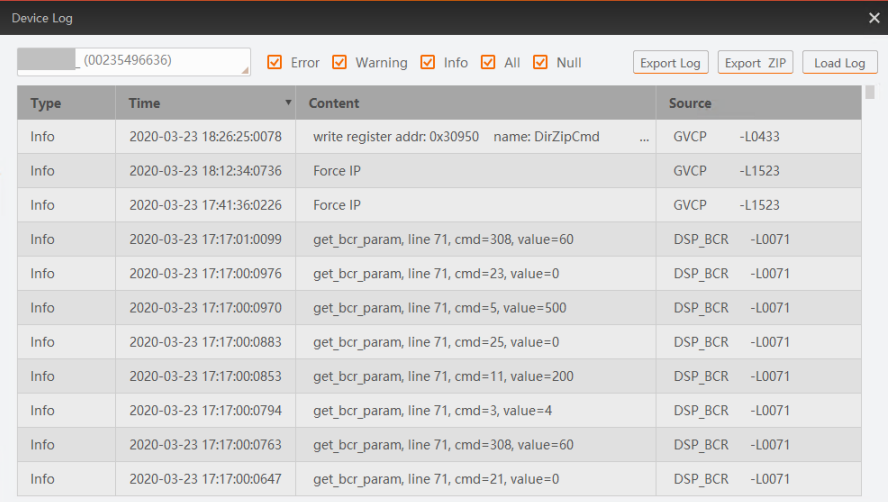 Figure 10-1 Device Log
(Optional) Perform the following operations.
● Check the checkbox(es) to view the selected type of logs.
● Click Export Log to export the logs to the local PC.
● Click Export ZIP to export the logs as ZIP to the local PC.
● Click Load Log to refresh the logs.
10.2 SDK Log Viewer Tool
Via the SDK Log Viewer tool, you can perform operations including viewing, downloading, copying, and deleting the SDK logs of different types, configure log settings such as the maximum number of the displayed SDK logs, etc.
Note
The Log Viewer Tool is only supported in 64-bit operating system.
View SDK Logs
Click Tool → Log Viewer to open the Log Viewer window.
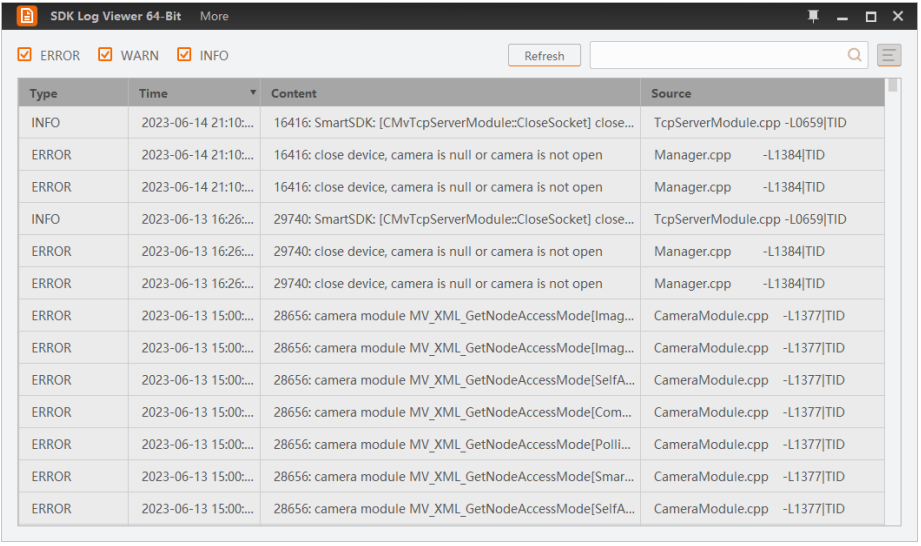
Figure 10-2 Log Viewer Window
You can view the SDK logs of the Client.
Each log contains the information including log type, log time, log content, process name, etc. You can click  to select and display the information of interest. Three types of SDK logs are available, i.e., error, warning, and information. In the top left corner, you can check log type(s) to display the corresponding logs. The following table shows the descriptions of the three types of SDK logs.
Table 10-1 Types of SDK Logs
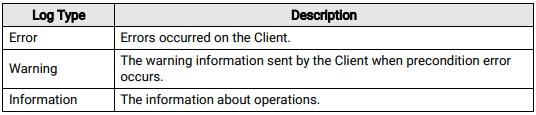
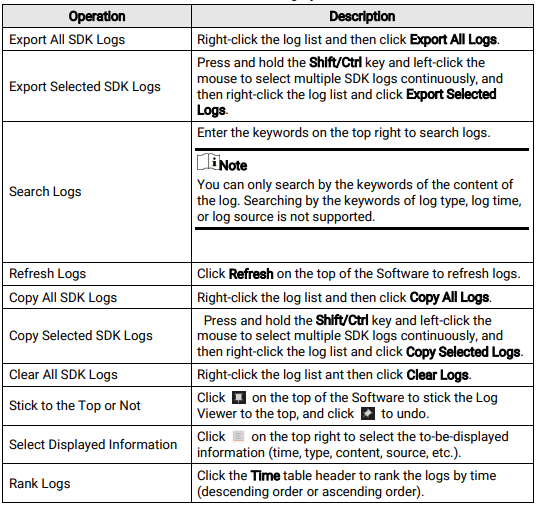
You can perform the following operations.
Table 10-2 SDK Log Operations
Configure SDK Logs
You can set the maximum number of the displayed logs and the interval for updating the log list.
Click More → Settings to set the following two parameters
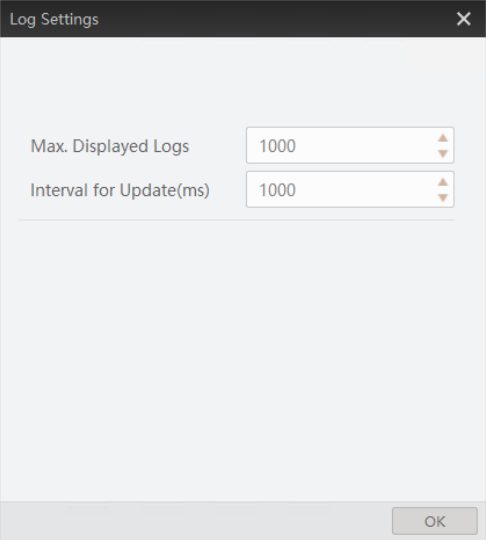
Figure 10-3 Log Settings
● Max. Displayed Logs: the maximum number of displayed logs, which ranges from 1 to 100,000. By default, the maximum number is 1,000.
● Interval for Update (ms): the maximum number of displayed logs, which ranges from 1 to 100,000. By default, the maximum number is 1,000.
No comments to display
No comments to display