
5. Servo Parameter Settings
5.1 Check before Power-on
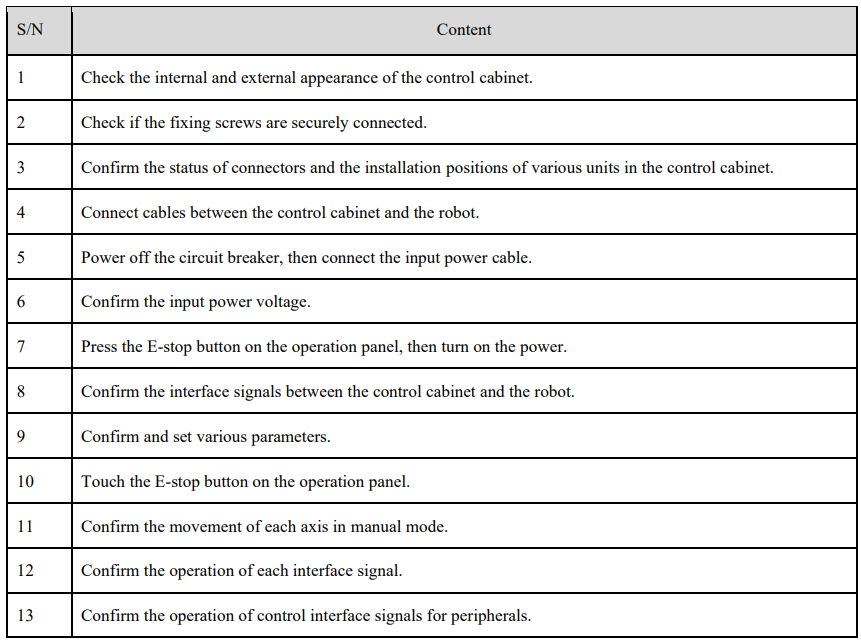
Before powering up the control cabinet, please check and confirm the following items and make necessary adjustments.
5.2 Pn Parameter Settings for Teach Pendant
Modify the drive unit parameters by following these step below.
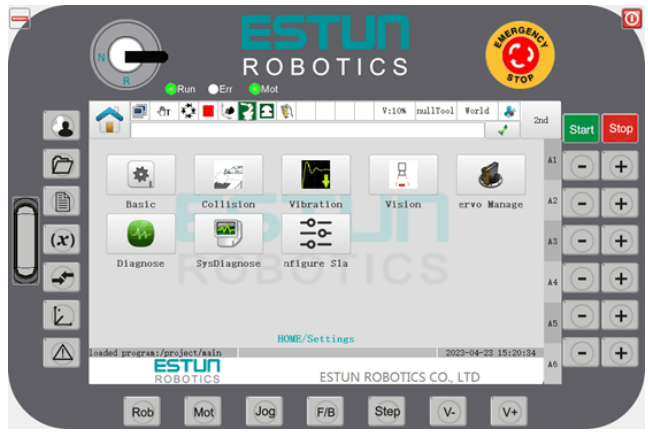
Step 1 Turn on the main power. After switching on the power, the control cabinet will perform an initialization diagnosis. The screen of the teach pendant will display the initialization screen.
Step 2 After initialization is complete, check the system's operating status using the status indicators on the teach pendant. The Run LED should be constantly ON, and the Err LED should be OFF, indicating normal operation.
Step 3 When the teach pendant displays the Home screen, select "General Settings > Servo Management".
Step 4 Select the "Set Pn Parameters" tab. When the Teach Pendant displays the "Set Pn Parameters" screen, choose the drive axis you want to modify (e.g., Axis 1), then click the "Set" button.
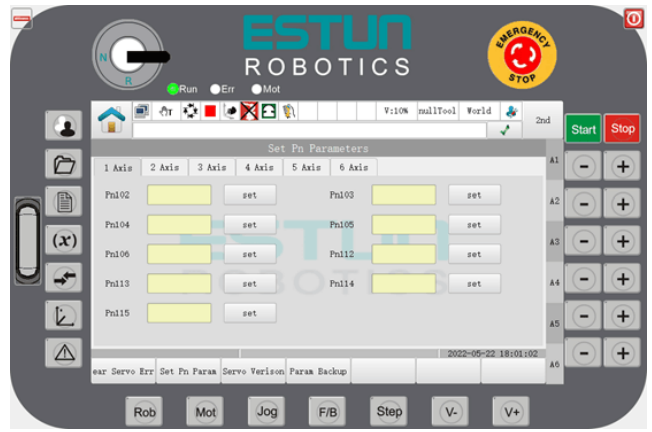
Step 5 Set the desired parameters in the parameter dialog box that appears.

5.3 Introduction to Servo Parameters
5.3.1 Instructions for use
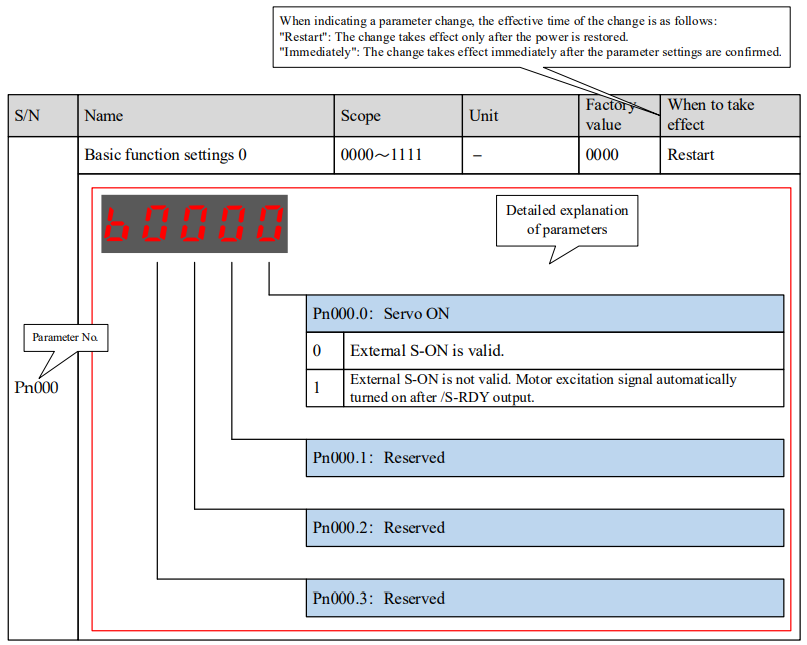
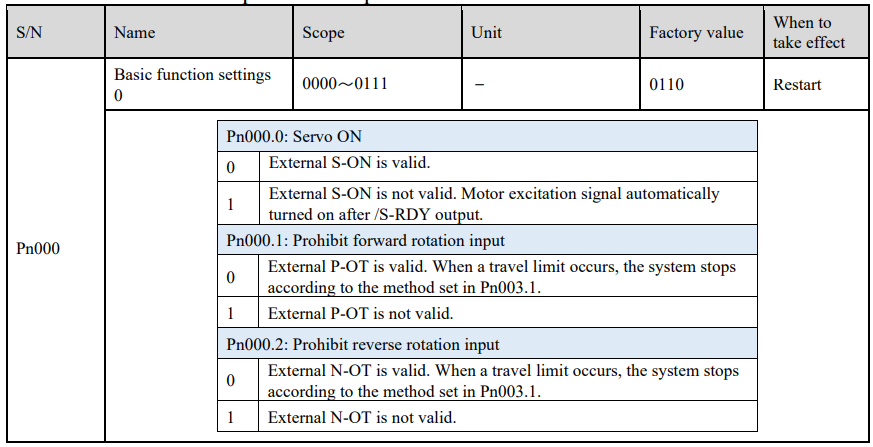
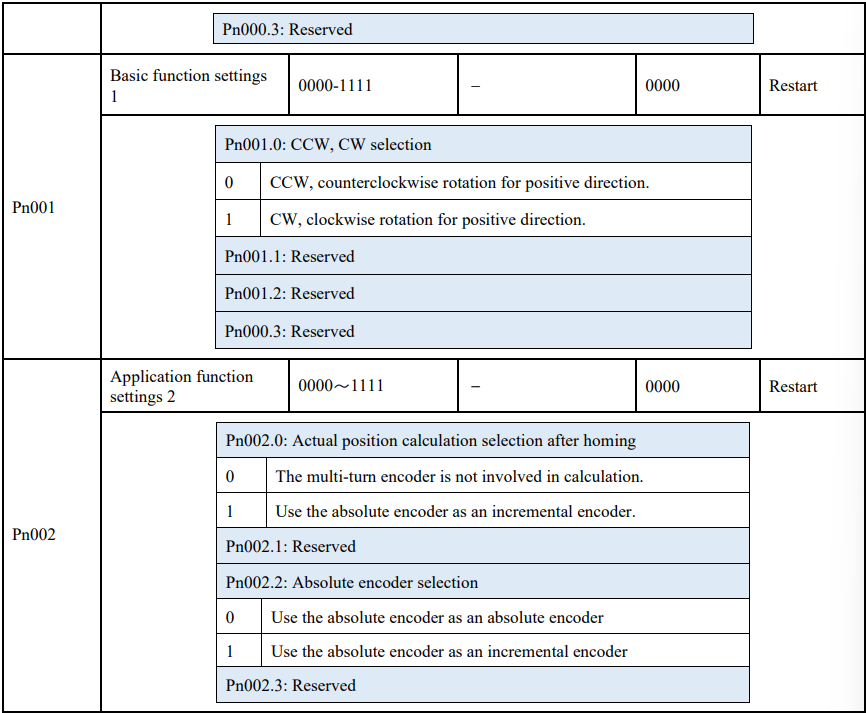
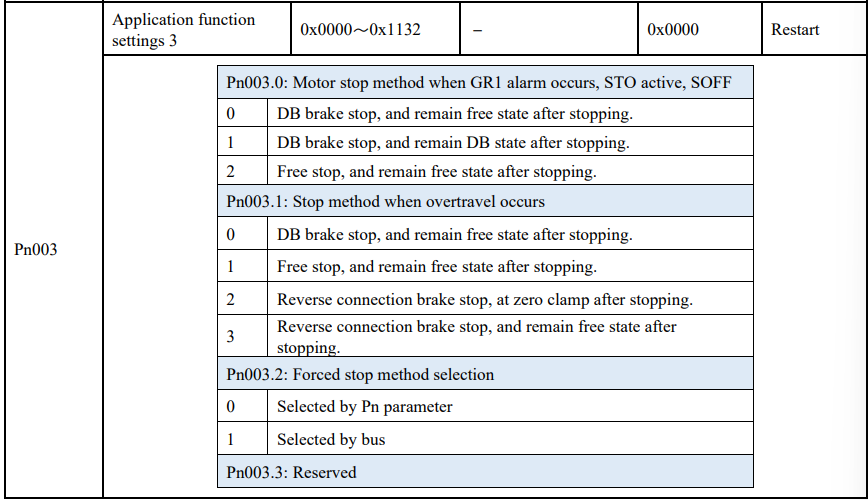
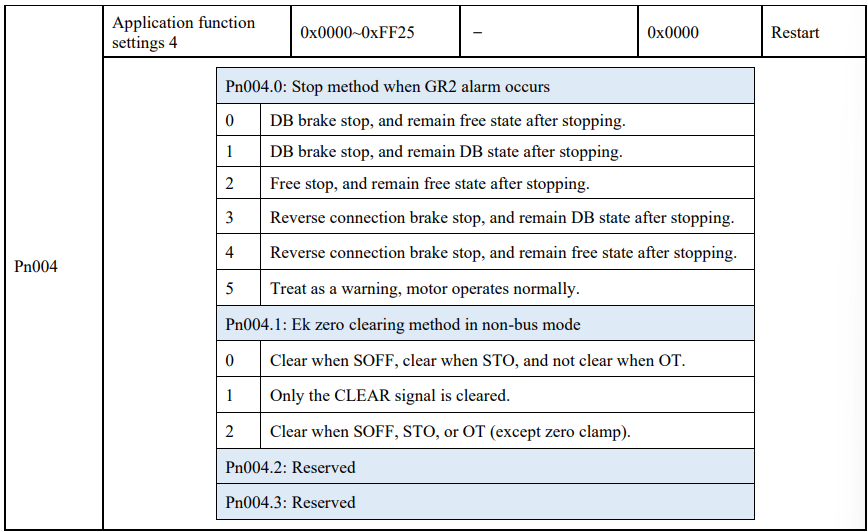
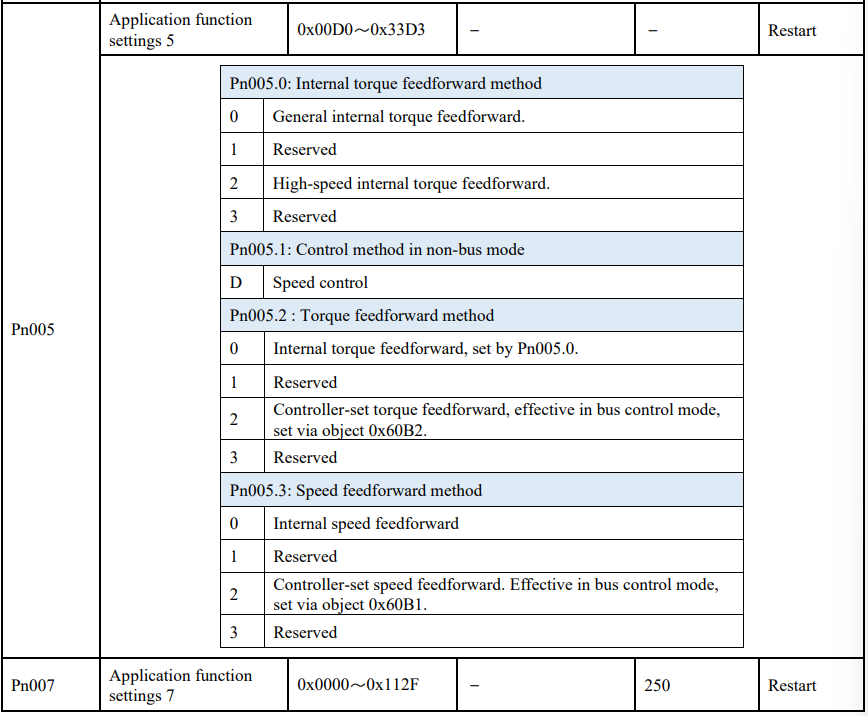
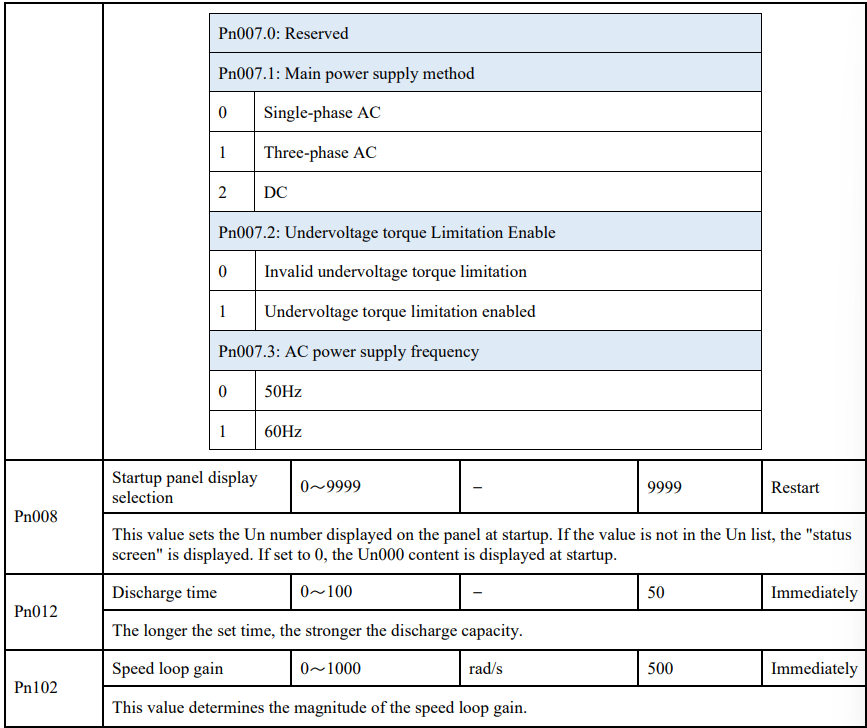
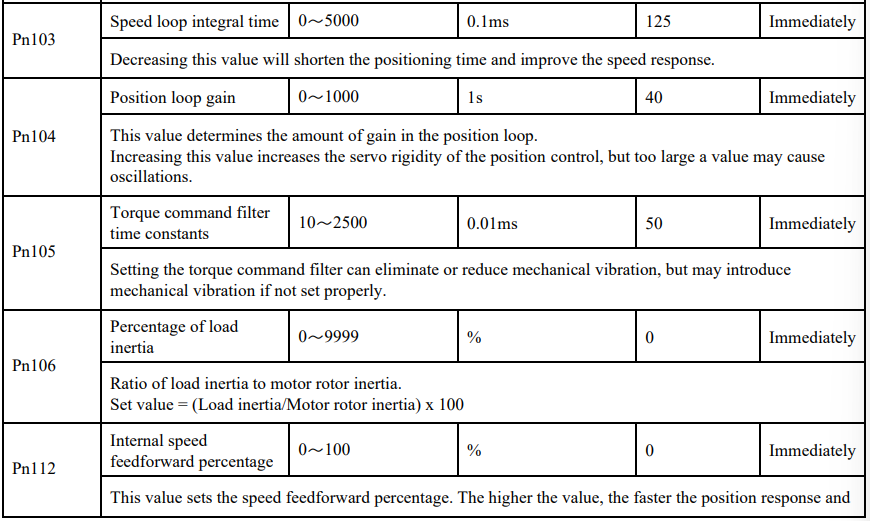
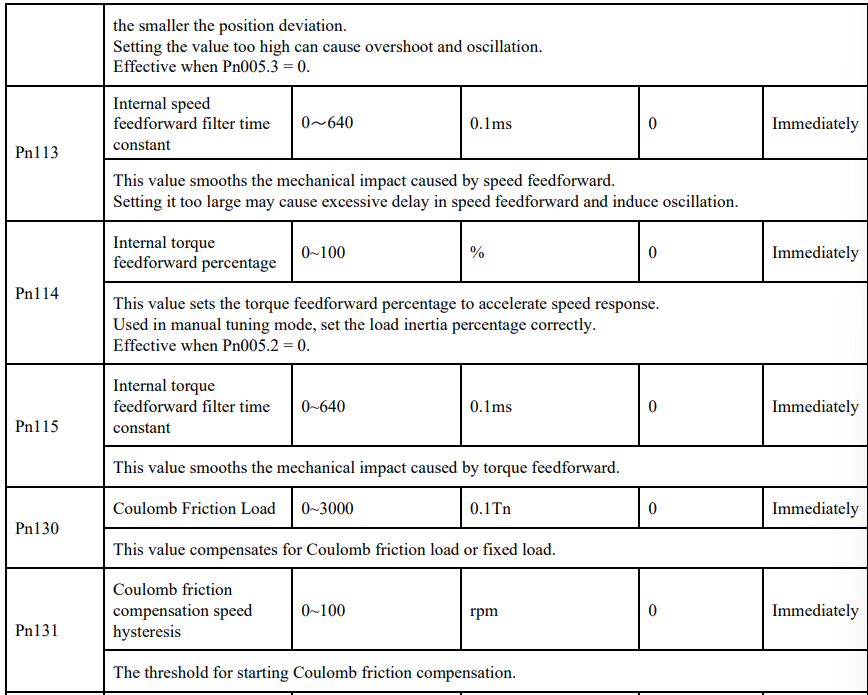
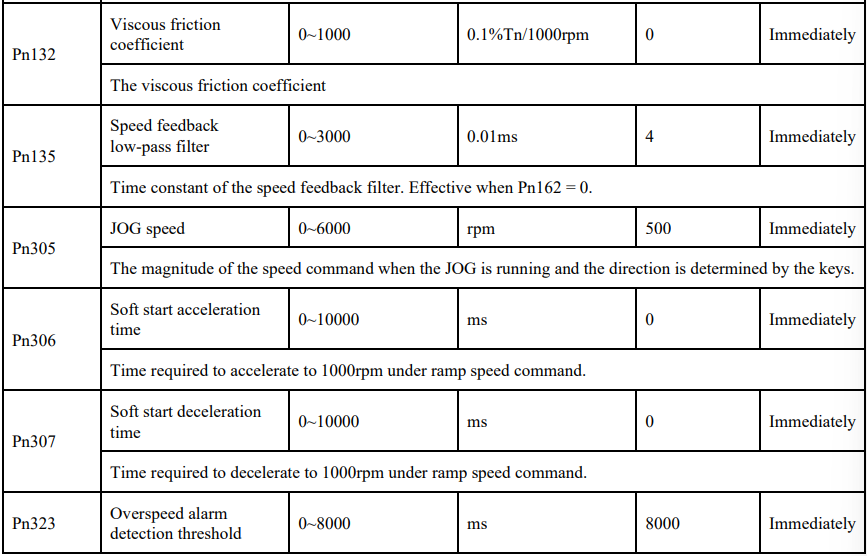
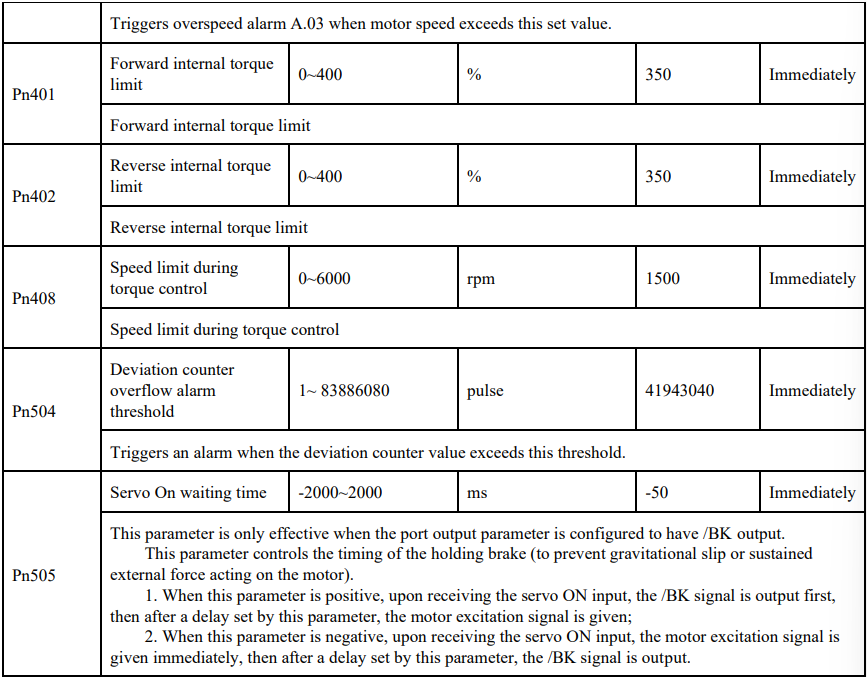
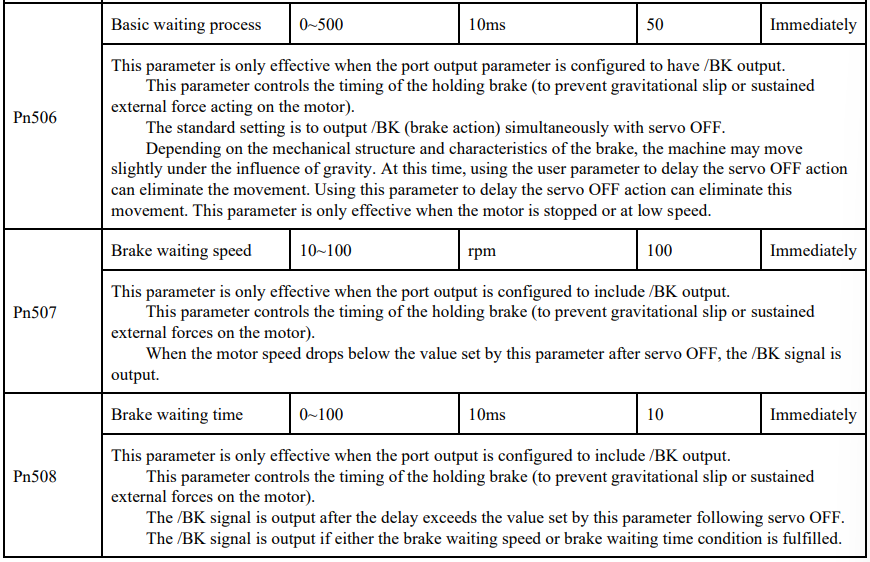
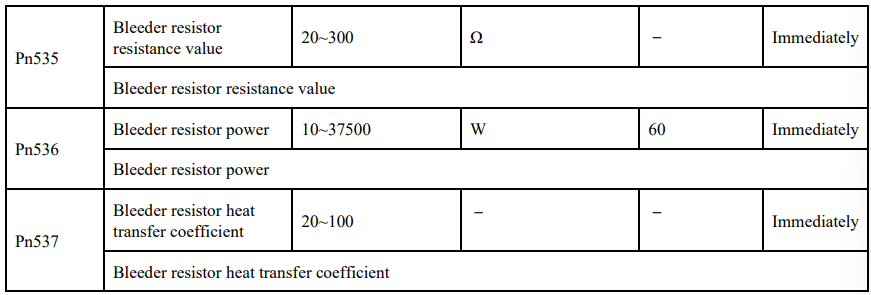
5.3.2 Detailed explanation of parameters
No comments to display
No comments to display