
Safety Precautions
This Chapter describes the content to be observed for the safe use of the robot. Before using, be sure to read and understand the content in this Chapter.
1. Before installation, operation, maintenance, and troubleshooting, it is essential to thoroughly read and fully understand this manual and other accompanying materials. Commence usage only after acquiring complete knowledge of the equipment, safety information, and precautions.
2. The terms "Danger", "Caution", and "Warning" used in this manual supplement safety considerations and do not represent an exhaustive list of all safety requirements that must be followed.
3. We will not assume any legal liability for personal safety incidents or property losses resulting from improper product operation.
4. Companies or individuals using ESTUN Robots should familiarize themselves with the standards and laws in their respective regions or countries. Additionally, appropriate safety measures should be installed to protect personnel using the robot.
Definition of users
The users of this manual are defined as follows.
1. Operators
⚫ To perform the power ON/OFF operation of the robot;
⚫ To start the robot program from the operation panel;
⚫ To restore system alarm status;
⚫ Must not work inside the safety fence.
2. Programmers
⚫ To operate the robot;
⚫ To teach the robot in a safe area;
⚫ To perform the operations in a safe area;
⚫ The above-mentioned personnel must receive training on the robot.
3. Maintenance personnel
⚫ To operate the robot;
⚫ To teach the robot in a safe area;
⚫ To carry out the robot maintenance (repair, adjustment, replacement);
⚫ To perform the operations in a safe area;
⚫ The above-mentioned personnel must receive specialist training on the robot.
Safety Symbols
If the manual contains instructions marked as follows, users must read them carefully and follow strictly
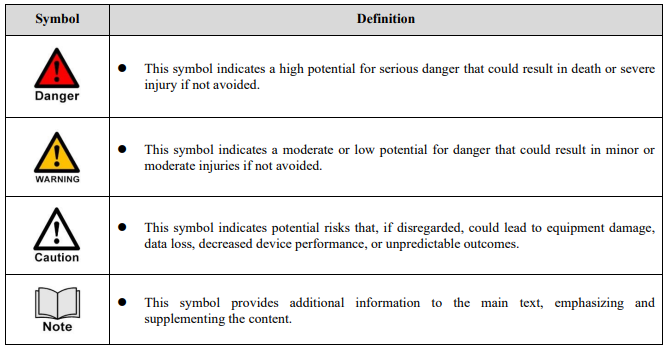
Safety Precautions
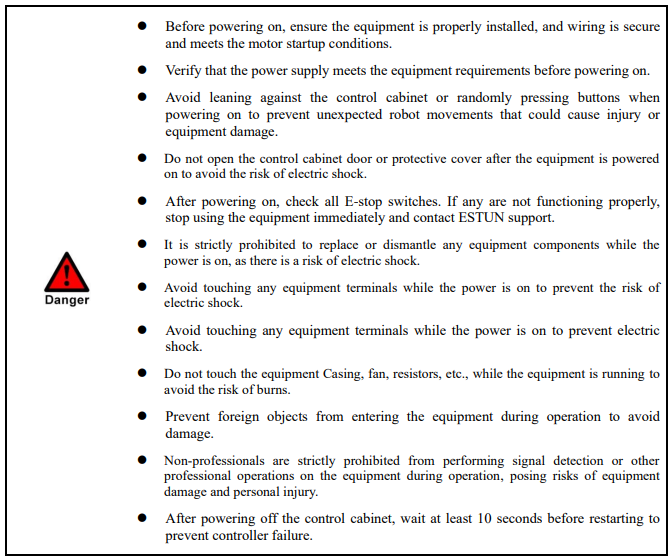
1. Precautions before use:
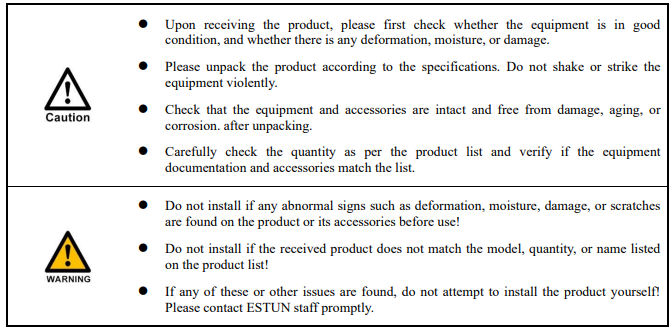
2. Precautions for handling:
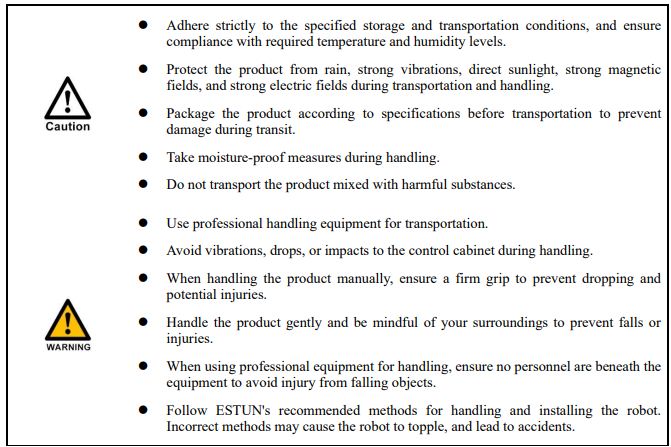
3. Installation precautions
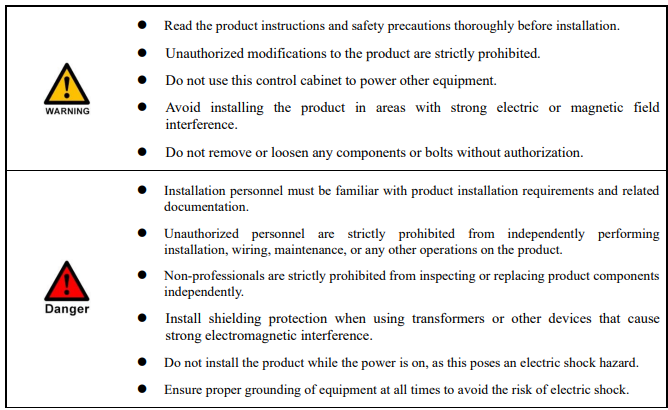
4. Precautions for operation:
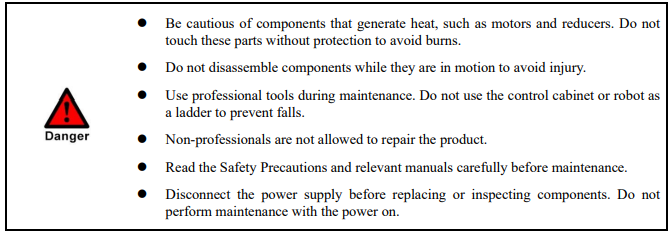
5. Precautions for maintenance:
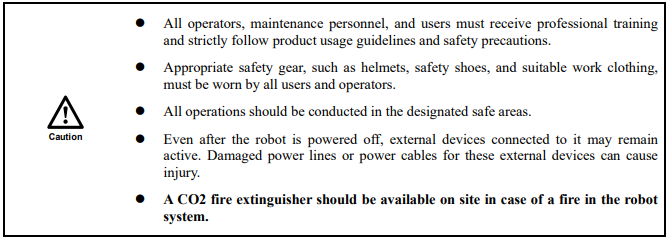
6. Other safety precautions:
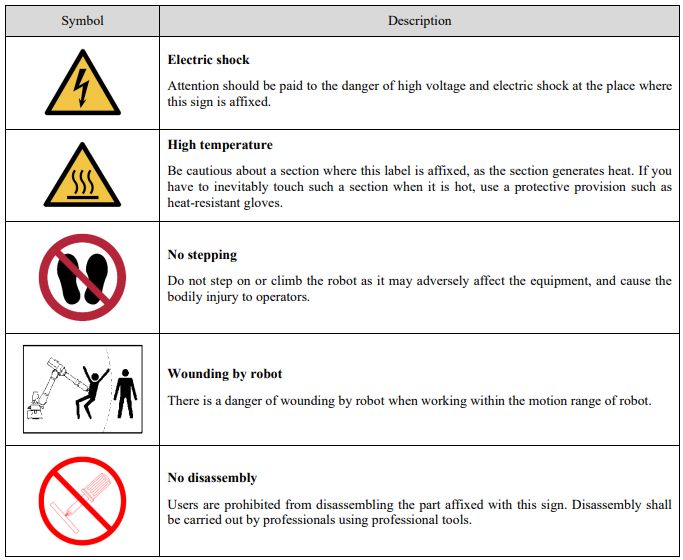
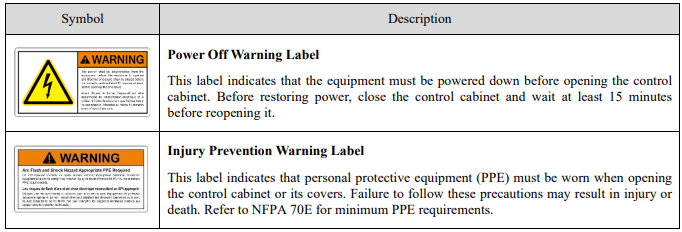
Warning and Caution Signs
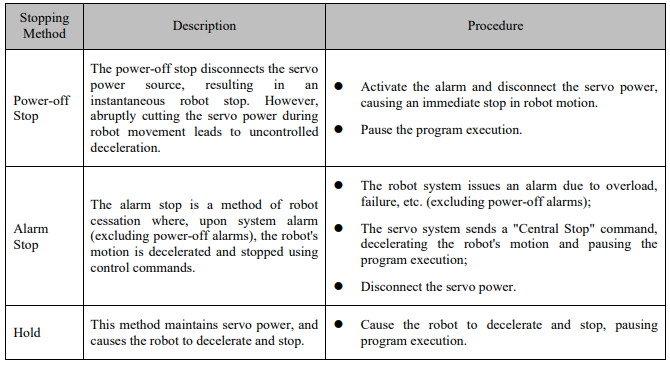
Way to Stop Robots
The robot can be stopped in the following three ways:
Security category
The emergency stops and protective regular stops of the CE-certified versions of the control cabinets of the ERS series apply to the following safety categories and standards.
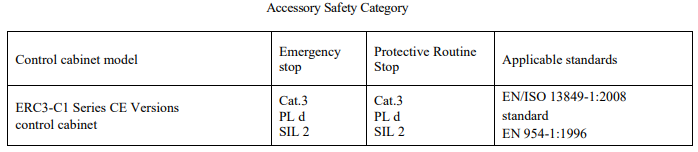
Note: Customers are required to provide accessories with Pld ratings not lower than the standards specified by our company (as shown in Table 1-1 above).
E-Stop
Functional Description
The ESTUN robot has the following emergency stop devices, the specific emergency stop button location for the ERC3-C1 series certified version of the control cabinet is located on the oscillator as shown below.
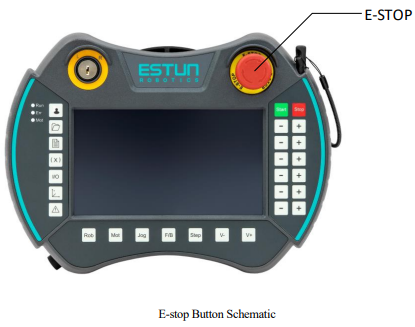
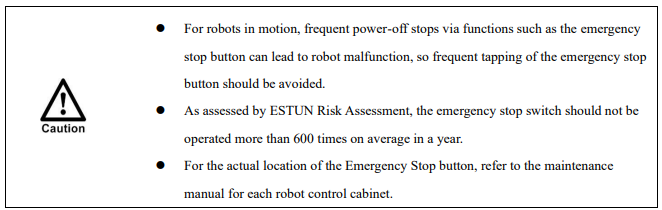
When the emergency stop button is pressed, the robot stops immediately. An external emergency stop input signal is fed from the emergency stop button to stop all robot motion immediately.
Safety stop function (external emergency stop function in SAFETY IO)
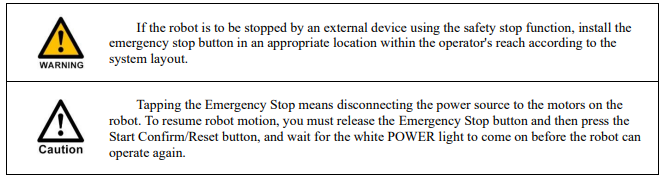
The external emergency stop interface in SAFETY IO is shipped with a short connector plugged in by default. To use it, you need to turn the mode selector switch to manual mode and then remove the short connector and wire it in accordance with the wiring method (see “4.8.2 External Emergency Stop Wiring Method”). If this function is not used, do not pull it out, otherwise it will trigger the related functions and the robot will not operate or alarm.
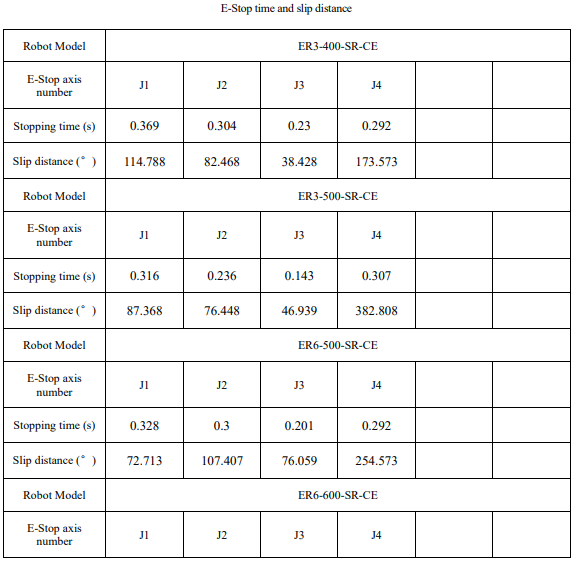
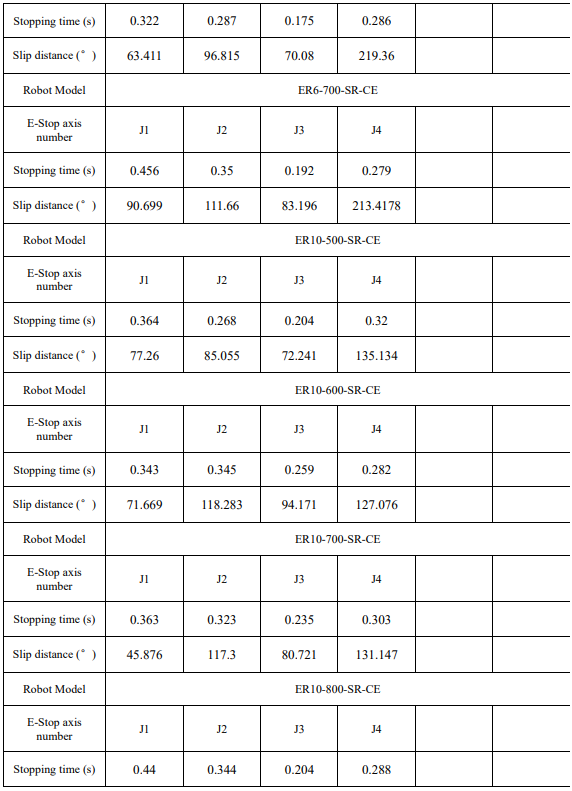
E-Stop Time and Slip Distance
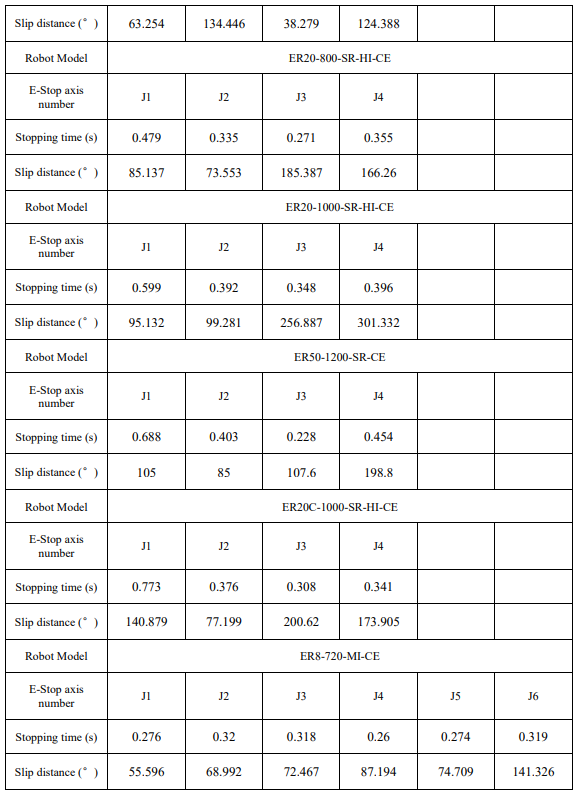
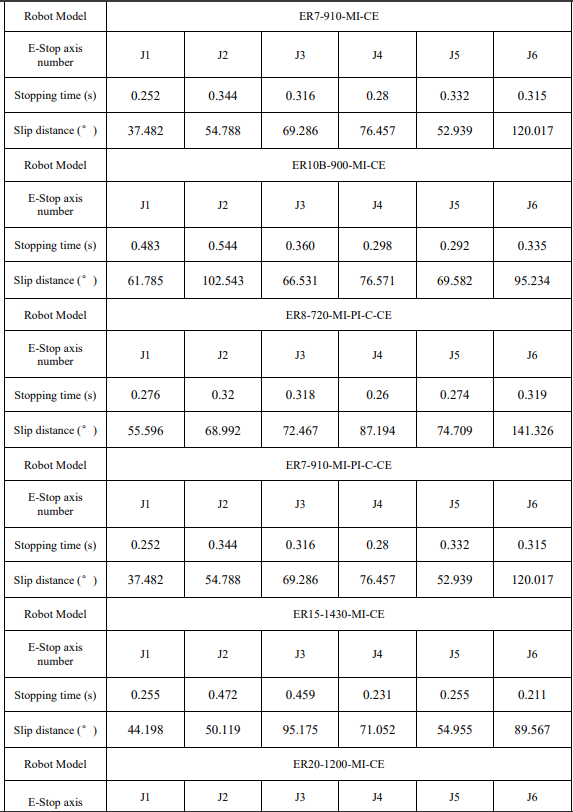
The emergency stop times and slip distances for the J1-J6 axes of the ERS series CE-certified version of the control cabinet robot at full load, high speed, and high inertia are shown in the table below.

No comments to display
No comments to display