
10. Setting Codes
10.1 Introduction
The device supports configuring parameters via reading special codes that are called setting codes. Here we introduce common setting codes.

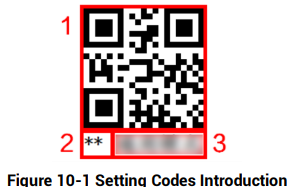
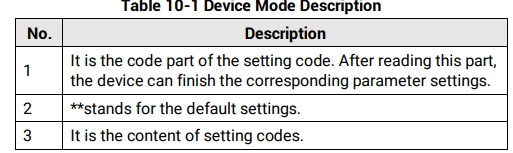
Via reading setting codes, the device can set enable/disable settings, set code type, set quantity of code reading, set data processing, set aiming system, set light source, set serial port, etc.
10.2 Enable/Disable Setting Codes
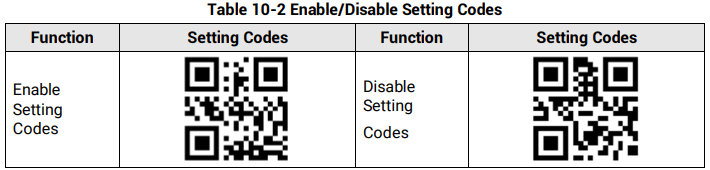
Before using other setting codes, you need to scan Enable Setting Codes first to activate the function of setting codes. Scan Disable Setting Codes to exit setting codes function.
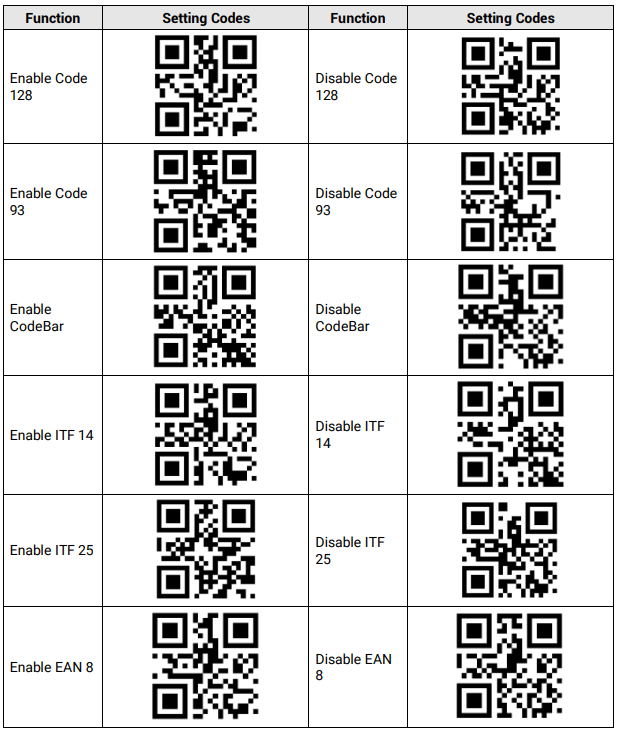
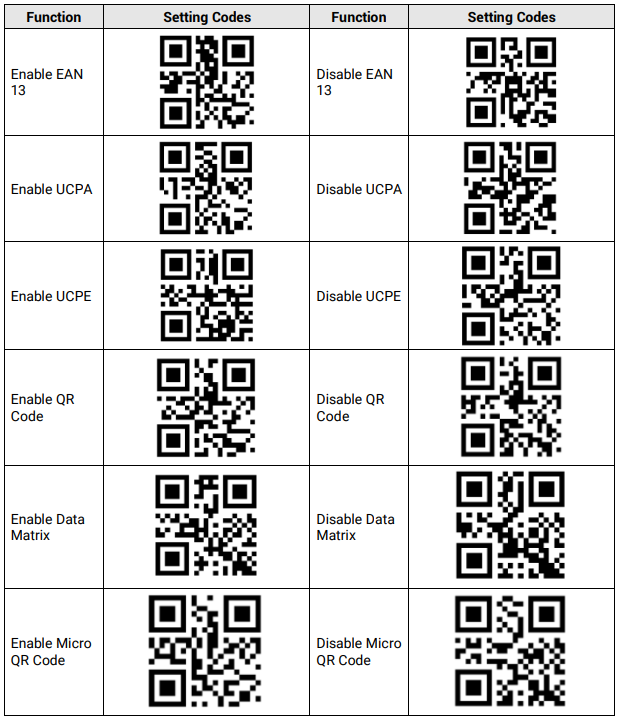
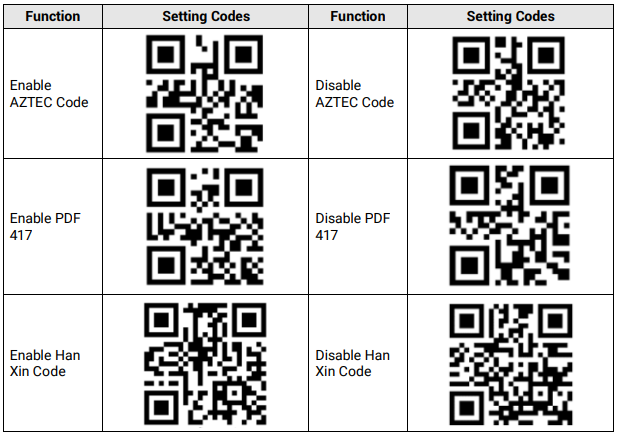
10.3 Set Setting Codes of Code Type
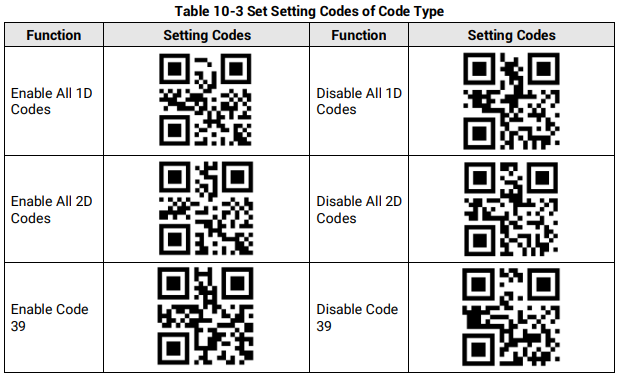
The device can be set what code type to be read via reading specific setting codes. Currently, the device supports Code 39, Code 93, Code 128, CodeBar, ITF 25, ITF 14, EAN 8, EAN 13, UPCA, UPCE, QR Code, Data Matrix, Micro QR, AZTEC, PDF 417, and Han Xin Code.

10.4 Set Setting Codes of Code Color
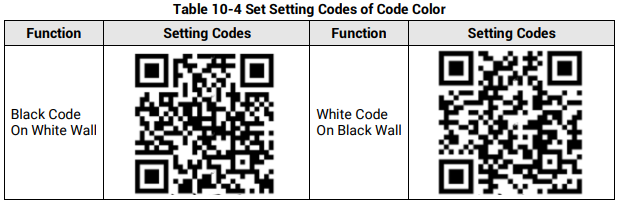
The setting codes of code color include white code on black wall and black code on white wall.
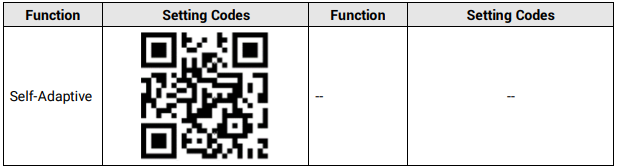

10.5 Set Setting Codes of Code Reading Quantity
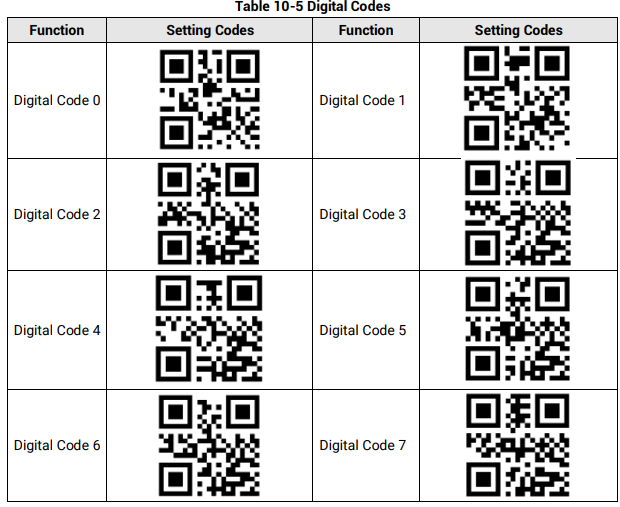
You can set the device’s code reading quantity via scanning the specific setting codes as shown below.
Steps
1. Read setting codes of editing quantity of code reading.
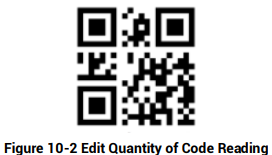
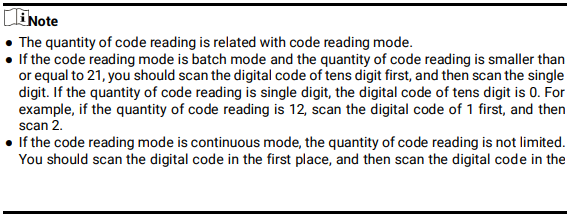
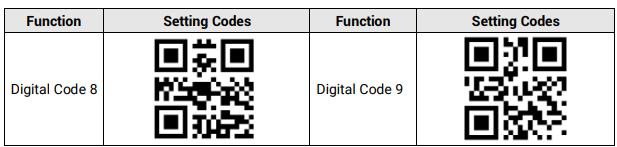
2. Read the corresponding digital codes according to actual demands.

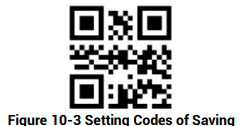
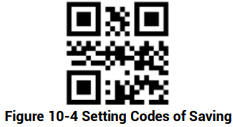
3. Read the setting codes of saving to save the parameter settings.
10.6 Set Setting Codes of Data Processing
You can set the device’s outputted code results via scanning the specific setting codes as shown below.
Steps
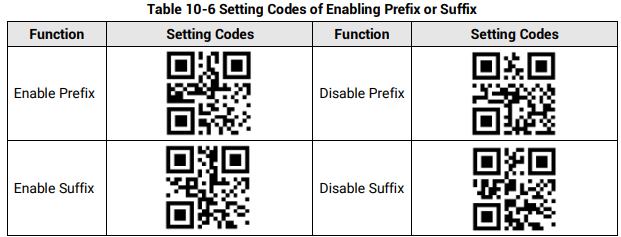
1. Read setting codes of enabling prefix or suffix
2. Read setting codes of editing prefix or editing suffix
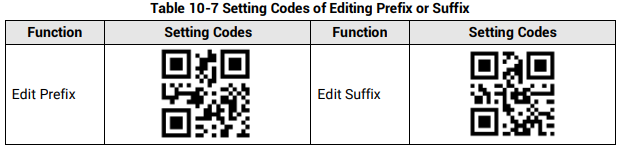
3. Set prefix and suffix characters according to actual demands, find the corresponding hexadecimal code value in ASCII table (see Appendix A ASCII Table for details), and read the corresponding digital codes. For example, if the defined prefix and suffix content is *, the corresponding ASCII code is 2a. Use to the device to read the digital code 2 and digital code a in turn.

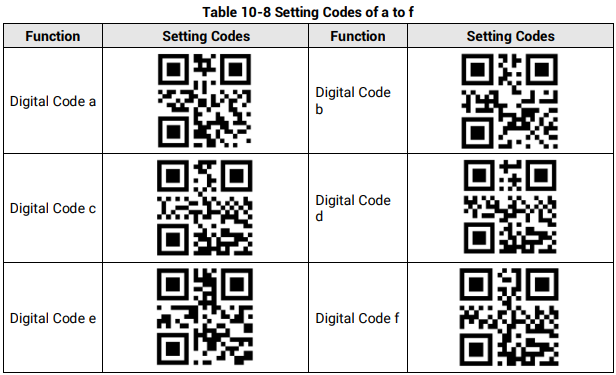
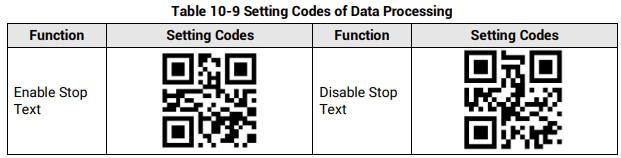
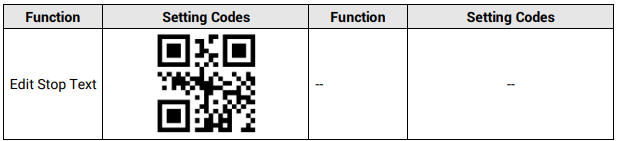
4. Read the setting codes of saving to save the parameter settings.
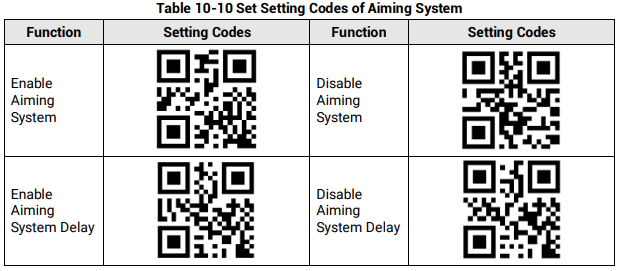
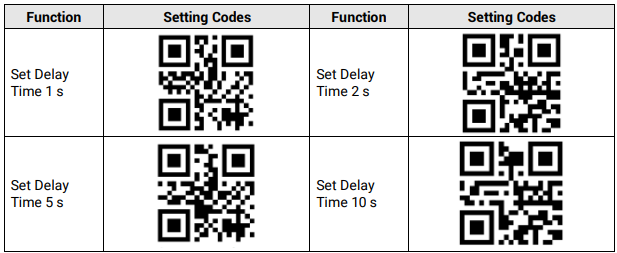
10.7 Set Setting Codes of Aiming System
The aiming system is used to locate codes in the field of view to help read codes easily. The setting codes of aiming system can enable, disable, delay or set delay time of the aiming system.
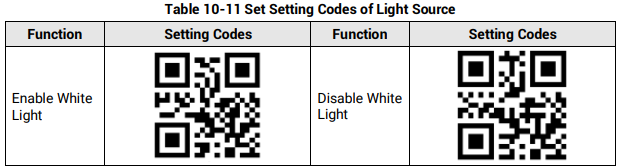
10.8 Set Setting Codes of Light Source
The setting codes of light source can enable or disable the light source, set polling interval, etc. After enabling Light Polling, you can let red and while light sources polling alternately in accordance with configured interval when code reading succeeds or before ending trigger.

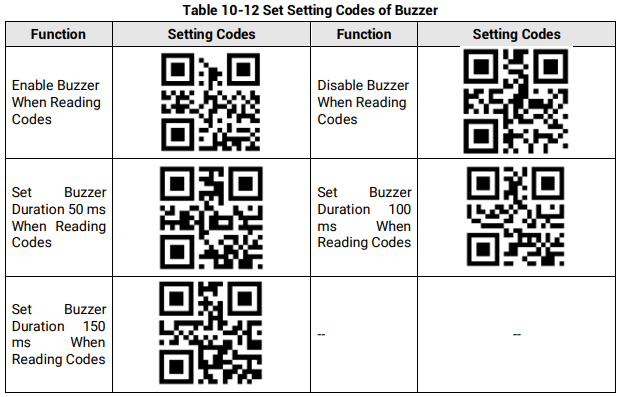
10.9 Set Setting Codes of Buzzer
The setting codes of buzzer can enable or disable the buzzer function, set its duration, etc.

10.10 Set Setting Codes of USB Communication
The setting codes of USB communication can enable or disable the USB communication function, set baud rate, etc.

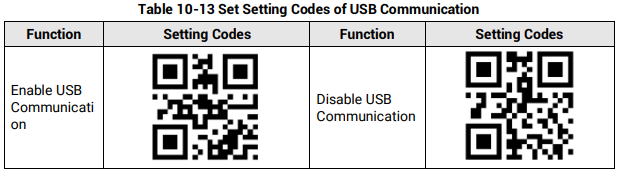
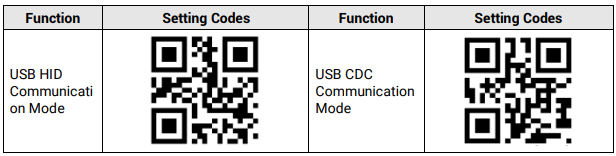
10.11 Set Setting Codes of Serial Port
The setting codes of serial port can enable or disable serial port function, set the baud rate, parity bit, and stop bit.

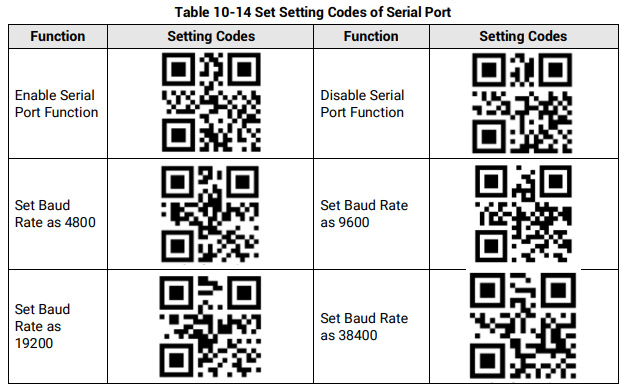
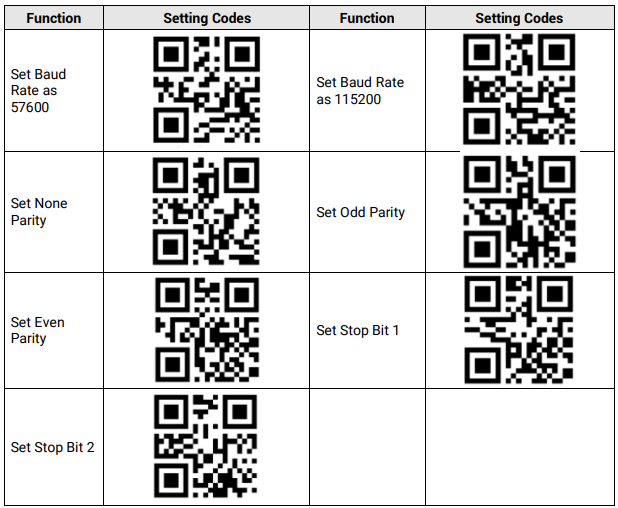
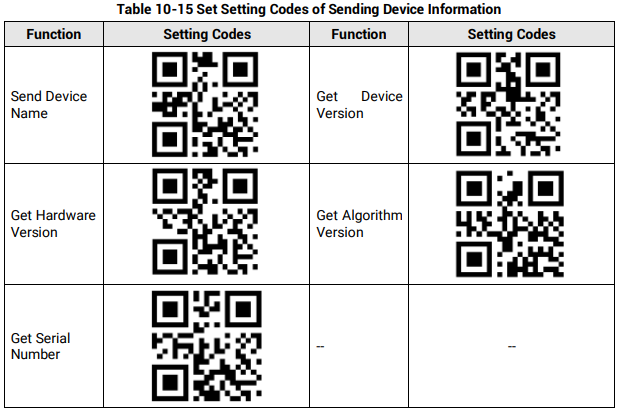
10.12 Set Setting Codes of Sending Device Information
The device can send its information to the PC via reading specific setting codes, and the device information includes name, version, algorithm version, hardware version, serial number, etc.
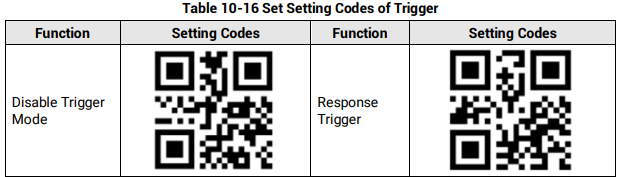
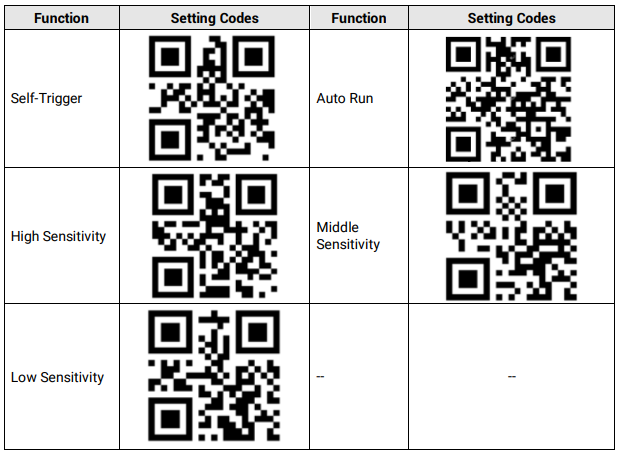
10.13 Set Setting Codes of Trigger
The setting codes of trigger can let the device switch the trigger mode, including pressing trigger switch, self-trigger, response trigger, and support disabling trigger mode.
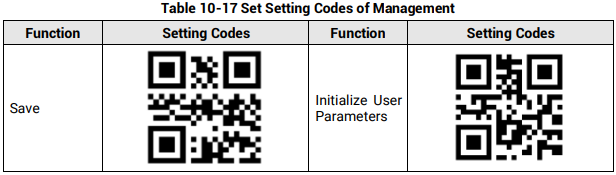
10.14 Set Setting Codes of Management
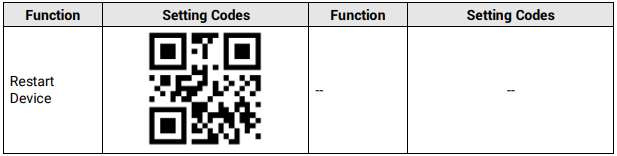
The setting codes of management can save or initialize user parameters, and restart the device.
No comments to display
No comments to display