
8. Basic Operation
8.1 Client Software Layout
The main window of the client software is displayed after the device is connected to the client software.

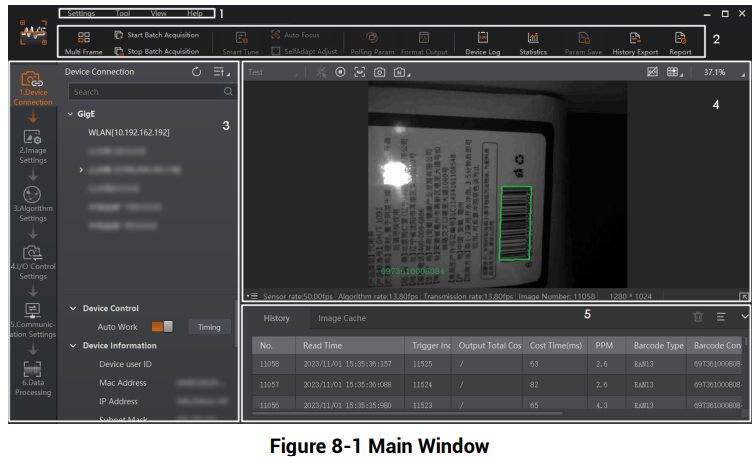
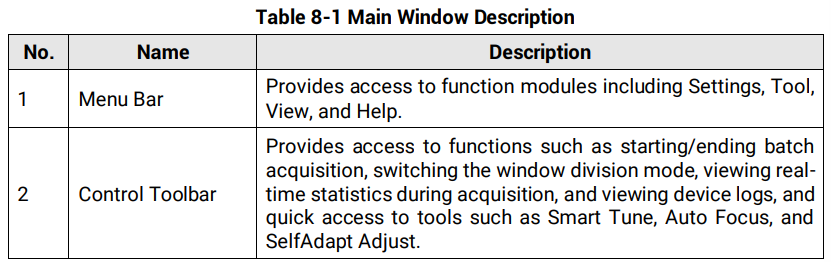
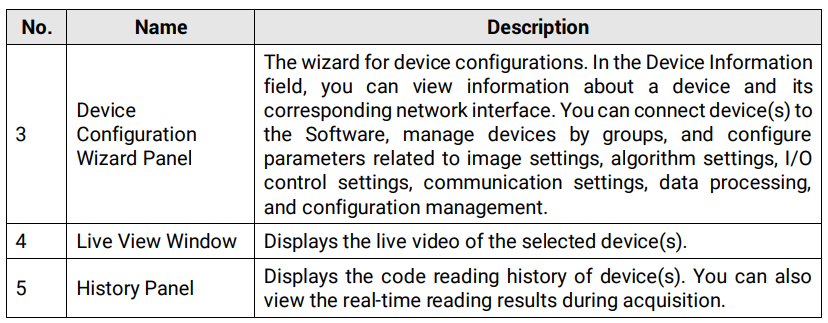
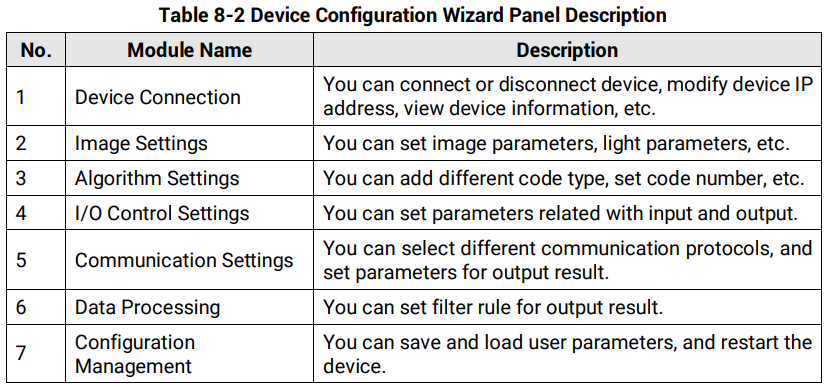
The device configuration wizard panel and control toolbar help you perform some basic operations of the device
8.2 Basic Operation
Steps
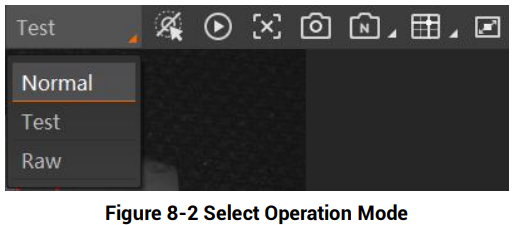
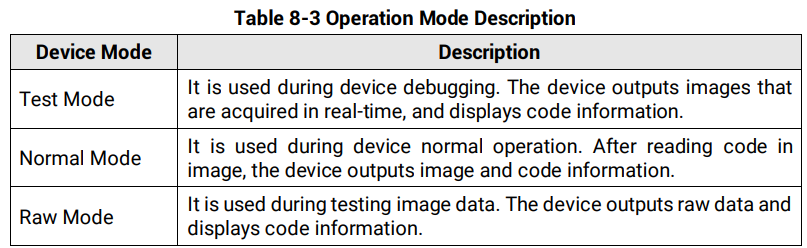
1. Go to the left corner of live view window, and select the operation mode.

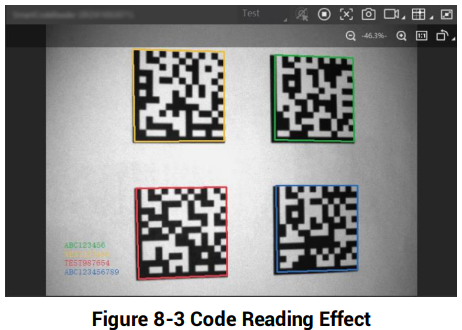
2. Click  in the live view window to view images and the code reading effect.

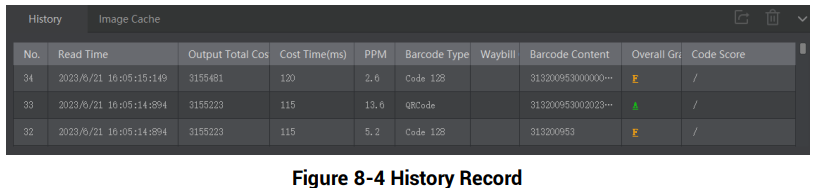
3. (Optional) Go to history panel to view codes recognized by the device.
No comments to display
No comments to display