
1. Software Installation and Configuration
1.1.Software Installation Steps
Open the software installation package and install SetupEstunEditor-EN-2.4.1.exe offline programming software.

Double-click to display the EstunEditor-EN-2.4.1 installation wizard.
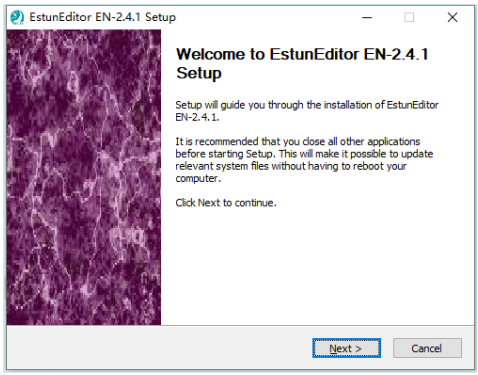
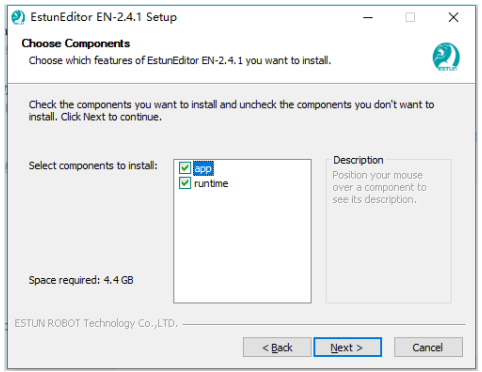
Click 'Next' directly, choose the components to install (runtime is installed by default, you can ignore it if it already exists), and select the installation path of your choice.
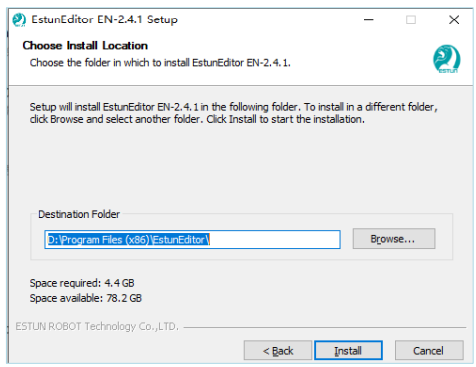
Click 'Install' to proceed with the installation of EstunEditor-EN-2.4.1 software.
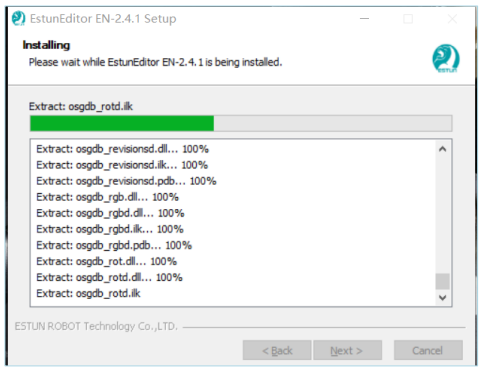
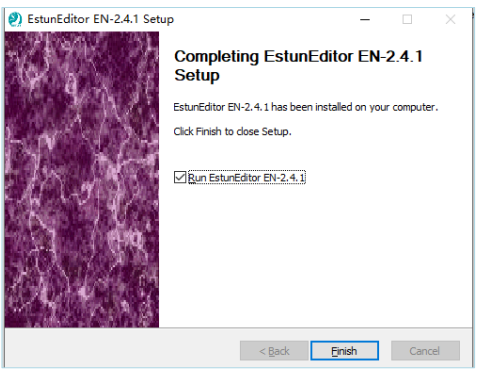
Click 'Finish' to complete the installation of EstunEditor-EN-2.4.1.
After the installation is complete, the following icons will appear on the desktop. Double-click to use EstunEditor.

1.2.Software Performance Configuration
Minimum System Requirements:
(1) Operating System: Windows 10 64-bit or later;
(2) Processor: Intel Core i5 2.5 GHz or faster.
(3) Memory: 8GB RAM or higher.
(4) Storage: 256GB available disk space.
(5) Graphics Card: Supports OpenGL 3.0 or DirectX 12 standards
No comments to display
No comments to display