
2. User Management System
2.1.Login Interface
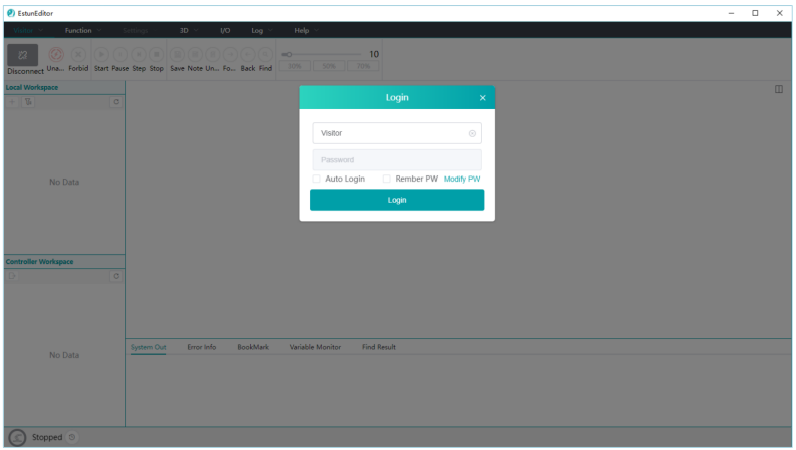
Upon system startup, there is a login window where users can enter their username/password to log in or choose to cancel the login. Canceling the login will result in logging in with limited guest privileges by default.
⚫ Username/Password: The Root account is provided by ESTUN, while other accounts are created by the administrator. For more details, please refer to Section 2.3.
⚫ Auto Login: When selected, the software will automatically log in with the last used account and password the next time it is opened (remember password must also be selected, otherwise logging in without a password will not be possible).
⚫Remember Password: To save the currently entered username and password.
⚫Change Password: To allow users to change their password by providing the username and old password.
2.2.Switch User
Clicking the first menu option in the menu bar "Username", you can swich the User, Log Out and User Management (only available for Root users).
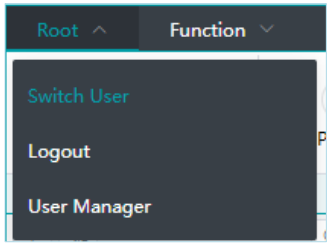
⚫Switch User: open the user login window to switch to a different user by entering the username/password.
⚫Logout: Log out the currently logged-in user and switch to guest privileges.
⚫User Manager: this option is available only for Root users and allows them to manage user accounts, including adding, deleting, and modifying user information.
2.3.User Management
This module is exclusive to Root users.
Username: Root Initial Password: 000000
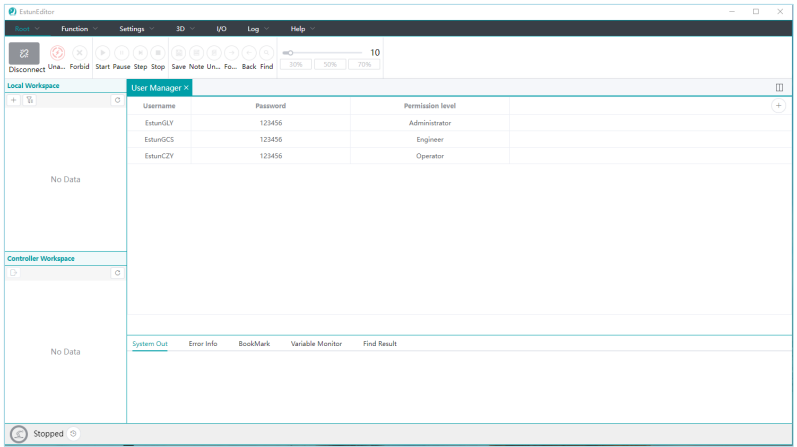
⚫Add User:create a new user account. Usernames must be unique.

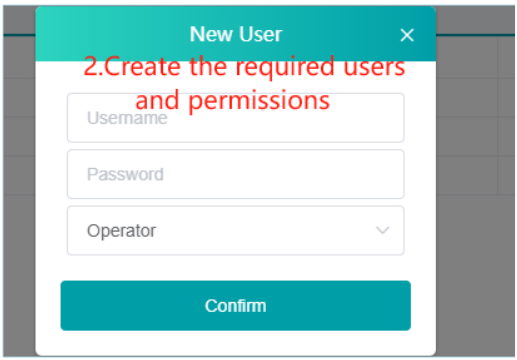
⚫Edit User: To allow for modifications to user permissions and passwords.
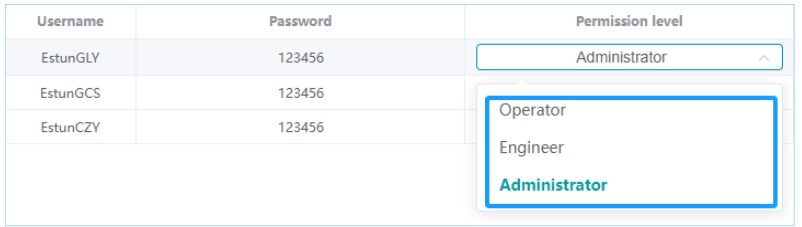
⚫Delete User: delete specific user account.

⚫Permission Levels: The following permission levels are defined as follow:
◼ Guest:
◆ Editing or viewing workspace content is not allowed.
◆ Operating robot controls is not allowed.
◆ Operating simulation models is not allowed.
◼ Operator:
◆ Same restrictions as the Guest level.
◼ Engineer:
◆ No user management is allowed, and full access to other features.
◼ Administrator:
◆ No user management is allowed, and full access to other features.
◆ Root users have user management privileges.
No comments to display
No comments to display