
Aktualizacja systemu operacyjnego (OS) – MT8000/MT6000
Streszczenie: Aktualizacja systemu operacyjnego paneli MT8000/MT6000 z pamięci USB lub karty CF (obraz OS w wersji 20081013 lub nowszej): skopiowanie pliku OS, wejście w ustawienia systemowe (hasło 111111) i funkcja „Upgrade firmware”.
EN: How to update the MT8000/MT6000 OS from a USB disk or CF card using the Upgrade firmware function in System settings.
Dotyczy: panele HMI Weintek MT8000/MT6000 (OS 20081013 lub nowszy)
Źródło: Weintek FAQ (materiały producenta), oryginalny tytuł: „Update the MT8000/6000 OS”
MT8000/6000 OS Image version is 20081013 or later, which supports using USB disk or CF card to update OS. The update process is similar to downloading project to the touch panel HMI. The following example shows how to update OS by using USB disk.
1. Find the corresponding OS document in the MT8000/6000 and copy it to the USB disk (as shown in picture 1); For example, copy it to the 001 folder that is previously created;
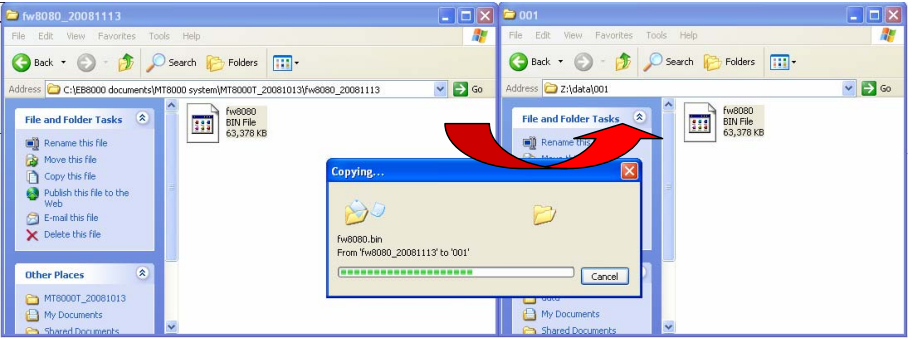 picture 1
2. Insert the USB disk into the USB port of the MT8000/6000;
3. Move the cursor to the lower-right corner of the touch panel screen. A “<” button (as shown in picture 2) will show up, click it to open status bar(as shown in picture 3);
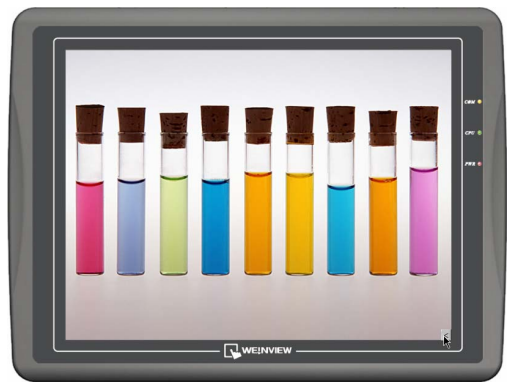
picture 2
4. Click  button, a popup window will appear and ask users to input the password (as shown in picture 4);
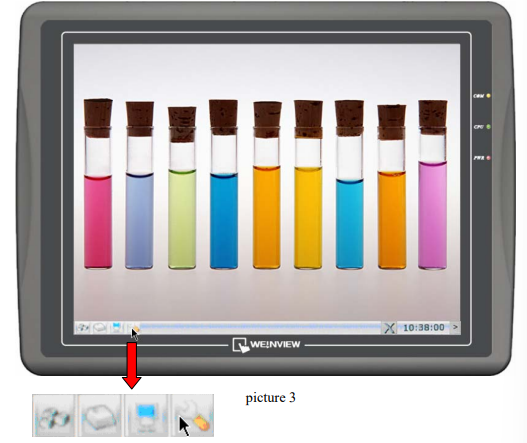
5. Enter the correct password (factory default setting password: 111111), and then the “System settings” window will show up. Switch to the “Upgrade firmware” tab (as shown in picture 5);
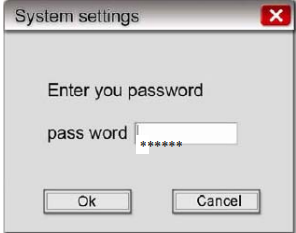 picture 4
6. Click “Upgrade firmware” button, a “Pick a Directory” popup window will show up (as shown in picture 6);
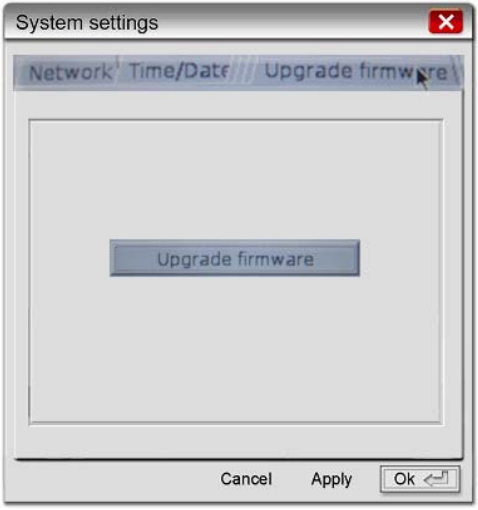
picture 5
7. Open the usbdisk folder, select the 001 folder, then click “OK” button;
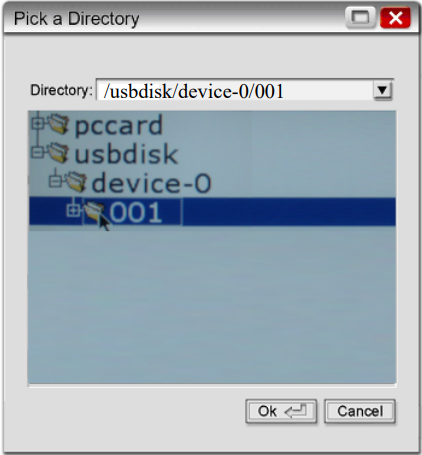
picture 6
8. Start upgrading the OS. This process will take a few minutes. The progressing bar indicates the upgrading status (as shown in picture 7);
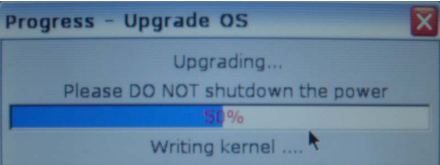
picture 7
9. After the upgrading process is completed, the system will automatically restart; a touch panel calibration is recommended.
Słowa kluczowe
aktualizacja OS, aktualizacja systemu, firmware, upgrade firmware, OS update, pamięć USB, karta CF, System settings, hasło 111111, MT8000, MT6000, Update the MT8000/6000 OS
No comments to display
No comments to display