
Edycja bazy receptur pobranej przez FTP
Streszczenie: Edycja bazy receptur: skopiowanie pliku recipe.db z HMI przez FTP (użytkownik uploadhis, domyślne hasło 111111), edycja w Recipe Database Editor i ponowne pobranie do HMI programem Utility Manager z opcją „Reset recipe database”.
EN: How to copy recipe.db from the HMI via FTP, edit it in Recipe Database Editor and download it back with Utility Manager.
Dotyczy: panele HMI Weintek; Recipe Database Editor, Utility Manager
Źródło: Weintek FAQ (materiały producenta), oryginalny tytuł: „How to edit recipe database from ftp?”
Users can copy HMI Recipe.db to PC using FTP, and then edit Recipe.db in
C:\EBPro\DatabaseEditor. The edited Recipe.db can be downloaded to HMI using Utility Manager.
The following describes the steps:
1. Before login FTP Server, please check HMI IP address
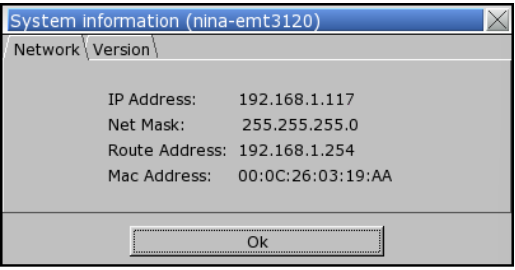
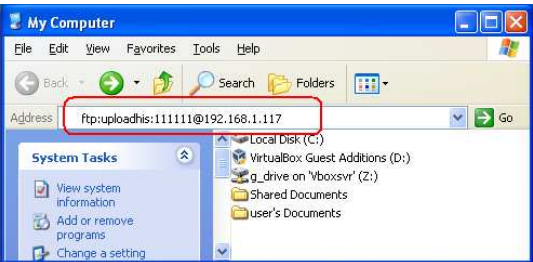
2. Enter HMI IP: ftp://192.168.1.117/ (example), login user name: uploadhis, and the HMI history upload password (if not changed, the default is 111111). Or, directly enter ftp://uploadhis:111111@192.168.1.117/.
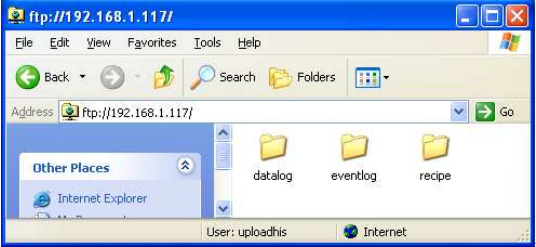
3. After entering IP, ftp://192.168.1.117/ is shown, and the “datalog”, “eventlog”, and “recipe” folders can be found.
4. Click “recipe” folder to copy recipe.db file in PC.
5. Use “Recipe Database Editor” to “Import” recipe.db and then after editing the file, click “Export” to save the file to *.db format.
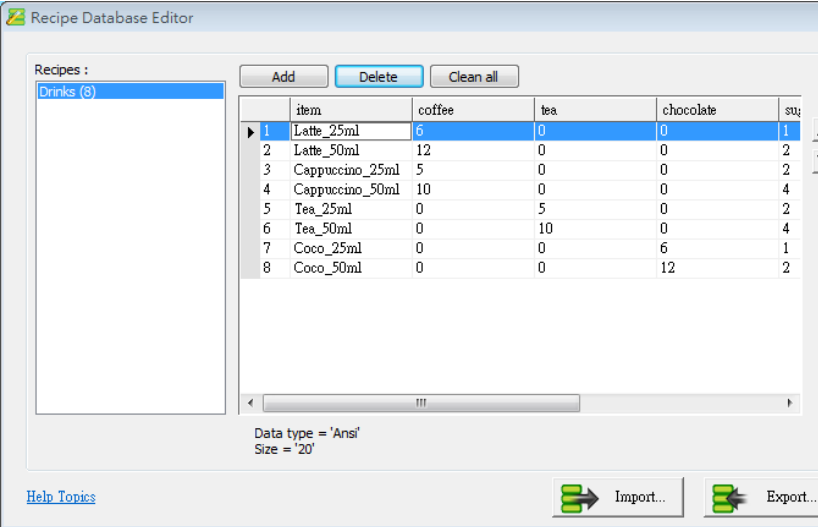
Note: Please go to C:\EBPro folder for executing “Recipe Database Editor”
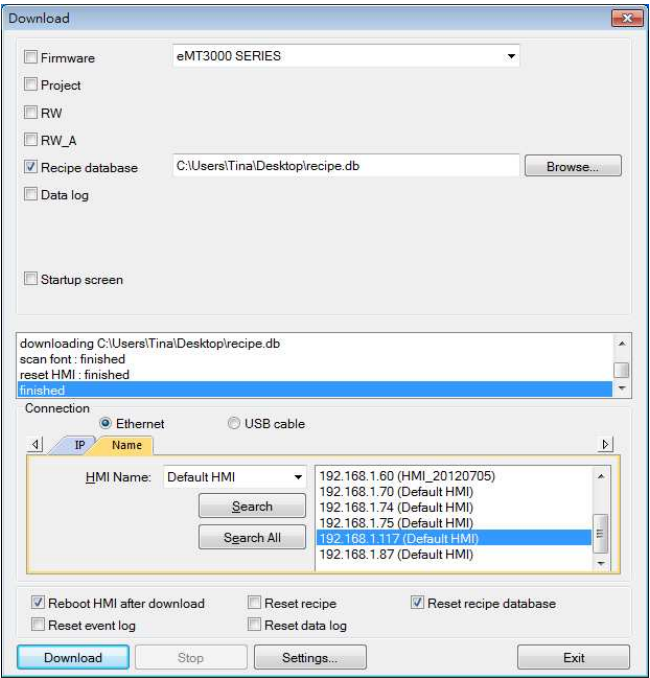
6. Download Recipe Database using Utility Manager. Tick [Reset recipe database] the Recipe database in HMI will be overwritten with the new settings
Słowa kluczowe
baza receptur, recipe.db, FTP, uploadhis, hasło 111111, Recipe Database Editor, Utility Manager, Reset recipe database, datalog, eventlog, How to edit recipe database from ftp?
No comments to display
No comments to display