
Komunikacja HMI serii i z Siemens S7-1200 FW V4.0
Streszczenie: Komunikacja paneli serii i z Siemens S7-1200 z firmware V4.0: należy użyć sterownika S7-1500, włączyć w PLC dostęp PUT/GET i wyłączyć „Optimized block access” w blokach danych; import tagów z TIA Portal (.xlsx i .scl).
EN: How to communicate i series HMIs with Siemens S7-1200 FW V4.0 using the S7-1500 driver, PUT/GET access and non-optimized data blocks; importing tags from TIA Portal.
Dotyczy: panele HMI Weintek serii i, Siemens S7-1200 FW V4.0, TIA Portal
Źródło: Weintek FAQ (materiały producenta), oryginalny tytuł: „How to Establish Communication Between i Series HMI and S7-1200 FW V4.0 devices?”
Recently, Siemens has made great changes in S7-1200 Firmware V4.0; therefore, S7-1200 driver can no longer establish communication between EasyBuilder8000 and S7-1200 Firmware V4.0. To establish communication between i Series HMI and S7-1200 Firmware V4.0 devices, please use S7-1500 driver.
Please follow the steps to set up the environment for communication, otherwise, error may occur.
Step 1. Select [General] » [Protection] » [Permit access with PUT/GET communication from remote partner] option.
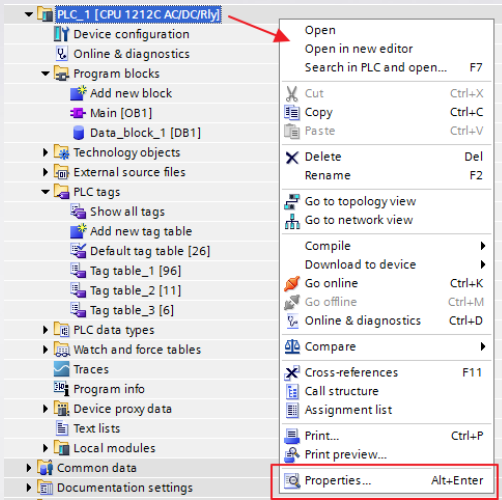
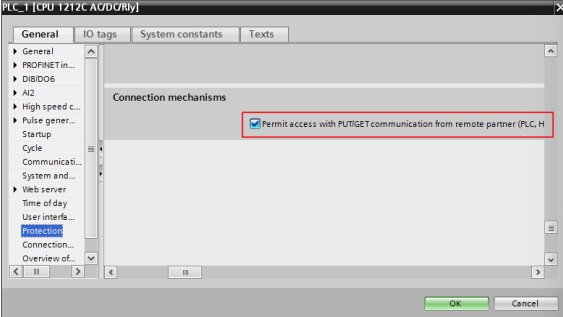
Step 2. Please do not select [DB UTILITAIRES] » [Attributes] » [Optimized block access]. Note that the option in all Data Blocks should not be selected.
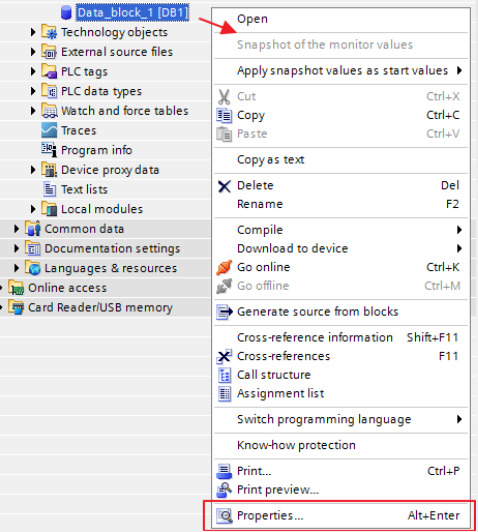
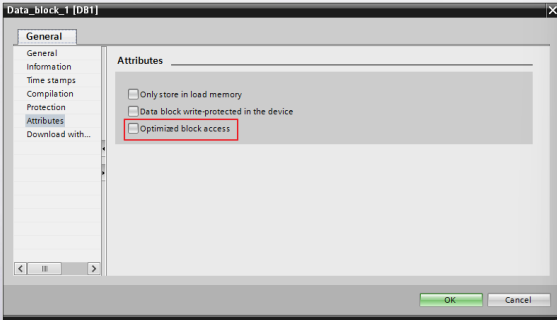
The following part explains how to import address tags using TIA.
Step 1. Export PLC Tags (.xlsx file format). Under [PLC tags] create the address tags and then click the Export icon.
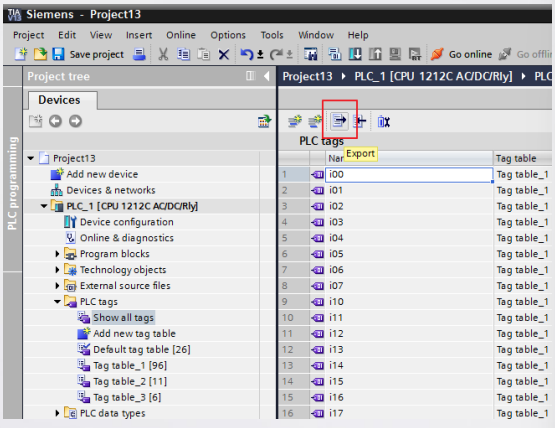
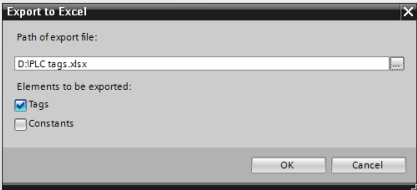
Designate the directory to save the file and then click OK button.
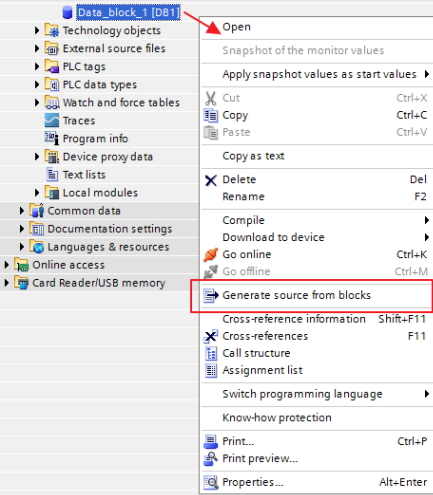
Step 2. Export Data Blocks (.scl file format). Under [Data blocks] create “Data_block_1 [DB1]” as shown in the following figure. Click the right mouse button on [DB1] and then click [Generate source from blocks] to generate .scl file.
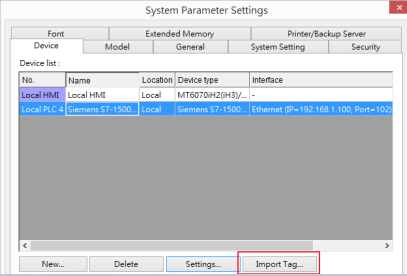
Step 3. In EasyBuilder8000, click [New PLC…], select “Siemens S7-1500 (Ethernet)”, and then click [Settings…] to set the parameters.
Step 4. Click [Import Tag…] button.
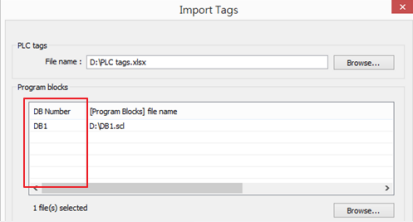
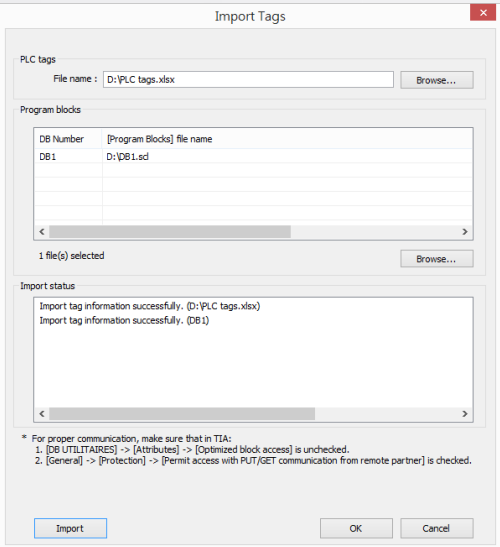
Step 5. Select the PLC tags and Data Blocks to be imported. Pease check if the DB Number is correct.
Step 6. Click [Import], a message will be displayed after successful import, click OK button to leave.
Supported data types:
| S7-1200 Data Type | EasyBuilder Data Format | Memo |
| Bool | bit | |
| Byte | 16-bit BCD, Hex, Binary, Unsigned | 8-bit |
| SInt | 16-bit BCD, Hex, Binary, Signed | 8-bit |
| USInt | 16-bit BCD, Hex, Binary, Unsigned | 8-bit |
| Word | 16-bit BCD, Hex, Binary, Unsigned | 16-bit |
| Int | 16-bit BCD, Hex, Binary, Signed | 16-bit |
| UInt | 16-bit BCD, Hex, Binary, Unsigned | 16-bit |
| DWord | 32-bit BCD, Hex, Binary, Unsigned | 32-bit |
| DInt | 32-bit BCD, Hex, Binary, Signed | 32-bit |
| Real | 32-bit Float | 32-bit |
| UDInt | 32-bit BCD, Hex, Binary, Unsigned | 32-bit |
| Array | Word array for ASCII input and display | Length=word |
Słowa kluczowe
Siemens, S7-1200, firmware V4.0, S7-1500 driver, PUT/GET, Optimized block access, TIA Portal, import tagów, Data Block, DB1, .scl, .xlsx, Ethernet, How to Establish Communication Between i Series HMI and S7-1200 FW V4.0 devices?
No comments to display
No comments to display