
Dekompilacja pliku .xob wgranego na pamięć USB
Streszczenie: Jak odtworzyć edytowalny projekt z pliku wgranego z HMI na pamięć USB: dodanie rozszerzenia .xob, dekompilacja w EasyBuilder ([Tool] » [Decompile]) z hasłem równym hasłu wgrywania, wynik w formacie .mtp.
EN: How to decompile a project file uploaded from the HMI to a USB disk (.xob) into an editable .mtp project.
Dotyczy: EasyBuilder Pro / EasyBuilder8000
Źródło: Weintek FAQ (materiały producenta), oryginalny tytuł: „How to Decompile the xob file which uploading in the USB Disk”
1. Upload the program file of the HMI to the USB disk, and then copy it to the PC (or use the file on the USB disk directly)
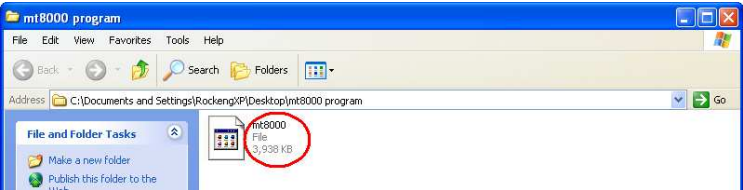
2. Check out the file that was previously copied from the HMI in the file browser. The original file doesn’t have extension file name.
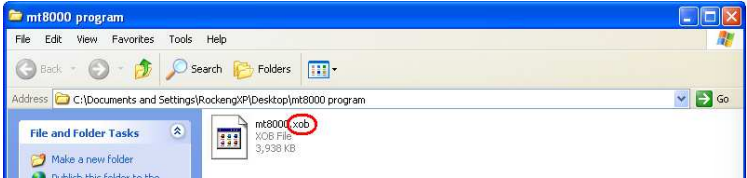
3. Add the extension file name “.xob”.
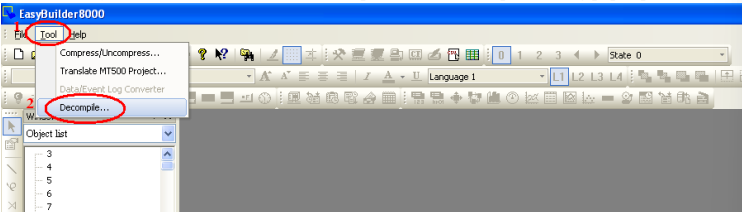
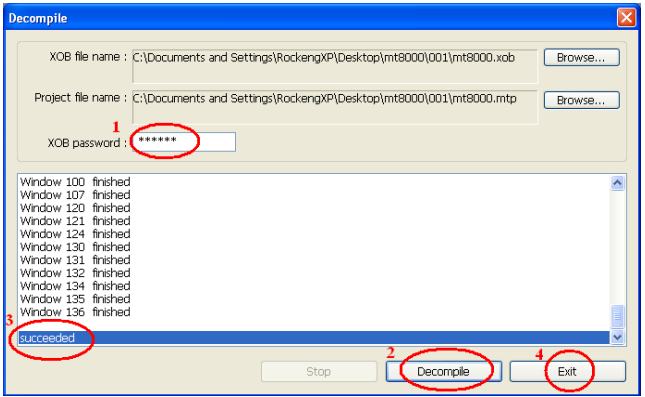
4. Run EasyBuilder Pro, select “Tool / Decompile”. The “Decompile” dialog pops up.
5. Click “Browse” button, and find the .xob file that has been added extension name in the previous step.
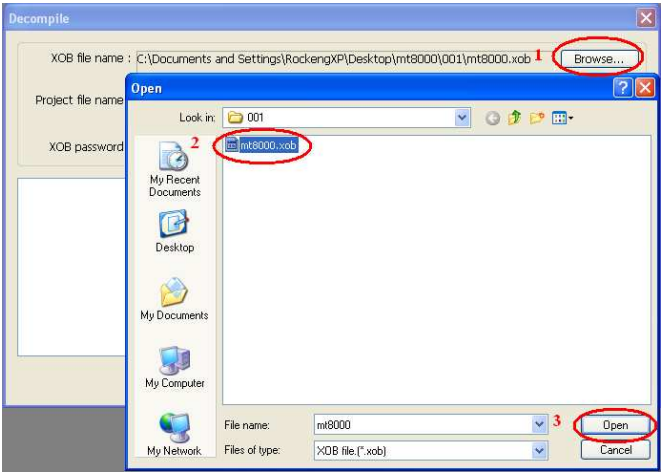
6. When the .xob file is selected, make sure that the decompile password must be the same as the upload password. Click “Decompile” button to start to decompile. When the “succeeded” message appears, the de-compilation is completed. Click “Exit” to leave.
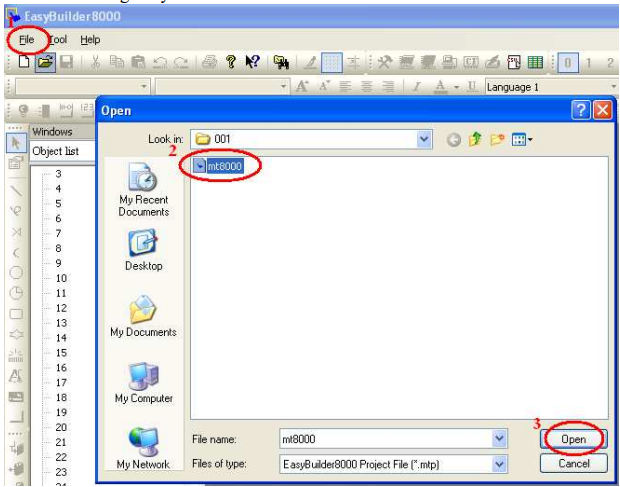
7. After de-compilation, open the file that was being decompiled (which now become *.mtp file).
You can edit it using EasyBuilder Pro now.
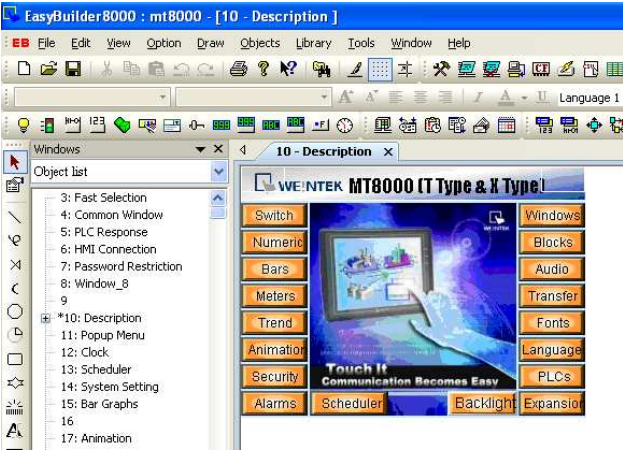
8. Open the .mtp file, the edit environment is shown below:
Słowa kluczowe
dekompilacja, decompile, plik .xob, plik .mtp, upload, pamięć USB, hasło dekompilacji, hasło wgrywania, odzyskanie projektu, EasyBuilder, How to Decompile the xob file which uploading in the USB Disk
No comments to display
No comments to display